

Thread
Leopard on 2002 800MHz eMac?
I know the minimum processor speed for Leopard is 867MHz, but my eMac just falls short of that. I was wondering if anyone has tried this with the original 800MHz Nvidia graphics model? If so, how did it turn out? If I do upgrade to Leopard, would I still be able to boot 9.2.2? Would I have to wipe the HDD to use LeopardAssist? I would upgrade it to 1GB of RAM before I install, but I just want to make sure of a few things before I upgrade the OS.
You sure it's 867? IIRC, 800MHz was the minimum, so it should run. Otherwise, I think it's just a matter of doing some Open Firmware Hacks to get it to install.
You wouldn't be able to use the Classic environment, but, yes, you can boot into 9.2.2. It's just not as convenient as it is under 10.4.11.
-J
You wouldn't be able to use the Classic environment, but, yes, you can boot into 9.2.2. It's just not as convenient as it is under 10.4.11.
-J
That's what the a lot of webpages I've visited said.
Is there a modern browser that works well under 10.4 on a G4? Thats really all I'm looking for. I use iTunes on my MBP, Mail is not needed, I would just like to have a backup machine just in case. If there is a good browser, I just need to find a 10.4 disc. This eMac has a SuperDrive, so any will work, but I'd prefer the CD version because it is compatible with more machines. Probably won't be as lucky as I was with that Leopard disc. :-/
TenFourKit, TenFourFox, and Omniweb to name a few.
If I put the the eMac into Target Disk Mode, would I be able to install and run Leopard without having problems, thus removing the need of hacking the firmware?
That was a common way to get around the 867mhz limit when 10.5 came out. Start in target disk mode and plug into a supported Mac.
With Target Disk Mode, do I have to wipe the HDD, or can I just upgrade the OS on the disc? Can I tri-boot with 9.2.2, 10.2.8, and 10.5.8?
Just do it with Leopard Assist and forget about target modes et al. It is trivially easy, and the process once started is familiar. Alternatively, the OF method is also literally just a matter of typing a handful of characters. Takes a few seconds to boot to the prompt, type, reboot as directed, and you're off. You are not going to do your machine any damage with it.
A Dual 550 Digital Audio that I have around here runs Leopard without coughing. The upgraded graphics card makes a big difference, but what's in an eMac? A Radeon 7500 or some such? Not too bad. As for the processor, a single (and less capable G4) processor eMac may have more problems than the dual DA, but I'd go ahead and give it a whirl.
Once the initial Spotlight indexing is done, you'll get a good sense of its usability. I would defer judgment until then.
A Dual 550 Digital Audio that I have around here runs Leopard without coughing. The upgraded graphics card makes a big difference, but what's in an eMac? A Radeon 7500 or some such? Not too bad. As for the processor, a single (and less capable G4) processor eMac may have more problems than the dual DA, but I'd go ahead and give it a whirl.
Once the initial Spotlight indexing is done, you'll get a good sense of its usability. I would defer judgment until then.
Is there anyway to re-edit the firmware or is it stuck with the Moded firmware? It has the Nvidia GeForce2 MX 3D AGP card. I think the fact that it is only 67MHz slower then the required specs from Apple, it will run very well.
The OF setting is temporary, and is done only for the purpose of fooling the installer. So, e.g., if you need in future to re-install Leopard after a disk crash, you'd have to go through the process once again.
Software updates will work without further trouble. The machine will report itself as an 800mhz unit. All manner of things shall be well.
Software updates will work without further trouble. The machine will report itself as an 800mhz unit. All manner of things shall be well.
The OF settings you enter are wiped out when you reboot.
Just using LeopardAssist will mod the OF correct? And will revert after a reboot like what mcdermd?
I believe Leopard Assist does it all for you. iMac600 here made it so he should know 
That's very cool! I will have to ask. I only want it to revert back for collectible purposes.iMac600 here made it so he should know
Tried using LeopardAssist a few times. Didn't work. I keep getting the "Install Failed" "Mac OS X could not be installed on your computer" "The installer could not install the software because there was no software to install" "Click Restart to restart your computer and try installing again.". I went into the OF and moded it myself, got the same error. Is it something with my disc? Its pretty scratched. :-/
Its the DVD. I tried installing it again, and it started. But then failed again.
Its FINALLY working! It was not LeopardAssist's fault, but my semi-scratched disc and/or my eMac's SuperDrive. So, I borrowed a friends MacBook Pro (because I still need to buy a SuperDrive for my MBP w/ Retina) popped in the install disc, opened the Firmware, edited it, and put the MBP into Target Disk Mode. It found the disc, and booted. The install is almost done, with a minute to go.
I started the 10.5.8 Combo update. I then hopped in the shower, because it was going to take a 10 minutes. When I got out, it was done, and on a black screen, fans running, and the power indicator on. I couldn't get it to boot up after a forced shut down. Going to reinstall and try again.
Did you choose the right g4 optIon? My installations, which have been done twice or three times, have been absolutely trouble free.
I tried the latest version, but it didn't work right under 10.2 (Jaguar). I rolled back to an earlier version of LeopardAssist that was know to work with 10.2, and went from there. The installer kept failing, either because it couldn't complete reading the disc, or pulled up a dialog saying the machine wasn't supported. I finally just reformatted the HDD. So all the original software that came from the original owner is gone, including OS 9.2.2, CS2, and Office 2004.
I also heard there was a problem going from an early version of 10.5 to 10.5.8 via a Combo Update in Software Updater. Sounds like I will have to grab it from Apple's website. I have also started tuning it to a slower G4. The only problem, the eMac is really slow. I hope the 1GB of RAM I ordered will boost the performance.
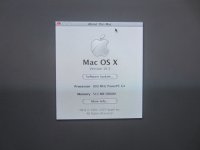
I have Leopard on my 800 MHz iMac (with nVidia graphics) just fine. Although nowadays, there really isn't much reason to run Leopard over Tiger. Most modern software has abandoned PPC altogether, and most "vintage-specialized" software (like TenFourFox) specifically targets Tiger. I'd just stick with Tiger. (I haven't booted Leopard on the iMac in ages, I just use Tiger now.)
Target Disk Mode was my install method, (using an 867 MHz PowerBook G4 as the active system, no less.) I used software update to go to the latest 10.5.8 no problem. (Although I did that while still on the faster system through Target Disk Mode.)
Also, I *HAVE* used Leopard on a 400 MHz G4 - an upgraded-to-dual 1 GHz G4 Digital Audio whose CPU card failed, and at the time a 400 MHz was the only spare I had. It worked, but was dog slow. (It did have 1.5 GB RAM, though.)
Target Disk Mode was my install method, (using an 867 MHz PowerBook G4 as the active system, no less.) I used software update to go to the latest 10.5.8 no problem. (Although I did that while still on the faster system through Target Disk Mode.)
Also, I *HAVE* used Leopard on a 400 MHz G4 - an upgraded-to-dual 1 GHz G4 Digital Audio whose CPU card failed, and at the time a 400 MHz was the only spare I had. It worked, but was dog slow. (It did have 1.5 GB RAM, though.)
One of Leopard's few selling points over Tiger is iTunes.
Yeah, its working. The RAM should be here tomorrow. Now to find a table as high as my desk to flip it on to. I should do the PRAM battery too.
I wiped out 10.5 Leopard and installed 10.4 Tiger. It is much faster, and once I install 10.4.11, the new PRAM battery, and the 1GB of RAM, it should run fairly fast!
Considering a 350mhz sawtooth G4 with 448mb ram on tiger is decent, 1gb and 800mhz better be very quick! haha!
Two years ago when I could still get to work, I used an iMac G4 there with 1ghz, 1gb ram, and 10.5.8. Although it wasn't the fastest, it was just fine for internet and light youtube-ing.
Two years ago when I could still get to work, I used an iMac G4 there with 1ghz, 1gb ram, and 10.5.8. Although it wasn't the fastest, it was just fine for internet and light youtube-ing.
Not that you'd be youtubing at work
Haha! There's nothing wrong with a bit-o-tube at lunch!  )
)
)
Well, got the eMac all moved into it spot for now atop my new desk/workbench (doubles as both). With an ethernet cable and an AirPort Extreme Gen 1.5, I'm able to type this to you in Safari 4.1.3 in Tiger (10.4.11). The computer is actually pretty fast compared to the old HP I never used that was in its new spot. It sits perfectly.
Anyway, the RAM turned out to not work, so I'm returning it for a refund. Just to find the correct RAM now....
Anyway, the RAM turned out to not work, so I'm returning it for a refund. Just to find the correct RAM now....
Had 10.5 running on Powermac G4 466DA few years ago with Radeon 9800 Pro and maxed out RAM. Man that machine was fast! My Macbook (late 2007) wasn't much faster on iPhoto etc. Too bad the Radeon killed the PSU :lol: