

Thread
Macintosh LC SCSI whining?
http://www.sweetwater.com/publications/sweetnotes/sn-earlysummer98/page-03.html
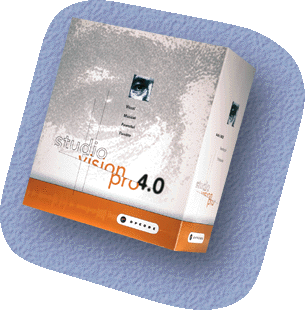

according to this graph, mac os 8.1 was current at the time of the v4.0 release

original v4.0 cd image DOWNLOAD LINK:
http://www.mediafire.com/download/3cuvw321auva78h/Studio_Vision_4.0.toast.bin
http://web.archive.org/web/19980624091538/http://www.opcode.com/products/svpro/
opcode vision = midi only
opcode studio vision = midi + audio

articles:
http://www.soundonsound.com/sos/1994_articles/jun94/opcodevision.html
http://www.soundonsound.com/sos/1996_articles/sep96/opcodevision.html
http://www.sweetwater.com/publications/sweetnotes/sn-earlysummer98/home.html
http://www.soundonsound.com/sos/1996_articles/mar96/opcodesv3.html
http://www.futurestyle.org/archives/o/opcodeStudioVision451.htm
http://www.soundonsound.com/sos/oct98/articles/studiovision.html
manuals here:
http://www.houseofsynth.com/old-opcode-studio-vision-user-manuals
http://www.houseofsynth.com/hos-downloads/manuals/Opcode/Opcode-Vision-and-Opcode-Studio-Vision-Pro-Version-4.1-Manual-Supplement-1998.pdf
http://www.houseofsynth.com/hos-downloads/manuals/Opcode/Opcode-Vision-DSP-and-Studio-Vision-4.2-Manual-Addendum-1998.pdf
http://www.houseofsynth.com/hos-downloads/manuals/Opcode/Opcode-Whats-New-In-Vision-and-Opcode-Studio-Vision-4.5-1999.pdf
http://www.houseofsynth.com/hos-downloads/manuals/Opcode/Opcode-Vision-and-Opcode-Studio-Vision-4.5-Audio-Reference-Manual-1999.pdf
http://www.houseofsynth.com/hos-downloads/manuals/Opcode/Opcode-Vision-and-Opcode-Studio-Vision-4.5-MIDI-Reference-Manual-1999.pdf
downloads available here:
http://web.archive.org/web/20090211171448/http://opcodeusers.com/opcode/vision.html
http://www.crystalclearrecording.com/downloads.htm
downloads include:
Studio Vision Pro 4.5.1 : http://web.archive.org/web/20090211171448/http://opcodeusers.com/opcode/SVPcomplete.sit
Studio Vision Pro 4.2.2 : http://web.archive.org/web/20090211171448/http://opcodeusers.com/opcode/SVP4.2.2.sit
Studio Vision Pro 4.2 : http://web.archive.org/web/20090211171448/http://opcodeusers.com/opcode/StudioVision%20Fat.sit
Studio Vision Pro 2.5 for Windows (win3.1 | win95 | win98 (first edition not 2nd): http://web.archive.org/web/20090211171448/http://opcodeusers.com/opcode/Vision2.5.zip
Rewire Extension 1.1.0 (site claims that more recent versions will break compatibility with Studio Vision)
http://web.archive.org/web/20090211171448/http://opcodeusers.com/opcode/ReWire.sit
[youtube]http://www.youtube.com/watch?v=rwfX0k-fqK0[/youtube]
these videos are incredibly well done + informative + insightful!
kudos to whomever produced these!
Opcode Studio Vision Pro 4.0 tour
[youtube]http://www.youtube.com/watch?v=dnQ1vu-omKY[/youtube]
more info: http://www.soundonsound.com/sos/oct98/articles/studiovision.html
[youtube]http://www.youtube.com/watch?v=ioBYL4svElw[/youtube]
tv appearance circa (?system 7?)
according to this graph, mac os 8.1 was current at the time of the v4.0 release
original v4.0 cd image DOWNLOAD LINK:
http://www.mediafire.com/download/3cuvw321auva78h/Studio_Vision_4.0.toast.bin
http://web.archive.org/web/19980624091538/http://www.opcode.com/products/svpro/
opcode vision = midi only
opcode studio vision = midi + audio
articles:
http://www.soundonsound.com/sos/1994_articles/jun94/opcodevision.html
http://www.soundonsound.com/sos/1996_articles/sep96/opcodevision.html
http://www.sweetwater.com/publications/sweetnotes/sn-earlysummer98/home.html
http://www.soundonsound.com/sos/1996_articles/mar96/opcodesv3.html
http://www.futurestyle.org/archives/o/opcodeStudioVision451.htm
http://www.soundonsound.com/sos/oct98/articles/studiovision.html
manuals here:
http://www.houseofsynth.com/old-opcode-studio-vision-user-manuals
http://www.houseofsynth.com/hos-downloads/manuals/Opcode/Opcode-Vision-and-Opcode-Studio-Vision-Pro-Version-4.1-Manual-Supplement-1998.pdf
http://www.houseofsynth.com/hos-downloads/manuals/Opcode/Opcode-Vision-DSP-and-Studio-Vision-4.2-Manual-Addendum-1998.pdf
http://www.houseofsynth.com/hos-downloads/manuals/Opcode/Opcode-Whats-New-In-Vision-and-Opcode-Studio-Vision-4.5-1999.pdf
http://www.houseofsynth.com/hos-downloads/manuals/Opcode/Opcode-Vision-and-Opcode-Studio-Vision-4.5-Audio-Reference-Manual-1999.pdf
http://www.houseofsynth.com/hos-downloads/manuals/Opcode/Opcode-Vision-and-Opcode-Studio-Vision-4.5-MIDI-Reference-Manual-1999.pdf
downloads available here:
http://web.archive.org/web/20090211171448/http://opcodeusers.com/opcode/vision.html
http://www.crystalclearrecording.com/downloads.htm
downloads include:
Studio Vision Pro 4.5.1 : http://web.archive.org/web/20090211171448/http://opcodeusers.com/opcode/SVPcomplete.sit
Studio Vision Pro 4.2.2 : http://web.archive.org/web/20090211171448/http://opcodeusers.com/opcode/SVP4.2.2.sit
Studio Vision Pro 4.2 : http://web.archive.org/web/20090211171448/http://opcodeusers.com/opcode/StudioVision%20Fat.sit
Studio Vision Pro 2.5 for Windows (win3.1 | win95 | win98 (first edition not 2nd): http://web.archive.org/web/20090211171448/http://opcodeusers.com/opcode/Vision2.5.zip
Rewire Extension 1.1.0 (site claims that more recent versions will break compatibility with Studio Vision)
http://web.archive.org/web/20090211171448/http://opcodeusers.com/opcode/ReWire.sit
[youtube]http://www.youtube.com/watch?v=rwfX0k-fqK0[/youtube]
these videos are incredibly well done + informative + insightful!
kudos to whomever produced these!
Opcode Studio Vision Pro 4.0 tour
[youtube]http://www.youtube.com/watch?v=dnQ1vu-omKY[/youtube]
more info: http://www.soundonsound.com/sos/oct98/articles/studiovision.html
[youtube]http://www.youtube.com/watch?v=ioBYL4svElw[/youtube]
tv appearance circa (?system 7?)
Hi everyone, I'm new to these forums so please be understanding.
I have a Power Macintosh G3 beige desktop, Revision A, 266 MHz, running Mac OS 9.2.2. Currently, it has a Quantum Fireball SCSI hard drive intstalled in it. Unfortunately, the capacity is very limited and I wanted to upgrade. I bought an IBM DGHS comp IEC-950 hard drive off of Craigslist. I know it works, but I can't get my Macintosh to recognize it! It powers up, spins up, but when I go to install Mac OS 9, it can't find the hard drive. When I try to select the "select drive" option or whatever it is, it's greyed out.
If anyone knows how to get this sucker working, it would be greatly appreciated. My Windows computer has had far too much attention, and I think I need to spend some more quality time with my Mac. But, unfortunately, that can't be done until I get this hard drive working.
_________________
3 Apples:
Power Macintosh G3, 266 MHz, Mac OS 9.2
Macintosh IIx, 16 MHz, Mac OS 7.0.1
Apple IIe, 1 MHz, ProDOS
I have a Power Macintosh G3 beige desktop, Revision A, 266 MHz, running Mac OS 9.2.2. Currently, it has a Quantum Fireball SCSI hard drive intstalled in it. Unfortunately, the capacity is very limited and I wanted to upgrade. I bought an IBM DGHS comp IEC-950 hard drive off of Craigslist. I know it works, but I can't get my Macintosh to recognize it! It powers up, spins up, but when I go to install Mac OS 9, it can't find the hard drive. When I try to select the "select drive" option or whatever it is, it's greyed out.
If anyone knows how to get this sucker working, it would be greatly appreciated. My Windows computer has had far too much attention, and I think I need to spend some more quality time with my Mac. But, unfortunately, that can't be done until I get this hard drive working.
_________________
3 Apples:
Power Macintosh G3, 266 MHz, Mac OS 9.2
Macintosh IIx, 16 MHz, Mac OS 7.0.1
Apple IIe, 1 MHz, ProDOS
Hello guys!
I've been given a not-recapped Macintosh LC that's behaving strangely.
It powers up and chimes very happily (though the volume is low, so it's in need for a recap soon), it boots without an issue from an external SCSI drive, it recognizes internally connected SCSI drives (though, if they are bigger than 4 GB, it complains that a 68040 is needed to handle them)... but all along, it makes a very strange whining noise.
It's a high pitched noise, like a whistle of some sort, that gradually goes down in tone until it eventually stops - it's very annoying, and most of all it changes tone when the internal SCSI drive is being accessed. I almost fear turning it on, I don't want to damage anything on the logic board!
What could it be? Is it something caps-related too? I've never experienced such a behavior on any of my other 68k Macs!
I've been given a not-recapped Macintosh LC that's behaving strangely.
It powers up and chimes very happily (though the volume is low, so it's in need for a recap soon), it boots without an issue from an external SCSI drive, it recognizes internally connected SCSI drives (though, if they are bigger than 4 GB, it complains that a 68040 is needed to handle them)... but all along, it makes a very strange whining noise.
It's a high pitched noise, like a whistle of some sort, that gradually goes down in tone until it eventually stops - it's very annoying, and most of all it changes tone when the internal SCSI drive is being accessed. I almost fear turning it on, I don't want to damage anything on the logic board!
What could it be? Is it something caps-related too? I've never experienced such a behavior on any of my other 68k Macs!
Try booting from a floppy and then time from boot time to when the whining stop if it starts. It could be a drive bearing going or the lubricant beginning to flow when the bearing gets hot enough.


If the HDD was formatted with a disk utility other than Apple's own it may be unapproachable with HD Setup. At the very least you should get a message that 'This disk is unreadable ...', and be invited to eject or initialize it. That you do not get (or report) such a message indicates that you will need a larger hammer for the job: Silverlining (LaCie), FWB ToolKit, Intech's SpeedTools or ATTO's utility (the name of which escapes me for the moment). Silverlining comes free with LaCie's external drives. The current (and last for OS 9) is v6.5.8. FWB's, InTech's and ATTO's software comes at a price. All of these utilities can install the logical partitions on your drive (if they test it as functional) in accord with Apple's protocols, and install a driver as well. Only if the present driver/formatter was from way out left will the quoted utilities not be able to 'take over' the drive.
There are freeware/shareware utilities also, for which you can Google.
de
_________________
(60x) 13DT + 3PB + PTPro; (G3) 7DT/MT; (G4) 3T + PB. System 8.1 to OS 10.5.8
There are freeware/shareware utilities also, for which you can Google.
de
_________________
(60x) 13DT + 3PB + PTPro; (G3) 7DT/MT; (G4) 3T + PB. System 8.1 to OS 10.5.8
Thanks for the advice, I think I may try a new strategy now. I was planning on keeping the old SCSI drive in the bay, and then remove the Zip Drive and place the IBM drive into the Zip bay. That way, I believe I could run the Silverlining app off of the original drive.
The programs you mentioned all look very useful thank-you very much
_________________
3 Apples:
Power Macintosh G3, 266 MHz, Mac OS 9.2
Macintosh IIx, 16 MHz, Mac OS 7.0.1
Apple IIe, 1 MHz, ProDOS
The programs you mentioned all look very useful thank-you very much
_________________
3 Apples:
Power Macintosh G3, 266 MHz, Mac OS 9.2
Macintosh IIx, 16 MHz, Mac OS 7.0.1
Apple IIe, 1 MHz, ProDOS
Hi Elfen!
Thanks for your suggestion, but I don't think it's a hard drive issue - I tried booting the system with no hard drive connected to the internal SCSI bus, but the whining still occurs. It sounds like an electrical noise of some sort, so I don't think it's the fan, either, but I'll investigate more thoroughly!
Thanks for your suggestion, but I don't think it's a hard drive issue - I tried booting the system with no hard drive connected to the internal SCSI bus, but the whining still occurs. It sounds like an electrical noise of some sort, so I don't think it's the fan, either, but I'll investigate more thoroughly!
You are aware that the rev. A Beige G3 does not support slave drives on the ATA buses? Rev. B and rev. C ROMs do, and can be bought with a little prowling in the dark alleys of the Internet. Rev. A limits you to two hard drives on the two ATA buses, unless you use the SCSI bus also for a third drive. If you install a HDD utility (eg Silverlining Pro 6.5.8) onto the Quantum, and boot from your retail OS 9 CD, you should (barring the disaster of an intransigent disk utility on the IBM) be able to 'get hold of' the IBM with the Silverlining app. Silverlining has a much more informative GUI than does HD Setup, and also a much more intuitive selection of the necessary test, format, and driver installation processes.
That accomplished, you are ready to install an OS onto the IBM in the same sitting. This may be a useful first point of call for you to explore your upgrade options.
de
_________________
(60x) 13DT + 3PB + PTPro; (G3) 7DT/MT; (G4) 3T + PB. System 8.1 to OS 10.5.8
That accomplished, you are ready to install an OS onto the IBM in the same sitting. This may be a useful first point of call for you to explore your upgrade options.
de
_________________
(60x) 13DT + 3PB + PTPro; (G3) 7DT/MT; (G4) 3T + PB. System 8.1 to OS 10.5.8
The whine is coming from the onboard speaker not the scsi drive. Its because the caps are bad and the goo had leaked all over.
Its a pretty common problem across all the LC machines. I II III. here is some info to help you re-cap that.
http://maccaps.com/MacCaps/Capacitor_Reference/Entries/1990/10/15_LC_I%2C_II%2C_III_Power_Supplies_2.html
if you plug in some headphones you should still hear the same wine. or if you pull out the Fan/speaker assembly with the computer on. you will notice the noise will go away as well. but all in all it needs capacitors pretty bad.
Its a pretty common problem across all the LC machines. I II III. here is some info to help you re-cap that.
http://maccaps.com/MacCaps/Capacitor_Reference/Entries/1990/10/15_LC_I%2C_II%2C_III_Power_Supplies_2.html
if you plug in some headphones you should still hear the same wine. or if you pull out the Fan/speaker assembly with the computer on. you will notice the noise will go away as well. but all in all it needs capacitors pretty bad.
Yep. My LC did the exact same thing. Went away after recapping.
Guess it's time for a recap then  I had a feeling it was due to caps failing, these machines are pretty much unreliable when it comes to caps due to their age. I feel a little uncomfortable to replace SMD capacitors, so I'll probably leave the work to someone more experienced in electronics than me!
I had a feeling it was due to caps failing, these machines are pretty much unreliable when it comes to caps due to their age. I feel a little uncomfortable to replace SMD capacitors, so I'll probably leave the work to someone more experienced in electronics than me!The Opcode Users Group on Yahoo has complete working downloads of StudioVision 4.2, 4.5.1, Galaxy + Editors, OMS and everything else Opcode you could ever want.
can u post the link?
ive just installed vision 2.5 on windows 3.11 complete with oms for windows!!!
experimenting with it now!
Ferrix97 has made an excellent video series on recapping an LC. Is on his Macintosh LC Restoration Video Series. Post # 11 has him to a recap with regular caps on the board. You do not need to use SMD/SMT Caps to recap a board, but most do because they look good.
Here's Ferrix97's vid post:
https://68kmla.org/forums/index.php?/topic/23469-macintosh-lc-restoration-video-series/?p=243442
Rocking those caps back and forth really works on not stripping your traces!
Here's Ferrix97's vid post:
https://68kmla.org/forums/index.php?/topic/23469-macintosh-lc-restoration-video-series/?p=243442
Rocking those caps back and forth really works on not stripping your traces!
i'll second that, i started out using through hole caps, it's much easier than using the SMD parts
this group is somewhat less usefull because it is restricted. but thanks for your contribution nonetheless;)
I used to cut smt capacitors with side cutters until I tried twisting. Now I am happy enough grabbing the top with some pliers and twisting while maintaining down-force, keeping the cap centred in it's plastic bottom. It seems to be faster than these videos of people pulling&wiggling, as well as faster than cutting too.I know a lot of people hate uniserver for suggesting this method but it really does work.

this group is somewhat less usefull because it is restricted. but thanks for your contribution nonetheless;)
Less "useful" in what sense? In that you can't just vacuum up files without, I don't know, joining? I use StudioVision and I found it very "useful" to join that group. Just about every possible subject pertaining to Opcode products has been discussed there at length. It's only "restricted" just enough to keep out the trolls.
useful for redistribution of information + files.. its ok i will post everything from there here:) lol
less usefull in that its not open to the general public is all i meant. some people dont have the patience to join a mailing list group
I use 2 soldering irons to do it. 2 cheap $15 irons from Radio Shack and use them like tweezers. Melt the solder on both sides of the contacts while pushing gently. The cap will eventually slide off on its own. You can add a little bit of solder to the pads first to speed things up.
For soldering caps, I use tantalum caps + solder paste. A dab of solder paste on each pad, put the cap in the goop, then just heat the goop. It melts and makes a perfect solder joint. I suck at soldering, and I found it easy to do.
For soldering caps, I use tantalum caps + solder paste. A dab of solder paste on each pad, put the cap in the goop, then just heat the goop. It melts and makes a perfect solder joint. I suck at soldering, and I found it easy to do.
I think as others have said before if you can get the old caps off with out lifting the pads, Whatever way allows you do achieve this is a good way.
If you start ripping pads off then it just will take more time to fix.
If you start ripping pads off then it just will take more time to fix.
It's fixed!
I shall really thank Ferrix97 here for the wonderful job he has done recapping my LC!
As it turned out, he lives pretty close to my place - so after almost three weeks spent arranging a meeting, finally I gave him the baby last Saturday to have it fixed. Guess what? On Monday evening it was done!
I also got the occasion to give him my two damaged Macintosh Pluses for troubleshooting, he's a really nice guy and works very professionally for his young age!
I know most people on this forum are US based, but for those who should happen to live in Italy or nearby countries and need a recap, I can strongly recommend him!
I shall really thank Ferrix97 here for the wonderful job he has done recapping my LC!
As it turned out, he lives pretty close to my place - so after almost three weeks spent arranging a meeting, finally I gave him the baby last Saturday to have it fixed. Guess what? On Monday evening it was done!
I also got the occasion to give him my two damaged Macintosh Pluses for troubleshooting, he's a really nice guy and works very professionally for his young age!
I know most people on this forum are US based, but for those who should happen to live in Italy or nearby countries and need a recap, I can strongly recommend him!
Cool.