
Thread
MacBottom breakthrough
I have been a little busy lately.
I think I may have had a breakthrough on the serial SCC based MacBottom.
I was brainstorming thinking about how to obtain a driver for the MacBottom. That driver is long since gone. Mac128K had figured this out too. But I never gave up.
Well, I had a hunch. maybe its a chicken in the egg syndrome? Would it be possible the driver of the MacBottom is also on the harddrive itself? Well, why not?
ding.ding.ding....
I found a guy that would read MFM drives with the beaglebone. Told him the controller, I sent him the drive, and he dumped it into a RAW file for me. It wont mount in anything I have, HFVExplorer wont mount it, nothing mounts it.
But i digress...
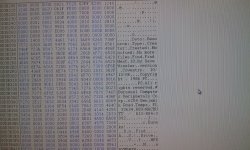
I opened the file in Hex Workshop, did some skimming through. It appears the original owner used this drive to back up another drive called a "purple 20" with +DiskFit. This diskfit backup is still on the MacBottom.
Inside the diskfit backup, the Purple 20 stuff was in there. The Purple 20 drive appears to be the boot drive, it has a Utilities Folder, and a System Folder.
Further down in the hex code, sure enough purple 20 was his boot volume, And you guessed it. MacBottom drivers and utilities.... BAM... i love hunches, and i love when they are right.
Problem is, How do i extract the information out of this file? the file has a ton of personal information so I dont know if i should post the raw dump. Maybe send it to a member here that thinks they can get the HFS/MFS volume to mount and extract the stuff.
I think I may have had a breakthrough on the serial SCC based MacBottom.
I was brainstorming thinking about how to obtain a driver for the MacBottom. That driver is long since gone. Mac128K had figured this out too. But I never gave up.
Well, I had a hunch. maybe its a chicken in the egg syndrome? Would it be possible the driver of the MacBottom is also on the harddrive itself? Well, why not?
ding.ding.ding....
I found a guy that would read MFM drives with the beaglebone. Told him the controller, I sent him the drive, and he dumped it into a RAW file for me. It wont mount in anything I have, HFVExplorer wont mount it, nothing mounts it.
But i digress...
I opened the file in Hex Workshop, did some skimming through. It appears the original owner used this drive to back up another drive called a "purple 20" with +DiskFit. This diskfit backup is still on the MacBottom.
Inside the diskfit backup, the Purple 20 stuff was in there. The Purple 20 drive appears to be the boot drive, it has a Utilities Folder, and a System Folder.
Further down in the hex code, sure enough purple 20 was his boot volume, And you guessed it. MacBottom drivers and utilities.... BAM... i love hunches, and i love when they are right.
Problem is, How do i extract the information out of this file? the file has a ton of personal information so I dont know if i should post the raw dump. Maybe send it to a member here that thinks they can get the HFS/MFS volume to mount and extract the stuff.
I wonder if you could DD it onto a blank virtual hard disk
To second the "DD" suggestion: I'm guessing the RAW dump probably has several sectors worth of partition tables/driver-specific ID information that's going to mess up trying to simply mount the whole file. Can you determine where the HFS file system actually starts (and possibly ends) and trim the file down to that?
(Glancing at a reference on how HFS filesystems are structured I'd suggest looking at an HFS disk image and getting an idea what the boot blocks at LB positions 0 and 1 look like; those should be followed immediately by the "Master Directory Block". Hopefully those same parts of the filesystem are identical on the MacBottom. The only thing I worry about a *little bit* when you say this is a "RAW" dump is if the dump might include extraneous information between sectors. As I recall the formats for 800k Mac floppies and the HD-20 had a block of, what was it, 20 bytes? of "meta information" tacked on the end of each 512 byte sector. Do you see something like that in your raw file? I believe that's something left over from the Lisa and the Mac never used it, so I'm not sure if that information exists in "disk image" or emulator formats.)
(Glancing at a reference on how HFS filesystems are structured I'd suggest looking at an HFS disk image and getting an idea what the boot blocks at LB positions 0 and 1 look like; those should be followed immediately by the "Master Directory Block". Hopefully those same parts of the filesystem are identical on the MacBottom. The only thing I worry about a *little bit* when you say this is a "RAW" dump is if the dump might include extraneous information between sectors. As I recall the formats for 800k Mac floppies and the HD-20 had a block of, what was it, 20 bytes? of "meta information" tacked on the end of each 512 byte sector. Do you see something like that in your raw file? I believe that's something left over from the Lisa and the Mac never used it, so I'm not sure if that information exists in "disk image" or emulator formats.)
Just FYI, here's a page that mentions that weird "532 byte" blocksize in the HD-20 format. Again, if there a weird spew of data 20 bytes long in between each sector I sort of wonder if you might have to remove it. Maybe fire up BasiliskII, format a disk image and copy some known data over to it, and look at it in the hex editor to see how it matches up?
This drive contains 520 byte sectors. I am going to go ahead and post this file. I will need someone more adept at filesystems than I, that is one of the few things about Macintosh I dont know, and thats filesystems and thier internal structures.
Maybe dougg3, bbraun, or bigmessowires could chime in on this one.
I attached the raw dump, and its associated log. there were a few bad sectors.
mac.zip
here is the dump log
Maybe dougg3, bbraun, or bigmessowires could chime in on this one.
I attached the raw dump, and its associated log. there were a few bad sectors.
mac.zip
here is the dump log
So I created a 1MB HFS volume and just threw random files from a Quadra restore CD on it, until it was basically full. Problem is, I really don't know what to look for, 1MB HFS volume turned into a 7MB text file. The beginning and end of the file are all zeroes. \
EDIT: "Code" formatting doesn't work on this theme.
EDIT: "Code" formatting doesn't work on this theme.
RE: all those dead sectors: by any chance does the drive mechanism have a sticker on it showing where the bad blocks are located? (That was standard procedure with MFM/RLL drives.) I'm guessing another thing that *might* be on the preamble of the disk is a bad block list that instructs the formatter to skip the bad areas; the question there would be if HFS has a mechanism for marking bad blocks on a filesystem level or if it's up to the driver of the storage device to present all the good blocks as a flawless virtual space. That's something that off the top of my head I have absolutely no idea about. If it's the latter piecing the filesystem back together may involve having to stitch two non-contiguous chunks of sectors together.
... also, what's with the "interleave 0 1 2 3 4 5 6 7 8 9 10 11 12 13 14 15 16" statement? Does that mean it's detected the interleave and the sectors are in the correct order, or does it mean "unknown" and the sectors might be in any order?
... also, what's with the "interleave 0 1 2 3 4 5 6 7 8 9 10 11 12 13 14 15 16" statement? Does that mean it's detected the interleave and the sectors are in the correct order, or does it mean "unknown" and the sectors might be in any order?
Its rumning through all possible interleaves until a match i suppose. I didnt create the software or dump. I sent it off to a guy who did.
"interleave 0 1 2 3 4 5 6 7 8 9 10 11 12 13 14 15 16" means it is formatted with 17 sectors per track, with a 1:1 interleave (sectors numbered in rotational order).
Anyone take a look at the file yet to see what we are dealing with?
Looks like this image file is using 532 byte sectors as well.
GOT IT....
Used HFSExplorer to open it, after removing the first 2 cylanders from the image file, and scrapping the first 12 bytes of ever 532 byte sector.
now it opens, but i am only getting the data forks of all the files with HFSExplorer.
Tried HFV explorer, but it wont open.
Used HFSExplorer to open it, after removing the first 2 cylanders from the image file, and scrapping the first 12 bytes of ever 532 byte sector.
now it opens, but i am only getting the data forks of all the files with HFSExplorer.
Tried HFV explorer, but it wont open.
Try mounting with vMac/BasiliskII?
Can't believe I was right about that 532 byte sector thing.
Can't believe I was right about that 532 byte sector thing.
Fixed image:
Nothing stands out as being the driver, however I know its in there. i seen multiple instances of MacBottom in the hex file. So, I think there is a DRVR resource somewhere that needs extracted.
image.zip
Nothing stands out as being the driver, however I know its in there. i seen multiple instances of MacBottom in the hex file. So, I think there is a DRVR resource somewhere that needs extracted.
image.zip
Uhm... excuse my lack of knowledge here, but what is "MacBottom?"
Wow, you guys are on some next level s***!

Got it to mount in basilisk II. Bad thing is, the Finder/System appears corrupt to some degree. Which is bad, because it likely contains the drivers.
mike this is cool stuff man!
My other option is if Mac128K is still around, and has his mac bottom, Dump his disk as well...
"'I see' said the blind man to his deaf wife..."
Thanks Uniserver!
Thanks Uniserver!
Techknight, can you make a disk image of the drive, then run Disk First Aid?
All I have is what I posted.
Wow. I forgot just how flaky my current BasiliskII setup is...
There's definitely something screwed up with that disk image. Maybe it's just me, but I'm finding that every application that's on that disk appears to have some corruption in its resource forks. (Every application has a generic "pencil on paper" icon, and if you try to open anything you either get a "The application program "X" could not be opened, because an error of type -39 occurred" message, or a nonsensical message saying "There is not enough memory to open "X" (zero K needed, zero K available). To make more memory available, try quitting "".". Interestingly some of the documents seem to retain at least part of their resource fork, because if you double-click on them they'll try opening the associated (broken) application.
This is definitely a job for someone with some deep arcane knowledge of MacOS filesystems.
There's definitely something screwed up with that disk image. Maybe it's just me, but I'm finding that every application that's on that disk appears to have some corruption in its resource forks. (Every application has a generic "pencil on paper" icon, and if you try to open anything you either get a "The application program "X" could not be opened, because an error of type -39 occurred" message, or a nonsensical message saying "There is not enough memory to open "X" (zero K needed, zero K available). To make more memory available, try quitting "".". Interestingly some of the documents seem to retain at least part of their resource fork, because if you double-click on them they'll try opening the associated (broken) application.
This is definitely a job for someone with some deep arcane knowledge of MacOS filesystems.
Yea, my guess resource/data fork links or trees arnt right. Not sure.
Funny thing is, diskfit works. Lol. Neat little app.
Funny thing is, diskfit works. Lol. Neat little app.
Now I wonder what a "Purple 20" is...