
Kq Commands 1.0.3

Kq Commands
Configuration · v1.0.3
| Filename | kq-commands-103.hqx |
|---|---|
| Size | 509.0 KB (521267 bytes) |
| Year | 1999 |
| Mac OS | System 6System 7 |
| Downloads | 12 |
Enjoying MacTrove?
Anonymous downloads are free and unlimited.
Create a free account to track favorites,
contribute metadata corrections, and join the
community chat.
About
KeyQuencer Commands Version 1.0.3 November 6th, 1999
KeyQuencer Commands are a bunch of free extensions for the KeyQuencer automation program. These commands allow you get information about your computer, process text and lists, schedule macros, run macros conditionally, and automate some new tasks.
Some of the extensions work with System 6.0.7, but some functions require System 7, OS 8, OS 8.5, or OS 9. Some work with KeyQuencer 1; others need KeyQuencer 2 (Lite or full version).
This release contains the Conditional, Schedule, ScheduleQuit, ClickMacro, ListApp, ListFiles, List, PopupList, WordCount, Snip, FindOffset, Match, ColorPicker, ThemeSound, SetPointer, SizeWindow, RecentApp, Modem, Say, Load, FileStatus, GetAppInfo, GetIdleInfo, GetMonitorInfo, GetSoundInfo, GetWindowInfo, GetPixelInfo, GetGestaltInfo, WaitPixel, Utilities, and EnforceApp commands.
Uses for these commands include - Customizable hierarchical popup menus - Visual application, window, sound volume, and monitor resolution switching - Search and replace using regular expressions - Automatic window resizing - Automatic monitor size and color setting for applications that do not do so on their own. - Run different macros depending on the current application or window. - Allow your multiple button pointing device to run a macro when you "chord" (simultaneously press) two of its buttons. - Run regular tasks, such as backups - ... as well as many other new functions
Screenshots
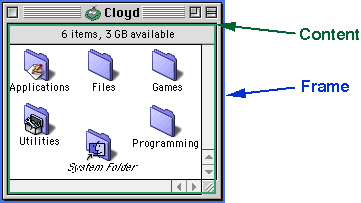
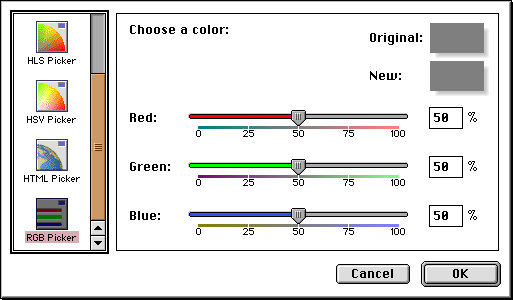
File Info
This file is part of the MacTrove archive. See the Thank You page for the upstream mirrors we rely on. It is BinHex encoded — use The Unarchiver to decode it.


