Home Documents Macintosh MacApp 2.0 Object And Method Reference
MacApp 2.0 Object And Method Reference

MacApp 2.0 Object And Method Reference
Macintosh · PDF
FilenameMacApp_2.0_Object_and_Method_Reference_19881003.pdf
Size3.02 MB
Subsection developer / MacApp_2.0
Downloads2
Enjoying MacTrove? Anonymous downloads are free and unlimited. Create a free account to track favorites, contribute metadata corrections, and join the community chat.
Reader
MacApp 2.0 Object And Method Reference
/
Loading…
OCR / Text contents
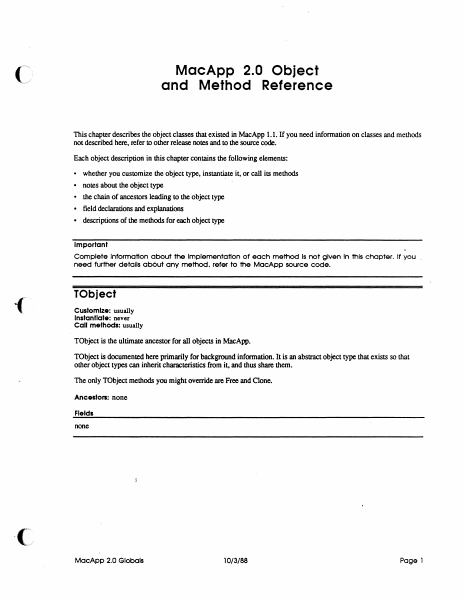
MacApp 2.0 Object and Method Reference This chapter describes the object classes that existed in MacApp 1.1. If you need infonnation on classes and methods not described here. refer to other release notes and to the source code. Each object description in this chapter contains the following elements: • whether you customize the object type. instantiate it. or call its methods • notes about the object type • the chain of ancestors leading to the object type • field declarations and explanations • descriptions of the methods for each object type Important Complete Information about the Implementation of each method Is not given In this chapter. If you need further details ab6ut any method. refer to the MacApp source code. TObject Customize: usually Instantiate: never Call methods: usually TObject is the ultimate ancestor for all objects in MacApp. TObject is documented here primarily for background information. It is an abstract object type that exists so that other object types can inherit characteristics from it, and thus share them. The only TObject methods you might override are Free and Clone. Ancestors: none Fields none MacApp 2.0 Globals 10/3/88 Page 1 Clone FUNCTION TObject .Clone: TObject; The retum value An exact copy of the calling object Purpose To clone dependent objects referred to by the fields of an object as well as cloning the object i~lf. An object is dependent on another object when the second object has the only (or the only important) reference to the first object Dependency is a relatively vague condition; when you override this method, you need to detennine what objects are dependent on SELF. The default version Calls ShallowClone, and thus clones only the object i~lf Override Sometimes Call Sometimes Free PROCEDURE TOb ject:. Free; Purpose To free the calling object and any dependent objects referred to by its fields. An· object is dependent on another object when the second object has the only (or the only important) reference to the first object Dependency is a relatively vague condition; when you override this method, you need to determine what objects are dependent on SELF. Th• default version Calls ShallowFree Override Often. Your version should free any dependent objects you have added for your customization and then call INHERITED Free so that any ancestor methods can free other dependent objects. The chain of INHERI1ED calls leads to TObject.Free, which calls TObjecLShallowFree, which frees SELF. Call Often ShallowClone FUNCTION TObject. ShalloWClone: TObject; The retum value Purpose This is the lowest-level method for copying an object Called by TObject.Oone The default version Calls HandToHand, an Inside Macintosh routine, to copy the object data Override Never Call Rarely MocApp 2.0 Globals 10/3/88 Page 2 Shallow Free PROCEDURE TObject.ShallowFxee; Purpose This is the lowest-level method for freeing an objecL Called by TObjecLFree The default version Frees t…

Showing first 3,000 characters of 78,310 total. Open the full document →
Home Documents Macintosh MacApp 2.0b5
MacApp 2.0b5

MacApp 2.0b5

Macintosh · PDF
FilenameMacApp_2.0b5_19880803.pdf
Size1.40 MB
Subsection developer / MacApp_2.0
Downloads2
Enjoying MacTrove? Anonymous downloads are free and unlimited. Create a free account to track favorites, contribute metadata corrections, and join the community chat.
Reader
MacApp 2.0b5
/
Loading…
OCR / Text contents
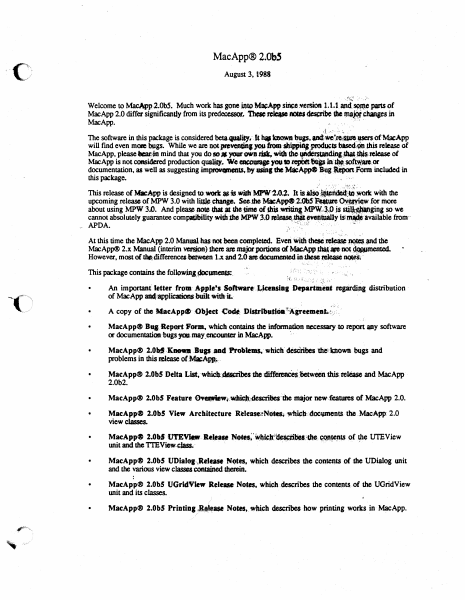
MacApp® 2.0bS August 3, l988 ,:!~t ·,: -,;h Welcome to MacApp2.0b5. Much work has gone into M~App siliee,.'\'ersion 1; 1.1 anci S4m,\C pans of MacApp 2.0 differ significandy-from its predeoessor, rcleue ~ dMs ~ Chanses in MacApp. ., .... n. **' .J ... .'- .:. :, ·- The software in this package is considered beta.qutlliq..·- k i,. bo.wJl .,., anct•·~.apcnof MacApp will find even me»e lMlgs. While we are not iw•dns )'OU·ftOlll~ producu blsecl~ .dtis release ot MacApp, please lar?in mind that you do so# your own risk, widJ tho·f¥'~;-,,_,ieJta.se of MacApp is not considered production qualq. We WOQJ8P )'OU ID JepbtttfflP in'·~.sot~a10.or documentation, as well as suggesting im~ts.by uinf she MlieAppe Bug·~ rQrl'ft included in this package. · . ... · ) '·'''·':·· ;:,i..:.t' This release of Mll:App is designed to.wort asis.wilhMPW'l.0.2~ It is~. •~dild~bi·· with the upcoming release of MPW 3.0 with ~:change. ~Jbe MacApp<9 2~0b5· ~ure ~for more about using MPW 3.0. And please -note that a dle lme of this .Wl'iQng MP\\'..·~~P js s~ginj. so we cannot absolutely guarantee compafibility widubc MPW 3.0 ~~- evettluiJ.lt islmW :available from·· ,. APDA. ,', . . '..~: .,! -· : . , '· , At this time the MacApp 2.0 Manualhas not been completed. Even "'"1t ~~ . • ~the MacApp® 2.x Manu,al (interim vas,ipn) Jhere are major portions of MaeApp_~-~ ~ However, most of thit;differencedie.lween 1.x and 2.0•doeummfeciht.thestl~ ~( This package contains the followjnJ..1»cumenlS:. • "': ': ·-": :· . , _. ,, .. :-r., ~~ . ·; .; :.~. :". : ~' ·,~'.~ ,;,:. . An important' letter rrom- .6.-p9Je!1 Softnre-.t,.,ieeasia1 Departilt'eat reprdjng distribution of MacApp ai4~licationsbuilt. widliL- • • MacApp® BUI Report Form, which contains the infOrmadon necessary to report IPY softw.are or docwnentation-. bugs yqulay_encoun= in Mac.App. · MacApp® 2.0bf'·'Knoa-Bugs.and f'f.obtems,-whiclfdesciribes 'die'tnown bugs and problems in this .tease of~.· • MacApp® 2.0bS Delta List,-whiclJ.~dta:rlbes the ~-between 1his ~ and MacApp 2.0b2. r-, '~" • MacApp® 2.0b5 Feature 0¥.-Wt:~;descritfe$:ibe major new.featuros of MacApp 2.0• • MacApp® 2.0b5 View Architecture Release~N~~ll,doc\PnenlS t1le MacApp: 2.0 view classes. • MacApp® 2.0b5 Ut'EVl«!tt: Re-. ~~·~~Jt~bM:•.~~ ()f rpe UTEView llllit and the Tl'EView.~· . -. . . -· .. • MacApp® 2.0b5 UDiatoa..,Retuse N~es. which describes the contelJlS of the UDialQ& unit and the various view cluscs conrained ~. · • MacApp® 2.0bS UGridView Release Notn. whidl describes the conteJll$ of the UGridView unit and its cJasses. · - • MacApp® 2.0b5 Printing1~ase Notes, which descnleS how printingw~in MacApp. MacApp® 2.0 Memory Management. which discusses memory management in MacApp. · Mac,ARP~ 2:0 Glooali.'· ;whleh describes global constants, variables, data types, and routines in • ~App. !.·(-, M~ci\<pp41F2:0 Obj~~'t dn·d· Method Reference, which discusses object classes that also .• existed in MacAou 1.1. To use,'"MacAw"w…

Showing first 3,000 characters of 33,069 total. Open the full document →

Home Documents Macintosh MacApp Cookbook Draft 1
MacApp Cookbook Draft 1

MacApp Cookbook Draft 1

Macintosh · PDF
FilenameMacApp_Cookbook_draft_1_19890126.pdf
Size14.96 MB
Subsection developer / MacApp_2.0
Downloads2
Enjoying MacTrove? Anonymous downloads are free and unlimited. Create a free account to track favorites, contribute metadata corrections, and join the community chat.
Reader
MacApp Cookbook Draft 1
/
Loading…
OCR / Text contents
( ti Macintosh® MacApp Cookbook Apple Programmer's and Developer's Association 1/26189 Draft 1 MacApp Cookbook Contents Figures and tables ii Preface About the Cookbook 1 About this book 1 Other materials you'll need 1 How to use this book 2 What it contains 2 Visual cues 2 Roadmap to the MacApp documentation suite 3 Chapter 1 Introduction to the Cookbook 5 A MacApp translation guide 5 Chapter 2 The Apple Menu 6 2.1 Creating an "About Your Application" entry 2.2 Creating a separate "About ..." resource 6 2.3 Animating the "About ... " entry 6 6 Chapter 3 AppleTalk, Multiuser, and Network Considerations Using IO completion routines 8 Leaving files open for other users Chapter 4 Applications 7 8 9 3.1 Creating objects: an overview 3.2 Creating an application 10 9 i Draft 1 MacApp Cookbook 1/26189 Step 1 Initializing the Toolbox 11 Step 2 Initializing printing 12 Step 3 Assigning the application signature and the main file type 13 Step 4 Declaring a subclass of !Application 13 Step 5 Defining your application initialization method 14 Step 6 Instantiating your application class 14 Step 7 Calling your initialization method 15 Step 8 Calling the Run method 15 Continuing from here 15 3.3 Opening an application without opening a document 16 Chapter 5 Browser 17 Chapter 6 The Clipboard and Cut, Copy, and Paste 19 Creating a Clipboard view 20 Run-time summary of creating a clipboard view 20 Overview of your responsibilities 21 Step 1 Define a handle type 21 Step 2 Define a resource type 22 Step 3. Override MakeViewForAlienClipboard 22 Step 4. Override methods for your Clipboard view type 23 Step 5. Override the ContainsClipType method 23 Step 6. Override the GivePasteData method 23 Step 7. Override 'IView.WriteToDeskScrap for your Clipboard view Step 8. Create a Clipboard document, if desired 25 Step 9. Add a Show Clipboard menu item to your resource file 25 Continuing from here 27 Supporting Cut and Copy commands 28 Supporting the Paste command 29 Step 1 Call the global procedure CanPaste 29 Step 2 Define and create a paste command object 29 Step 3 Retrieve the data to be pasted 30 Continuing from here 30 Supporting a private scrap type 31 ii MACAPP COOKBOOK 25 MacAppCookbook 1/26189 Draft 1 ( Chapter 7 Collections Chapter 8 Color 33 35 Chapter 9 Compatibility 37 Checking system software 38 Checking hardware 38 Future compatibility rules 38 Converting from MacApp 1.1 to MacApp 2.0 Unit dependencies 40 Debugging 40 Document changes 41 View changes 42 Windows 43 Your views 43 TEViews and Dialog Boxes 44 Command objects 44 !Command 44 Tracking methods 44 Editing commands 45 ( Chapter 10 Controls and Control Views Chapter 11 Cursors Chapter 12 38 47 49 Changing the Cursor Shape Cursor region 50 50 Debugging in MacApp 51 Writing a Fields Method 52 Step 1 Declare a Fields method for your document class 52 Step 2 Define the Fields method 52 CONTENTS ill Draft 1 Mac.App Cookbook Step 3 Step 4 Call Inh…

Showing first 3,000 characters of 375,333 total. Open the full document →

Home Documents Macintosh MacApp 2.0b5 UTEView Release Notes
MacApp 2.0b5 UTEView Release Notes

MacApp 2.0b5 UTEView Release Notes

Macintosh · 1988 · PDF
FilenameMacApp_2.0b5_UTEView_Release_Notes.pdf
Size0.94 MB
Year1988
Subsection developer / MacApp_2.0
Downloads2
Enjoying MacTrove? Anonymous downloads are free and unlimited. Create a free account to track favorites, contribute metadata corrections, and join the community chat.
Reader
MacApp 2.0b5 UTEView Release Notes
/
Loading…
OCR / Text contents
MacApp 2.0b5 UTEView Release Notes Russ Wetmore Overview This document documents changes and additions to the UTEView unit of MacApp. There are several reasons why these changes were desirable: • To support the new MacApp 2.0 display architecture • To add support for the new, "styled" TextEdit • To simplify the unit and add consistency • To improve its (already substantial) memory management facilities There are a couple of limitations which prevent TTEView from fully conforming to the new MacApp 2.0 display architecture. They are: • The text in a TextEdit record (TERec. hText) is limited to 32K characters • The height of the entire record must be less than 32K pixels tall. For these reasons, TTEView objects cannot take advantage of MacApp's 32-bit view coordinates The new TextEdit stresses memory management with more relocatable data structures, and many more temporary objects. TTEView tries its best to assure that any TTECommand is undoable. With version 1.0/1.1, however even with the precautions taken it is still possible to run into out-of-memory conditions that prevent undoing commands. The addition of extra data structures/objects just intensifies the need for new algorithms to assure that any command will be undoable. Note: In the descriptions that follow, new or changed methods, fields, and parameters are underlined. Global Constants cStyleChange kUnlimited kWithStyle kWithoutStyle kSaveCurrentChars 130) MAXINT) (= TRUE) (= FALSE) (= TRUE) (= (= "Menu" command for style change. The maximum number of characters in the fText of a TTEView object. Parameter to TTEView. ITEView. Parameter to TTEView. ITEView. Parameter to TTECommand. ITECommand. The TTEView Class The following changes have been made for TTEView: • fFont, fSize and fStyle have been replaced by a single fTextStyle record of type TextStyle. TextStyle is a data structure used by the new TextEdit, and is defined as TextStyle RECORD tsFont tsFace tsSize tsColor END; INTEGER; Style; INTEGER; RGBColor; • TTEView. ITEView has been simplified. Some rarely used parameters have been removed (such as itsKeyCmd.Number and itsMaxChars) and others have been bunched together. A new parameter itsStyleType signifies whether the TERecord is "styled" or not. • TTEView. Inspect and TTEView. ShowDebuginfo have been replaced by the new Inspector-supported TTEView. Fields. Fields fHTE fText fSavedTEHandle Unset fKeyCmd.Number fMaxChars fTypingCommand· fTextStyle fJustification fAcceptsChanges fStyleTyQe fAutoWrap fFreeText fSQecsChanged fLastHeight fScroller fLastPageBreak fLastLine Wed, Aug 3, 1988 Handle to the actual TextEdit object. The text in the TEHandle. Saved handle from TENew. A rectangle defining the amount of pixels to inset the TERecord's viewRect from view's extent. Thus, finset defines margins around the edges of the view. Views whose text autowraps should have a bottom margin of zero. Will be used as the string number for "Undo Typing." Maximum number of chars to accept…

Showing first 3,000 characters of 22,976 total. Open the full document →

Home Documents Macintosh MacApp 2.0b5 Feature Overview
MacApp 2.0b5 Feature Overview

MacApp 2.0b5 Feature Overview

Macintosh · 1988 · PDF
FilenameMacApp_2.0b5_Feature_Overview_19880803.pdf
Size1.52 MB
Year1988
Subsection developer / MacApp_2.0
Downloads2
Enjoying MacTrove? Anonymous downloads are free and unlimited. Create a free account to track favorites, contribute metadata corrections, and join the community chat.
Reader
MacApp 2.0b5 Feature Overview
/
Loading…
OCR / Text contents
MacApp® 2.0b5 Feature Overview August 3, 1988 Curt Bianchi This document is a brief description of the new features included in MacApp 2.0. MacApp Source Code Organizatio_n MacApp 2.0 breaks up the MacApp source code into logically separate units, each of which contains the code for a distinct part of MacApp. Here's a description of the new units. Non-Object-Oriented Libraries These libraries provide non-object-oriented support facilities for MacApp. c UMAUtil This unit contains a set of constant and type declarations and utility routines that are used by the other MacApp units. MacApp users will also want to make use of the routines in this unit UViewCoords This unit implements the routines dealing with 32-bit view coordinates and the VPoint and VRect data types, which are analogous to QuickDraw's Point and Rect types. MacApp users will have to be familiar with the routines in this unit. Basically, they provide conversion between QuickDraw and view coordinates, and view coordinate counterparts to many QuickDraw routines (for example, SetVRect, which is just like QuickDraw's SetRect except that it works in view coordinates). UFailure This unit implements MacApp's failure-handling mechanism. Most users only need to know how to invoke failure handling and how to write their own failure handlers. The code in this unit actually implements the failure-handling mechanism. UPat.ch This unit implements MacApp's trap-patching scheme and is of little interest to MacApp users as they don't ordinarily patch traps. UBusyCursor This unit implements the MacApp busy cursor. Most MacApp users won't be interested in this unit unless they want to change the way the busy cursor works. UMemory This unit implements the MacApp memory and segment management system. MacApp users need to know the philosophy behind MacApp's memory management and the services provided by this unit If you need to know the gory details, read this unit's source code. UMenuSetup This unit implements MacApp's menu handling. Mostly this consists of routines to manipulate menu items via command numbers, and provides the framework in which menu setup takes place. Wed, Aug 3, 1988 © 1988S Apple Computer 1 Object-Oriented Libraries These units form the core of the MacApp object classes. UObject This unit provides the base support for objects in MacApp and includes the TObject class. UAssociation This unit implements the TAssociation class, which is essentially a dictionary that associates one string with another. UList This unit contains the TList and TSortedList classes, which implements lists of objects, similar to dynamic arrays. They are widely used by MacApp and by most MacApp programs. . UMacApp This is the main MacApp uniL It contains the classes TApplication, TDocument,TView,TWindow,TScroller,TControl,TCtlMgr, TScrollBar, TSScrollBar and TPrintHandler. It also contains global variables, constants, and type declarations used by MacApp. Building Block Units These …

Showing first 3,000 characters of 40,301 total. Open the full document →

Home Documents Macintosh MacApp 2.0b5 UDialog Release Notes
MacApp 2.0b5 UDialog Release Notes

MacApp 2.0b5 UDialog Release Notes

Macintosh · 1988 · PDF
FilenameMacApp_2.0b5_UDialog_Release_Notes.pdf
Size2.01 MB
Year1988
Subsection developer / MacApp_2.0
Downloads2
Enjoying MacTrove? Anonymous downloads are free and unlimited. Create a free account to track favorites, contribute metadata corrections, and join the community chat.
Reader
MacApp 2.0b5 UDialog Release Notes
/
Loading…
OCR / Text contents
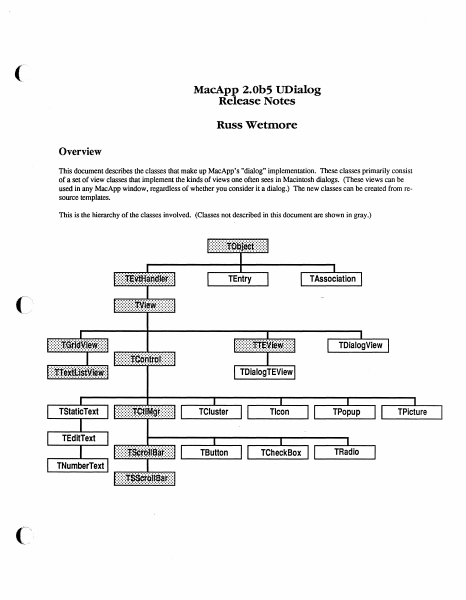
( MacApp 2.0b5 UDialog Release Notes Russ Wetmore Overview This document describes the classes that make up MacApp's "dialog" implementation. These classes primarily consist of a set of view classes that implement the kinds of views one often sees in Macintosh dialogs. (These views can be used in any MacApp window, regardless of whether you consider it a dialog.) The new classes can be created from resource templates. This is the hierarchy of the classes involved. (Classes not described in this document are shown in gray.) .·:·.·~;-;f:ci······;;.~~-:· TEntry .;::::::r.~lf·ITTan1;1,.~:::: ..................... TAssociation . ,.. ·.·.··:·:·:· :-:·:·:·;;...r.~1·.:iv.· : TDialogView :::::::::~:~:-~: .. ~~:::::: TDialogTEView TStaticText TCluster Tlcon TPopup TButton TCheckBox TRadio TEditText TNumberText :::::::r:ssc:r-Oitsar:::: .·.·.·.·.·.·.·.·.·.·.·.·.·.·.·.·.·.·.·.· TPicture Global Constants Choices mOKHit mCancelHit mButtonHit mCheckBoxHit mClusterHit mEdi t.TextHi t miconHit mListitemHit mListScrollBarHit mPictureHit mPopupHit mRadioHit mStaticTextHit mHScrollBarHit mVScrollBarHit mEditTabKey mEditReturnKey mEditEnterKey m.PatternHit mControlHit 1; 2; 3; 4; 5; 6; 7; 8; 9; 10; 11; 12; 13; 14; 15; 16; 17; 18; 19; 20; View Template Identifiers kNoidentifier kNoTemplate kNoResource '., -1; -1; Miscellaneous kYesButton kNoButton kPreferColor kControlOn kRedraw kDontRedraw kFrame ChrOO ChrlF kMaxTEWidth Wed, Aug 3, 1988 1; 3; TRUE; TRUE; TRUE; FALSE; [adnLineTop, adnLineLeft, adnLineBottom, adnLineRight]; CHR (0); CHR($1F); $2BO; ©1988 ti Apple Computer 2 Global Types ID Type = ResType; adornPieces adnLineTop, adnLineLeft, adnLineBottom, adnLineRight, adnDummy, adnOval, adnRRect, adnShadow ) ; Draw a line at the top of the extent. Draw a line on the left side of the extent. Draw a line at the bottom of the extent. Draw a line on the right side of the extent. Placeholder (replaces adnPatFill). Do a FrameOval using the extent Do a FrameRound.Rect using the extent. Draw drop-shadows against framed selections. CntlAdornment SET OF adornPieces; ControlCharSet SET OF ChrOO .. ChrlF; Used by TEdi t Text for allowable control chars. Global Routines PROCEDURE InitUDialog; This routine initializes the UDialog unit. It must be called before any of the view classes in this unit can be created from 'view' resources. FUNCTION NewTemplateWindow (viewRsrcID: INTEGER; itsDocument: TDocument): TWindow; This routine creates a new TWindow (or descendant) from the 'view' template with the given resource ID. PROCEDURE RegisterType (typeName: Str255; protoObj: TObject); This routine registers the given object (which can be an instance of any descendant of TObject) for use by TEvtHandler and its descendants when creating views from a template. The TEntry Class This class is used by TAssociation to form a very basic and cheap text item dictionary mechanism whose main use will be substitution of text in dialog-type window items. T…

Showing first 3,000 characters of 51,345 total. Open the full document →

Home Documents Macintosh ViewEdit Users Guide Draft 1
ViewEdit Users Guide Draft 1

ViewEdit Users Guide Draft 1

Macintosh · 1988 · PDF
FilenameViewEdit_Users_Guide_draft_1_19880831.pdf
Size2.08 MB
Year1988
Subsection developer / MacApp_2.0
Downloads5
Enjoying MacTrove? Anonymous downloads are free and unlimited. Create a free account to track favorites, contribute metadata corrections, and join the community chat.
Reader
ViewEdit Users Guide Draft 1
/
Loading…
OCR / Text contents
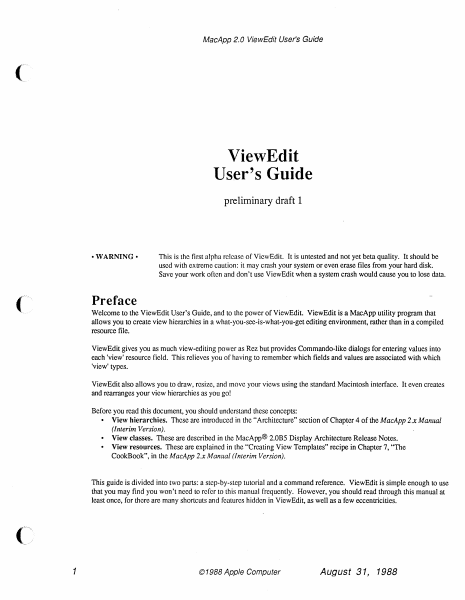
MacApp 2.0 ViewEdit User's Guide ViewEdit User's Guide preliminary draft 1 •WARNING• This is the first alpha release of ViewEdit. It is untested and not yet beta quality. It should be used with extreme caution: it may crash your system or even erase files from your hard disk. Save your work often and don't use ViewEdit when a system crash would cause you to lose data. Preface Welcome to the ViewEdit User's Guide, and to the power of ViewEdit. ViewEdit is a MacApp utility program that allows you to create view hierarchies in a what-you-see-is-what-you-get editing environment, rather than in a compiled resource file. ViewEdit gives you as much view-editing power as Rez but provides Commando-like dialogs for entering values into each 'view' resource field. This relieves you of having to remember which fields and values are associated with which 'view' types. ViewEdit also allows you to draw, resize, and move your views using the standard Macintosh interface. It even creates and rearranges your view hierarchies as you go! Before you read this document, you should understand these concepts: • View hierarchies. These are introduced in the "Architecture" section of Chapter 4 of the MacApp 2.x Manual (Interim Version). · • View classes. These are described in the MacApp® 2.0BS Display Architecture Release Notes. • View resources. These are explained in the "Creating View Templates" recipe in Chapter 7, "The CookBook", in the MacApp 2.x Manual (Interim Version). This guide is divided into two parts: a step-by-step tutorial and a command reference. ViewEdit is simple enough to use that you may find you won't need to refer to this manual frequently. However, you should read through this manual at least once, for there are many shortcuts and features hidden in ViewEdit, as well as a few eccentricities. 1 © 1988 Apple Computer August 31, 1988 MacApp 2.0 ViewEdit User's Guide A first look at ViewEdit This section shows you how to use ViewEdit to edit the view resources in the DemoDialogs sample application. Before you begin this tutorial, you should build the DemoDialogs sample. If you are new to MacApp and the l\.1PW environment. Chapter 6, of the MacApp 2.x Manual (Interim Version), "How to Install and Use MacApp", will show you how to build the sample applications. After building DemoDialogs, open the VicwEdit application by double-clicking on its icon. The resource file window The first thing that you will see after starting ViewEdit is the empty "Untitled-I" window. Close this window and choose the Open command from the File menu. Then select the DemoDialogs application from the Standard File dialog. The window that appears is reminiscent of the resource file window in ResEdit There is an icon for each type of resource in DemoDialogs. The icon for 'view' resources is always in the upper-left hand comer (and if you have a color screen, you will see it is also the only colored icon). Here is the resource file window from DemoDialogs: DemoDialogs…

Showing first 3,000 characters of 43,343 total. Open the full document →

Home Documents Macintosh MacApp 2.0 Memory Management
MacApp 2.0 Memory Management

MacApp 2.0 Memory Management

Macintosh · 1988 · PDF
FilenameMacApp_2.0_Memory_Management_19880921.pdf
Size0.86 MB
Year1988
Subsection developer / MacApp_2.0
Downloads2
Enjoying MacTrove? Anonymous downloads are free and unlimited. Create a free account to track favorites, contribute metadata corrections, and join the community chat.
Reader
MacApp 2.0 Memory Management
/
Loading…
OCR / Text contents
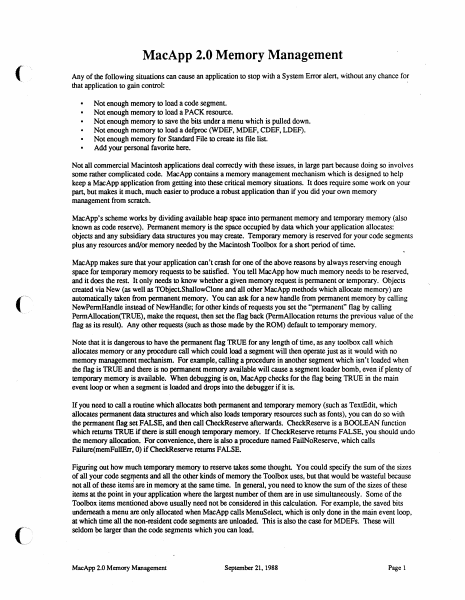
MacApp 2.0 Memory Management Any of the following situations can cause an application to stop with a System Error alert, without any chance for that application to gain control: · Not enough memory to load a code segment. Not enough memory to load a PACK resource. Not enough memory to save the bits under a menu which is pulled down. Not enough memory to load a defproc (WDEF, MDEF, CDEF, LDEF). Not enough memory for Standard File to create its file list Add your personal favorite here. Not all commercial Macintosh applications deal correctly with these issues, in large part because doing so involves some rather complicated code. MacApp contains a memory management mechanism which is designed to help keep a MacApp application from getting into these critical memory situations. It does require some work on your part, but makes it much, much easier to produce a robust application than if you did your own memory management from scratch. MacApp's scheme works by dividing available heap space into permanent memory and temporary memory (also known as code reserve). Permanent memory is the space occupied by data which your application allocates: objects and any subsidiary data structures you may create. Temporary memory is reserved for your code segments plus any resources and/or memory needed by the Macintosh Toolbox for a short period of time. MacApp makes sure that your application can't crash for one of the above reasons by always reserving enough space for temporary memory requests to be satisfied. You tell MacApp how much memory needs to be reserved, and it does the rest It only needs to know whether a given memory request is permanent or temporary. Objects created via New (as well as TObjectShallowClone and all other MacApp methods which allocate memory) are automatically taken from permanent memory. You can ask for a new handle from permanent memory by calling NewPermHandle instead of NewHandle; for other kinds of requests you set the "permanent" flag by calling PermAllocation(TRUE). make the request, then set the flag back (PermAllocation returns the previous value of the flag as its result). Any other requests (such as those made by the ROM) default to temporary memory. Note that it is dangerous to have the permanent flag TRUE for any length of time, as any toolbox call which allocates memory or any procedure call which could load a segment will then operate just as it would with no memory management mechanism. For example, calling a procedure in another segment which isn't loaded when the flag is TRUE and there is no permanent memory available will cause a segment loader bomb, even if plenty of temporary memory is available. When debugging is on, MacApp checks for the flag being TRUE in the main event loop or when a segment is loaded and drops into the debugger if it is. If you need to call a routine which allocates both permanent and temporary memory (such as TextEdit, which allocates permanent data structures and which also loads temporary re…

Showing first 3,000 characters of 25,102 total. Open the full document →

Home Documents Macintosh MacApp 2.0b5 UGridView Release Notes
MacApp 2.0b5 UGridView Release Notes

MacApp 2.0b5 UGridView Release Notes

Macintosh · 1988 · PDF
FilenameMacApp_2.0b5_UGridView_Release_Notes_19880803.pdf
Size1.01 MB
Year1988
Subsection developer / MacApp_2.0
Downloads2
Enjoying MacTrove? Anonymous downloads are free and unlimited. Create a free account to track favorites, contribute metadata corrections, and join the community chat.
Reader
MacApp 2.0b5 UGridView Release Notes
/
Loading…
OCR / Text contents
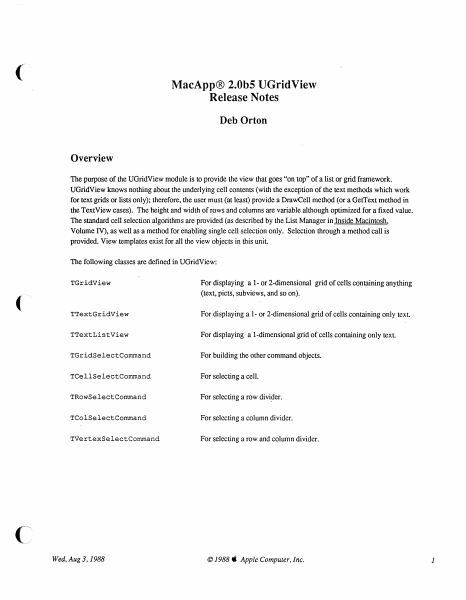
( MacApp® 2.0bS UGridView Release Notes Deb Orton Overview The purpose of the UGridView module is to provide the view that goes "on top" of a list or grid framework. UGridView knows nothing about the underlying cell contents (with the exception of the text methods which work for text grids or lists only); therefore, the user must (at least) provide a DrawCell method (or a GetText method in the TextView cases). The height and width of rows and columns are variable although optimized for a fixed value. The standard cell selection algorithms are provided (as described by the List Manager in Inside Macintosh. Volume IV), as well as a method for enabling single cell selection only. Selection through a method call is provided. View templates exist for all the view objects in this unit. The following classes are defined in UGridView: TGridView For displaying a 1- or 2-dimensional grid of cells containing anything (text, picts, subviews, and so on). TTextGridView For displaying a 1- or 2-dimensional grid of cells containing only text. TTextListView For displaying a I-dimensional grid of cells containing only text. TGridSelectCommand For building the other command objects. TCellSelectCommand For selecting a cell. TRowSelectComrnand For selecting a row divider. TColSelectComrnand For selecting a column divider. TVertexSelectComrnand For selecting a row and column divider. Wed, Aug 3, 1988 © 1988 ti Apple Computer, Inc. 1 TGridView Types GridCell = Point; A cell in the grid. GridViewPart = (badChoice, inCell, inRow, inColumn, inVertex); Used to type mouse clicks. RunArrayChunk RunArray contents (private). RECORD count: size: INTEGER; INTEGER; END; RunArray =ARRAY [0 .. 100000] OF RunArrayChunk; For casting use (private). PRunArray "RunArray; Pointer to run array (private). HRunArray "PRunArray; A handle to a run array (private). Template Types GridViewTemplate PACKED RECORD numOfRows: INTEGER; numOfCols: INTEGER; rowHeight: INTEGER; colWidth: INTEGER; rowinset: INTEGER; colinset: INTEGER; adornRows: BOOLEAN; adornCols: BOOLEAN; singleSelection: BOOLEAN; filler: 0 .. 8191; END; GridViewTemplatePtr = "GridViewTemplate; TextGridViewTemplate itsFontFace: itsFontSize: itsFontColor: itsFontName: END; PACKED RECORD Style; INTEGER; RGBColor; Str255; TextGridViewTemplatePtr Wed, Aug 3, 1988 "TextGridViewTemplate; © 1988 4i Apple Computer, Inc. () 2 Constants ( Template identifiers for views defined in this unit: 'TGridView'; kGridView = 'TTextGridView'; kTextGridView 'TTextListView' ; kTextListView For setting column/row width/height in only one row/column: 1; kOneRow 1; kOneCol = Select Command Identifiers: cCellSelect = cRowSelect = cColumnSelect cVertexSelect 1; 2; 3; 4; Booleans for SetSelection: kExtend = kDontExtend = kHighlight = kDontHighlight kSelect = kDeSelect TRUE; FALSE; TRUE; FALSE; TRUE; FALSE; Booleans for CreateHighlightRgn: kWholeRect = kNotWholeRect = TRUE; FALSE; Fields fnumOfRows: fnumOfCols…

Showing first 3,000 characters of 25,108 total. Open the full document →

Home Documents Macintosh MacApp 2.0b5 Source Listings
MacApp 2.0b5 Source Listings

MacApp 2.0b5 Source Listings

Macintosh · 1988 · PDF
FilenameMacApp_2.0b5_Source_Listings_19880920.pdf
Size43.85 MB
Year1988
Subsection developer / MacApp_2.0
Downloads2
Enjoying MacTrove? Anonymous downloads are free and unlimited. Create a free account to track favorites, contribute metadata corrections, and join the community chat.
Reader
MacApp 2.0b5 Source Listings
/
Loading…
OCR / Text contents
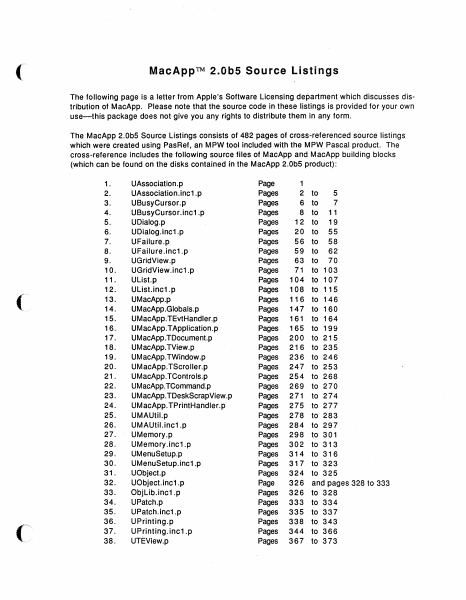
( MacApp™ 2.0b5 Source Listings The following page is a letter from Apple's Software Licensing department which discusses distribution of MacApp. Please note that the source code in these listings is provided for your own use--this package does not give you any rights to distribute them in any form. The MacApp 2.0b5 Source Listings consists of 482 pages of cross-referenced source listings which were created using PasRef, an MPW tool included with the MPW Pascal product. The cross-reference includes the following source files of MacApp and MacApp building blocks (which can be found on the disks contained in the MacApp 2.0b5 product): f (~ 1. 2. 3. 4. 5. 6. 7. 8. 9. 10. 11. 12. 13. 14. 15. 16. 17. 18. 19. 20. 21. 22. 23. 24. 25. 26. 27. 28. 29. 30. 31. 32. 33. 34. 35. 36. 37. 38. UAssociation.p UAssociation.inc1 .p UBusyCursor.p UBusyCursor.inc1 .p UDialog.p UDialog.inc1 .p UFailure.p UFailure.inc1 .p UGridView.p UGridView.inc1 .p Ulist.p Ulist.inc1 .p UMacApp.p UMacApp.Globals.p UMacApp. TEvtHandler.p UM acApp. T Application .p UMacApp.TDocument.p UMacApp.TView.p UMacApp.TWindow.p UMacApp.TScroller.p UMacApp.TControls.p UMacApp. TCommand.p UMacApp.TDeskScrapView.p UMacApp. TPrintHandler.p UMAUtil.p UMAUtil.inc1 .p UMemory.p UMemory.inc1 .p UMenuSetup.p UMenuSetup.inc1 .p UObject.p UObject.inc1 .p Objlib.inc1 .p UPatch.p UPatch.inc1 .p UPrinting.p UPrinting.inc1 .p UTEView.p Page Pages Pages Pages Pages Pages Pages Pages Pages Pages Pages Pages Pages Pages Pages Pages Pages Pages Pages Pages Pages Pages Pages Pages Pages Pages Pages Pages Pages Pages Pages Page Pages Pages Pages Pages Pages Pages 1 2 6 8 12 20 56 59 63 71 104 108 116 147 161 165 200 216 236 247 254 269 271 275 278 284 298 302 314 317 324 326 326 333 335 338 344 367 to 5 7 to to 11 to 19 to 55 to 58 to 62 to 70 to 103 to 107 to 115 to 146 to 160 to 164 to 199 to 215 to 235 to 246 to 253 to 268 to 270 to 274 to 277 to 283 to 297 to 301 to 313 to 316 to 323 to 325 and pages 328 to 333 to 328 to 334 to 337 to 343 to 366 to 373 39. 40. 41. 42. UTE View .Globals.p UTEView.TTEView.p UTEView.TTECommand.p UViewCoords .p Pages Pages Pages Page 374 to 376 377 to 393 394 to 403 404 Each line in the source files is preceded by the number of the file it came from (using the above numbers) and the line number within that file. The cross-reference contains an alphabetical list of all identifiers used in the source files. Following each identifier is a list of the line number with file numbers in parentheses. An asterisk (*) following a line number indicates a definition of the variable or routine. An equal sign (=) indicates an assignment. A line number with nothing following it means a reference to an identifier. Note that the following assembly language and MacApp debugger source files were not included in the listing (interested users can list them from the files on the MacApp 2.0bS disks): CommonObjlib.a Macros.a UBusyCursor.a UFailure.a Ulnspector.p Ulnspector.inc1 .p UMAUtil.a …

Showing first 3,000 characters of 500,000 total. Open the full document →
Subscribe to MacApp_2.0
mp.ls