Home Documents Lisa 08 PABC
08 PABC

08 PABC

Lisa · 1984 · PDF
Filename08_PABC.pdf
Size0.21 MB
Year1984
Subsection toolkit_3.0 / Package_2_Examples
Downloads3
Enjoying MacTrove? Anonymous downloads are free and unlimited. Create a free account to track favorites, contribute metadata corrections, and join the community chat.
Reader
08 PABC
/
Loading…
OCR / Text contents
PABC PBBC. TEXT 22 .Rug 1984 10: 43: 57 PMC. TEXT Copyri~t 1983, 1984 by Apple CoIIputer, Inc. l'-Apr-84: added phrases 44 • 4S 16-Apr-84: added heap scralllbling co.ands 13-Apr-84: added phrase 43 1l-Apr-84: ratnove blank line before sign strings: fixup cl ipboard fUe/print MnU llApr84: added phrases 132 and 41 • 42 ;Thts Is the generic phrase fUe included by ToolKit application phrase fUes ; NOTE: The wording of the alerts _y not confor'll to the standards of the first release appl ieations ~ WAIT STOP NOTE CAUT ION Cancel OK 1 note alert ~lert TN has no _tehing entry in the phrase fUe. fl The last e~nd was 1C. 2 stop alert 10 is experiencing technical difficulties in accessing the disk that has the 10 tool. fl fl It woul d probabl y be a good idea for you to Put Back your doc~ts one at a t 1_ or to push the on-o ff but ton to save thelll all. fl fl If the probl . . recurs, refer to ~ndlx 1, Error t1es sages , ln the 10 _nual. 9 x~x phWordOel illl1ters- phTrouble io stop alen ~ 9; x9x x$x x'x x.9 x., 9,9 WA A-A AlA ~IA A.A • 10: {The tool is having trouble} 1s experiencing technical difficulties, phUnknOIoIn - 11; ~ has an unknown error, h stop alen (phrase(error) 1s undef1ned for this error} ; phNoText (font change or style changed command uas done with no text selected) - 21; 21 stop alen You cannot do that because no text ls selected. : phNoSel - 22; £the appl icat ion coul d not do the COlMland • there was no sel eet ton} PROCEDURE lTSelection'jeantDoIt : ; PROCEDURE TSelect ion. OoCutCopy : PROCEDURE TSelect ion. DoKey ; PROCEDURE TWlndow, }NewStdCoMMand 22 stop alen You cannot do that because nothing is selected, ; phNo InsPt - 23; 23 stop alen You cannot do that because .there 1s no insenion polnt, PROCEDURE (TDocument. } RevenVers ion phReve n - 24; 24 eautlon cancel alert 00 you want to revert to the vers ion saved n? ; phRevBI ank - 25; 25 caution cancel alen 00 you want to revert to a blank docu.nt? ; phunkCIIId • 26: {the appl icat ion coul d not handle a part lcular menu command) ; PROCEDURE {TSelection, JNewCOlllllland 26 stop al en 10 cannot do .. Tl" : phSelCant • 27: [same as 22. except there was a selection} : PROCEDURE {TSel ect ion. JCantDoIt 27 stop alen You cannot do that to this kind of selection. ; phUnchanged • 28: (used in both save' continue and reven to previous version) The docu.nt has not changed since you lISt saved it. 28 note alen ; phSav ing • 29; 29 wait alert 10 is saving the new version of your document. fltL To terainate the operation, hold down the Apple key while you type a period, : phTerwinated • 30: 30 stop alert 10 terainated the operat ion because you typed Appl e-period. : I')hEd 1t Clip • 31; : PROCEDURE (TSelection. }DoKey : FUNCT ION {TPanel, }downAt 31 stop alert You camot ed it on the Cl lpboa rd. phNoCl lp • 32: 32 stop alen There is nothing on the Clipboard to Paste. ; : phUnkCl ip - 33: (the appl ication could not understand Yhat was on the cllpboard} 33 stop al…

Showing first 3,000 characters of 9,209 total. Open the full document →
Home Documents Lisa 620 0142 E 1of1
620 0142 E 1of1

620 0142 E 1of1

Lisa · PDF
Filename620-0142-E-1of1.pdf
Size0.33 MB
Subsection hardware / Lisa_2_10_IO_Board
Downloads4
Enjoying MacTrove? Anonymous downloads are free and unlimited. Create a free account to track favorites, contribute metadata corrections, and join the community chat.
Reader
620 0142 E 1of1
/
Loading…
OCR / Text contents
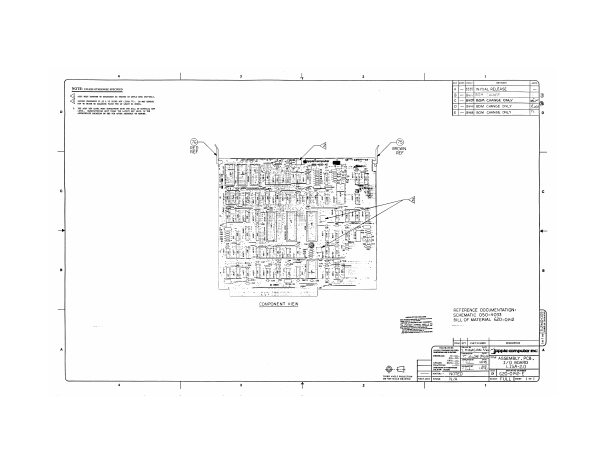
NOTE: UNLESS OTHERWISE SPECIFIED A [8335] INITIAL RELEASE = q S81 rOSY oerOM To SONOS AS STATED U8 APLE SEE 0-002 B[— |Ous}20™M CHANGE 2) EBT hs ties oe [= [aves] Bom CHANGE ONLY al 2m er pe ve re enero vr uo eA D| — [eval €om CHANGE ONLY Boal [PripPRIATE LOCATION OF TH TOD AFTER ASSEROLT OF KORE € | —|e4se] BOM CHANGE ONLY ea) BN BROWN | ce le 8 COMPONENT VIEW REFERENCE DOCUMENTATION: smoouerion gnaast SCHEMATIC 050-4033 See noe, BILL OF MATERIAL 620-0142 SSS SSR | \ rea ar | vont nonnen DescurToN ES [Fitna dG z Smee” PS MINASIAN "/as) “3x computer inc: ST ASSEMBLY , PCB, = slits I7Q_ BOARD © 4 Ewa LISA. THIRD ANGLE PROJECTION mavens NOTED Doworsesteomamme’ [vextassy [rwsw NZA fests FULL [oer Tord 4
Home Documents Lisa Lisa Dealer Presentation
Lisa Dealer Presentation

Lisa Dealer Presentation

Lisa · 1983 · PDF
FilenameLisa_Dealer_Presentation_1983.pdf
Size1.95 MB
Year1983
Subsection marketing
Downloads3
Enjoying MacTrove? Anonymous downloads are free and unlimited. Create a free account to track favorites, contribute metadata corrections, and join the community chat.
Reader
Lisa Dealer Presentation
/
Loading…
OCR / Text contents
Why should your customers buy a Lisa? I-t comes from Apple Computer. L.isa Teehnology allows you to profit more f'rom all persOiraal computer functions faster t~han with any lother computer. lrhe Lisa's 32-1)it processor powers the only ~~oIDP-Iete and Jintegrated set of personal (:omputer applications. Lisa ~Ioes what ()ther pes do _ _ _ _ _ BE I I ER Lisa 4ctoes what lother pes do ___ TOGE I HER Lisa does what other pes ____ CANNOT DO liable of Contents COrporate Story ....................................................................................... 1 Target Ma.rket Profile .... n........................................................................ 4 Product Description ....... 6 Hardware OVervlew ....... ~. 7 I) • ••••••••••••••••• ••••• ••• •• ••• • ••••• ••••• • ••••••••••••••••••••••••• •••• 't • • • • • • • • • • • • • • • • • • • • • • • • • • • • • • • • • • • • • • • • • • • • • • • • • • • • • • • • • • • • • • • • • • • • •• CorTlpatlbl11ty ........ ........... ..•.. ... ... ........... ..... ...•. .... .•.. ...... .•... ........ ........... 9 Integration ................................................................... ,......................... 11 LlsaDraw ...•.•......................................................................................... 13 LlsaCalc ....•........•...•................•.....•....•............•.•...........•.•..........•.......... 15 LisaLlst ..................................................................................•.............. 17 LlsaWrlte ................. 19 LisaGrapn ................ ~ 21 LisaProject .............. 23 Printing .................................................................................................. 25 Datacomm .... 27 LisaTerminal .................,......................................................................... 29 Networking ...................'......................................................................... 31 Development Tools .................................................................................. 35 Tnlrd Party Program ................................................................................ 37 Application Developers Toolkit ................................................................ 38 Competitive Analysis Hardware...... ...... ..... '.......................................... 39 Lotus 1-2-3 ........................................................................................ 41 Visi-On ....... 44 Small Buslress ....................................................................................... 45 International .......................................................................................... 47 Service and Support ................................................................................ 50 Product Calendar .................................................................................... 51 Who to Call for Arlswers ........................................................…

Showing first 3,000 characters of 35,753 total. Open the full document →
Home Documents Lisa 029 0176 A Lisa Parallel Interface Card
029 0176 A Lisa Parallel Interface Card

029 0176 A Lisa Parallel Interface Card

Lisa · 1983 · PDF
Filename029-0176-A_Lisa_Parallel_Interface_Card.pdf
Size0.64 MB
Year1983
Subsection service
Downloads7
Enjoying MacTrove? Anonymous downloads are free and unlimited. Create a free account to track favorites, contribute metadata corrections, and join the community chat.
Reader
029 0176 A Lisa Parallel Interface Card
/
Loading…
OCR / Text contents
Parallel Interface Card 029-0176-A Warning: This equipment generates, uses, and can radiate radio frequency energy and if not installed and used in accordance with the instructions manual, may cause interference to radio communications. It has been tested and found to comply with the limits for a Class A computing device pursuant to Subpart J of Part 15 of FCC Rules, which are designed to provide reasonable protection against such interference when operated in a commercial environment. Operation of this equipment in a residential area is likely to cause interference in which case the user at his own expense will be required to take whatever measures may be required to correct the interference. Customor Satisfaction If you discover physical defects in the manuals distributed with a Lisa product or in the media on which a software product is distributed, Apple will replace the documentation or media at no charge to you during the 90-day period after you purchased the product. In addition, if Apple releases a corrective update to a software product during the 90-day period after you purchased the software, Apple will replace the applicable diskettes and documentation with the revised version at no charge to you during the six months after the date of purchase. In some countries the replacement period may be different; check with your authorized Lisa dealer. Return any item to be replaced with proof of purchase to Apple or to an authorized Lisa dealer. warrantios of morchantability and fitnolls for a particular purpollo, aro limitod in duration to ninoty (90) daYll from tho dato of original retail purchallo of thill product. Even though Apple has tested the software described in this manual and reviewed its contents, neithor Applo nor its lloftware ouppliers make any warranty or ropresontation, oither express or implied, with respect to the software dcscribed in thill manual, its quality, pcrformance, merchantability, or fitnclls for any particular purpollo. Aa a roault, thia ooftwaro ia sold "aa is," and you the purchase aro asauming tho ~ntir~ risk as to ita quality and porformance. In no event will Apple or its software suppliers be liable for direct, indirect, special, inCidental, or consequential damages resulting from any defect in the software or manual, even if they have been advised of the possibility of such damages. In particular, they shall have no liability for any programs or data stored in or used with Apple products, including the costs of recovering or reproducing these programs or data. Tho warranty and remodios sot forth abovo are excluaivo and in lieu of all othora, oral or written, expresa or implied. No Apple dealer, agent, or employee is authorized to make any modification, extension, or addition to this warranty. License and Copyright This manual and the software (computer programs) described in it are copyrighted by Apple or by Apple's software suppliers, with all rights reserved, and they are covered by the Lisa Softwar…

Showing first 3,000 characters of 18,293 total. Open the full document →
Home Documents Lisa Pascal Workshop Manual Vol 2
Pascal Workshop Manual Vol 2

Pascal Workshop Manual Vol 2

Lisa · 1983 · PDF
FilenamePascal_Workshop_Manual_Vol_2_1983.pdf
Size9.87 MB
Year1983
Subsection workshop_1.0
Downloads2
Enjoying MacTrove? Anonymous downloads are free and unlimited. Create a free account to track favorites, contribute metadata corrections, and join the community chat.
Reader
Pascal Workshop Manual Vol 2
/
Loading…
OCR / Text contents
Pascal Workshop Manual ParI 2 01 3 A6L0111 Workshop User's Guide for the Lisa" I-O'51-A Licensing Re(JJirements for SOftware Developers Apple has a low-cost licensing program, which permits developers of software for the Lisa to incorporate Apple-developed libraries and object code files into their products. Both in-house and external distribution require a license. Before distribUting any products that incorporate Apple software, please contact Software Licensing at the address below for both licensing and technical information. @1983 by Apple Computer, Inc. 20525 Mariani Avenue CUpertino, California 95014 (408) 996-1010 Apple, Usa, and the Apple logo are trademarks of Apple Computer, Inc. Simultaneously publiShed in the USA and Canada OJstorner satisfactloo If you discover physical defects in the manuals distributed with a Lisa product or in the media on which a software product is distributed. . Apple will replace the documentation or media at no charge to you during the 90-day period after you purchased the product. ProWctRevlslons Unless you have purchased the product update service available through your authorized Lisa dealer. . Apple cannot guarantee that you will receive notice of a revision to the software described in this manual. . even if you have returned a registration card received with the prodUCt. You should check periodically with your authorized Lisa dealer. Llmltatloo 00 Wanmtles a1d LiabIlity All Implied warranties concerning this manual and media. . including implied warranties of merchantability and fitness for a particular purpose. . are limited In duration to ninety (90) days from the date of original retail purchase of thIs product Even though Apple has tested the software described in this manual and reviewed its contents. . neither Apple nor Its software suppliers make any warranty or representation. . either express or Implled. . with respect to this manual or to the software described in this manual. . their quality. . performance. . merchantabIlity. . or fitness for any particular purpose. /ls a result. . this software and manual are sold "as Is..... and you the purchaser are assuming the enUre rIsk as to theIr quallty and performance. In no event will Apple or its software suppliers be liable for direct... indirect. . special. . incidental. . or consequential damages resulting from any defect in the software or manual. . even if they have been advised of the possibility of such damages. In particular. . they shall have no liability for any programs or data stored in or used with Apple products. . including the costs of recovering or reproducing these programs or data The warranty and remedIes set forth above are exclusIve and in lIeu of all others. . oral or written. . express or Implied. No Apple dealer. . agent or employee Is authorIzed to make any mOdIfication. . extension or addition to this warranty. Some states do not allow the exclusion or limitation of implied warranties or liability for inciden…

Showing first 3,000 characters of 379,690 total. Open the full document →

Home Documents Lisa 029 0414 A Operating System Reference Manual For The Lisa
029 0414 A Operating System Reference Manual For The Lisa

029 0414 A Operating System Reference Manual For The Lisa

Lisa · 1983 · PDF
Filename029-0414-A_Operating_System_Reference_Manual_for_the_Lisa_1983.pdf
Size6.76 MB
Year1983
Subsection os
Downloads8
Enjoying MacTrove? Anonymous downloads are free and unlimited. Create a free account to track favorites, contribute metadata corrections, and join the community chat.
Reader
029 0414 A Operating System Reference Manual For The Lisa
/
Loading…
OCR / Text contents
Operating System Reference Manual for the Lisa- 029-0414-A Licensing Requirements for SOftware Developers Apple has a low-cost licensing program, which permits developers of software for .the Lisa to incorporate Apple-developed libraries and object code files into their products. Both in-hOuse and external distribution require a license. Before distributing any products that incorporate Apple software, please contact Software Licensing at the address below for both licensing and technical information. ©1983 by Apple Computer, Inc. 20525 Mariani Avenue Cupertino, California 95014 (408) 996-1010 Apple, Lisa, and the Apple logo are trademarks of Apple Computer, Inc. Simultaneously published in the USA and Canada eurtcmer Satisfaction If you discover physical defects in the manuals distributed INith a Lisa product or in the media on which a software product is distributed, f\pple will replace the documentation or media at no charge to you during the 90-day period after you purchased the product. Proc1Jct Revisions Unless you have purchased the product update service available through your authorized Lisa dealer, Apple cannot guarantee that you will receive notice of a revision to the software described in this manual, even if you have returned a registration card received with the product. You should check periodically with your authorized Lisa dealer. Limitation on Warranties and Liability All implied warranties concerning this manual and media, including implied warranties of merchantability and fitness for a particular purpose, are limited in duration to ninety (90) days from the date of original retail purchase of this product. Even though Apple has tested the software described in this manual and reviewed its contents, neither Apple nor its software suppliers make any warranty or representation, either express or implied, with respect to this manual or to the software described in this manual, their quality, performance, merchantability, or fitness for any particular purpose. As a result, this software and manual are sold "as is," and you the purchaser are assuming the entire risk as to their quality and performance. In no event will Apple or its software suppliers be liable for direct, indirect, special, incidental, or consequential damages resulting from any defect in the software or manual, even if they have been advised of the possibility of such damages. In particular, they shall have no liability for any programs or data stored in or used with Apple products, including the costs of recovering or reproducing these programs or data The warranty and remedies set forth above are exclusive and in lieu of all others, oral or written, express or implied. No f\pple dealer, agent or employee is authorized to make any modification, extension or addition to this warranty. Some states do not allow the exclusion or limitation of implied warranties or liability for incidental or consequential damages, so the above limitation or exclusion may not…

Showing first 3,000 characters of 225,190 total. Open the full document →

Home Documents Lisa Lisa BASIC Plus 2.0 Users Guide
Lisa BASIC Plus 2.0 Users Guide

Lisa BASIC Plus 2.0 Users Guide

Lisa · 1983 · PDF
FilenameLisa_BASIC-Plus_2.0_Users_Guide_1983.pdf
Size8.85 MB
Year1983
Subsection basic-plus_2.0
Downloads3
Enjoying MacTrove? Anonymous downloads are free and unlimited. Create a free account to track favorites, contribute metadata corrections, and join the community chat.
Reader
Lisa BASIC Plus 2.0 Users Guide
/
Loading…
OCR / Text contents
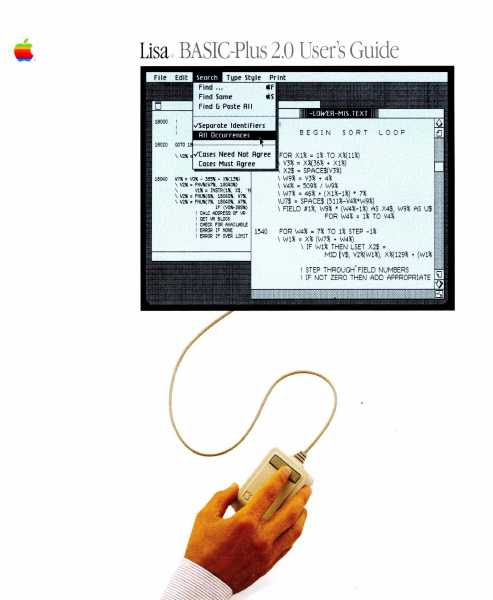
Lisa . BASIC-Plus 2.0 User's Guide BEGIN SORT LOOP FOR X1% = 1% TO X%( ll%) V3% = X%(36% + X1%) ' - - - - - -....- . , X2$ = SPACE$(V3%) \ W9% = V3% + 4% ~7" : 110" - 385!1i • X. (13") \ V2!1i : FNV!Ii(W ~, 18041J!1i) \ V4% = 509% I W9% \ Vi" : INSTR(1lt X$, ' \ W7% = 46% + (X 1%-1%) • 7% \ V2" : FNU!Ii(6" . 180ao.. W~. \U7$ = SPACE$ (511%-V4%*W9%) \ V2" : FNU"( 7., 18040", W7!Ii, IF (VO!li-365!1) \ FIELD 111%, W9% * (W4%-1%) AS X4$, W9% AS U$ CALC ADDRESS OF I,Il FOR W4% = 1% TO V4% GET ~ eUOCK CHECK FOR AVAI LABUE ERROR IF NONE ERROR IF OVER LIMIT 1540 FOR W4% = 7% TO 1% STEP -1% \ W1% = X% (W7% + W4%) \ IF W1% THEN LSET X2$ = MID rV$, V2%(W 1%), X%( 129% + (W 1% I STEP THROUGH' FIELD NUMBERS I IF NOT ZERO THEN ADD APPROPRIATE Workshop User's Guide for the Lisa'" Licensing Re(JJiremenu for Software Oevel~n Apple has a low-cost Ucenslng program, which permits developers of software for the Lisa to incorporate Apple-developed libraries and object code fUes into their prOducts. Both in-house and external distribution require a license. Before distributing any products that incorporate Apple software, please contact Software Licensing at the address below for both licensing and technical information. @1983 by Apple Computer, Inc. 20525 Mariani Avenue CUpertino, california 95014 (408) .996-1010 Apple, Usa and the Apple logo are trademarks of Apple Computer, Inc. Simultaneously published In the USA and Canada customer satisfactioo If you discover physical defects in the manuals distributed with a Usa product or in the media on which a software product is distributed, ~ple will replace the documentation or media at no charge to you during the 90-day period after you purchased the product. Pro<lJct Revisions Unless you have purchased the product update service available through your authorized Lisa dealer, Apple cannot guarantee that you will receIve notice of a revision to the software described in this manual, even if you have returned a registration card received with the product. You should check periodically with your authorized Lisa dealer. Umltatlon on Wanmtles cnj Llcnllity All lmplled warranties concernlng this manual and media, including implled warranties of merchantabiUty and fitness for a particular purpose, are limited in duration to ninety (90) days from the date of original retail purchase of this prodUcL Even though Apple has tested the software described In this manual and reviewed its contents, neither Apple nor its software suppl1ers maKe any warranty or representation, eIther express or Implled, with respect to this manual or to the software described in this manual, their quallty, performance, merChantablllty, or fitness for any partiCular purpose. ~ a result, this software and manual are sold "as is," and you the purchaser are assuming the enUre risk as to theIr quaUty and performance. In no event will Apple or its soft'Nare suppliers be liable for direct, indirect, special, incidental, or consequential damages…

Showing first 3,000 characters of 371,718 total. Open the full document →

Home Documents Lisa Exec File Preprocessor Mar83
Exec File Preprocessor Mar83

Exec File Preprocessor Mar83

Lisa · 1983 · PDF
FilenameExec_File_Preprocessor_Mar83.pdf
Size1.90 MB
Year1983
Subsection workshop_beta
Downloads3
Enjoying MacTrove? Anonymous downloads are free and unlimited. Create a free account to track favorites, contribute metadata corrections, and join the community chat.
Reader
Exec File Preprocessor Mar83
/
Loading…
OCR / Text contents
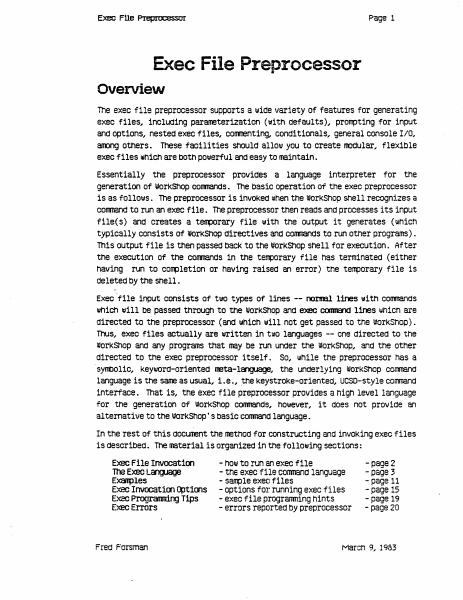
Page 1 Exec FUe Pleplo;essor Exec File Preprocessor Overview The exec file preprocessor supports a 1.111de variety of features for generating exec files, inclUding parameterization (with defaults), prorrpting for input and options, nested exec files, COITITenting, conditionals, general console IIO, aroong others. These facilities should allol.ll you to create lOOdular.. flexible exec files which are bOth pOlJlerful and easy to maintain. Essentially the preprocessor provides a language interpreter for the generation of IIJorKShop conmands. The basic operation of the exec preprocessor is as follol.lls. The preprocessor is invoked when the workShop shell recognizes a cornnand to run an exec file. The preprocessor then reads and processes its input flle( s) and creates a teflllOrary file 1111th the output it generates (which typically consists of WOrkShop directives and conmands to run other programs) . This output file 1s then passed back to the I#OrKShOp Shell for execution. After the execution of the conmands 1n the t~orary file haS terminated (either having run to completion or having raised an error) the terrporary file is deleted by the shell. Execflle input consists of tlllO types of lines -- naI1lBl lines with conmands lIIhiCh will be paSSed through to the workShop and e>eee COOII&1d lines whiCh are directed to the preprocessor (and lIIhich w111 not get paSSed to the WOrkShop). Thus, exec files actually are written in t\lO languages -- one directed to the worKShop and any programs that may be run under the worKShop, and tne other directed to the exec preprocessor i tself . So, I.IIhile the preprocessor has a ·syntlOl1c, KeYWOrd-oriented neta-l~, the underlying worKShop comnand language 1s the sane as usual, 1.e., .the KeystroKe-oriented, UCSD-style corrmand interface. That is, the exec file preprocessor provides a high level language for the generation Of worKShOp CommandS, however, it does not provide an a1 temative to the worKShop' S basic conmand language. In the rest of this cIOcunent the methOd for constructing and inVOKing exec files is described. The material is organized 1n the following sections: Exec File Invocatioo 100 Exec language E~les Exec Invocat100 ~t1oos Exec Programr1.rYJ Tips Exec Errors Fred Forsman - hOIll to run an exec file - tne exec file conmand language - sarrple exec files - options for running exec files - exec file progranming hints - errors reported by preprocessor -page 2 - page 3 - page 11 - page 15 - page 19 - page 20 March 9, 1983 Exec f!le Prepnx:essor !=Iage 2 Exec File Invocation . An invocation line for the preprocessor has the follollling form: <exec conmand> <exec file> [ «pararreter list» [ <exec options> ]] The <exec corrmand> can be either "EXECI'" or "<". The <exec file> is the name of the exec file you lIIiSh to A". TEXT" extension will be assuned if one 1s not specified; holJlever, you may override the mechanism IJIhiCh supplies the". TEXT" extension by ending your <exec file> name…

Showing first 3,000 characters of 39,736 total. Open the full document →

Home Documents Lisa 11 Dialog Building Block
11 Dialog Building Block

11 Dialog Building Block

Lisa · PDF
Filename11_Dialog_Building_Block.pdf
Size2.59 MB
Subsection toolkit_3.0 / Package_2_Examples
Downloads3
Enjoying MacTrove? Anonymous downloads are free and unlimited. Create a free account to track favorites, contribute metadata corrections, and join the community chat.
Reader
11 Dialog Building Block
/
Loading…
OCR / Text contents
Dialog Building Block Toolkit Dialog Building Block Dialog Boxes A Dialog Box on the lisa is a speclal window WhiCh, ,hen displayed, is as .ide as the screen, and hangs down right below the menu bar. D1alog boxes can be used as alternat1ves to menu commands when an application needs to gather more detail from 1ts user than can be conven1ently packaged 1n a menu. A ToolKit application can put up a Dlalog Box any time 1ts .1ndow is active. The D1alog Build1ng Block provides basic structures sufficient to define dialogs, to display them, to specify special behav10ur within them, and to interrogate them. Read No Further The intended audlence for th1s document is current or prospective direct users of the Dialog Building Block. A basic famil1ari ty .i th the 1deas behind the ToolKi t and the CLASCAL language is assumed. ToolKit jargon 15 unavoidable in a document such as thi s. Compalion Doclmentation The primary documentation for the Dialog Building Block consists Of three parts. I l1st them here 1n descending order of 1mportance and authori ty. (8] The source list1ng of the INTERFACE of uD1alog [b) The source lIstings Of the ToolK1t sample programs, USample and UsamD1alog. [c 1 Th1 s document, plus subsequent addenda/errata. How To Do It Simple use of the DIalog Build1ng BloCk involves allocatIng a TDialogwlndow, installing a TOialog, and add1ng dialog components (d1aloglmages) to the d1alog to define its display and behaviour. In a typical dialog Box., an Application and 1ts user aHree that Whatever the user does up In the dialog box Is not for real- until the OK button (or some other action button) 15 pressed. Each standard kind of dialog component carries .i ttl 1t some basic assumptions about mouse- and cursor-behaviour. It is Lisa Tooll1t Dlalog lul1d1ng 110Ck - 71 lIarCl\ 19M - pegt 1 or II Toolkit Dialog Building Block an inherent property of the TCluster component, for example, that one and only one Of its checkboxes is selected at anyone moment. You do not progralll this behaviour--you select It by the very act of Choosing to use a TCluster component. Thus, an application typically defines the for.. and behaviour of a d1alog box by the s1mple act of allocating its components. The real action, whereby the App1icatlon actually does something to 1ts data structures, 1s precipi tated by the user' s pr~sslng a Button in the dialog. The Application 15 able to capture control at button-pushing time In elther of two ways: [a] By redefining TD1alog.ButtonPushed, or [b) by assoclating a command number with a button, and then fielding that command in the Ne.Command methods of Its subclasses of el ther TSelection or Tllndow. Formally, a Dialog is an Object which resides In a Dla10gview, which in turn is installed in some panel of some lindow. Beginning users may think of the Dialog, the Dialogview, and the DialogWindow as confusingly overlapping In function. It Is hoped the explanations below, combined with the streamlined functlonality of the…

Showing first 3,000 characters of 110,618 total. Open the full document →

Home Documents Lisa Chow Vanilla Application Window ERS
Chow Vanilla Application Window ERS

Chow Vanilla Application Window ERS

Lisa · 1983 · PDF
FilenameChow_-_Vanilla_Application_Window_ERS_19831031.pdf
Size2.49 MB
Year1983
Subsection development_history / memos
Downloads4
Enjoying MacTrove? Anonymous downloads are free and unlimited. Create a free account to track favorites, contribute metadata corrections, and join the community chat.
Reader
Chow Vanilla Application Window ERS
/
Loading…
OCR / Text contents
Vanilla Application Window External Reference Specifications OcttQ!r 3~ 1983 By Yu-Ying 01ow 1. Project Q!!fin.ititns .. 1.1. Procl.1ct M>st? act A V111illa Pascal progrm is a text-oriented program that uses only WRITELNs ta display its output, and only REAOL.Ns to get input. This type of program ems not have tne ability ta access manager libraries to directly _1nterac1; •itn •indo•, Bl.I or tne nDJse~ n. vanilla application •indOw (sometimes called tne VS1illa or tne application •indo•) proviaes a vanilla Pascal progxam •itn a .ay to direct its output to a 1111nac111 and get its 1npJt from tne keyt>Oard, follo•ing tne Office System user interface standards. The vanUJ.a •indcilt gives tne user of tnis type of program tne • capetlility to Control its output window •itn menus mia.:tne 111:>1.1.se. •J;t,, tne . vanilla sucn programs C8'l be ported to n.n in tne Office Sy~em ·•itncut siy lllXU.ficatian' 1n tne source coae as lcng as tney nave 1'1'\. 1n trie larksncp. •indo• •inao• •inclo• For prog?ams tnat· USe the ~iekOraw (saretimes called vanilla QuiCkOra111 piograns) sics nn in tne I0?1<snop today, tne vanilla •1.ndo• also proviaes a •Y to direct 1ts gras:t11c cur;iut to a window. In add1t1ais.. far programs tnat use tne HarcMr.e (liit (HfINT) to get tne llD.lse lccation (MOuseLocation) mid tne DDJse events (Keytx£vent), tne vanilla •indow also provides a way to get tne 11D.1Se cocrd1nates. Ho.ever, tne vanilla •111 noi support · prog:rams tnat use tne Hardware l.1'11t to dO otner hardware control t.~t . , affects tne entire system. These progr~ nave to oe convertea to use trie ToolKit before tney cai n.n in tne Office System. Otner programs t..,a~ neea to nave tneir own men.is tnat are different from tne vanilla wL.,d ···· a11ll nave to be ccnverted to use tne ToolKit as 111e11. There 111111 c <' . e· •indo• •indc• for text mict grapnic outp.at for eacn vat1illa Qu1CkOra ·' .· ~ even if tne progran uses tJatn and tne Cuid<O?'aw. The vaiilla •indc• eaulates a terminal display. The te~ t~ be scrolled off tne top of a typical terminal display ;:I s · . . vaiilla •indo•. This output can tle scrolled Oack at ;fly~ t ..... _ . e ·vanilla 91ncla• prov1aes a StamrrJ ~ tnat performs p:i11on ~,. ~·- . · ·ai ,"'1Ctions ~ITEi.NS sucn as positioning tne cursor ana clearing tne ¥?een, efi:'?'.} It also enacles tnird parties to •rite ~ific terminal !lll.llatq,:s for·<tne vertilla wir.dO•-. • are providing a VTJJJO and a sarac terminal ~atible en1Jlators with tnis .ProdUCt. Eacti vanilla proc;ram is associatea with a decua,int .n1cn contains t~e output Ci.splay of tne program. Eitner all or part 0~11 tne outcut from a va.r.:.::a . progz511 can De saved in. tne .~t. The aocunent .cart oe mantpulatea -:~~­ same .ay as otner Lisa CIOCl.lll!nts. It.canoe •set Aside" OT •savea &Put Away• and openea later to see tne output of t;ie :irevicus run •. In aQai~i9n, eacn vS1illa prog:am can aeal •itn OS files 1h tne sane :uay as it coes ""., tne wort<snop. Th…

Showing first 3,000 characters of 17,908 total. Open the full document →

Subscribe to Lisa
mp.ls