Home Documents Lisa Lisa 1.75 Boot ROM
Lisa 1.75 Boot ROM

Lisa 1.75 Boot ROM

Lisa · PDF
FilenameLisa_1.75_Boot_ROM_19830721.pdf
Size2.93 MB
Subsection hardware / 1983_Whopper
Downloads3
Enjoying MacTrove? Anonymous downloads are free and unlimited. Create a free account to track favorites, contribute metadata corrections, and join the community chat.
Reader
Lisa 1.75 Boot ROM
/
Loading…
OCR / Text contents
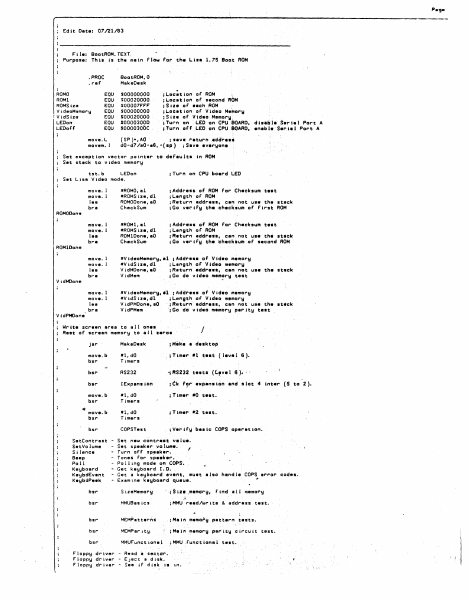
Peg. r: Edit Dote• 07/21/83 File: BootROM.TEXT Purpose: This ts the mein Flaw for the Lisa 1.75 Soot ROM BoatROM,0 MakeOesk .PROC .ref ROMO RO Ml ROMSize Vi deoH1,mory ! Vid$iz1t LEDon LEDoff EQU EQU EQU EQU EQU EQU EQU move.L mavem. I $00000000 $00020000 $00007F'F'F' $00000000 $00020000 $00003000 SOOOOJOOC ;Loc;tian of ROM ;L.ocatton of second ROM ;Siie of each ROM ;Location of Video Me~ory ;Size of Video Memory, ; Tu1r-n on L.£0 on CPU $OARD, d te•b I• Ser i • l Port A ;Tu~n o(f LEO on CPU.$0ARD, enebl• $eri1J Port A {SP)+,AO · ;~eve r•turn •ddrea~ d0-d7/a0-e6,-(•P) ;Save everyone Set e1eceptlan vector pointer to defaults In ROM Set stack to video memory ;Turn on CPU boerd LEO tst.b LEDon Set Lisa Video mode. move. I move. I lea bra •ROMO, al •ROMSize,dl ROMOOone,aO Check Sum ;Address of ROM for Checksum teat ; l..engtn of ROM ;Return address, can not use the stack ; Go ver try th• checksum or .First ROM move. l move. 1 lea bl"' a •FIOMl,el #ROMSize,dl ROMlDone,aO Check Sum ;Address of ROM far Checksum te•t ; L.ength of AOM ;Return address, c•n ~at use th~ st•ck ;Go vertfy ~he checksum of second ROM move. l move. 1 lea bra #VtdeoMemary,al ;Address or Video m~mory #VidStze,dl ;L.~ngth or Video memory VidMDone,eO ;R1tturn address, cen not use th• stack V idMem ; Gc1 do video mem?ry test move. l move. l lea bra #VideaMemory,~1 ROMOOom11 ROMlDono V idMOone #VidSize,d1 VidPMOone,aO VidPMem ;Address of Video memory of Video memory address, can not use th• stack ;Go do video memory parity test ;L.~ngth ;A~turn VidPMOone Writ• screen area to all ones Rest of screen memory to all zeros .r I jsr MakeDesk ;Mitklt • desktop move.b bsl"' #l,dO Timer-s .;Timer •1 t••t ( leve 1 6 ). bsr RS232 -; AS:232 tests (C.~vel 6 >· .. bsr IE1epansion i f!k move.b bsr #l,dO Timers ; Tuner •O test. move.b bsr" #l,dO Timers ; Tu~e,. •2 test. bsr COPSTest ; Ver· ify basic COPS operatton. SetContrast SatVolume Si lance Beep Po 11 Keyboard KeybdEvsnt KeybdPHk fl?r ••Penstcin and slot 4 int el" (S to 2 ). - Set new c~ntrest ve1ue. - Set speaker volume. f - Turn off sp~aker. - Tones For speek•r. - Po 11 Ing mode on COPS". - Get keyboard I.O. - Get a keyboard event, must also handle COPS,,. error codes. - Examine keyboard queue. bsr S izeMamory ·. ; Size ,memory, Find a 11 memot"y bsr MMUBasics jMMU read/write & addl"'ess test. bsr MEMPatter~$ ;Main memo~y pattern tests. bsr MEMPar1ty. ;Main memorij pat"ity circuit test. bsr MMUFunctionel ;M~U .functional .. i Floppy dr ver - Read ~ sector. Floppy dr ver - Eject a dlsk. Floppy dr ver - See iF disk is 1n. test. F'loppy dr-iv•,. - Debug co111111ends required by F'ield S~r-v&ce. bsr IWMCh ip ; tWM, floppy dr- iver i::h tp, test. Bui 1t- in hard disk drivel"' Bui It- in hard disk d·r iver Built-in hard disk driver Bu i-ltin bsr . •tatus of' •• ltt••t· . Relid s•• if' disk , ready !jet. R. . d a sector. ;Builtin hard dtck port test bsr TestlExpenaion ; Execut…

Showing first 3,000 characters of 129,179 total. Open the full document →
Home Documents Lisa Craig The Lisa Computer A Retrospective CHAC V2N1
Craig The Lisa Computer A Retrospective CHAC V2N1

Craig The Lisa Computer A Retrospective CHAC V2N1

Lisa · 1993 · PDF
FilenameCraig_-_The_Lisa_Computer_a_Retrospective_CHAC_V2N1_199407.pdf
Size2.38 MB
Year1993
Subsection development_history / articles
Downloads3
Enjoying MacTrove? Anonymous downloads are free and unlimited. Create a free account to track favorites, contribute metadata corrections, and join the community chat.
Reader
Craig The Lisa Computer A Retrospective CHAC V2N1
/
Loading…
OCR / Text contents
Page 18 The Analytical Engine July-September 1994 THE APPLE LISA COMPUTER: A RETROSPECTIVE (c) Copyright 1993 • David T. Craig1 CIS 71533,606 INTRODUCTION This paper is an attempt by a long-time Lisa user to clarify the significance of the Apple Lisa personal computer for the computing industry. The audience is anyone who has an interest in innovative computing technology, and wants to learn a little about Apple Computer's brief foray into this area via the Lisa computer. This paper hopes to show why the Lisa was significant in its time, and how some of what was called "Lisa Technology" is slowly migrating to other computer systems, notably the Apple Macintosh computer series. The author has never worked for Apple, and so is not privy to any "insider secrets" about this machine. All information contained herein was obtained from Apple's cornucopia of Lisa and Macintosh literature, from discussions with other Lisa owners, and through my personal involvement with and observation of both machines since 1984. This paper is loosely based upon the excellent article "The Legacy of the Lisa" (MacWorld magazine, Sep. 1985) as written by Mr. Larry Tesler, one of the Lisa's main designers and currently Chief Scientist at Apple Computer. A LITTLE BIT OF HISTORY Apple began developing the Lisa in 1979. The Lisa's charter was to build a revolutionary device that was truly easy to use, and thereby mitigate the limitations of existing computers. Developing a computer which was an order of magnitude easier to use than traditional computers required several major departures, not all of which were obvious. Even the name "Lisa" has always been rather enigmatic for most computer users, including Lisa owners. To set the story straight (as far as I know) here are the facts: Officially, Apple states that "Lisa" stood for "Local Integrated July-September 1994 The Analytical Engine Software Architecture." Unofficially, "Lisa" has been associated with the name of a child fathered by one of the Lisa designers.2 The Lisa had several design goals: * Be intuitive, * be consistent, * conform to the ways people actually work, * have enough performance to do the jobs that need doing, * provide an open software and hardware architecture, * be reliable, * be pleasing, and * fit into an everyday work environment. The Lisa was based on sophisticated hardware technology. The single compact desktop unit contained a 12-inch black-and-white screen, and two revolutionary floppy disk drives called "Twiggy" - after the English supermodel of the day, because she, and they, were so thin. The Lisa contained a Motorola 68000 processor and 1 megabyte of memory, expandable to 2 megabytes. Cabled to the Lisa's case were a keyboard, and a (then) uncommon peripheral called a "mouse," which was a key element of the Lisa's design. Apple introduced the Lisa to the general public in January 1983 at a price of $9,995. In April 1985, after only one and a half years, Apple discontinued the Lisa i…

Showing first 3,000 characters of 49,998 total. Open the full document →

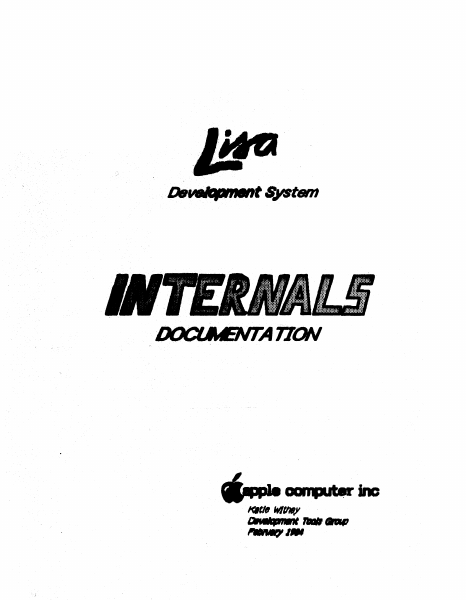
Home Documents Lisa Lisa Develpment System Internals Documentation
Lisa Develpment System Internals Documentation

Lisa Develpment System Internals Documentation

Lisa · PDF
FilenameLisa_Develpment_System_Internals_Documentation_198402.pdf
Size9.32 MB
Subsection workshop_3.0
Downloads3
Enjoying MacTrove? Anonymous downloads are free and unlimited. Create a free account to track favorites, contribute metadata corrections, and join the community chat.
Reader
Lisa Develpment System Internals Documentation
/
Loading…
OCR / Text contents
---~inc aR...,, ,.,..,.,,,,„.., KalM IYIU.)' •••••••••••••••merno••••••••••••••• To: Development Tools Group, Operating Sy·stems Group, Numerics Group, Eric Herslem, Lerry Tesler, Pete Creuman, steve Luckau, Paul Williams, Berry Haynes, Susan Keohan, Chris Espinosa, Ceroline Rose, Jerome Coonen From: Katie Withey, x3596 Date: 1' Fet>ruery 64 Re: Internals Documentation ••••••••••••••••••••••••••••••••••• Attatched is the fint draft of the Lisa Development S}1stem Jnternals Documentation. Please note that this is a living document; changes will be made, end no pert of it js guarenteed to be accurate. If you have any changes or corrections_, PLE ASE don't just merk them in your copy; tell me about them. Suggestions for inclusions in the next release ere also welcome. Preface lhe purpose of thh document is to explain/the internal itruct.ures and algorithms used by the Ltsa's run-time erwironment and development tools, and the internal library units (such as OBJIOLIB and SULIB) that ere related only to Lisa systems software. lt is actually a collection of documenh and memos, any or which cen be used separately, all relating to different aspects of the sytt.em. lhis is a reference document for programmen working on the following: • Maintaining or enhancing exirting Lisa development software. • Writing compilers or utilities for the Lisa Workshop, elther on contract with Apple or as third-party independanh. • Writing auembly-le.nguage programs that will interf ace with our compiled code. How will they benef it from thb document? • lt will save the people maintaining tools the trouble of looking through the code themselves to find inf ormatior.. • lt will save out.dde programmen, who don't have acceu to the code, from ce.lling us to ask questions about things that we have to look up in the code. • Parts of it will be included as a ref erence section in technical contracb that we assign to outside programmers. • lt will provide assembly-language programmers with such specifics e.s register conventions, pm-ameter-passing techniques, and memory layouh used by the compiler f or different types of arrays and structures. • lt can be uied to train new syitems ioftware programmen on the existing internah of the system. 16-JanuBJ'}„-84 Preface Contents Lisa Development Software Dcicurnentation: A Road Map Pascal Compiler Directives Pascal Code-Cruncher' s He.ndbook Tt1e Last Whole Eexth Text File Format Pascal's Packing Algorithrn PASLIB Procedure Interface PaslibCall Unit PPaslibC Unit.: Privil eged PASLIB Calls Floating-Point Libraries Standard Unit Execution Environment of the Pascal Compiler Intrinsic Unit.s Mechanism (overview) IUManager (old and "spring release" versions) Objec:t File Formats Interface to OBJIOLIB Format of .SYMBOLS File Using LisaBug Shell-VJriter's Guide Contents Lisa Development Software Documentation: A Road Map JrUoduction This road map was designed to help you to find your Wt!f!I around the verious documents descr…

Showing first 3,000 characters of 384,356 total. Open the full document →

Home Documents Lisa Birss The Integrated Software And Hardware Of The Apple Lisa
Birss The Integrated Software And Hardware Of The Apple Lisa

Birss The Integrated Software And Hardware Of The Apple Lisa

Lisa · 1984 · PDF
FilenameBirss_-_The_Integrated_Software_and_Hardware_of_the_Apple_Lisa_1984.pdf
Size1.51 MB
Year1984
Subsection development_history / articles
Downloads3
Enjoying MacTrove? Anonymous downloads are free and unlimited. Create a free account to track favorites, contribute metadata corrections, and join the community chat.
Reader
Birss The Integrated Software And Hardware Of The Apple Lisa
/
Loading…
OCR / Text contents
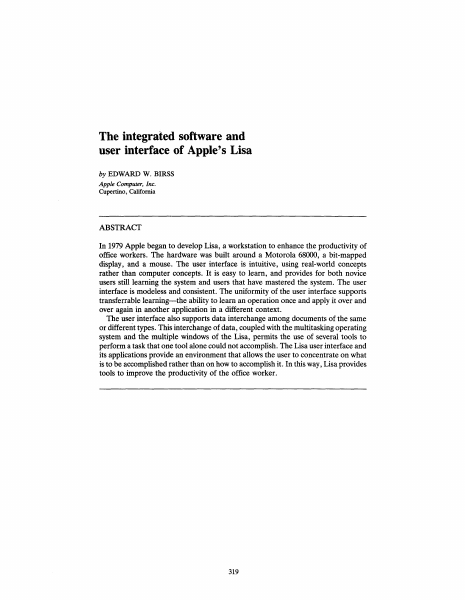
The integrated software and user interface of Apple's Lisa by EDWARD W. BIRSS Apple Computer, Inc. Cupertino, California ABSTRACT In 1979 Apple began to develop Lisa, a workstation to enhance the productivity of office workers. The hardware was built around a Motorola 68000, a bit-mapped display, and a mouse. The user interface is intuitive, using real-world concepts rather than computer concepts. It is easy to learn, and provides for both novice users still learning the system and users that have mastered the system. The user interface is modeless and consistent. The uniformity of the user interface supports transferable learning—the ability to learn an operation once and apply it over and over again in another application in a different context. The user interface also supports data interchange among documents of the same or different types. This interchange of data, coupled with the multitasking operating system and the multiple windows of the Lisa, permits the use of several tools to perform a task that one tool alone could not accomplish. The Lisa user interface and its applications provide an environment that allows the user to concentrate on what is to be accomplished rather than on how to accomplish it. In this way, Lisa provides tools to improve the productivity of the office worker. 319 The Integrated Software and User Interface of Apple's Lisa INTRODUCTION Apple Computer formed the Lisa team in 1979 to develop a personal computer that would dramatically improve the productivity of typical office workers (professionals, managers, and their assistants). To accomplish this goal, a hardware and software solution radically different from current personal computer offerings was required. At that time, personal computers had the functionality but lacked the capacity, speed, and ease of use necessary to reach a market of users who did not want to learn the details of how a computer worked. Inspired by SMALLTALK1 the Lisa team developed a system that has the functionality and speed users require, and additionally has a common user interface that supports gradual learning and promotes interchange of data among the same or different applications. The combination of multiple tools with a consistent user interface and data interchange among applications permits the user to work with several tools concurrently to accomplish a particular task. LISA HARDWARE The Lisa is a Motorola 68000-based personal computer with 512 or 1024 Kbytes of main memory, a memory management unit, a bit-mapped display, a detachable keyboard, a mouse, a built-in 400-Kbyte floppy disk drive, and a 5- or 10megabyte Winchester disk (see Figure 1). This hardware provides the functionality, speed, and ease of use required to support the Lisa user interface. The 68000 microprocessor was not the first choice. Development began on a home-grown bit-sliced system to provide the computing power. When the 68000 became available in sample quantities, we evaluated it and found it had…

Showing first 3,000 characters of 32,280 total. Open the full document →

Home Documents Lisa A6L0145 LisaList
A6L0145 LisaList

A6L0145 LisaList

Lisa · 1983 · PDF
FilenameA6L0145_LisaList_1983.pdf
Size7.41 MB
Year1983
Subsection office_system
Downloads4
Enjoying MacTrove? Anonymous downloads are free and unlimited. Create a free account to track favorites, contribute metadata corrections, and join the community chat.
Reader
A6L0145 LisaList
/
Loading…
OCR / Text contents
LisaList A610145 LisaList Update Notes and Errata Using TAB to Add More Columns A list can have up to 100 columns. When you are creatIng a list, or adding columns to it, you can add more columns by pressing the TAB key from the header of the last column. Initially, LisaList displays a number of blank columns at the right of the Lts t (ten in the Create Table, five in the Add/Remove Table). If you have filled in all the columns, and you press the TAB key from the header of the last column, LisaList adds one more blank column. Data Formats to Avoid When you are creating a list, you should not use the data formats -9 or -99 for money or number data types. If you do, the values will not sort in the correct order. However, you can create the list using the default formats for these columns, and then later change them to -9 or -99. LisaList - 1 LisaList 029-0209-A LisaList ® 029-0092-A Customer Satisfaction If you discover physical defects in the manuals distributed with a Lisa product or in the media on which a software product is distributed, Apple will replace the documentation or media at no charge to you during the 90-day period after you purchased the product. its quality, performance, merchantability, or fitness for any particular purpose. As a result, this software is sold "as is," and you the purchaser are assuming the entire risk as to its quality and performance. In no event will Apple or its software suppliers be liable for direct, indirect, speCial, incidental, or consequential In addition, if Apple releases a damages resulting from any defect in corrective update to a software product the software or manual, even if they during the 90-day period after you have been advised of the possibility of purchased the software, Apple will such damages. In particular, they shall replace the applicable diskettes and have no liability for any programs or documentation with the revised version data stored in or used with Apple at no charge to you during the six products, including the costs of months after the date of purchase. recovering or reproducing these In some countries the replacement programs or data. period may be different; check with The warranty and remedies set forth your authorized Lisa dealer. Return any above are exclusive and in lieu of all item to be replaced with proof of attisfa, oral or written, express or purchase to Apple or to an authorized implied. No Apple dealer, agent, or Lisa dealer. employee is authorized to make any Limitation on Warranties and Liability modification, extension, or addition to this warranty. All implied warranties concerning this manual and media, including implied Some states do not allow the exclusion or limitation of implied warranties or warranties of merchantability and liability for incidental or consequential fitness for a particular purpose, are limited in duration to ninety (90) days damages, so the above limitation or exclusion may not apply to you. This from the date of origina…

Showing first 3,000 characters of 245,772 total. Open the full document →

Home Documents Lisa IBM RC8384 Schild PICTUREWORLD A Concept For Future Office Systems
IBM RC8384 Schild PICTUREWORLD A Concept For Future Office Systems

IBM RC8384 Schild PICTUREWORLD A Concept For Future Office Systems

Lisa · PDF
FilenameIBM_RC8384_Schild_-_PICTUREWORLD_A_Concept_for_Future_Office_Systems_198007.pdf
Size0.89 MB
Subsection development_history / articles
Downloads3
Enjoying MacTrove? Anonymous downloads are free and unlimited. Create a free account to track favorites, contribute metadata corrections, and join the community chat.
Reader
IBM RC8384 Schild PICTUREWORLD A Concept For Future Office Systems
/
Loading…
OCR / Text contents
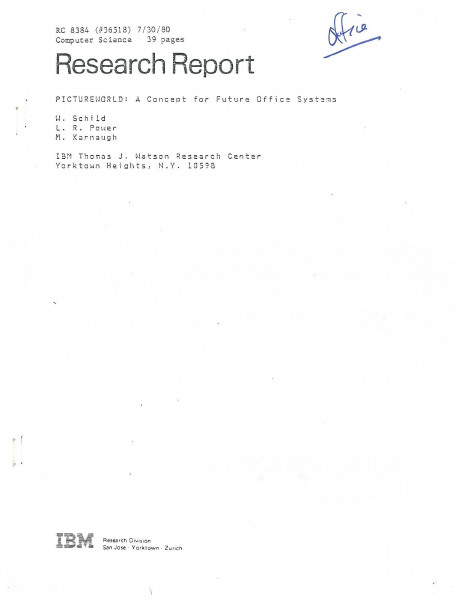
RC 8384 (#36518) 7/ 30/80 39 pages Computer Science Research Report PICTUREWORLD: A Concept for Future Office Systems l·J . sch i l d L• R • Po ~-1 e r M. K<irnaugh IBM Thom~s J. Watson Research Center Yorktown Heights, N.Y. 10598 ,. ~~ Research Divisi on San Jose · York town . Zurich Copies may be requested from: IBM Thomas J. Watson Research Center Distribution Services 36-068 Post Office Box 218 Yorktown Heights, New York 10598 1 RC 8384 (#36518) 7/30/80 Computer Science 39 pages PICTUREWORLD: A Concept for Future Offlce Systems IL Sch j 1 d * L. R. Pol•er M. Karnaugh IBM Thomas J. Watson Research Center Yorktown Helghts, N.Y. 10598 ABSTRACT: After a characterlzatlon of the work of offlce prlnclpals and a statement of some qualltatlve requlrements, the system concept called "Plctureworld" ls descrlbed. Plctureworld provldes the user with an understandable, self-promptjng lnterface whlch cilsplays lconlc r2presentatlons of famlllar offlce objects. It ls easy to learn and to remember how to command the system. Functions for an entry level system are deflned. A software organlzatlon ln terms of Plctureworld objects wlll facilitate maintenance and expansion of tl1e system. In view of large areas of lgnorance concernlng the acceptablllty and value of prlnclpal support systems, Plctureworld ls proposed 011ly as one con1po11ent of a larger progrant of research. * W. Schlld was formerly with IBM Israel. l· Introduction The anticipated widespread use of electronic systems to support the work of office principals will bring a very large group of non-programmers into frequent close interaction with information processing systems. Because the users will not be highly motivated to develop their programming skills, the design of principal support systems poses some special problems. Either the services offered must be stereotyped, narrow, and inflexible or else the user interface and the system software must provide much more competence in modeling the users' task environment and needs than has previously been attempted, The office environment already provides support devices that aid principals in stereotyped, narrow, inflexible and also non-integrated ways. These include the telephone, the file cabinet, and the hand calculator. The challenge faced by the information systems designer is to bring into being a class of systems that come much closer to meeting the principals' needs. This is not merely a question of good implementation; the functional requirements and cost-effectiveness tradeoffs are not yet well understood. This report includes a discussion of the principal and his work (Section 2), some of the qualitative functional requirements for effective principal support (Section 3), and in later sections, an approach to the designs of the user interface and the system software for a proposed experimental system. This approach will be called "Pictureworld." .. ' . We have not implemented a Pictureworld system and we make no cla…

Showing first 3,000 characters of 58,614 total. Open the full document →

Home Documents Lisa Atkinson LISA User Interface Standards
Atkinson LISA User Interface Standards

Atkinson LISA User Interface Standards

Lisa · 1980 · PDF
FilenameAtkinson_-_LISA_User_Interface_Standards_198009.pdf
Size0.84 MB
Year1980
Subsection development_history / memos
Downloads4
Enjoying MacTrove? Anonymous downloads are free and unlimited. Create a free account to track favorites, contribute metadata corrections, and join the community chat.
Reader
Atkinson LISA User Interface Standards
/
Loading…
OCR / Text contents
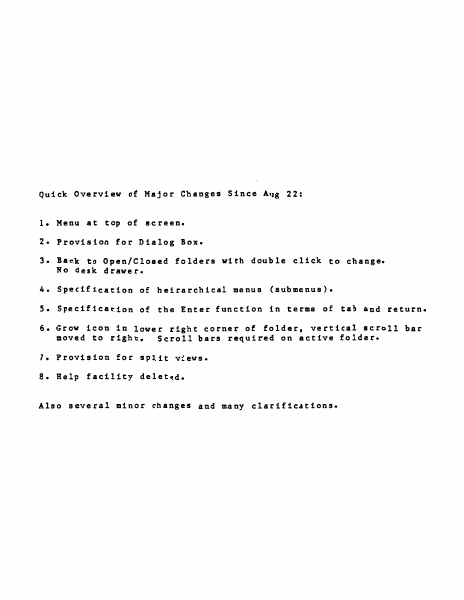
Quick Overview of Major Changes Since Aug 22: 1. Menu at top of screen. 2. Provision for Dialog Box. 3. Back to Open/Closed No desk drawer. fold~rs with double click to change. 4. Specification of heirarchical menus (submenus). S. Specification of the Enter function in terms of tab and return. 6. Grow icon in lower right corner of folder, vertical scroll bar moved to right. Scroll bars requi~ed on active folder. 7. Provision for split views. 8. Help facility deleted. Also several minor changes and many clarifications. TABLE .QI. CONTENTS o. Introduction • • • • • • • • • • • • • • • • • • • • • • • • • • 2. Mouse and Cursor • • • • • • • • • • • • 3. Pointing, Clicking, and Dragging • • • 4. Keyb card • • • • • • • • • • • • • • • • s. Memory • • • • • • • • • • • • • • 6. Mass Memory • • • • • • • • • • • • • 7. Initialization • • • • • • • • • • 8. In Everyday Operation • • • • • • • • • 9. What the Screen Looks Like • • • • • • • •••••••••••••• 10. Folders • 11. Basic Folder Appearance • • • • • • • • 1 • Display . 12. 13. 14. 15. 16. 1 7. 18. 19. 20. 21. 22. 23. 24. 25. 2 6. 2 7. 28. 29. 30. 31. 3 2. 33. 34. 35. 3 6. 3 7. 38. 39. 40. 41. 42. 43. 44. 45. 46. 4 7. 48. 49. so. 51. • • • • • • • • • • • • • • • • • • • • • • • • • • • • • . ' • •· • • • • • • • • • • • • • • • • • • • • • • • • • • • • • • • • • • • • • • • • • • • • • • • • • • . . • .. . . .. • • • • • • • • • • Open and Closed Folders ••• • •••• • The System Font •••••••••••• • The Active Folder • • • • • • • • • • • • Making a Folder Active • • • • • • • Moving a Folder •• . • • • • • • • • • • Growing the Active Folder , • • • • • • • • Scrolling ••••••••••••••• • How to,Scroll • • • • • • • • Split Views • • • • ••••••••• • The Selection • • • • • • • • • • • • • • Visibility of Operations on Selections • • Marking a Selection • • • • • • • • • • • The Menu Bar • • • • • • • • • • • • • • Making a Menu Choice • • • • • • • • • • • Menu Items that Do Nothing • • • • • • • • Contents of the Menu.Bar and Menus • • • • Making Menu Choices From the Keyboard • • The Dialog Box •••••••••••• • Text Editing Philosophy • • • •• • Typing Printing Characters • • • •• • Keys that Alter the Meaning of Other Keys Shift • • • • • • • • • • • • • • • Alpha Lock • • • • • • • • • • • • • • • • Apple Key • • • • • • • • • • • • • • Code • • • • • • • • • • • • • • • • • Repeating Keys • • • • • • • • • • • • • Type Ahead • • • • • • • • • • • Backspace •••• • • • • • • • • The Backspace Buff er • • • • • • Tab • • • • • • • • • • • • • Return • • • • • • • • • • • • • • • • • • the Edit Menu • • • • • • • • • • • • Cut • • • • • • • • • • • • • • • • Paste • • • • • • • • • • • • • Copy • • • • • • •. • • • • • • • Undo • • • • • • • • • • • • • • • Utility Documents and Folders • • • • • • The Scrap ••• • • • • • • • • • • • The Abbreviation Folder • • • • • • • • The User Profile Folder • • • • • • • • • ... .. • • • • • • • • • • • • • ..... • • • • • • • • • • •…

Showing first 3,000 characters of 39,339 total. Open the full document →
Home Documents Lisa Kato Lisa Hardware
Kato Lisa Hardware

Kato Lisa Hardware

Lisa · 1983 · PDF
FilenameKato_-_Lisa_Hardware_19851012.pdf
Size7.43 MB
Year1983
Subsection development_history / memos
Downloads3
Enjoying MacTrove? Anonymous downloads are free and unlimited. Create a free account to track favorites, contribute metadata corrections, and join the community chat.
Reader
Kato Lisa Hardware
/
Loading…
OCR / Text contents
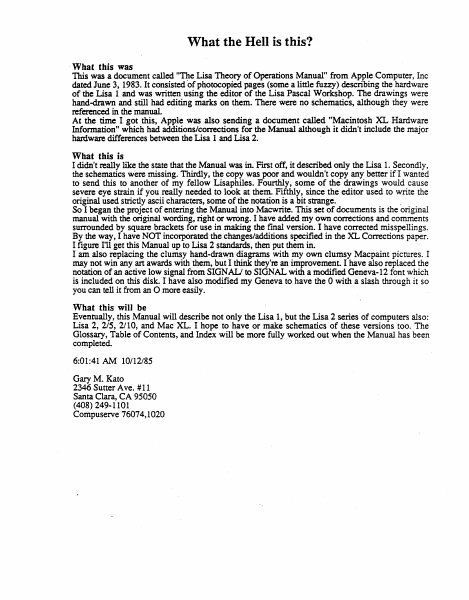
What the Hell is this? · What this was This was a document called "'nte Lisa Theory of Operations Manual" from Apple Computer, Inc dated June 3, 1983. It consisted of photocopied pages (some a little fuzzy) describing the hardware of the Lisa 1 and was written using the editor of the Lisa Pascal Workshop. The drawings were hand-drawn and still had editing marks on them. There were no schematics, although they were referenced in the manual. At the time I got this, Apple was also sending a document called "Macintosh XL Hardware Information" which had additions/corrections for the Manual although it didn't include the major hardware differences between the Lisa 1 and Lisa 2. , What this is I didn't really like the state that the Manual was in. First off, it described only the Lisa 1. Secondly, the schematics were missing. Thirdly, the copy was poor and wouldn't copy any better if I wanted to send this to another of my fell ow Lisaphiles. Fourthly, some of the drawings would cause severe eye strain if you really needed to look at them. Fifthly, since the editor used to write the original used strictly ascii characters, some of the notation is a bit strange. . So I began the project of entering the Manual into Macwrite. This set of documents is the original manual with the original wording, right or wrong. I have added my own corrections and comments surrounded by square brackets for use in making the final version. I have corrected misspellings. By the way, I have NOT incorporated the changes/additions specified in the XL Corrections paper. I figure I'll get this Manual up to Lisa 2 standards, then put them in. I am also replacing the clumsy hand-drawn diagrams with my own clumsy Macpaint pictures. I may not win any art awards with them, but I think they're an improvement I have also replaced the notation of an active low signal from SIGN ALJ to SIGNAL with a modified Geneva-12 font which is included on this disk. I have also modified my Geneva to have the 0 with a slash through it so you can tell it from an 0 more easily. · What this will be Eventually, this Manual will describe not only the Lisa 1, but the Lisa 2 series of computers also: Lisa 2, 215, 2/10, and Mac XL. I hope to have or make schematics of these versions too. The Glossary, Table of Contents, and Index will be more fully worked out when the Manual has been completed. · 6:01:41 AM 10112185 Gary M. Kato 2346 Sutter Ave. # 11 Santa Clara, CA 95050 (408) 249-1101 Compuserve 76074, 1020 Lisa Hardware Manual Lisa Theory of Operations [Let's use the Lisa script here! - gk] WARNING: This equipment has been certified to comply with the limits for a Class 8 computing device, pursuant to Subpart J of Part 15 of FCC rules. Only peripherals (computer input/output devices, terminal, printers, and the like) certified ·to comply with the Class B limits may be attached to this computer. Operation with noncertified peripherals is likely to result in interference to radio and TV reception. © Apple…

Showing first 3,000 characters of 276,093 total. Open the full document →
Home Documents Lisa Lisa Development System Manual Mar85
Lisa Development System Manual Mar85

Lisa Development System Manual Mar85

Lisa · PDF
FilenameLisa_Development_System_Manual_Mar85.pdf
Size3.65 MB
Subsection pascal_monitor
Downloads3
Enjoying MacTrove? Anonymous downloads are free and unlimited. Create a free account to track favorites, contribute metadata corrections, and join the community chat.
Reader
Lisa Development System Manual Mar85
/
Loading…
OCR / Text contents
I _--------L----.-.------------'-----I ----f-- . I -r-- I Li.Sll- DQ.\le..\op Wl~ ~'/S~ Ma.vtu~ -_... - - - "'''':c''' \1" .... ...:- ~~~ eQO .... ~~ _('\010.. ~~~~ ....... , ("~c-."':' f UpJ..o!d b'1 RiJ;l 'P~ 3/'/3S I • .......... ... ceo( :::1:::1:::1 ~V\~~(..~\~ ~~~ "''''... ......... ......... 3i~~ 22 5: -"" CD._, ... ~"''''' Co~¥h\Jur ~~.! L,n~ Ir;- Ass~b~ Z3 . Li~h\J~ 37 1F,I~ ~3 1Ec(\~ 59 5'1S P\~l' ~2. t;;:~~J ~ 1=iI~.s ~, -£V'I"ai ~ 'F,(e,.Y\~~ 6~ 10\ ......... .... +k Lls~ .I'vl-\o+k. "-!~\\ W\~\... 'r'~~ .. 'SvJ,l~':_: ..-, . . ' cd; r'~~ •::1::1::1 "c ~~~ ...... ... " , No'l'Mo.. \\~ ..'" ~-S·\t-I~ .. ......... ~~3i ~2! ... ., f"I""', t; _f'IIII • • .... ..;...;...;., -./'0 \+ 'SV'Pp\'j Th.i~ ,\.., -tk W',\\ s+Cl.Md.Io,( c-kurV- +t-- N i Co.t.{s -tk cloc... k ~.j \\i Q. • \Q~+, 'P\~~ ". " '0 "-.J \Guue +k ~~AJolP... w ~ ~. (j) Ho{J. J.~ C4W\~ ~ i'}'r~ ~ Z. ,@) :I:",~+ © tE'O-t- RcW\. s~Y- S"~ ® $ C\'"~ ~+- .Jt"s k. • (i~ \'\c.-T t.o.J\ \ \ ~C:I Wki~ I ~ ~ ""\ ~. ',..:)) 'B06+. lit,:> ••• o.l~LL t,.i,ll ~PI""J .. ' (j) ~aot ........... ...... '" gg~ "' . . .. "' . ... ......... ~~~ 000 -.. .n2~ _r. • • ",t-t.-a,~ +h", W\~\~ ~ tt\~t,( ® U,)~ W\~~~ -fk o..(I~S -:~c:l USI ~~ l>R,;-aoc:rr: MPr'- :Ic.o f\J ~\~k ~\\ +la... ~ e..S~-\-~ · (!) IV'\ <i.QN-\ til 0:<'" S'I s~ -e.o~~l ""~ @ +k Mo\'\rto.., wI·:.lc.. ., ys~ ,\) T..s ~ ~ @ 0(\.. ~"'" J.- ~.QVe.\de ~t S1s~ lou<I-t '~5 J..('~ k. . :r..~ hew<A tJisk.. ddeJ3 ~ tHdt1~"-d. J Io00T U \.A... o.~~fl.. • s-'t s M,v 1z» D~\ k. ~dVvJ- I'ld-r h~ -fk ~ClN \-r~R. Dq,,'-l~\of'-M~ ~ $:'1 s 4::~ \o.N'~ f"o~ ~ ".:1 o~ S~~ ......... ........ ~~~ ~ ~ ~~~ --ro ......... ~~~ ......... .......... -. . .. _...... - ~88 •• -1 f""'"ft. ~~;I C<M ~~ ~ \-!. u-r\ \,1\·e,g." F~~&..:s ~ - . bo~\lu.-- <;'1"'~ ~ {- S"-e.AleN'~ c.o\~~'n·~ 11- T~ 1 w.~ ~ S-+V6 tu.... ~\l<fW;~ .f .c:oJA.. .§:~ "r ~ \.Q..N- - ...L ,." k.sz.,v. J.'fS~ e...~~{-,.c- o-{. 6- t<''''~~ The Pascal Ife...'e:-l~paient Sys tem Manual 16-Feb-82 MONITOR The Monitor is an operating system for the Lisa computer. Its' user interface i8 patterned after that of the UCSD system on the Apple II. There are several possible system configurations. A standard one is: +-.----+ +---------+ I lDisk I I So roc I I for I I Debugger I +-.-----+ (or a hard disk) I Disk I +--------+ +----+ I +-- .. -~----- .. -~ +---+----------+ I U~T +-. I I Apple II 1<- - - -I LISA I 1- - - ->1 + - ----+ I v ------+ ~ I +------~ Corvus or Profile +-------+ +--------t- +I I I I + v ---+ So roc or Apple II monitor II I Keyboard -----+ The hard disk can be connected directly to the Lisa, or it can be accessed through the Apple II. It can also be omitted. Boon R; THE MONITOR To boot from a diskette based Apple II, first power up the Apple II with the male boot diskette in drive 14:. …

Showing first 3,000 characters of 143,745 total. Open the full document →
Home Documents Lisa Castro Lisa Boot ROM Manual V1.0
Castro Lisa Boot ROM Manual V1.0

Castro Lisa Boot ROM Manual V1.0

Lisa · 1983 · PDF
FilenameCastro_-_Lisa_Boot_ROM_Manual_V1.0_19830620.pdf
Size0.26 MB
Year1983
Subsection development_history / memos
Downloads4
Enjoying MacTrove? Anonymous downloads are free and unlimited. Create a free account to track favorites, contribute metadata corrections, and join the community chat.
Reader
Castro Lisa Boot ROM Manual V1.0
/
Loading…
OCR / Text contents
USA BOOT ROM MANUAL VERSICW 1.0 Rieh Castro 20 June 1983 Init Exception Vectors lnit Interrupt vectors Init .l.mp Tables ""'11 Handler Check ~ for warm or COid start (126) Warm - Set few "1'1l.J Colder - Check Mt-'1U (127) Set contrast, clear errors set some~ Tum Contrast off INlTl Start Olalp)StlCS Pass Read/Write test of MVllJ registers Pass AOOress test of MMJ registers Pass Pass setup r+tJ contexts 1.2.-3 and flag errors ln memory Pass Fail Flag errors in memory size memory, assume 128K increments, Cheek for low Pass Fail Check 1f IIO board there Size memory, asst.me 128K increments, Check for high Set M"1l.J according to addresses found Test first 2K of memory Pass save current tnformatlon ln low memory Initialize exception vectors in low memory Parallel Port VIA tests see lf Timer 1 ts tnere Pass see tf can access other register Pass Do test of timer register Pass Fail Fail Try access to sec Pass Test memory to be used for screen Pass TSTCt-1<. . Fail set fall flag, get new screen area If inverse vldeO, set last bits for no retrace Une Draw deSktop, CPU RQIV1 rev, set contrast to default Test of Keyboard VIA Test tlmer register Pass TSTCl-tK Enable COPS Pass Fail TSTCHK SCCll COF>S for proper reset cOdes Figure If Keyboard & mouse connected Pass TSTCl-t< Video Circuitry test Verify VTIR signal Pass Pass TSTCHK Parity Circuitry test, test 1 address by writing wrong part ty and then wrt Ung w1 th normal part ty Pass TSTCH< Full memory test wlpartty enabled Check if Warmstart or not Write/Read pattern test. Address test as second scan Pass Feil Address Uniqueness Test PlngPong Memory .Test Pass Fail TSTct-iK Pass RS232 / sec tests cnannel A interrupt vector r Pass fail TSTCH< Channel B internal loopback test Pass Fail TSTCHK I Test of disk interface Display ROM l.D. cnect< Of DSKDIAG bit Get disk ROM test status from shared memory Fail Poss --~~~~~---~~~~~~~~--TSTCt-K wrtte/Reaci test of 1 Iocatlon ln sharee2 memory Pass Issue dlsaole command to disk R~ Fail Pass TSTCH< Scan keyboard COPS for user commands Read COPS for current date and time Pass TSTCH< Read all expansion slots for I.D.s On cards with status programs, execute them. TSTCHK Clear desktop My fatal errors encolJ'ltered? Ho If...Q.~...~~~ ...~!!Q!!....~...~~~P.~~.Y..Jl Be 6t to Boot ROfV1 Monitor see If an Exception error occurrea No to Boot ROM Monitor No clOOI< data or RS232 error then & to Boot RQtv1 Mon tor See if keybOard error occurred No see if memory error occurred No M.Jst be 110 expaislon slot error If mouse unplugged then flag user. lnlt cursor and mouse. Alternate Boot device? No Boot menu aSkea for? No Yes Get boot device frcm parameter memory Invalid Yes Keyboard overrides all others Is there a bootable test card? Yes Is bootable card an AppleNet Gard? Ho Yes Boot from Applef\Jet Bootable Test card? Mo Ves Boot from Test card No override of default If Twiggy (871) ooo…

Showing first 3,000 characters of 3,722 total. Open the full document →

Subscribe to Lisa
mp.ls