Home Documents Lisa A6L0143 LisaGraph
A6L0143 LisaGraph

A6L0143 LisaGraph

Lisa · 1983 · PDF
FilenameA6L0143_LisaGraph_1983.pdf
Size8.30 MB
Year1983
Subsection office_system
Downloads4
Enjoying MacTrove? Anonymous downloads are free and unlimited. Create a free account to track favorites, contribute metadata corrections, and join the community chat.
Reader
A6L0143 LisaGraph
/
Loading…
OCR / Text contents
LisaGraph A6L0143 Lisa Graph 029-0208-A Lisa Graph 111 @ ® @ ® ® @, G @ 1It 'j 029-0097-A @ quality, performance, merchantability, Lisa Software License Agreement Customer Satisfaction or fitness for any particular purpose. signed by each Lisa owner. Under the If you discover physical defects in the copyright laws and the License As a result, this software is sold "as manuals distributed with a Lisa product Agreement, this manual or the is," and you the purchaser are or in the media on which a software programs may not be copied, in whole assuming the entire risk as to its product is distributed, Apple will quality and performance. or in part, without the written consent of replace the documentation or media at Apple, except in the normal use of the no charge to you during the 90-day In no event will Apple or its software software or to make a backup copy. period after you purchased the product. suppliers be liable for direct, indirect, This exception does not allow copies to special, incidental, or consequential In addition, if Apple releases a be made for others, whether or not damages resulting from any defect in corrective update to a software product sold, but all of the material purchased the software or manual, even if they during the 90-day period after you (with all backup copies) may be sold, have been advised of the possibility of purchased the software, Apple will given, or loaned to other persons if they such damages. In particular, they shall replace the applicable diskettes and agree to be bound by the provisions of have no liability for any programs or the License Agreement. Copying documentation with the revised version data stored in or used with Apple at no charge to you during the six includes translating into another products, including the costs of months after the date of purchase. language or format. recovering or reproducing these programs or data. In some countries the replacement You may use the software on any computer owned by you, but extra period may be different; check with The warranty and remedies set forth copies cannot be made for this your authorized Lisa dealer. Return any above are exclusive and in lieu of all item to be replaced with proof of purpose. For some products, a multiothers, oral or written, express or purchase to Apple or to an authorized use license may be purchased to allow implied. No Apple dealer, agent, or Lisa dealer. the software to be used on more than employee is authorized to make any one computer owned by the purchaser, Limitation on Warranties and Liability modification, extension, or addition to including a shared-disk system. this warranty. (Contact your authorized Lisa dealer for All implied warranties concerning this manual and media, including implied Some states do not allow the exclusion information on multiuse licenses.) warranties of merchantability and or limitation of implied warranties or Product Revisions fitness for a particular purpose, are liabilit…

Showing first 3,000 characters of 252,344 total. Open the full document →
Home Documents Lisa Guide To The Operating System 5.3 Oct82
Guide To The Operating System 5.3 Oct82

Guide To The Operating System 5.3 Oct82

Lisa · 1982 · PDF
FilenameGuide_to_the_Operating_System_5.3_Oct82.pdf
Size3.14 MB
Year1982
Subsection os
Downloads3
Enjoying MacTrove? Anonymous downloads are free and unlimited. Create a free account to track favorites, contribute metadata corrections, and join the community chat.
Reader
Guide To The Operating System 5.3 Oct82
/
Loading…
OCR / Text contents
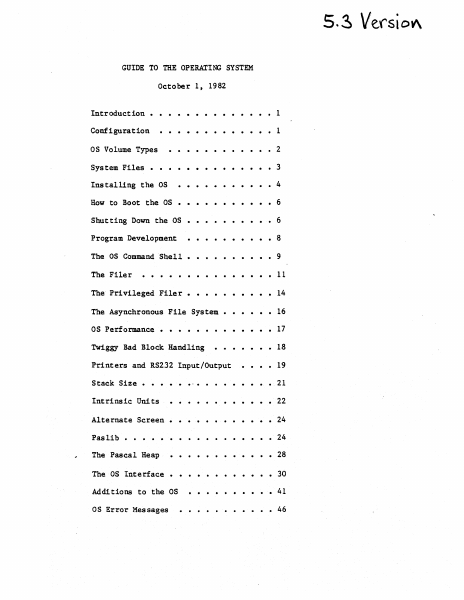
5. ~ Verst OV\ GUIDE TO THE OPERATING SYSTEM October 1 t 1982 ·....... Configuration . . . . . . . • • • • 1 OS Volume Types ·..• 2 System Files • ·.• 3 ....• • • • 4 Installing the OS How to Boot the OS ··· ··6 · Shutting Down the OS · ···· ···6 Program Development ·• . ·• •8 The as Command Shell. ·•9 The Filer • · • 11 The Privileged Filer. • · · 14 The Asynchronous File System • · • · 16 as Performance • . . . . . . . . . . . • 17 Introduction • Twiggy Bad Block Handling Printers and RS232 Input/Output Stack Size • .... • 1 • • 18 • 19 • • • 21 · . . . . . . • 22 Alternate Screen • · . . . . • • • • 24 Pas lib • • · . 24 The Pascal Heap • • • 28 ·.. Intrinsic Units The OS Interface • • • 30 Add! tions to the OS • • 41 as Error Messages • • 46 Guide to OS Confidential INTRODUCTION This document explains how to use the 5.3 release of the Operating System. It includes all relevant material from prior releases and also describes the new features of this release. The User's Guide does not explain each feature of the OS in detail; instead, it explains operations such as installing and booting the system, and presents the details of the Command Shell and Filer commands (see the Operating System 'Reference Manual for a complete description of the Operating system). Because the Operating System Reference Manual is not updated for each new release, the User's Guide also contains explanations of any new features or calls that may not fit into the above topics. The User's Guide assumes that the Operating System Reference Manual that you have is dated March 1, 1982. CONFIGURATION The OS boots from either a Profile or a Twiggy. Most people will boot the OS from a Profile, and use another hard disk for the Monitor. The OS restricts how you can use the various devices. The OS treats the Corvus as a source of Monitor files, not as an OS volume. The Lisa screen can be accessed by either the OS or the applications. The Lisa screen can display either the "main screen" that is usually reserved for applications, or the "alternate screen" that is used for Lisabug, and, read and writelns for debugging. There is a MOVESOROC program to change where application readln and writelns are to be displayed. They may be displayed on either the main screen, the alternate screen, or an external Soroc. If you use an external Soroc, you can see both the main applications screen, and the debugging screen at the same time. If you wish to use a Soroc, attach it to channel A of the Lisa. When the OS boots from a Profile, that Profile must be attached to the parallel port (the connector farthest to the right when viewed from the front). This port is 'PARAPORT' to the as and '&3' to the Monitor. Your other hard disks are attached to the N-Port card, which must (for now) be in Slot 2 (the middle slot). Starting from the bottom of the N-Port card, the ports are named '&4', '&5', and '&6' by the monitor, and 'SLOT2CHANl', 'SLOT2CHAN2', and 'SLOT2CHAN3' by the as. The monit…

Showing first 3,000 characters of 115,443 total. Open the full document →

Home Documents Lisa Workshop Users Guide Alpha
Workshop Users Guide Alpha

Workshop Users Guide Alpha

Lisa · 1983 · PDF
FilenameWorkshop_Users_Guide_Alpha_198301.pdf
Size3.75 MB
Year1983
Subsection development_history / memos
Downloads4
Enjoying MacTrove? Anonymous downloads are free and unlimited. Create a free account to track favorites, contribute metadata corrections, and join the community chat.
Reader
Workshop Users Guide Alpha
/
Loading…
OCR / Text contents
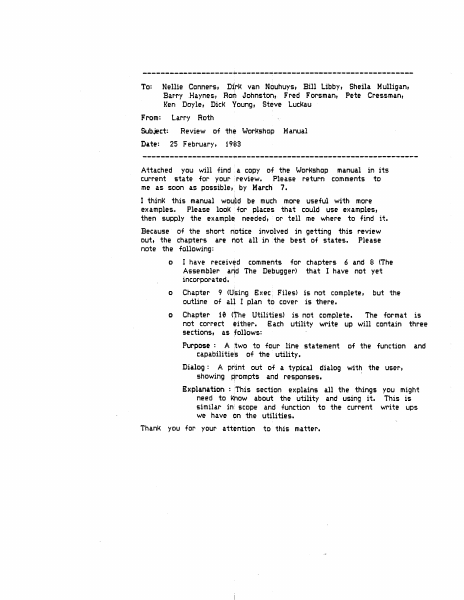
--------------------~--~~---~-------------------~----------- To: Nellie Conners, Di~rJ< van Nouhuys, Bill Libby, Sheila Mulligan, Bar·ry .Haynes, Rorii Johnston, Fred F'orsmant Pete Cressmant Keri Doyle, DicK Young, Steve LucKau From: Larry Roth Subject: Date: Review of the WorKshop 25 February, Manual 1903 Attached you will find a copy of the Workshop manual in its current state for your review. Please return comments to me as scJon as possible, by March 7. I think 1:his manual wou)d be much more useful with more examples,. Please looK for places that could use examples, then supply the exampl~ needed, or tell me where to find it. Because of the short notice involved in getting this review out, the chapters are Mot all in the best of states. Please note the following: o I have received comments for chapters 6 and 8 <The Assembler arid The Debugger> that I have not yet incorporated. · o Chapter 9 <U$ing S:xec. Files> is not complete, outline of all I plan to cover is there. o Chapter 10 <The Utilities> is not complete. The format is not correct either. S:ach utility write up will contain three sections, as follows: Purpose : A two to four line statement capa.bili ties of the utility. but the of the function and Dialog : A print out of a typical dialog with the user, showing Rrompts and responses. Explanation : This section explains all the things you might need to Ktiow about the utility and using it. This is similar in scope and function to the current write ups we have on the utilities. Tha.nK yc>u for your attention to this matter. USER...-SGUIDE l..-...IORJ-C:::SHOP Larry Rot~ 29 Ja.nuary 1983 Alpha Draft COt-..ITENTS 1 • INTRODUCTI ctl The Workshop provides tools for- prc)gram deve'loprnent. It provides f ac i 1 it i es for editing, 1anguage proc:ess i ng, and debugging, as we 11 as commands for managing files and con~=igur-ing the system. The system a 1 so inc 1udes many other u ti 1 it i es. THE FI LE MANAGER The Fi 1 £r Manager- a 11 ows you to manage cLnd man i pu 1 ate f i 1es and volumes. 2. 3. THE SYSTEM MANAGER The System Manager allows you to set default parameters for the Lisa, and manage processes. and configuration 4. THE EDITOR The Edi tor· a 11 ows you to ere ate and mc•d if)• text ~; i 1 ec:.• These text f i 1 es are used as input to the Comp i 1 er and the Assembl t~r. 5 THE PASCAL Cet1PJ LER I The Compiler translates Pascal source codi~ into c•bject code. Translation requires two steps: fir~~t the compiler translates Pascal into I-code; then the code Generator translates the I-code into obj Ht code. 6. THE ASSEMBLER The Assembler translates assembly language progr·ams into object code. 7. THE LINKER The Linker combines object code files into executable programs. 8. THE DEBUGGER The Debugger allows you 'to examine memory, set brn.Kpoin1:s, other run-time debugging functions. 9 USING EXEC Fl LES E:xec files allow you 'to execute automatically. I 10 I a s1~ries of commands and per…

Showing first 3,000 characters of 178,334 total. Open the full document →
Home Documents Lisa Lisa Pascal 3.0 System Software
Lisa Pascal 3.0 System Software

Lisa Pascal 3.0 System Software

Lisa · 1984 · PDF
FilenameLisa_Pascal_3.0_System_Software_1984.pdf
Size11.89 MB
Year1984
Subsection workshop_3.0
Downloads4
Enjoying MacTrove? Anonymous downloads are free and unlimited. Create a free account to track favorites, contribute metadata corrections, and join the community chat.
Reader
Lisa Pascal 3.0 System Software
/
Loading…
OCR / Text contents
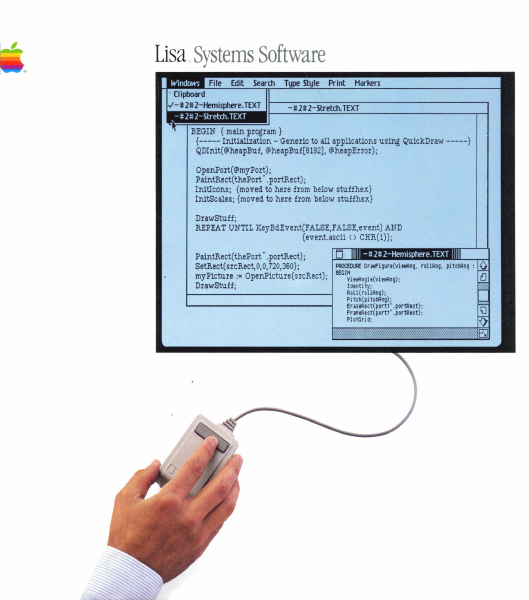
Lisa.Systems Software BEGIN {main program} {----- Initialization - Generic to all applications using QuickDraw -----} QDInit(@heapBuf, @heapBuf[8192], @heapError); OpenPort(@myPort); PaintRect(thePort' .portRect); InitIcons; {moved to here from below stuffhex} InitScales; {moved to here from below stuffhex} DrawStuff; REPEAT UNTIL KeyBdEvent(FALSE,FALSE,event) AND (event.ascii () CHR(l)); PaintRect(thePort' .portRect); PROCEDl.Rf Dr awfi gure(vi twAng, rOllRng, pi tChAng : SetRect(srcRect,O,O, 720,360); myPicture := OpenPicture (srcRect); BEGIt!vi ewAngl e(vi eWAng); Identi ty; DrawStuff; Roll (rollRng) ; Pi tc~ ( pi tchAng); Er aseRect( port1' . portRect) ; fr aMeRect( portl' . portRect) ; PI otGri d; Lisa Pascal 3.0 Systems Software Copyright This manual and the software described in it are copyrighted with all rights reserved. Under the copyright laws.. this manual or the software may not be copied.. in whole or in part.. without the written consent of Apple.. except in the normal use of t.he software or to make a backup copy. The same proprietary and copyright notices must be affixed to any permitted copies as were affixed to t.he originaL This exception does not allow copies to be made for others.. whether or not sold.. but all the material purchased (with all backup copies) may be SOld.. given, or loaned to another person. Under the law.. copying includes translating into another language or format. You may use the software on any computer owned by you, but extra copies cannot be made for this purpose. For some products.. a multiuse license may be purchased to allow the software to be used on more than one computer ol,lmed by the purchaser.. including a shared-disk system. (Contact your authorized Apple dealer for information on multiuse licenses.) Licensing Requirements far Software Developers Apple has a low-cost licensing program, which permits developers of software for the Lisa to incorporate Apple-developed libraries and object codes into their products. Both in-house and external distribution require a license. Before distributing any products that incorporate Apple software, please contact Software Licensing at the address below for both licensing and technical information. @1983" 1984 Apple Computer.. Inc. 20525 Mariani (fve. Cupertino, CA 95014 (408) 996-1010 Apple.. Lisa.. ProFile" MacWorks, and the Apple logo are trademarks of Apple Computer, Inc. Macintosh is a trademark licensed to Apple Computer.. Inc. Priam is a registered t.rademark of Priam, Inc. So~/ is a registered trademark of Sony Corporation. Centronics is a registered trademark of Centronics Dat.a Computer Corporation. VT52 and VT100 Me trademarks of Digital Equipment Corporation. Simultaneously published in the U.S.A. and Canada Reorder Apple Product 1620-6149-8. Limited Warranty on Media and Manuals If you discove.r physical defects in the media on which this software is distributed, or in the manuals distributed with the software, Apple will replace the m…

Showing first 3,000 characters of 493,724 total. Open the full document →
Home Documents Lisa Lisa Hardware Reference Manual Jul81
Lisa Hardware Reference Manual Jul81

Lisa Hardware Reference Manual Jul81

Lisa · PDF
FilenameLisa_Hardware_Reference_Manual_Jul81.pdf
Size5.60 MB
Subsection hardware
Downloads4
Enjoying MacTrove? Anonymous downloads are free and unlimited. Create a free account to track favorites, contribute metadata corrections, and join the community chat.
Reader
Lisa Hardware Reference Manual Jul81
/
Loading…
OCR / Text contents
LISA Hardware REFERENCE MANUAL Bill Schottstaedt Ext. 2379 Conf i,den tial Lisa Hardware Reference Manual TABLE OF CONTENTS OVERVIEW 4 5 5 6 The Processor Video Display Memory The System Bus THE CPU BOARD 7 7 9 9 10 12 12 13 14 15 16 17 18 18 20 21 23 24 25 The 68000 Interrupts Memory Memory Configurations The Memory Management Unit The Segment Origin Context Selection The Segment Limit The Process Stack Loading·the MMU Registers Memory Errors The Status Register The Memory Error Address Latch Memory Diagnostic Mode Video Circuit Contrast Control System Bus Timing Memory Bus Timing Summary of MMU Locations THE 10 BOARD 26 26 28 31 32 32 34 34 35 36 37 38 39 40 42 42 44 44 45 The Input/Output Board The Keyboard Interface COPS Command Timing Reset Codes The Keyboard Keycodes The Mouse Mouse Commands Mouse Data The Clock/Calendar Circuit Setting the Clock The CVSD and the Speaker The Serial Interface Baud Rate Generation The Floppy Disk Controller Disk Controller Commands Disk Data Storage Interrupts Non-volatile Memory 7-Jul-81 Confidential 45 Lisa Hardware Reference Manual The Battery The Hard Disk Interface I/O Space Addresses 46 51 THE EXPANSION I/O SLOTS 53 53 57 58 The Expansion I/O Slots Signal Description Device Protocol Direct Memory Access GLOSSARY SCHEMATICS ,7-Jul-81 Lisa Hardware Reference Manual Confidential 7-Jul-81 HARDWARE OVERVIEW The Lisa hardware can be divided into four functional pieces: the CPU and memory management unit, the I/O circuitry, the memory arrays, and the expansion slots. The main microprocessor is a Motorola MC68000. It communicates with the rest of the Lisa world over two buses: the system bus, and the memory bus. The I/O circuitry includes the built-in parallel interface, two serial interfaces, floppy disk controller, clock-calendar, speaker, and keyboard interface. SYSTEM BLOCK DIAGR&~ ------- ---+ Expansion Slot a I +--_._-,-----+ +---------- +-----------+ -I I Memory Array 1 I I Expansion Slot 1 I +--------+ +------------+ +------ +-----------i- I -=+ I Expansion Slot 2 Memory Array 2 I -- ... _------+ System Bus --------------.._--_.._--------------+ .--+ -+--I/O BOARD: Floppy Disk Controller Hard Disk Interface Keyboard Interface Speaker and CVSD Serial I/O Ports Clock/Calendar/Alarm +------ I I I I I I I I +--------- ---_._---- . - + I I I I' I I I ----+ Memory Bus CPU BOARD: 1 I ( 68000 and Buffers Memory Management Unit I Boot and diagnostics ROM I Video Circuitry I Memory Access Control I I , I +-------------...=-----+ THE PROCESSOR The Motorola MC68000 Microprocessor User's Manual fully describes the operation of the processor, including its instruction set and timing. The Lisa 68000 has a 5 megahertz clock. The memory cycle time is 800 nanoseconds; therefore instructions that use a multiple of four clock cycles can execute without a wait state. Page 4 Lisa Hardware Reference Manual Confidential 7-Jul-81 VIDEO DISPLAY The bit mapped d…

Showing first 3,000 characters of 109,486 total. Open the full document →
Home Documents Lisa Monitor 12.0 Release Notes Apr83
Monitor 12.0 Release Notes Apr83

Monitor 12.0 Release Notes Apr83

Lisa · 1983 · PDF
FilenameMonitor_12.0_Release_Notes_Apr83.pdf
Size0.54 MB
Year1983
Subsection pascal_monitor
Downloads2
Enjoying MacTrove? Anonymous downloads are free and unlimited. Create a free account to track favorites, contribute metadata corrections, and join the community chat.
Reader
Monitor 12.0 Release Notes Apr83
/
Loading…
OCR / Text contents
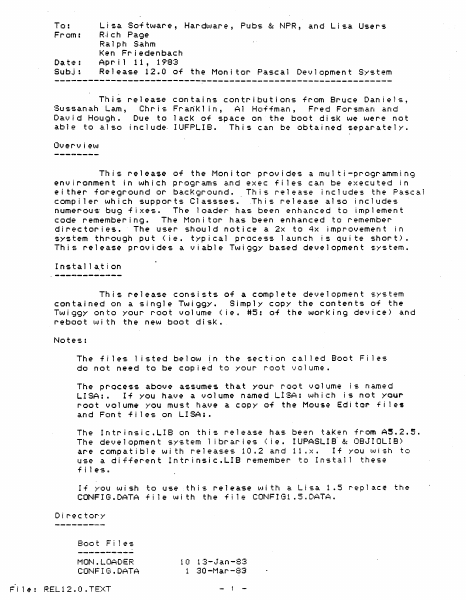
To: From: Ri eh Page Lisa So-f tware, Hardl,,·.Jare, Pubs &: NPR, and Lisa Users Date: Subj: Ralph Sahm Ken Friedenbaeh Ap r i 1 11, 1983 Release 12.0 of the Monitor Pascal Devlopment System This release contains contributions from Bruce Daniels, Sussanah Lam, Chris Fra~Kl in, Al Ho~-fman, Fred Forsman and David Hough. Due to lack of space on the boot disK we were not abl e to a.l so inc 1 ude- I UFPLI B. Th i s can be obta i ned separa te 1 y. Over-view This release of the Monitor provides a multi-programming environment in which programs and exec fi les can be executed in either foreground or bacKground. This release includes the Pascal compiler which supports Classses • . This release also includes numerous bug fixes. The loader has been enhanced to implement code remembering. The Monitor has been enhanced to remember directories. The user should notice a 2x to 4x improvement in ~ystem through put (ie. typical process launch is qui te short). This release provides a viable Twiggy based development system. Installa.t~on This release consists of a complete development system contained on a Single Twiggy. Simply COpy the contents of the Twiggy onto your root volume (ie. #5: of the worKing device) and reboot wi th the new boot disk. The files listed below in the section cal led Boot Fi les do not need to be copied to your root volume. The pr-ocess above assumes that your root volume is named LISA:. If yOU have a volume named L!SA: which is not your root volume YOU must have a COpy of the Mouse Editor fi les and Font fi les on LISA:. Intrinsic.LIB on this release has been taken from A~.2.51 The development system 1 ibraries (Ie. IUPASLIB- &: OBJIOLIB) are compatible wi th releases 10.2 and 11 IX. If yOU wish to use a different IntrinsicIILI8 remember to Install these The f i 1 es It If you wish to use this release with a Lisa 1.5 CONFIG.DATA fi Ie with the f11e CONF!Gl.5.DATA. D i r-ec tor'y Boot F i 1 es MON.LOADER COr-·!F I t3 • DATA ~i 1~: RELI2.0.TEXT 1 (I 13-.Jan-83 1 30 -t1ar -83 - 1 - replac~ the BOOTFILES.DATA LISABUG.08J LISA8UG2.0BJ DR I t)ERS • OBJ ""lS.08J UARTDRVR.OBJ LOADER.OBJ . TWGDRVR7.0S ..T MONITOR.08J MONITOR. SYMBOLS CONFIGl.S.DATA 1 21-Feb-83 63 10-Apr -83 29 27-Feb-83 16 23-Mar-83 5 28-""lar-83 2 23-Apr-82 64 8-Apr-83 4 25-Mar-83 38 10-Apr-83 12 10-Apr-83 8-Apr-83 1 o Start Up Files MON .M:[ SCINFO MON. STARTUP MONSTr~RTl .OBJ 1 12-Jun-80 4 3 8-0ct-81 4-Jun-81 91 29 6-Apr-83 System Util ities FILER.OBJ S'{St1GR.08J MOVESOROC.08J CHANGEMEM.08J MOUNT.OBJ FORMATTER.OBJ SHELL"OBJ 6-Apr~83 7-Jur.-81 2 1-Apr-83 4 24-Sep-81 12 28-Mar-83 11 10-Apr-83 4 Library & Link Files CALLSw08J LOADER. IMAGE MPASL lB. OB ..T NOFPLIB.OBJ INTRINSIC.LIB OBJIOLI8.0BJ IUPASLIB.08J 3 18-Nov-82 1 I-Jun-81 48 21-Jan-82 18 21-Jan-82 8 8-Apr-83 103 6-Apr-83 15 14-Feb-82 Development Fi les COMPILER.O"SJ PASERRS.ERR CODE.08J IULINKER.08J LINKER.OSJ N68K.OPCODES 180 8-Apr-83 7-Apr-83 103 7-Apr-83 56 10-Apr-83 32 8-Apr-…

Showing first 3,000 characters of 20,871 total. Open the full document →

Home Documents Lisa Hard Disk Install Feb86
Hard Disk Install Feb86

Hard Disk Install Feb86

Lisa · PDF
FilenameHard_Disk_Install_Feb86.pdf
Size5.61 MB
Subsection macworks
Downloads3
Enjoying MacTrove? Anonymous downloads are free and unlimited. Create a free account to track favorites, contribute metadata corrections, and join the community chat.
Reader
Hard Disk Install Feb86
/
Loading…
OCR / Text contents
-\'\.:;>/ ba.r~'lC:v..Q Wa~~~\)( - 'D~\,IR w o'AP'o<x*'c\~~ ,/ l=O';l.f'\h)" J' t\o...'~O~tH\ {******************************************************************************} {start of main body of HOI <Hard Disk Install)} v ~ 1"\1>v..~Ji o/rnC7\Af\\-T~ ~ I\l)..mt. ~.~ I~t>i()!;.t~\\ v O~~'N ~<;,o~~t"(' I !?~'~~~\\t~ BEGIN Mainlnitj In i tBuffer; InitMyDialogsj )t ('$\(, SetCursor(watch}j AppRefIO := CurResFilej result := HOOpen; C ~v..et.e. { set up the COPY buffer } { set up all the dialog pointers} { save ptr to app s resourcef i 1e } { Open the dr i vel', add °dr i ves to dr i ve queue, try mount } I {check for fatal errors} SetCursor(arrow); CheckErr(result); IF (result = MWorksFnd) THEN BEGIN { if direct-start disk, ask how to proceed} LDilog := GetNewDialog(MWOilog, NIL, POINTER(-l»j ModalDialog(NIl, itemhit)j DisposDialog(LOilog)j { remove dialog} CASE j temh i t OF {19Ap(85) {19Ap(85) (19Ap(85) {19Apr8S) {i 9AprSS} {19AprBS} {19Apr8S} U9AprBS} { Initialize button pressed} 1: BEGIN Dolnstal1(ErasDilog, result, BlankDisk)j IF (result = Us@rCancel) THEN ByeByej END; {erase entire drive} 09AprBS} {19Apr8S} ':19AprBSJ { Replace MacWorks button pressed} 2: BEGIN DotitIlnshl1 ; {19Apr8S} {19AprBS} {19AprBS} {19Apr8S} END; {19Apr8S} { Cancel button pressed} 3: ByeByej END; {of CASE) ~i9Apr85} {19AprBS} ':19Apr85) END {of IF THEN} ELSE IF (result = LisaFnd) THEN BEGIN { Lisa OS format, ask about sharing} LD i i og := Be tNeIAID i a1og( Li saD i 109 f NI L, POINTER(~'1» j ModalDialog<NIL, itemhitl; DisposDialog(lDiiog); {r'~~~ve dialog} CASE ! temh i t OF 1: { Share button pressed} BEGIN resu 1t := HDMoun t ; { Try to do moun tof dr i lie } CheckErr(resultlj { ChecK for fatal errors} iF (result = AllOK) THEN ( Mac side OK, say 'already a shared disk' ... Dolnstal1(SharDilog, result, Lisadisk) ELSE !F ':result < 0) THEN { Mac side bad, say lIunreadable, do yOU lAint to formaP BEGIN DoInstall(BadSDilog,result,Lisadisk); !:Date 12lFeb/86; File -#2#2-HD/sQurce.TEXT] Page 1 ".'(1 mo.c"c\Q\~1 W\\-'O~\~~ uJ II IF (result =UserCancel) THEN Bye Bye END; END; { Erase All button pressed} BEGIN Dolnstall(ErasDilog, result, BlankDisk); IF (result =UserCancel) THEN ByeBye; {erase entire drive} END; { Cancel button pressed} 3: ByeBye; END; {of CASE} END {of IF THEN) ELSE IF (result = AllOK) THEN DOlnstal1(MacDi109, result, MacDisk) ELSE { Mac disk on-l ine } { check if reinitialize wanted} { damaged or not initialized} BEGIN OoInstall(BadMDilog, result, 81ankDisk); IF (result = UserCancel) THEN ByeByej {erase entire drive} END; CASE (result) OF A110K: BEGIN result := WrtBootBlks; IslconlnSysResj SetCursor(arrow); iternhit := NoteAlert(LstAlert, NIL)j { write boot blocks to hard disk} { make sure hard disk icons are in sysres } { notify about movfng system folder} ENDj { MacWorks has been replaced - all done} li4orksFnd: BEGIN END; USIn-Ca.nce 1: Is!conlnSysResj { make sure disk icons are in …

Showing first 3,000 characters of 212,547 total. Open the full document →

Home Documents Lisa Clascal Reference Manual Mar83
Clascal Reference Manual Mar83

Clascal Reference Manual Mar83

Lisa · 1983 · PDF
FilenameClascal_Reference_Manual_Mar83.pdf
Size2.27 MB
Year1983
Subsection toolkit_university
Downloads4
Enjoying MacTrove? Anonymous downloads are free and unlimited. Create a free account to track favorites, contribute metadata corrections, and join the community chat.
Reader
Clascal Reference Manual Mar83
/
Loading…
OCR / Text contents
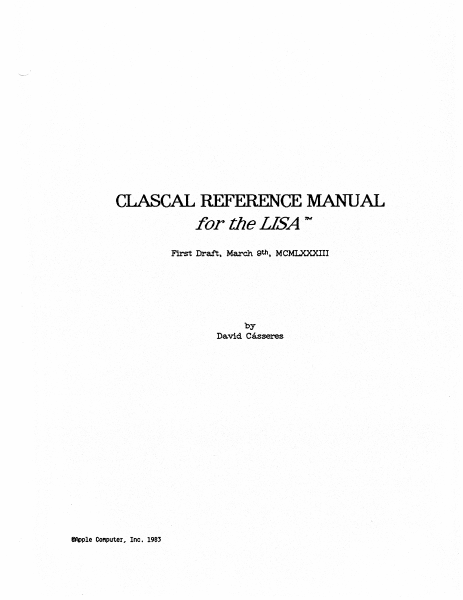
CLASCAL REFERENCE MANUAL for the LISA 1N First Dratt~ March· 9th , MCMLXXXIII by Da.vid Casseres IApple Co"puter. Inc. 198J Cla.sca1 Reference ManuaJ CONTENTS 1 Introduction to Clascal Concepts 1.1 Class-Types ....•..... 1.2 Objects ............ . 1.3 The Class H1erarchy .... . 1.4 ~~ce ........... . 1.5 Assignment-Compa;tibillty of Objects Expa.ns1on ofEx1st1ng Pasca.1. Syntax .. 'Def1rdng a Class .......................... . l)ef'ining a Metl\.od . • • • • • • . . . • . • • • • . • . • • • . • • • • . .......... 2 3 4 4.1 4.2 4.3 4.4 4.5 4.6 5 6 'l OverrldingInher1tedMethods ••• Self-Reference via. the Self Pseudova.ria.ble Self-Reference via a Class-Identif1er Cla.sswid.e Methods Abstra.ctMethods • The New Metl\.od Class Object .•••••. Objects as Handles ...... . $H+ a.n.d$H- Compiler Commands Appendix A:· Sample lJstings ............. . 1 1 1 . . •. 2 2 3 3 •. 6 9 9 9 11 13 13 14 14 15 16 A-l Reference Manual Cla.sca.J 1 Introduction to Clascal Concepts Clascal is a set of extensions to Pascal on the Lisa. These extensions support "object-oriented" programming in a style th.a.t somewhat resembles SIMULA and SmalltaJk. The purpose is to provide a very highlevel interface to code libraries, allowing the user program to perform highly complicated functions with simple eaJ.ls, while still reta.irrlng flexibility . 1.1 Class-Types Cla.sealis ba.sed on a new category of user-def1ned types called clasS'" types. An individual class-type is referred to as a aJass. A cla.ss-type is a klnd of S'trUctured-type, resembling a reeord-type in that it contains na.med fields. A class can have two kinds of fields: • 1)8,:ta. Oelds are like the fields of a record; they. contain variable data, and each data field has its own type. • .Methods are procedures and functions. The fields are referenced lUte fields of a record, using a period and a field-identlf1er (or a w1th-statement that references a. field-identlf1er). For' exa.mple, it. area. identi:f1es a· field· defined in class Triangle, and c:rntTria:ngleis decla:rec:1 by va.r c:rntTr.ia.ngle: Tr.ia.ngle; then crntTrla.ngle. 8J'."e& is a reference to the area. field of cri\.tTrla.ngle. If azea. is a data. field, then crntTr.ia.ngle. area. is a va.ria.ble-referen.c:e; if area. is a. method, then crntTrla.ngle.area. is either a proceduresta.ternent or a. :t\mction-ca.ll. A class-type is declared in the interface-part of a unit, and is supported by a .method-block in th.eimplementation-part of the same unit. Section 3 gives the syntax for class-types and method-blocks. 12 Objects A class defines the behavior (data. fields and methods) of its objects:. Each objeetis an .tnsta.nce of the class tha.t def1nes its behavior. Each object is stored. in a. dyn~ca.lly alloca.ted.,pot.entially reloeatable data area. w1th,1n a heap. An. object of a given class is created by the new method defined. for that class; .this method returns a newlY created object of the cl.a.ss(see Seetl.on <4.6). …

Showing first 3,000 characters of 28,484 total. Open the full document →

Home Documents Lisa The LisaTalk Report V02 N01
The LisaTalk Report V02 N01

The LisaTalk Report V02 N01

Lisa · 1986 · PDF
FilenameThe_LisaTalk_Report_V02_N01_1986_Spring.pdf
Size94.04 MB
Year1986
Subsection lisaTalkReport
Downloads4
Enjoying MacTrove? Anonymous downloads are free and unlimited. Create a free account to track favorites, contribute metadata corrections, and join the community chat.
Reader
The LisaTalk Report V02 N01
/
Loading…
OCR / Text contents
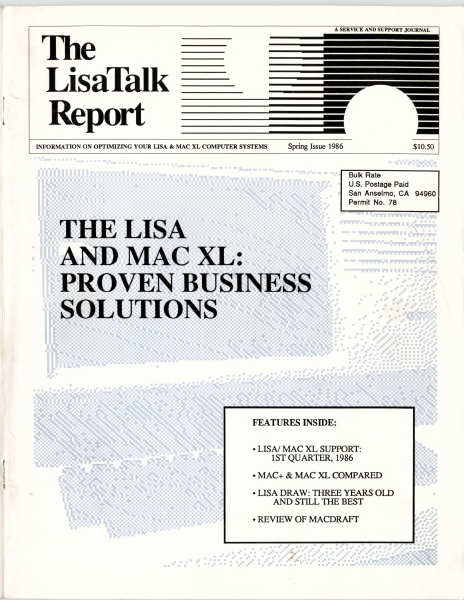
A SERVICE AND SUPPORT JOURNAL The LisaTalk Report -- INFORMATION ON OPTIMIZING YOUR LISA & MAC XL COMPUTER SYSTEMS - Spring Issue 1986 $10.50 Bulk Rate U.S. Postage Paid San Anselmo, CA 94960 Permit No. 78 FEATURES INSIDE: • LISN MAC XL SUPPORT: lST QUARTER, 1986 •MAC+ & MAC XL COMPARED •LISA DRAW: THREE YEARS OLD AND STILL THE BEST •REVIEW OF MACDRAFr ". HO"WToMake Yot.1r Maccing Faster, Easier, andaLotMore Fun! Tempo macros speed your work or play on the Macintosh. Record any series of Macintosh commands or keystrokes and Tempo will play them back, at top speed, every time you need them. With a single key code, you can execute a macro that replays an unlimited number of commands. Add intelligence to your Macintosh software If a macro needs to be performed 27 times in a row or every 15 minutes, Tempo will do that. If it depends on whether a number starts with a "$" or if a name is greater than 'Jones," Tempo will read it and decide which way to branch. Tempo can even determine if it needs to branch to another program. Tempo will close the program you're in, open the other, and continue replaying your commands. Automatically. Exactly as you require. Intelligent macros for the Macintosh. Edit your macros for changes or corrections You may edit Tempo macros the same way you create them click to edit, click to change, click to save. Tempo has no complex programming language, simply step-by-step menu commands and dialog boxes. What you can do with Tempo • Reduce complex commands to a single keystroke. • Automate moving information from one program to another. • Have Tempo wait until the time you specify, then perform multiple tasks on your Macintosh - unattended. • Guide new users through programs, prompting them with dialog boxes along the way. • Distribute time-saving macros to other members of your company. • Customize programs to work the way you need them to. • Simplify, automate, customize, modify, design, and create in a million different ways! Macintosh is a trademark licensed to Apple Computer, Inc. Tempo and Affinity are trademarks of Affinity Microsystems, Ltd. Other Tempo features ... • Pause during a macro replay to enter text or make a selection. • Record macros up to the limits of your disk space - hard drive or floppy. • Assign up to 450 keyboard commands in each application. • Use Command key codes or Option key codes. • Replay in slow motion, in real time, or at high speed. • Connect macros together, nested, branched or sequentially. • Repeat the macro if or until it sees the specified text, or for a required number of times. • Tempo works with nearly every Macintosh program. • For the 512K or larger Macintosh and Macintosh XL. • Works with all hard disk drives. • Tempo is not copy-protected, so you can easily install it on your hard drive. • If you're not absolutely happy with what Tempo can do for you and your Mac, return it within 90 days for a complete refund. We guarantee your satisfaction. For $99, you get mor…

Showing first 3,000 characters of 389,687 total. Open the full document →

Home Documents Lisa Daniels Lisas Alternative Operating System Computer Design
Daniels Lisas Alternative Operating System Computer Design

Daniels Lisas Alternative Operating System Computer Design

Lisa · 1983 · PDF
FilenameDaniels_-_Lisas_Alternative_Operating_System_-_Computer_Design_198308.pdf
Size5.07 MB
Year1983
Subsection development_history / articles
Downloads3
Enjoying MacTrove? Anonymous downloads are free and unlimited. Create a free account to track favorites, contribute metadata corrections, and join the community chat.
Reader
Daniels Lisas Alternative Operating System Computer Design
/
Loading…
OCR / Text contents
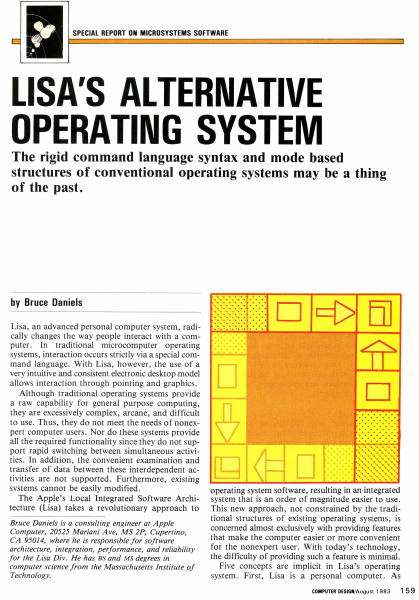
SPECIAL REPORT ON MICROSYSTEMS SOFTWARE LISA'S ALTERNATIVE OPERATING SYSTEM The rigid command language syntax and mode based structures of conventional operating systems may be a thing of the past. by Bruce Daniels Lisa, an advanced personal computer system, radically changes the way people interact with a computer. In traditional microcomputer operating systems, interaction occurs strictly via a special command language. With Lisa, however, the use of a very intuitive and consistent electronic desktop model allows interaction through pointing and graphics. Although traditional operating systems provide a raw capability for general purpose computing, they are excessively complex, arcane, and difficult to use. Thus, they do not meet the needs of nonexpert computer users. Nor do these systems provide all the required functionality since they do not support rapid switching between simultaneous activities. In addition, the convenient examination and transfer of data between these interdependent activities are not supported. Furthermore, existing systems cannot be easily modified . The Apple's Local Integrated Software Architecture (Lisa) takes a revolutionary approach to Bruce Daniels is a consulting engineer at Apple Computer, 20525 Mariani Ave, MS 2P, Cupertino, CA 95014, where he is responsible for software architecture, integration, performance, and reliability for the Lisa Div. He has BS and MS degrees in computer science from the Massachusetts Institute of Technology. . . ..... .. ......... ........... ........ ·.·.·.·.·.·.·.·.· . ................................... . . ..... .. D c::[> El] operating system software, resulting in an integrated system that is an order of magnitude easier to use. This new approach, not constrained by the traditional structures of existing operating systems, is concerned almost exclusively with providing features that make the computer easier or more convenient for the nonexpert user. With today's technology, the difficulty of providing such a feature is minimal. Five concepts are implicit in Lisa's operating system. First, Lisa is a personal computer. As COMPUTER DESIGN/August 1983 15 9 EDIT FILE/PRINT TYPE STYLE ARRANGEMENT LINES SHADES UNDO ARCHITECTURE ~ CALCULATOR ,D/ ~ CUT COPY PASTE CLEAR I /~ .) 0 " ~ WASTEBASKET ! " ". EJ @ MY DISK CLIPBOARD Jo]! [;!] 1 D D D D STRUCTURE OS DESKTOP MANAGER WASTE· BASKET What is the Lisa? Lisa represents over 200 person years and $50 million of development effort. Its intellectual inspiration came from the Smalltalk language and operating system developed at the Xerox Palo Alto Research Center. This system's pioneering use of graphics and a mouse to present the fundamental concepts of overlapping pieces of paper on an electronic desktop marked a departure in computer operating software. Taking the Smalltalk concepts, Apple spent three years refining them, adding innovations, and reducing costs. Hardware is based on the MC68000 micr…

Showing first 3,000 characters of 17,325 total. Open the full document →

Subscribe to Lisa
mp.ls