Home Documents Macintosh MPW 3.0 Pascal
MPW 3.0 Pascal

MPW 3.0 Pascal

Macintosh · 1988 · PDF
FilenameMPW_3.0_Pascal_1988.pdf
Size20.73 MB
Year1988
Subsection developer / MPW / MPW_3.0
Downloads3
Enjoying MacTrove? Anonymous downloads are free and unlimited. Create a free account to track favorites, contribute metadata corrections, and join the community chat.
Reader
MPW 3.0 Pascal
/
Loading…
OCR / Text contents
(/ 9. Macintosh' Macintosh Programmer's Workshop 3(.0 Pascal ' ti APPLE COMPUM, INC. This manual and the software described in il are copyrishted, with all rights reserved. Under the copyrisbt laws, this manual or the software may not be copied, in whole or in part, without written consent of Apple, except in the normal use d the software or .to make a backup copy of the software. The same proprietary and copyright notices must be aff'JXed to any permitted copies as were affixed to the original. This exceptk>n does not allow copies to be made for others, whether or not sold, but all of the material purchased (with all backup copies) may be sold, given, or loaned to another peison. Under the law, copying includes uanslating into another language or format You may use the software oo any computer owned by you, but extra copies cannot be made for this purpose. The Apple logo is a registered trademark of Apple Ccmputer, Inc. Use of the "keyboard" logo (Option-Shift-IQ for coaimertial purposes without the prior written consent of Apple may constitute trademark infringement and unfair competition in violation of federal and stare laws. 0 1988 Apple Computer, Inc. 20525 Mariani Avenue Cupertim, CA 95014 (408) 996-1010 Apple, the Apple logo, laserWriter, Macimosh, and MacApp are registered trademarks of Apple Computer, Inc. ITC Garamond and ITC 1.apf Dingbats are registered trademarks of International Typeface Corporation. Microsoft is a registered trademarlc of Microsoft Corporation. POSTSCRIPT and Adobe Wustrator are registered trademarks of Adobe Systems Incorporated. Adobe Wustrator is a trademark of Adobe Systems Incorporated. IrnageStudio is a trademark of E,,selte Pendaflex Corporation in the United States, of LetraSet Canada Limiled in Canada, and of Falte IetraSet Limiled elsewhere. QMS is a registered trademark of QMS, Inc. llnotronic is a registered trademark of llnotype company. Smalltalk-SO is a registered trademark of the Xerox Corporation. Simultaneously published in the United States and Canada. Contents Tables and Figures :xvii Preface xix ., 1 About MPW Pascal 1 About MPW Pascal version 3.0 3 About SADE and MacsBug 4 Object Pascal 5 About the Pascal interface files 6 Using interface ftles 9 About the Pascal libraries 10 About the Pascal examples 13 Installing MPW Pascal 14 Segmentation control 15 Creating resourtes 16 Creating an application in MPW Pascal 16 Building an application 17 Compiling an application 17 Unking an application 18 Creating a tool in MPW Pascal 19 Building a tool 20 Compiling a tool 20 " Unking a tool 20 Creating a desk a~ry in MPW Pascal 21 Desk accessory restrictions 21 The DRVRRuntime library 21 Desk accessory routines 22 Building a desk accessory 23 linking a desk accessory 23 Creating code for different models of the Macintosh 24 Source code 24 Iii Interface files 24 Compiler options 25 SANE and the Macintosh II 25 Floating-point enhancements 25 MC68881 enhancements 26 MC68020 enh2ncements 27…

Showing first 3,000 characters of 500,000 total. Open the full document →
Home Documents Lisa Lisa Motherboard Enhanced
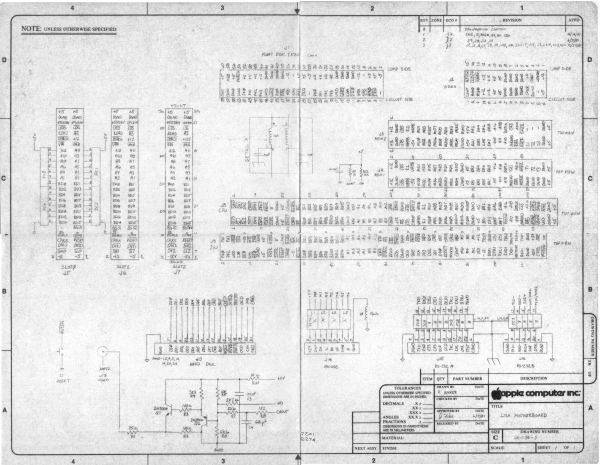
Lisa Motherboard Enhanced

Lisa Motherboard Enhanced

Lisa · PDF
Filenamelisa-motherboard-enhanced.pdf
Size8.28 MB
Subsection hardware / Lisa_1_Motherboard
Downloads3
Enjoying MacTrove? Anonymous downloads are free and unlimited. Create a free account to track favorites, contribute metadata corrections, and join the community chat.
Reader
Lisa Motherboard Enhanced
/
Loading…
Home Documents Lisa Lisa Pascal 2.0 Workshop Users Guide
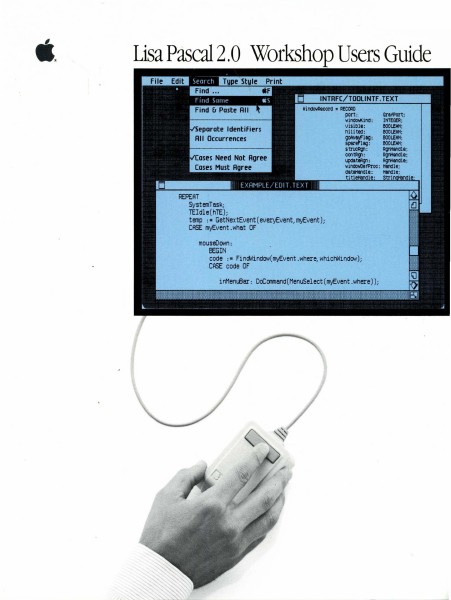
Lisa Pascal 2.0 Workshop Users Guide

Lisa Pascal 2.0 Workshop Users Guide

Lisa · 1983 · PDF
FilenameLisa_Pascal_2.0_Workshop_Users_Guide_1983.pdf
Size9.51 MB
Year1983
Subsection workshop_2.0
Downloads3
Enjoying MacTrove? Anonymous downloads are free and unlimited. Create a free account to track favorites, contribute metadata corrections, and join the community chat.
Reader
Lisa Pascal 2.0 Workshop Users Guide
/
Loading…
OCR / Text contents
Users Guide Lisa Pascal 2.0 War windo\lAlcord • RECCA) port : GrafPOrt; willClllo&ind: yisiDle: DOOWIN; ni Ii tea: ~Iag: iparlilllljJ : 5t1'UCA1Jl : contRgI: ~t~: IHTEGfR; D001lItH; D001!N4; D001!N4; ~Ie; ~II ; ~l'; windOloOefProc : HIndle; REPEAT SystemTask; TEldle(hTE); temp : s GetNextEvent(everyEvent, myEvent); CASE myEvent .whet OF mouseOown: EEGIN code :- Fi ndWi ndow ( myEv ent . wher~whichWindow )i CASE code OF Workshop User's Guide for the Lisa.... Licensing Requirements for SOftware Developers Apple has a low-cost licensing program, which permits developers of software for the Lisa to incorpOrate Apple-developed libraries and object code files into their products. Both in-house and external distribution require a license. Before distributing any prOdUCts· that incorporate Apple software, please contact Software Licensing at the address below for both licensing and technical information. <91983 by Apple Computer, Inc. 20525 Mariani Avenue CUpertino, California 95014 (408) 996-1010 Apple, Usa, and the Apple logo are trademarks of Apple Computer, Inc. Simultaneously publiShed in the USA and Canada customersatlSfactlon If you discover physical defects in the manuals distributed with a Lisa product or in the media on which a software prodUCt is distributed, Apple will replace the documentation or media at no charge to you during the 90-day period after you purchased the product. PrtX1JctRevlslons Unless you have purchased the product update service available through your authorized Usa dealer, Apple cannot guarantee that you wlll receive notice of a revision to the software described in this manual, even if you have returned a registration card received with the prOduct. You should check periodically with your authorized Lisa dealer. Umltatlon on W8lTcI'ltles cnj Liability All Implled warrantles concerning this manual and media, inClUding Implied warranties of merchantability and fitness for a particular purpose, are limited in duration to ninety (90) days from the date of original retail purchase of this product Even though Apple has tested the software descrIbed In thIs manual and reviewed its contents, neither Apple nor Its software suppllers maKe any warranty or representation, eIther express or implled, wIth respect to thIs manual or to the software described in this manual, their quality, performance, merchantabllIty, or fItness for any particular purpose. As a reSUlt, this software and manual are sold "as is:" and you the purchaser are assuming the entire risk as to theIr qualIty and performance. In no event will Apple or its software suppliers be liable for direct, indirect, special, incidental, or consequential damages resulting from any defect in the software or manual, even if tDey have been advised of the possibility of such damages. In partiCUlar, they shall have no liabllity for any programs or data stored in or used with Apple products, including the costs of recovering or reprodUcing these programs· or …

Showing first 3,000 characters of 391,985 total. Open the full document →

Home Documents Lisa Lisa Pascal 2.0 Systems Software
Lisa Pascal 2.0 Systems Software

Lisa Pascal 2.0 Systems Software

Lisa · 1983 · PDF
FilenameLisa_Pascal_2.0_Systems_Software_1983.pdf
Size5.86 MB
Year1983
Subsection workshop_2.0
Downloads3
Enjoying MacTrove? Anonymous downloads are free and unlimited. Create a free account to track favorites, contribute metadata corrections, and join the community chat.
Reader
Lisa Pascal 2.0 Systems Software
/
Loading…
OCR / Text contents
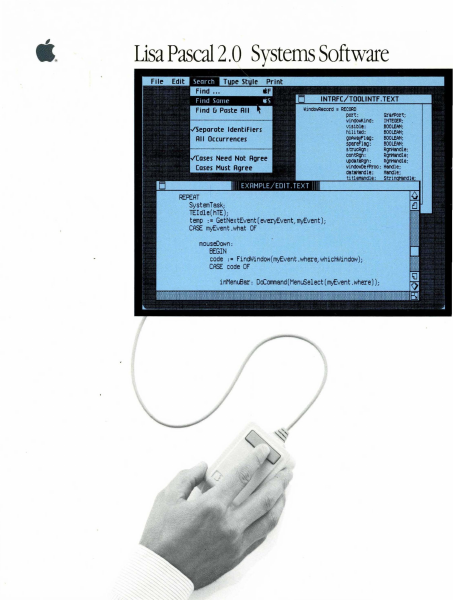
Lisa Pascal 2.0 Systems Software windollRecord • RECORD port: windcMlind : visiDle: nili tell: ~lag: Spare/'lag: s tr1JCAgl : con\:lql: arafPOrt; INTEGER; DOOI.fNI; DOOL.fNI; DOOL.fNI; IIOOL.fNI; fI91WIdle ; ~le; updatlRg't: fI91WIdle ; windowDefProc: HIndle; datft1Clle : REPEAT SystemTask; TEldle(hTE); temp := GetNextEvent(everyEvent, myEvent); CASE myEvent .what OF mouseOown : EEGIN code :- FindWindow ( myEvent . wher~whicHWindow) ; CASE code OF Operating System Reference Manual for the Lisa 1M 029-0414-A Licensing Requirements for SOftware Developers Apple has a low-cost licensing program, which permits developers of software for the Lisa to incorporate Apple-developed libraries and object code files into their products. Both in-house and external distribution require a license. Before distributing any products that incorporate Apple software, please contact Software Licensing at the address below for both licensing and technical information. @1983 by Apple Computer.. Inc. 20525 Mariani Avenue Cupertino.. California 95014 (408) 996-1010 Apple, Lisa, and the Apple logo are trademarks of Apple Computer.. Inc. Simultaneously pUblished in the USA and Canada. OJs1Dner Satisfaction If you discover physical defects in the manuals distributed with a Lisa product or in the media on which a software product is distributed" Apple will replace the documentation or media at no charge to you during the 90-day period after you purchased the product. ProttJctRevisions Unless you have purchased the product update service available through your authorized Lisa dealer" Apple cannot guarantee that you will receive notice of a revision to the software described in this manual" even if you have returned a registration card received with the product. You should check periodically with your authorized Lisa dealer. limitatioo 00 Warranties and liability All implied warranties concerning this manual and media, including implied warranties of merchantability and fitness for a particular purpose, are limited in duration to ninety (90) days from the date of original retail purchase of this producL Even though Apple has tested the software described in this manual and reviewed its contents, neither Apple nor its software suppliers make any warranty or representation, either express or implied, with respect to this manual or to the software described in this manual, their quality, performance, merchantability, or fitness for any particular purpose. As a result, this software and manual are sold "as is," and you the purchaser are assuming the entire risk as to their quality and performance. In no event will Apple or its software suppliers be liable for direct, indirect, speCial, incidental, or consequential damages resulting from any defect in the software or manual, even if they have been advised of the possibility of such damages. In particular, they shall have no liability for any programs or data stored in or used with Apple products, including the cost…

Showing first 3,000 characters of 224,742 total. Open the full document →

Home Documents Macintosh MPW Pascal 3.0 Reference
MPW Pascal 3.0 Reference

MPW Pascal 3.0 Reference

Macintosh · 1988 · PDF
FilenameMPW_Pascal_3.0_Reference_1988.pdf
Size21.03 MB
Year1988
Subsection developer / MPW
Downloads2
Enjoying MacTrove? Anonymous downloads are free and unlimited. Create a free account to track favorites, contribute metadata corrections, and join the community chat.
Reader
MPW Pascal 3.0 Reference
/
Loading…
OCR / Text contents
( •~ Macintosh® Macintosh Programmer's ti APPLE COMPUTER, INC. This manual and the software described in it are copyrighted, with all rights reserved. Under the copyright laws, this manual or the software may not be copied, in whole or in part, without written consent of A!Jple, except in the normal use of the software or to make a backup copy of the software. The same proprietary and copyright notices must be affixed to any permitted copies as were affixed to the original. This exception 00es not allow copies to be made for othe.is, whether or not sold, but all of the material purchased (with all backup copies) may be sold, given, or loaned to another pe.ison. Under the law, copying includes translating into another language or format You may use the software on any computer owned by you, but extra copies cannot be made for this purpose. The Apple logo is a registered trademark of Apple Computer, Inc. Use of the "keyboard• logo (Option-Shift-K) for conunercial purposes without the prior written consent of Apple may constitute trademark infringement and unfair competition in violation of federal and state laws. © 1988 Apple Computer, Inc. 20525 Mariani Avenue Cupertino, CA 95014 (408) 996-1010 Apple, the Apple logo, I.aserWriter, Macintosh, and MacApp are registered trademarks of Apple Computer, Inc. ITC Garamond and ITC Zapf Dingbats are registered trademarks of International Typeface Corporation. Microsoft is a registered trademark of Microsoft Corporation. POSTSCRIPT and Adobe illustrator are registered trademarks of Adobe Systems Incorporated. Adobe illustrator is a trademark of Adobe Systems Incorporated. IrnageStudio is a trademark of Esselte Pendaflex Corporation in the United States, of LetraSet Canada Limited in Canada, and of F.sselte LetraSet Llmited elsewhere. QMS is a registered trademark of QMS, Inc. Llnotronic is a registered trademark of Linotype company. Smalltallc-80 is a registered trademark of the Xerox Corporation. Simultaneously published in the United States and Canada. Contents Tables and Figures xvii Preface xix 1 About MPW Pascal 1 About MPW Pascal version 3.0 3 About SADE and MacsBug 4 Object Pascal 5 About the Pascal interface files 6 Using interface files 9 About the Pascal libraries 10 About the Pascal examples 13 Installing MPW Pascal 14 Segmentation control 1S Creating resoun:es 16 Creating an application in MPW Pascal 16 Building an application 17 Compiling an application 17 linking an application 18 Creating a tool in MPW Pascal 19 Building a tool 20 Compiling a tool 20 '" linking a tool 20 Creating a desk accessory in MPW Pascal 21 Desk accessory restrictions 21 The DRVRRuntime library 21 Desk accessory routines 22 Building a desk accessory 23 linking a desk accessory 23 Creating code for different models of the Macintosh 24 Source code 24 ill Interface files 24 Compiler options 25 SANE and the Macintosh II 25 Floating-point enhancements 25 MC68881 enhancements 26 MC680/0 t:1LJC'.ncen1ent.:i 27 Othe…

Showing first 3,000 characters of 500,000 total. Open the full document →
Home Documents Lisa MacWorks Plus Hard Disk Install Instructions
MacWorks Plus Hard Disk Install Instructions

MacWorks Plus Hard Disk Install Instructions

Lisa · 1988 · PDF
FilenameMacWorks_Plus_Hard_Disk_Install_Instructions_1988.pdf
Size0.54 MB
Year1988
Subsection sun_remarketing
Downloads3
Enjoying MacTrove? Anonymous downloads are free and unlimited. Create a free account to track favorites, contribute metadata corrections, and join the community chat.
Reader
MacWorks Plus Hard Disk Install Instructions
/
Loading…
OCR / Text contents
ac or s us APPLE COMPUTER, INC. MAKES NO WARRANTIES, EITHER Warranty/ EXPRESS OR IMPLIED, REGARDING THE ENCLOSED COMPUTERSOFfWAREPACKAGE,ITSMERCHANTABILITYORITSFITDisclaimer NESS FOR ANY PARTICULAR PURPOSE. THE EXCLUSION OF IMPLIED WARRANTIES IS NOT PERMITTED IN SOME STATES. THE ABOVE EXCLUXION MAY NOT APPLY TO YOU, TIllS WARRANTY PROVIDES YOU WITH SPECIFIC LEGAL RIGHTS. THERE MAY BE OTHER RIGHTS THAT YOU MAY HAVE WHICH VARY FROM STATE TO STATE. Sun Remarketing is Apple's Licensee to certain source code used in this product Apple licenses the Apple Source Code to Licensee solely on an "as is" basis. APPLE MAKES NO WARRANTIES ,EITHER EXPRESS OR IMPLIED~ -REGARDING THE APPLE SOURCE CODE, ITS "NIERCHANTIBILITY OR ITS FITNESS FOR ANY PARTICULAR PURPOSE. Without limiting the foregoing, in no event shall Apple be liable for incidental or consequential damages resulting from the use, sale or distribution of Licensee's Programs, whether under theory of warranty, tort, or products liability, except for indemnification for infringement as and to the extent provided in this Agreement. Apple shall have no obligation to provide Licensee with any update to the software. Sun Remarketing does not give any guarantee, whether explicitly or implicitly, for this manual and the software described therein, nor for its quality, performance, or utility for any particular purpose, or commercial application. The risk of quality and performance is borne by the purchaser alone. In no event can Sun Remarketing be responsible for any direct, indirect or consequential losses which result from the use of this software or the manual, even if they were advised of the possibility of such losses. If for any reason you are dissatisfied with this product, return complete undamaged package and it's contents to Sun Remarketing, for a full and courteous refund of the purchase price of this product. Sun Remarketing does guarantee the recording media on which the software program is recorded will be free from defects in workmanship and materials. In the event the disk purchased proves to be defective, it will be replaced if the original disk is returned to us within 90 days from the date of purchase. Copyright This program and manual are protected by copyright, with all rights reserved. Neither the manual or the software may be copied, distributed, or translated in whole or in part without prior written consent of the copyright holder. © 1985 Apple Computer, Inc. © 1988Sun Remarketing, Inc. Sun Remarketing, Inc. PO Box 4059 Logan, Utah 84321 (801) 752-7631 MacWorks Plus Addendum to MacWorks PO Box 4059 Logan, Utah 84321 (801) 752-7631 r:g Introduction Ever since Sun Remarketing contracted with Apple Computer, Inc. to service and support Lisa and Macintosh XL customers, we've been developing products designed to enhance these computers. Developing hard disk drives, an 800K internal floppy drive solution, and HFS capabilities just weren't enough. We had to find a solution that wo…

Showing first 3,000 characters of 12,405 total. Open the full document →
Home Documents Lisa Sun Remarketing Catalog Summer
Sun Remarketing Catalog Summer

Sun Remarketing Catalog Summer

Lisa · 1988 · PDF
FilenameSun_Remarketing_Catalog_Summer_1988.pdf
Size27.26 MB
Year1988
Subsection sun_remarketing
Downloads2
Enjoying MacTrove? Anonymous downloads are free and unlimited. Create a free account to track favorites, contribute metadata corrections, and join the community chat.
Reader
Sun Remarketing Catalog Summer
/
Loading…
OCR / Text contents
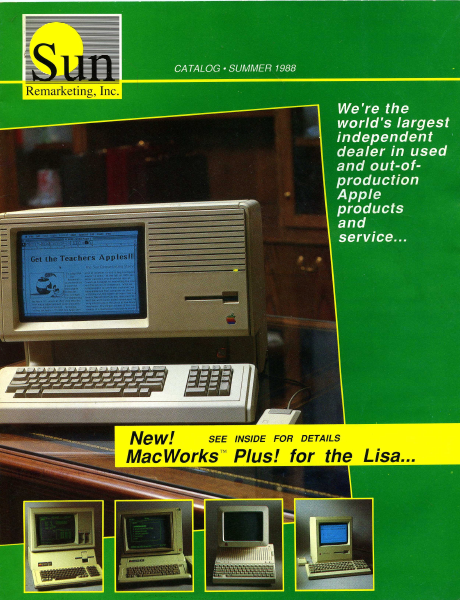
CATALOG * SUMMER 1988 We're the world's largest independent dealer in used and out-of- production * Apple products and service... New! SEE INSIDE FOR DETAILS MacWorks”™ Plus! for the Lisa... i. ea ee no one does it better than Sun Remarketing, Inc. : : », knowl ledgeable Sometimes J 7 ine telephone can eon the ot wines ve all the fear out of buying ¢ comp! CUSTOMER SERVICE 801-752-7631 Questions/Service FAX 801-563-3226 ORDERLINE 1-800-821- 3221 For Orders Only Fast, Reliable Service. It's been more than three years since we began our support of Apple's used and out-of-production equipment. In the beginning it was just the Apple ///. Now our products cross the Apple II and Macin- tosh lines. Over the years we found out that the typical Apple user is really not that typical. They seem to have a love affair with their com- puters. So, when they want them updated, serviced, or added to, they want the best! At Sun, we too share that same passion for the Apple line of computers. We have specialized in supplying hard-to-find products for your Apple computer. We have also gone beyond simple resale and have provided support to out-of-production Apple equipment by developing innovative new add-on products that help keep your Apple up to date. You'll find our prices to be low, our service to be fast, and our people to be excited to help you. Our concept of remarketing goes beyond just "liquidating" or just "selling"... we offer a service like no one else can!!! If You Like our Great Service on other products - Call us for your Mac Software or Apple Il product needs! Our New MacWorks Plus! turns your Lisa into a Macintosh Plus Sun offers more for your Lisa’ than anyone else... Sun Remarketing is really different. And this catalog proves it. It can help you get the most out of your Apple computer investment. Our commitment to even out-of-produc- tion machines is evidenced on almost every page. New...MacWorks™ Plus! The dream of almost every Lisa and Macintosh XL user, lately, has been to be able to run al/ Macintosh appli- cations under MacWorks. With a larger 12" screen the newer pro- grams would be even better than on a regular Macintosh Plus. How about HyperCard, MultiFinder, or AppleShare on the Lisa! Well, that dream is now a reality. Run programs like HyperCard, MultiFinder, Illustrator and more on your Lisal[MacxXL! Sun has just released what we call MacWorks™ Plus! This new emula- tion program is an exciting extention to Apple's MacWorks 3.0. With it, your Lisa or Macintosh XL will have the ability to run any software that will run on the Macintosh Plus. Programs like, Full Write, Adobe Illustrator, Cricket Draw and more! The new program will run on either floppy or on a hard disk, and is auto-booting. It even comes with a simple auto-install program. It will include HFS, will recognize mul- tiple hard disks, and will address the Lisa's parallel card slots without the use of Two Port Install. MacWorks Plus! is of…

Showing first 3,000 characters of 28,081 total. Open the full document →
Home Documents Lisa MacWorks Plus Technical Overview By Chuck Lukaszewski
MacWorks Plus Technical Overview By Chuck Lukaszewski

MacWorks Plus Technical Overview By Chuck Lukaszewski

Lisa · PDF
FilenameMacWorks_Plus_Technical_Overview_by_Chuck_Lukaszewski.pdf
Size4.23 MB
Subsection sun_remarketing
Downloads3
Enjoying MacTrove? Anonymous downloads are free and unlimited. Create a free account to track favorites, contribute metadata corrections, and join the community chat.
Reader
MacWorks Plus Technical Overview By Chuck Lukaszewski
/
Loading…
OCR / Text contents
MACWORKS PLUS TECHNICAL OVERVIEW Charles T. Lukaszewski Sun Remarketing, Inc. Logan, Utah MacWorks Plus Technical Overview Sun Remarketing, Inc. Page 1 o ON OO oO FF WO DN = CONTENTS Introduction Organization of MacWorks Plus Source Code MacWorks Plus Software Implementation The MacWorks Plus Installation Program List of Known Incompatibilities Issues in Transporting the Macintosh ROM Software Problem Report Summary Software Problem Reports With Corrective Measures Pending Software Problem Reports MacWorks Plus Technical Overview Sun Remarketing, Inc. Page 2 INTRODUCTION MacWorks Plus is the implementation of the Macintosh Plus 128K ROM for the Apple Macintosh-XL and Lisa-2 computers. MacWorks Plus was developed by a programming team at Sun Remarketing lead by Charles Lukaszewski. The project's design goal is one-hundred percent compatibility with software that operates on the Macintosh Plus. MacWorks Plus is based on reverse-engineered 128K Macintosh ROM code, reverse-engineered device drivers from the original MacWorks program, and modified versions of current System Software resources. The chief difference between MacWorks Plus and its predecessor is a brand-new hardware interface whose low-level interface to the 128K ROM operating system is identical to that in the Macintosh Plus. All in all, there are about 50 source files which contain some 23,000 lines of source code. The project is managed with the aid of the Macintosh Programmers Workshop (MPW) version 2.0.2. The code can be easily extended to accommodate future enhancements, should they be desiredt, including SCSI support, extended sound compatibility, and addition of 256K ROM (Macintosh SE and Macintosh Il) routines. This document is intended to provide an introduction to the MacWorks Plus code for both the programmer and the layman. The programmer should consult this document prior to making any modifications to the source code. MacWorks Plus Technical Overview Sun Remarketing, Inc. Page 3 ORGANIZATION OF MACWORKS PLUS SOURCE CODE MacWorks Plus is generated from 50 source files which can be broadly classified into five categories: ROM image files, hardware kernel files, installer files, user tools and generation utilities. The process of creating executable MacWorks Plus programs has been completely automated through the use of the Macintosh Programmers Workshop ‘make’ utility. Location of Source Files In order to compile the project with MPW, all of the source files must be located in a folder called 'MacWorks+' that resides in the MPW folder (defined by the MPW shell variable {MPW}). The ‘MacWorks+’ folder contains the following items: =) MacWorks+ BE a cy Makefile installer kernel rom_image _ pp_driver >. edev utilities includes rez doc GTE obj Ist bin — Wa KI ec The ‘Makefile’ is the master control file for MPW. Performing a ‘make all’ at this di- rectory level will build all segments of MacWorks Plus. The folders contain source code or compiler outpu…

Showing first 3,000 characters of 15,587 total. Open the full document →

Home Documents Lisa MacWorksPlusInstall
MacWorksPlusInstall

MacWorksPlusInstall

Lisa · PDF
FilenameMacWorksPlusInstall.pdf
Size0.72 MB
Subsection sun_remarketing
Downloads3
Enjoying MacTrove? Anonymous downloads are free and unlimited. Create a free account to track favorites, contribute metadata corrections, and join the community chat.
Reader
MacWorksPlusInstall
/
Loading…
OCR / Text contents
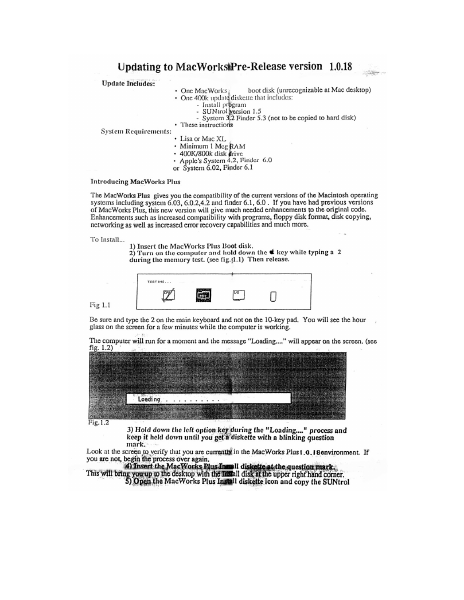
Updating to MacWorkstPre-Release version 1.0.18 Update Includes: + One MacWorks boot disk (unrecognizable at Mac desktop) * One 400k updatg diskette that includes: - Install program - SUNtrol Version 1.5 - System 3,2 Finder 5.3 (not to be copied to hard disk) + These instructions System Requirements: * Lisa or Mac XL + Minimum 1 Meg RAM + 400K/800k disk rive + Apple's System 4.2, Finder 6.0 or System 6.02, Finder 6.1 Introducing MacWorks Plus The MacWorks Plus gives you the compatibility of the current versions of the Macintosh operating systems including system 6.03, 6.0.2,4.2 and finder 6.1, 6.0. If you have had previous versions of MacWorks Plus, this new version will give much needed enhancements to the original code. Enhancements such as increased compatibility with programs, floppy disk format, disk copying, networking as well as increased error recovery capabilities and much more. To Install... 1) Insert the MacWorks Plus Boot disk. . 2) Turn on the computer and hold down the € key while typing a 2 during the memory test. (see fig.{1.1) Then release. TESTING. .. 2meaia Fig 1.1 ; Be sure and type the 2 on the main keyboard and not on the 10-key pad. You will see the hour glass on the screen for a few minutes while the computer is working. The computer will run for a moment and the message “Loading...” will appear on the screen. (see fig. 1.2) * Loadi ng 3) Hold down the left option key during the "Loading..." process and keep it held down until you get # diskette with a blinking question mark, Look at the screen to verify that you are currently in the MacWorks Plus1.¢.1@environment, If you are not, begin the process over again, ‘)Insert ic Wor Hl di e. question mark. This will ; myn ees iam dake upright and ea ‘Open.the MacWorks Plus Ingtill diskette icon and copy the SUNtrol 1.5 icon to the system folder on the hard disk. After the copy is ” 6) Double click on MacWorks Elus maenl program: The progam wil sn begin and the first screem you see pean yor thet this program cc ies bee : rio System to.thé hil disk and asks you.on which device you to ave it 5 7) Select the device that you wish to install the Macworks Plus on. or select “Cancel” if you wish to cancel. If you only have one hard disk connected, “Internal Hard Disk” will be your only choice other then “Cancel”. The next screen will ask if you want to “Update”, “Tnitialize” or “Cancel”. The Initialize option will completely reformat your hard disk. A reformat will crase the entire hard disk. For aa ar of this update, we suggest you update. }) Choose “ Update” If you choose to initialize, the uter will rentind you that the disk is about to be erased and will give you a second chance to cancel The process of updating will take a few minutes. After the update has completed you will be given the option to "Continue" back to the finder or to "Shut Down" and restart the m: ¢ under 1.0.14. We su; that you shut down. 9) Select "Shut down" From this point you can turn …

Showing first 3,000 characters of 5,161 total. Open the full document →

Home Documents NuBus Livonia ERS 1.4.2
Livonia ERS 1.4.2

Livonia ERS 1.4.2

NuBus · PDF
FilenameLivonia_ERS_1.4.2.pdf
Size0.03 MB
Subsection apple / multiportSerial
Downloads2
Enjoying MacTrove? Anonymous downloads are free and unlimited. Create a free account to track favorites, contribute metadata corrections, and join the community chat.
Reader
Livonia ERS 1.4.2
/
Loading…
OCR / Text contents
MCP BASED DMA SERIAL CARD ("Livonia") REV 1.4.2 (PVT PHASE) Mark Devon Networking and Communications 11/16/89 TABLE OF CONTENTS 1.1 System Overview 2.1 Processor 2.2 ROM 2.3 RAM 2.4 NuBus Interface 2.5 SCC Interface 3.0 Hardware Description Details 3.1 Address Map 3.2 NuBus Address Space 3.3 Timer 3.4 Reset 3.5 Interrupts 3.6 SCC Access 3.7 Serial I/O Signals 3.8 Serial Status Register 3.9 Configuration 3.10 Connector 4.0 DMA chip and registers 4.1 DMA Interface to MCP Local Bus 4.2 Access to DMA Registers by 68000 4.3 MC68450 DMA to 8530 SCC Interface 5.0 Cabling 6.0 Performance 7.0 Mechanical/Environmental 1.1.2 System Overview The "Livonia" board is a card with a full NuBus Master/Slave interface with a 68000 processor , 1/2 Mbyte of RAM (expandable to 2.5Mb), two SCC's and one Mc68450 DMA chip (4 channels) on board. It is based on Gary Martens' MCP Nubus interface card. The card provides four active ports, two of which can be run at speeds greater than 19.2kbit/s. These two high speed serial ports may be configured as V.35 ports for driving 56kb/s leased line DDS (modem-like) devices, or as RS-232 ports. The configuration choice is made by the type of connecting cable used. The 68000 can access any device on the NuBus. The DMA, EPROM, SCC's, local RAM and DTR/DSR registers and all may be accessed via Nubus. Accesses by the DMA to the Nubus are NOT supported. 2.1 Processor The I/O Processor utilizes a 10MHz 68000 processor with no wait states for accesses to onboard RAM. The 10MHz clock is derived from the 10MHz NuBus clock. All access by the 68000 are implemented by a 16-bit data bus with byte mode also supported. Accesses to the SCCs are done on a byte wide basis on D0-7 (odd addresses). Accesses to the DMA may be either byte or word mode. 2.2 ROM The 16-bit wide ROM is implemented with two 256K bit ROMS yielding a 64K byte ROM space. The ROM serves as "power-up" code for the 68000, a place for user firmware, and it also stores the NuBus ID data for the card. The ROM inserts one wait state when accessed by the onboard 68000. To the NuBus interface, ROM appears as a full 32-bit wide device, supporting 8-bit, 16-bit and 32-bit bus reads. 2.3 RAM The card contains 1/2 Mbyte of 16-bit wide dynamic RAM, with sockets available for a second 1/2 Mbyte (all ZIP chips). RAM is accessed by the 68000, NuBus, and the two DMA Chips (MC68450). When any device on the card is accessed via NuBus, the 68000 is locked out from all accesses. RAM starts at location 000000, with the default 1/2 Mbyte of RAM, the last RAM address is 07FFFF. When the 68000 accesses onboard RAM, no wait states are inserted. When the 68450 DMA chip accesses RAM, one wait state is inserted on write cycles, zero wait states inserted on read cycles (this is an anomaly in the DMA chip itself). Provision is made for future 4 Mbit DRAM ZIP chips (Qty. 4) which, when combined with the 1/2 Mbyte already present would give total of 2.5 Mbyte of RAM on the card. Pin 10 of the 1Mb …

Showing first 3,000 characters of 23,222 total. Open the full document →

Subscribe to PDF
mp.ls