Home Documents Macintosh Resedit 2.0b2 Reference
Resedit 2.0b2 Reference

Resedit 2.0b2 Reference
Macintosh · 1990 · PDF
FilenameResedit_2.0b2_Reference_1990.pdf
Size10.03 MB
Year1990
Subsection developer / Resedit
Downloads4
Enjoying MacTrove? Anonymous downloads are free and unlimited. Create a free account to track favorites, contribute metadata corrections, and join the community chat.
Reader
Resedit 2.0b2 Reference
/
Loading…
OCR / Text contents
( For ResEdit 2.0b2 •• ResEdit Reference •• Draft Developer Technical Publications @ Apple Computer, Inc. 1990 " APPLE COMPUl'ER, INC. This manual is copyrighted by Apple or by Apple's suppliers, with all rights reserved. Under the copyright laws, this manual may not be copied, in whole or in part, without the written consent of Apple Computer, Inc. This exception does 00: allow copies to be made for others, whether or n<i sold, but all of the material purchased may be sold, given, or lent to aoother person. Under the law, copying includes translating into another language. The Apple logo is a registered trademark of Apple Computer, Inc. Use of the "keyboard- Apple logo (OptionShift-K) for commercial purposes without the prior written consent of Apple may constitute trademark infringement and unfair competition in violation of federal and state laws. e Apple Computer, Inc., 1990 20525 Mariani Avenue Cupertino, CA 95014-6299 (408) 996"1010 Apple, the Apple logo, AIUX, HyperCard, MacApp, LaserWriter, and Macintosh are registered trademarks of Apple Computer, Inc. APDA, MPW, MultiFinder, and Switcher are trademarks of Apple Computer, Inc. ITC ZapfDingbats is a registered trademark of Imemational Typeface Corporation. POSTSCRIPT is a registered trademark, and illustrator is a trademark, of Adobe Systems Incorporated. Simultaneously published in the United States and Canada. IJmited Warranty on MedJa and Beplacemem If you discover physical defects in the manual or in the media on which a software product is distributed, APDA will replace the media or manual at no charge to you provided you return the item to be replaced with proof of purchase to APDA. AIl.1MPIlED WAlUlANTIFS ON THIS MANUAL, INCLUDING IMPIlED WARRANTIFS OF MERCHANTABIUl'Y AND Fll'NESS FORA PAmCUlAR ptJRPQSE, ARE LIMrI'ED IN DURAnON TO N1NE1Y (90) DAYS FROM THE DATE OF THE ORIGINAL RETAIL PURCHASE OF THIS PRODUCl'. Even though Apple has reviewed this manual, APPLE MAKES NO WARRANTY OR REPRESENTAnON, EII'HER EXPRFSS OR IMPIlED, wrm RFSPECl'TO THIS MANUAL, D'S QUAUlY, ACCURACY, . MERCHANTABIUl'Y, OR Fll'NESS FORA PAmCUlAR PURPOSE. AS ABFSULT, THIS MANUALm SOlD -AS m,· AND YOU, THE PURCHASER, ARE ASSUMlNG THE ENTIRE RISK AS TO D'S QUAUlY AND ACCURACY. IN NO EVENT WlLLAPPU BE UABlE FOR DIRECT, INDIRECT, SPECIAL, lNaDENTAL, OR CONSEQUEN11AL DAMAGES BESULTING FROM ANY DEFECT OR INACCURACY IN THIS MANUAL, even if advised of the possibility of such damages. THE WARRANTY AND REMEDIES SEl' FOKTH ABOVE ARE EX~IVEAND IN LIEU OF AIl. OTHERS, ORAL OR WRIl1'EN, EXPRFSS OR IMPIlED. No Apple dealer, agent, or employee is authorized to make any modification, extension, or addition to this warranty. Some states do not allow the exclusion or limitation of implied warranties or liability for incidental or consequential damages, so the above limiration or exclusion may not apply to you. This warranty gives you SpecifIC legal rights, and you may also have other rights which vary from state to s…

Showing first 3,000 characters of 221,779 total. Open the full document →
Home Documents Macintosh PB100 Schem Jan1991
PB100 Schem Jan1991

PB100 Schem Jan1991

Macintosh · 1991 · PDF
FilenamePB100_Schem_Jan1991.pdf
Size2.31 MB
Year1991
Subsection powerbook / 100
Downloads2
Enjoying MacTrove? Anonymous downloads are free and unlimited. Create a free account to track favorites, contribute metadata corrections, and join the community chat.
Reader
PB100 Schem Jan1991
/
Loading…
OCR / Text contents
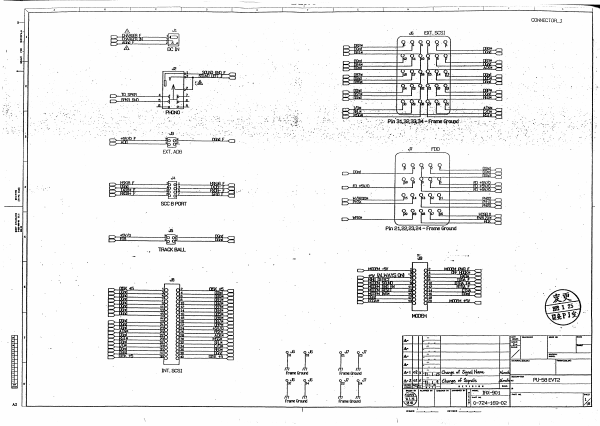
~_ _ _, - - - _ . ' - - - - - C - - - - ' - - - - ; C - - - --,.----c----~-- ---c----,-----~--.-!.r_:-----,_--__Co__--__,__---_::_--_,----,---t-------- , ~--~~---~----~----~--~~---L----~----L---~-----L----~----L---~----~----~--~----~----~--~~ __ - L _ _ _ _~ _ _ _ _~ CONNECTOR-.J EXT. SCSI '.: . 11- 'f'I-{N). '- - . ,; ::.' .. ...13 -. - .'- . _.... 0- OOxIfO :',' . -'. '. "~' •• !: -:.- .... -.; -.. : '. ,,' . '.' , ..- .~ FDD Jl EXT.ADS .',', J4 -{I§ SCCBPCRf " Pin 21.22.23.24 - Frame Ground ...-n:M __ KJB.f Ao'R F II WII.YS(JIII ~ ~ - >= >- rtI< 'i II MTI'M~ ~ - II II t-=< II II II lJ fJ II '- '------ INT. SCSI PU--58EVT2 A2 4iiiiiii CONNECTCR-2 0- J17 r- i 1 • ** ! * lUX ::l- I"" " " i-o< ."""" I'-' " W,WAYS QI8 ~ -" :.:-.-. ·...... " . ~ ',,; . '. ..... .". - .... F '--- LCD Ju §~flfmfWR~~ J19 A ~m~~ ~~I*~Ul I MAINBlJS-2 A2 I MISC.GLU :.- .. .. :;. - ..~. .fjt~~-:-~~~ ."~ ' -"~" ..• ..• "".~ " ... : . >~:. "~.: . .. 4 ~. " " ... , ;.. . " '.'. .. : R41 - 1001< . . -... =:= C108 = = CiO!l 33p ~33p .... .A2 - nun PU-58EVT2 ...... -===~=====r====~====r===~=====c====~====c===~====~=~=.=~~~i:~=~==~====~====~==~====~====~====r===~=====r====~=====1 ~'r-------C-----'-----:O--- - CPUGLU ~ 1 i .' ~~.. +; tv \t5V/oJ 'N~; 1001{ R4 ~v~' . *UB~C08l Pin14 - i5V !ALWAYS a..o Pin7-00nd PU-58EVT2 _ca.wr ......'1'.,.. It'Y"'." SIOI. -------- . . .. . .' . . ... ,. :......,..•. =' ....... ."". - . ~O) r!e5 j>. ~47 !nld ~3 ~.t:lA'" 00vl A2 PI..I-58 EVT2 " ...... SOl.NJ lNTrnFACE a '0 i 0, d~1'.· '': .. :.. ":. '. ". .470 '. . C3'0 ·o~r~oOp·.. o. . ."' ~~. . . ~. :.-~. . ..... ...,...--~ :. .- .... ..... ".", .';.... ~ U17 '.": = A201 100K __ 2 ~ r AS1. 2 va: .J~;~ iZA,J:1R. l<B YB r::::=:l u;tR. . :-.y..--". r----'l ~YC j1L- ;~ ~I· _ Ii A2 .MIDIS\Il...El!I. " ::::KUM~~m~WWL_------------~------~---------~------lr--~~~~=== R57 :B< RiB ~ ~ 1~ IBI ~ lfi:m.m d eIA9.E l...!ID. w: mil r n o .-.. :B< ~ .' . U32!11" 0 • £~ . . ...... . ". . ',." .'~'- . ' sec. SCSI&ISM U12 L ~ l!U34 rrc7S04fl PinS - ¥3V !ALWAYS a-Jl Pin3 - OGnd "'"~ .~~;:;;e4~~~:;··;;;;~t;;;;;~;;;;t;;;~~~~~~~~~~4~~~~w~~I~~im·~·III&~~4~~~~41[r~==~~~~~~.~,¥-i~-~~~.~~~~~~~~~.~.~~~~~~~~~~.::::~'~W:-: l!... F01 B~I:~~~~~~~~~~JEW:II~·II~~~~~~~I;~~~ !?= 1~ ~ ~~~~~==t=~====~·.=+==~=.. ==~1 ~. . nATAt,.,,,, " -.-: ~~ , .,".:'. - . :~'--' - -. • . rRIII ~ -.-' . .., -.. .. .- _. .". :-~.;-.-:.~- . .. .. -:-. >= i lID L.-' " .T. ,. .1o K2z. . .1~ rrl7r~~ w:<:VN"""'u:1J8.,.!L .... ;..;.L .. :::,::.. ..•. _ ~. ..;:.~'~.. __ C>~~~--r-~~r--------------------~~============~~~~~~~~~~;~~~~1IifrJl~~~~F~~~~~~~~~~~F~~ ~ ~a'M¥ A1~m~ ~C>~~~--t---t-i-----~--------------.----------------------~~~~~-L~~ ~~~~~§f~~~------------~~~~W£~~~ """ cwo. ::f ~ Wt f- ~~~~~--lt--lt-t~==…

Showing first 3,000 characters of 12,339 total. Open the full document →
Home Documents Macintosh SADE Reference
SADE Reference

SADE Reference

Macintosh · 1988 · PDF
FilenameSADE_Reference_1988.pdf
Size5.81 MB
Year1988
Subsection developer / SADE
Downloads3
Enjoying MacTrove? Anonymous downloads are free and unlimited. Create a free account to track favorites, contribute metadata corrections, and join the community chat.
Reader
SADE Reference
/
Loading…
OCR / Text contents
C: 'ti. Macintosh' SADE Refereaee c ·• Ill 9 APPLE COMPum, INC. ~ manual and the software described in it are copyrighted, with all rights reserved. Under the copyright laws, this manual or the software may not be copied, in whole or in part, Whout written consent of Apple, except in the normal use of the softwue a' to make a backup copy of the software. The same proprietary and copyright notices must be affixed to any permilled copies as were aff'ixed to the orisiml· 'Ibis exception does not allow copies to be made for others, whether or not sold, but all of the material pwchased (with all backup copies) may be sold, given, or loaned to another person. Under the law, copying includes trarulating into another language or fonnat. You may use the software on any computer owned by you, but extra copies cannot be made for this purpose. The Apple logo is a registered trademark of Apple Computer, Inc. Use of the "keyboard• logo (OptionShift.K) for commercial purposes with:>ut the prior written consent of Apple may constitute trademark infringement and unfair competition in viciati>n of federal and state laws. C 1988 Apple Computer, Inc. 20525 Mariani Avenue Cuperuoo, CA 95014 (408) 996-1010 Apple, the Apple logo, WerWriter, Macintosh, APDA, MPW and SADE ue registered trademarlcs of Apple Computer, Inc. ITC Garamond and ITC Zapf Dingbats are registered trademarks of International Typeface Corporation. Mi:rosoft is a registered trademark of Microsoft Corporation. POSTSCRIPT and Adobe filustrator are registered trademarks of Adobe Systems Incorporated. Adobe Illustrator is a rndemark of Adobe Systems Incorporated. ImageStudh is a rndema.rk of ~te Pendaflex Corporation in the United States, of tetra.Set Canada Limited in Canada, and of Esselte LetraSet Limited elsewhere. QMS is a registered trademark of QMS, Inc. Llnotronic is a registered trademark of Linotype company. Smalltallc-80 is a registered trademark of the Xerox Corporation. Simultaneously publishe-;i in the United States and Canada. ) Contents Preface About This Manual v Notation conventions vii Aim to understanding vii For more information viii Part I SADE Reference 1 1 SADE Overview 3 ( ·.~. \ . ",.--" AboutSADE 5 Loading SADE 5 Getting started 6 Entering commands 7 Identifying your program to SADE 8 2 Debugging With SADE 9 Starting and stopping 11 Controlling program execution 13 More SADE commands 14 Programming in SADE 15 Break actions 16 SADE procedures and functions 16 The SADEStartup file 18 3 Symbols, Constants, and Expressions About symbols 23 Program symbols 24 Predefined SADE variables Register names 28 •' 21 27 iii • Expressions 29 Numeric constants 29 Strings 30 Built-in SADE functions 31 Operator precedence 34 Expression operand base types 35 Expression evaluation 36 The assignment operator 37 The pointer operator 38 The address operator 39 The trap operator 39 Type coercion 39 Ranges 40 A Coaunand Sununary 41 B Program Symbols 45 Part D Command Refer…

Showing first 3,000 characters of 152,255 total. Open the full document →
Home Documents Macintosh IM Underground Vol 1
IM Underground Vol 1

IM Underground Vol 1

Macintosh · 1985 · PDF
FilenameIM_Underground_Vol_1_1985.pdf
Size4.02 MB
Year1985
Downloads5
Enjoying MacTrove? Anonymous downloads are free and unlimited. Create a free account to track favorites, contribute metadata corrections, and join the community chat.
Reader
IM Underground Vol 1
/
Loading…
OCR / Text contents
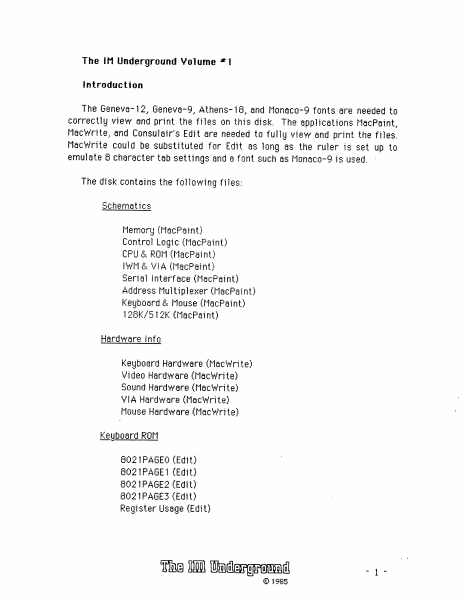
The IM Underground Volume *1 introduction The Geneva-12, Geneva-9, Athens-15, and Monaco-9 fonts are needed ta correctly view and print the files on this disk. The applications MacPaint, MacWrite, and Consulair's Edit are needed ta fully view and print the files. MacWrite could be substituted for Edit as long as the ruler is set up to emulate 6 character tab settings and a font such as Monaco-9 is used. ~ The disk contains the following files: schematics Memory (MacPsint) Cantrol Logic (MacPaint) CPU & ROM (MacPaint) IWh & VIA (MacPaint) Serial Interface (MacPaint) Address Multiplexer (MacPaint} Keyboard & Mouse (MacFaint) 128K/512K (MacPaint) Hardware Infa Keyboard Hardware (MacWrite} Video Hardware (Macwrite) Sound Hardware (MacWwrite) VIA Hardware (MacWrite) Mouse Hardware (MacWrite) Keyboard ROM G02 1PAGEO (Edit) GO21PAGE1 (Edit) 602 1PAGE2 (Edit) 802 1PAGES (Edit) Register Usage (Edit) The Ii thdlergranned -y- © 1985 Charts Video Timing (MacPaint) Hacker Chart (Macwrite) Empty Folder (Yes -- it is empty!) System Info The Systern Revealed (Macwrite) The Small System (Macwrite) Resource Flags (Macwrite) 512K Upgrade (MecWrite} Beyond 512K (Macwrite) We strongly suggest that the reader also obtain (if they don't already have it) the saftware documentation ¢rside MNecretess from Apple as it provides valuable information about the inner warkings of the operating system and device drivers. Please notify us of any errars and/or ornissions so that future releases can be corrected. The keyboard ROM listings are from an 8021 MPU that did not have Apple's copyright in or on it. The circuit board schematics are traced from several Macintosh logic boards. Apple, Apple Care, Finder, Imagewriter , Inside Macintosh, Lisa, Mac, Macintosh, Macintosh XL, MacPaint, MacsBug, Mac'vorks, Macvrite, Quickbraw, Resource Editor , and Resource Mover are trademarks of Apple Computer’, Inc. Consulair is a trademark of Consulair, Inc. Intel is a trademark of Intel Corporation. Fedit is copyright by John Mitchell. Motorola is a trademark of Motorola, Inc. Rockwell is a trademark of Rockwell international. Synertek is a trademark of Synertek, Inc. Zilog is a trademark of Zilog, Inc. The IM Underground Volume #1 is available for $25 from: The IM Underground 7iS Church Street #16 Ann Arbor, Michigan 48104 The 1 Ghdergrannd -2- © 1985 7 Tew | 13 E12 4 ion) D DooodooOD i) 15 14 8 765 43 2 i) RANAD CASODO _CRASEVEN———ts IS en | 4 RAS Fans 3 RAO—————45 5 RAI——1 q RA2Z——_———5 G|G| GIs |s|s6iscisc BFIFIFIFIFIEIFIE RAS. witiii/9}slej6l5 ai}tl1{alelelels RA4 4 i ie) Hn 2} 1] 0 RAS ita f) RAG ——————Jia \3 RA?——3 § RAs————_ f WY [i e te i] fe SERVID——a 4g 5 ' UTOLOAD 4 J +. gR10 1K 15.66 ?°2MHz——Uuus R39 3.3KQ FB3 new boards > FS - F12 = SOUNDPUM: ’ 1 1 G5 - Gi2= sh, KE (For 512K, use 41256-200) | SOUNDEN— E12, £13 = F138, Fl4 = E15 , F1S = E14 = ASG = 7. 8336MHz { SOUND /UIDEO FETCH: SOUND /V | DEO: sRepIMNGUndenground pum wonwuwcuns os a oe …

Showing first 3,000 characters of 14,609 total. Open the full document →
Home Documents Macintosh Inside Macintosh Vol 2
Inside Macintosh Vol 2

Inside Macintosh Vol 2

Macintosh · 1984 · PDF
FilenameInside_Macintosh_Vol_2_1984.pdf
Size22.57 MB
Year1984
Downloads13
Enjoying MacTrove? Anonymous downloads are free and unlimited. Create a free account to track favorites, contribute metadata corrections, and join the community chat.
Reader
Inside Macintosh Vol 2
/
Loading…
OCR / Text contents
~_TM •. '- , 2 MACINTOSH USER EDUCATION Macintosh Packages: See Also: A Programmer's Guide /PACKAGES/PACK The Macintosh User Interface Guidelines The Memory Manager: A Programmer's Guide QuickDraw: A Programmer's Guide The Resource Manager: A Programmer's Guide The Window Manager: A Programmer's Guide Macintosh Control Manager Programmer's Guide The Event Manager: A Programmer's Guide The Dialog Manager: A Programmer's Guide TextEdit: A Programmer's Guide Programming Macintosh Applications in Assembly Language The Structure of a Macintosh Application Modification History: First Draft (ROM 7) Second Draft B. Hacker & C. Rose Caroline Rose 2/29/84 5/7/84 ABSTRACT Packages are sets of data structures and routines that are stored as resources and brought into memory only when needed. There's a package for presenting the standard user interface when a file is to be saved or opened, and others for doing more specialized operations such as floating-point arithmetic. This manual describes packages and the Package Manager, the part of the Macintosh User Interface Toolbox that provides access to packages. Summary of significant changes and additions since last draft: - The documentation of the International Utilities Package and the Binary-Decimal Conversion Package has been added. - There's a new feature in the Standard File Package routine SFGetFile, whereby the user can select a file name by pressing a key. 2 Macintosh Packages Programmer's Guide TABLE OF CONTENTS 3 4 6 6 8 1~ 12 15 16 20 23 23 24 25 35 35 36 41 42 47 48 51 52 About This Manual The Package Manager The International Utilities Package International Resources International Resource ~ International Resource 1 International String Comparison Using the International Utilities Package International Utilities Package Routines The Binary-Decimal Conversion Package The Standard File Package About the Standard File Package Using the Standard File Package ' Standard File Package Routines The Disk Initialization Package Using the Disk Initialization Package Disk Initialization Package Routines Summary of the Package Manager Summary of the International Utilities Package Summary of the Binary-Decimal Conversion Package Summary of the Standard File Package Summary of the Disk Initialization Package Glossary Copyright (c) 1984 Apple Computer, Inc. All rights reserved. Distribution of this draft in limited quantities does not constitute publication. ABOUT THIS MANUAL 3 ABOUT THIS MANUAL This manual describes packages and the Package Manager. The Macintosh packages include one for presenting the standard user interface when a file is to be saved or opened, and others for doing more specialzed operations such as floating-point arithmetic. The Package Manager is the part of the Macintosh User Interface Toolbox that provides access to packages. *** Eventually, this will become part of the comprehensive Inside Macintosh manual. *** You should already be familiar with the Macintosh …

Showing first 3,000 characters of 500,000 total. Open the full document →

Home Documents Macintosh Kernel And OS Services
Kernel And OS Services

Kernel And OS Services

Macintosh · 1992 · PDF
FilenameKernel_and_OS_Services_19951023.pdf
Size0.46 MB
Year1992
Subsection developer / Copland / D9_19950530
Downloads5
Enjoying MacTrove? Anonymous downloads are free and unlimited. Create a free account to track favorites, contribute metadata corrections, and join the community chat.
Reader
Kernel And OS Services
/
Loading…
OCR / Text contents
ð Kernel and Operating System Services ð Preliminary Developer Press  Apple Computer, Inc. 1992–1995 This document was created with FrameMaker 4.0.4 ð Apple Computer, Inc.  1992–1995 Apple Computer, Inc. All rights reserved. No part of this publication may be reproduced, stored in a retrieval system, or transmitted, in any form or by any means, mechanical, electronic, photocopying, recording, or otherwise, without prior written permission of Apple Computer, Inc., except to make a backup copy of any documentation provided on CD-ROM. The Apple logo is a trademark of Apple Computer, Inc. Use of the “keyboard” Apple logo (Option-Shift-K) for commercial purposes without the prior written consent of Apple may constitute trademark infringement and unfair competition in violation of federal and state laws. No licenses, express or implied, are granted with respect to any of the technology described in this book. Apple retains all intellectual property rights associated with the technology described in this book. This book is intended to assist application developers to develop applications only for Apple-labeled or Apple-licensed computers. Every effort has been made to ensure that the information in this manual is accurate. Apple is not responsible for typographical errors. Apple Computer, Inc. 1 Infinite Loop Cupertino, CA 95014 408-996-1010 Apple, the Apple logo, AppleLink, AppleScript, AppleShare, AppleTalk, GeoPort, HyperCard, ImageWriter, LocalTalk, Macintosh, MacTCP, OpenDoc, PowerBook, Power Macintosh, PowerTalk, QuickTime, TrueType, and WorldScript are trademarks of Apple Computer, Inc., registered in the United States and other countries. Balloon Help, Chicago, Finder, Geneva, Mac, and QuickDraw are trademarks of Apple Computer, Inc. IBM is a registered trademark of International Business Machines Corporation. MacPaint and MacWrite are registered trademarks, and Clarisworks is a trademark, of Claris Corporation. NuBus is a trademark of Texas Instruments. PowerPC is a trademark of International Business Machines Corporation, used under license therefrom. UNIX is a registered trademark of Novell, Inc. in the United States and other countries, licensed exclusively through X/Open Company, Ltd. Some states do not allow the exclusion or limitation of implied warranties or liability for incidental or consequential damages, so the above limitation or exclusion may not apply to you. This warranty gives you specific legal rights, and you may also have other rights which vary from state to state.. Simultaneously published in the United States and Canada. Even though Apple has reviewed this manual, APPLE MAKES NO WARRANTY OR REPRESENTATION, EITHER EXPRESS OR IMPLIED, WITH RESPECT TO THIS MANUAL, ITS QUALITY, ACCURACY, MERCHANTABILITY, OR FITNESS FOR A PARTICULAR PURPOSE. AS A RESULT, THIS MANUAL IS SOLD “AS IS,” AND YOU, THE PURCHASER, ARE ASSUMING THE ENTIRE RISK AS TO ITS QUALITY AND ACCURACY. IN NO EVENT WILL APPLE BE LIABLE FOR DIRECT, INDIRE…

Showing first 3,000 characters of 156,631 total. Open the full document →

Home Documents Macintosh Macintosh Allegro Common LISP Dump LISP
Macintosh Allegro Common LISP Dump LISP

Macintosh Allegro Common LISP Dump LISP

Macintosh · PDF
FilenameMacintosh_Allegro_Common_LISP_Dump_LISP.pdf
Size0.55 MB
Subsection developer / Macintosh_Allegro_Common_LISP
Downloads4
Enjoying MacTrove? Anonymous downloads are free and unlimited. Create a free account to track favorites, contribute metadata corrections, and join the community chat.
Reader
Macintosh Allegro Common LISP Dump LISP
/
Loading…
OCR / Text contents
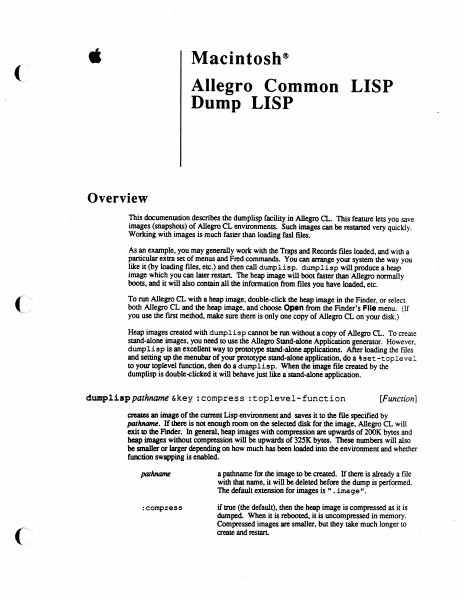
é Macintosh® Allegro Common LISP Dump LISP Overview This documentation describes the dumplisp facility in Allegro CL. This feature lets you save images (snapshots) of Allegro CL environments. Such images can be restarted very quickly. Working with images is much faster than loading fasl files. As an example, you may generally work with the Traps and Records files loaded, and with a Particular extra set of menus and Fred commands. You can arrange your system the way you like it (by loading files, etc.) and then call dumplisp. dumplisp will produce a heap image which you can later restart. The heap image will boot faster than Allegro normally boots, and it will also contain all the information from files you have loaded, etc. To run Allegro CL with a heap image, double-click the heap image in the Finder, or select both Allegro CL and the heap image, and choose Open from the Finder’s File menu. (If you use the first method, make sure there is only one copy of Allegro CL on your disk.) Heap images created with dump1isp cannot be run without a copy of Allegro CL. To create stand-alone images, you need to use the Allegro Stand-alone Application generator. However, dump1isp is an excellent way to prototype stand-alone applications. After loading the files and setting up the menubar of your prototype stand-alone application, doa ¢set -toplevel to your toplevel function, then do a dumplisp. When the image file created by the dumplisp is double-clicked it will behave just like a stand-alone application. dumplisp pathname &key :compress :toplevel-function [Function] creates an image of the current Lisp environment and saves it to the file specified by pathname. If there is not enough room on the selected disk for the image, Allegro CL will exit to the Finder. In general, heap images with compression are upwards of 200K bytes and heap images without compression will be upwards of 325K bytes. These numbers will also be smaller or larger depending on how much has been loaded into the environment and whether function swapping is enabled. pathname a pathname for the image to be created. If there is already a file with that name, it will be deleted before the dump is performed. The default extension for images is ". image". :compress if true (the default), then the heap image is compressed as it is dumped. When it is rebooted, it is uncompressed in memory. Compressed images are smaller, but they take much longer to create and restart. DumpLisp stoplevel-function ; the toplevel function to be set up when the heap image is A restarted. Toplevel functions are described below. This i. argument defaults to the current toplevel function. If supplied, the toplevel function must be a compiled function object. (It cannot be a symbol.) Before dumping a heap image, dump1isp executes all the functions in the list *save- exit-functions*, This list initially contains a single function which closes all windows, takes down and stores the current menubar, and dispose…

Showing first 3,000 characters of 11,602 total. Open the full document →

Home Documents Lisa Workshop Users Guide Alpha
Workshop Users Guide Alpha

Workshop Users Guide Alpha

Lisa · 1983 · PDF
FilenameWorkshop_Users_Guide_Alpha_198301.pdf
Size3.75 MB
Year1983
Subsection development_history / memos
Downloads4
Enjoying MacTrove? Anonymous downloads are free and unlimited. Create a free account to track favorites, contribute metadata corrections, and join the community chat.
Reader
Workshop Users Guide Alpha
/
Loading…
OCR / Text contents
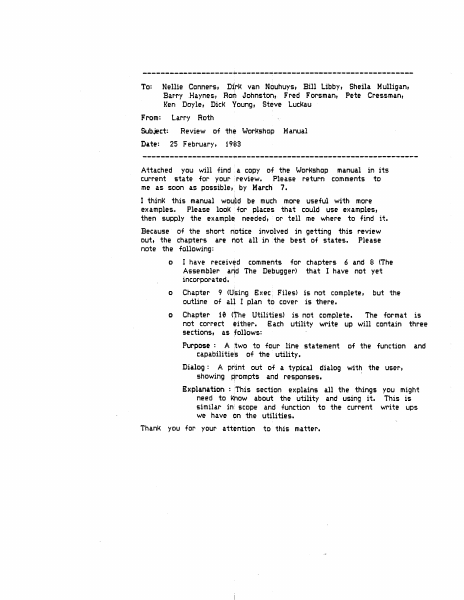
--------------------~--~~---~-------------------~----------- To: Nellie Conners, Di~rJ< van Nouhuys, Bill Libby, Sheila Mulligan, Bar·ry .Haynes, Rorii Johnston, Fred F'orsmant Pete Cressmant Keri Doyle, DicK Young, Steve LucKau From: Larry Roth Subject: Date: Review of the WorKshop 25 February, Manual 1903 Attached you will find a copy of the Workshop manual in its current state for your review. Please return comments to me as scJon as possible, by March 7. I think 1:his manual wou)d be much more useful with more examples,. Please looK for places that could use examples, then supply the exampl~ needed, or tell me where to find it. Because of the short notice involved in getting this review out, the chapters are Mot all in the best of states. Please note the following: o I have received comments for chapters 6 and 8 <The Assembler arid The Debugger> that I have not yet incorporated. · o Chapter 9 <U$ing S:xec. Files> is not complete, outline of all I plan to cover is there. o Chapter 10 <The Utilities> is not complete. The format is not correct either. S:ach utility write up will contain three sections, as follows: Purpose : A two to four line statement capa.bili ties of the utility. but the of the function and Dialog : A print out of a typical dialog with the user, showing Rrompts and responses. Explanation : This section explains all the things you might need to Ktiow about the utility and using it. This is similar in scope and function to the current write ups we have on the utilities. Tha.nK yc>u for your attention to this matter. USER...-SGUIDE l..-...IORJ-C:::SHOP Larry Rot~ 29 Ja.nuary 1983 Alpha Draft COt-..ITENTS 1 • INTRODUCTI ctl The Workshop provides tools for- prc)gram deve'loprnent. It provides f ac i 1 it i es for editing, 1anguage proc:ess i ng, and debugging, as we 11 as commands for managing files and con~=igur-ing the system. The system a 1 so inc 1udes many other u ti 1 it i es. THE FI LE MANAGER The Fi 1 £r Manager- a 11 ows you to manage cLnd man i pu 1 ate f i 1es and volumes. 2. 3. THE SYSTEM MANAGER The System Manager allows you to set default parameters for the Lisa, and manage processes. and configuration 4. THE EDITOR The Edi tor· a 11 ows you to ere ate and mc•d if)• text ~; i 1 ec:.• These text f i 1 es are used as input to the Comp i 1 er and the Assembl t~r. 5 THE PASCAL Cet1PJ LER I The Compiler translates Pascal source codi~ into c•bject code. Translation requires two steps: fir~~t the compiler translates Pascal into I-code; then the code Generator translates the I-code into obj Ht code. 6. THE ASSEMBLER The Assembler translates assembly language progr·ams into object code. 7. THE LINKER The Linker combines object code files into executable programs. 8. THE DEBUGGER The Debugger allows you 'to examine memory, set brn.Kpoin1:s, other run-time debugging functions. 9 USING EXEC Fl LES E:xec files allow you 'to execute automatically. I 10 I a s1~ries of commands and per…

Showing first 3,000 characters of 178,334 total. Open the full document →

Home Documents Lisa Lisa Pascal 3.0 System Software
Lisa Pascal 3.0 System Software

Lisa Pascal 3.0 System Software

Lisa · 1984 · PDF
FilenameLisa_Pascal_3.0_System_Software_1984.pdf
Size11.89 MB
Year1984
Subsection workshop_3.0
Downloads4
Enjoying MacTrove? Anonymous downloads are free and unlimited. Create a free account to track favorites, contribute metadata corrections, and join the community chat.
Reader
Lisa Pascal 3.0 System Software
/
Loading…
OCR / Text contents
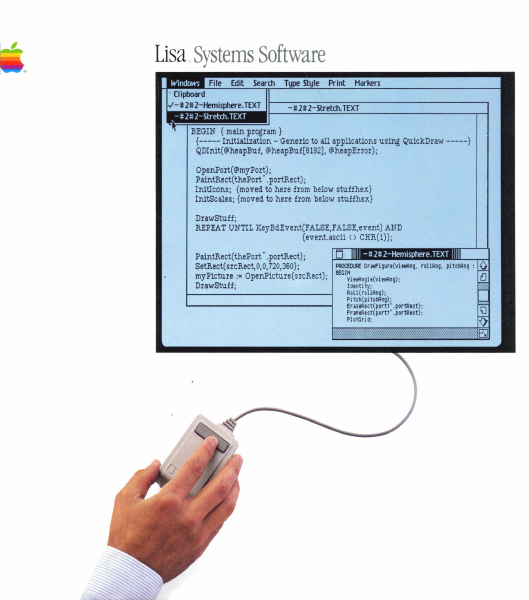
Lisa.Systems Software BEGIN {main program} {----- Initialization - Generic to all applications using QuickDraw -----} QDInit(@heapBuf, @heapBuf[8192], @heapError); OpenPort(@myPort); PaintRect(thePort' .portRect); InitIcons; {moved to here from below stuffhex} InitScales; {moved to here from below stuffhex} DrawStuff; REPEAT UNTIL KeyBdEvent(FALSE,FALSE,event) AND (event.ascii () CHR(l)); PaintRect(thePort' .portRect); PROCEDl.Rf Dr awfi gure(vi twAng, rOllRng, pi tChAng : SetRect(srcRect,O,O, 720,360); myPicture := OpenPicture (srcRect); BEGIt!vi ewAngl e(vi eWAng); Identi ty; DrawStuff; Roll (rollRng) ; Pi tc~ ( pi tchAng); Er aseRect( port1' . portRect) ; fr aMeRect( portl' . portRect) ; PI otGri d; Lisa Pascal 3.0 Systems Software Copyright This manual and the software described in it are copyrighted with all rights reserved. Under the copyright laws.. this manual or the software may not be copied.. in whole or in part.. without the written consent of Apple.. except in the normal use of t.he software or to make a backup copy. The same proprietary and copyright notices must be affixed to any permitted copies as were affixed to t.he originaL This exception does not allow copies to be made for others.. whether or not sold.. but all the material purchased (with all backup copies) may be SOld.. given, or loaned to another person. Under the law.. copying includes translating into another language or format. You may use the software on any computer owned by you, but extra copies cannot be made for this purpose. For some products.. a multiuse license may be purchased to allow the software to be used on more than one computer ol,lmed by the purchaser.. including a shared-disk system. (Contact your authorized Apple dealer for information on multiuse licenses.) Licensing Requirements far Software Developers Apple has a low-cost licensing program, which permits developers of software for the Lisa to incorporate Apple-developed libraries and object codes into their products. Both in-house and external distribution require a license. Before distributing any products that incorporate Apple software, please contact Software Licensing at the address below for both licensing and technical information. @1983" 1984 Apple Computer.. Inc. 20525 Mariani (fve. Cupertino, CA 95014 (408) 996-1010 Apple.. Lisa.. ProFile" MacWorks, and the Apple logo are trademarks of Apple Computer, Inc. Macintosh is a trademark licensed to Apple Computer.. Inc. Priam is a registered t.rademark of Priam, Inc. So~/ is a registered trademark of Sony Corporation. Centronics is a registered trademark of Centronics Dat.a Computer Corporation. VT52 and VT100 Me trademarks of Digital Equipment Corporation. Simultaneously published in the U.S.A. and Canada Reorder Apple Product 1620-6149-8. Limited Warranty on Media and Manuals If you discove.r physical defects in the media on which this software is distributed, or in the manuals distributed with the software, Apple will replace the m…

Showing first 3,000 characters of 493,724 total. Open the full document →

Home Documents Lisa Lisa Hardware Reference Manual Jul81
Lisa Hardware Reference Manual Jul81

Lisa Hardware Reference Manual Jul81

Lisa · PDF
FilenameLisa_Hardware_Reference_Manual_Jul81.pdf
Size5.60 MB
Subsection hardware
Downloads4
Enjoying MacTrove? Anonymous downloads are free and unlimited. Create a free account to track favorites, contribute metadata corrections, and join the community chat.
Reader
Lisa Hardware Reference Manual Jul81
/
Loading…
OCR / Text contents
LISA Hardware REFERENCE MANUAL Bill Schottstaedt Ext. 2379 Conf i,den tial Lisa Hardware Reference Manual TABLE OF CONTENTS OVERVIEW 4 5 5 6 The Processor Video Display Memory The System Bus THE CPU BOARD 7 7 9 9 10 12 12 13 14 15 16 17 18 18 20 21 23 24 25 The 68000 Interrupts Memory Memory Configurations The Memory Management Unit The Segment Origin Context Selection The Segment Limit The Process Stack Loading·the MMU Registers Memory Errors The Status Register The Memory Error Address Latch Memory Diagnostic Mode Video Circuit Contrast Control System Bus Timing Memory Bus Timing Summary of MMU Locations THE 10 BOARD 26 26 28 31 32 32 34 34 35 36 37 38 39 40 42 42 44 44 45 The Input/Output Board The Keyboard Interface COPS Command Timing Reset Codes The Keyboard Keycodes The Mouse Mouse Commands Mouse Data The Clock/Calendar Circuit Setting the Clock The CVSD and the Speaker The Serial Interface Baud Rate Generation The Floppy Disk Controller Disk Controller Commands Disk Data Storage Interrupts Non-volatile Memory 7-Jul-81 Confidential 45 Lisa Hardware Reference Manual The Battery The Hard Disk Interface I/O Space Addresses 46 51 THE EXPANSION I/O SLOTS 53 53 57 58 The Expansion I/O Slots Signal Description Device Protocol Direct Memory Access GLOSSARY SCHEMATICS ,7-Jul-81 Lisa Hardware Reference Manual Confidential 7-Jul-81 HARDWARE OVERVIEW The Lisa hardware can be divided into four functional pieces: the CPU and memory management unit, the I/O circuitry, the memory arrays, and the expansion slots. The main microprocessor is a Motorola MC68000. It communicates with the rest of the Lisa world over two buses: the system bus, and the memory bus. The I/O circuitry includes the built-in parallel interface, two serial interfaces, floppy disk controller, clock-calendar, speaker, and keyboard interface. SYSTEM BLOCK DIAGR&~ ------- ---+ Expansion Slot a I +--_._-,-----+ +---------- +-----------+ -I I Memory Array 1 I I Expansion Slot 1 I +--------+ +------------+ +------ +-----------i- I -=+ I Expansion Slot 2 Memory Array 2 I -- ... _------+ System Bus --------------.._--_.._--------------+ .--+ -+--I/O BOARD: Floppy Disk Controller Hard Disk Interface Keyboard Interface Speaker and CVSD Serial I/O Ports Clock/Calendar/Alarm +------ I I I I I I I I +--------- ---_._---- . - + I I I I' I I I ----+ Memory Bus CPU BOARD: 1 I ( 68000 and Buffers Memory Management Unit I Boot and diagnostics ROM I Video Circuitry I Memory Access Control I I , I +-------------...=-----+ THE PROCESSOR The Motorola MC68000 Microprocessor User's Manual fully describes the operation of the processor, including its instruction set and timing. The Lisa 68000 has a 5 megahertz clock. The memory cycle time is 800 nanoseconds; therefore instructions that use a multiple of four clock cycles can execute without a wait state. Page 4 Lisa Hardware Reference Manual Confidential 7-Jul-81 VIDEO DISPLAY The bit mapped d…

Showing first 3,000 characters of 109,486 total. Open the full document →

Subscribe to PDF
mp.ls