Home Documents Macintosh Microkernel And Core Sys Services
Microkernel And Core Sys Services

Microkernel And Core Sys Services
Macintosh · 1996 · PDF
FilenameMicrokernel_and_Core_Sys_Services_199604022.pdf
Size1.48 MB
Year1996
Subsection developer / Copland / D11E4_19960613
Downloads3
Enjoying MacTrove? Anonymous downloads are free and unlimited. Create a free account to track favorites, contribute metadata corrections, and join the community chat.
Reader
Microkernel And Core Sys Services
/
Loading…
OCR / Text contents
K INSIDE MACINTOSH Microkernel and Core System Services K WWDC Release May 1996 © Apple Computer, Inc. 1994 - 1996 K Apple Computer, Inc. © 1996 Apple Computer, Inc. All rights reserved. No part of this publication may be reproduced, stored in a retrieval system, or transmitted, in any form or by any means, mechanical, electronic, photocopying, recording, or otherwise, without prior written permission of Apple Computer, Inc., except to make a backup copy of any documentation provided on CD-ROM. The Apple logo is a trademark of Apple Computer, Inc. Use of the “keyboard” Apple logo (Option-Shift-K) for commercial purposes without the prior written consent of Apple may constitute trademark infringement and unfair competition in violation of federal and state laws. No licenses, express or implied, are granted with respect to any of the technology described in this book. Apple retains all intellectual property rights associated with the technology described in this book. This book is intended to assist application developers to develop applications only for Apple-labeled or Apple-licensed computers. Every effort has been made to ensure that the information in this manual is accurate. Apple is not responsible for typographical errors. Apple Computer, Inc. 1 Infinite Loop Cupertino, CA 95014 408-996-1010 Apple, the Apple logo, Macintosh, and QuickTime are trademarks of Apple Computer, Inc., registered in the United States and other countries. Mac, NuBus, and QuickDraw are trademarks of Apple Computer, Inc. Adobe, Acrobat, and PostScript are trademarks of Adobe Systems Incorporated or its subsidiaries and may be registered in certain jurisdictions. QuickView™ is licensed from Altura Software, Inc. Simultaneously published in the United States and Canada. Even though Apple has reviewed this manual, APPLE MAKES NO WARRANTY OR REPRESENTATION, EITHER EXPRESS OR IMPLIED, WITH RESPECT TO THIS MANUAL, ITS QUALITY, ACCURACY, MERCHANTABILITY, OR FITNESS FOR A PARTICULAR PURPOSE. AS A RESULT, THIS MANUAL IS SOLD “AS IS,” AND YOU, THE PURCHASER, ARE ASSUMING THE ENTIRE RISK AS TO ITS QUALITY AND ACCURACY. IN NO EVENT WILL APPLE BE LIABLE FOR DIRECT, INDIRECT, SPECIAL, INCIDENTAL, OR CONSEQUENTIAL DAMAGES RESULTING FROM ANY DEFECT OR INACCURACY IN THIS MANUAL, even if advised of the possibility of such damages. THE WARRANTY AND REMEDIES SET FORTH ABOVE ARE EXCLUSIVE AND IN LIEU OF ALL OTHERS, ORAL OR WRITTEN, EXPRESS OR IMPLIED. No Apple dealer, agent, or employee is authorized to make any modification, extension, or addition to this warranty. Some states do not allow the exclusion or limitation of implied warranties or liability for incidental or consequential damages, so the above limitation or exclusion may not apply to you. This warranty gives you specific legal rights, and you may also have other rights which vary from state to state. Draft. Confidential.  Apple Computer, Inc. 4/22/96 Contents Chapter 1 About Mac OS 8 1-1 Mac OS 8 Architecture 1-3 …

Showing first 3,000 characters of 500,000 total. Open the full document →
Home Documents Macintosh Smalltalk 80 For The Macintosh Aug85
Smalltalk 80 For The Macintosh Aug85

Smalltalk 80 For The Macintosh Aug85

Macintosh · 1985 · PDF
FilenameSmalltalk_80_for_the_Macintosh_Aug85.pdf
Size2.57 MB
Year1985
Subsection smalltalk
Downloads9
Enjoying MacTrove? Anonymous downloads are free and unlimited. Create a free account to track favorites, contribute metadata corrections, and join the community chat.
Reader
Smalltalk 80 For The Macintosh Aug85
/
Loading…
OCR / Text contents
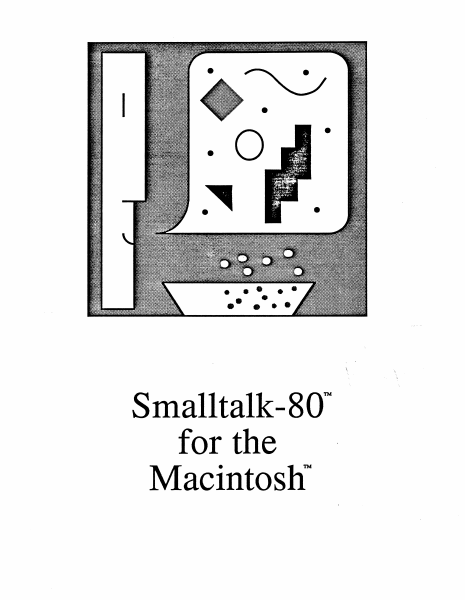
.0 ~ .- ... • ••• • • Smalltalk-80'" for the Macintosh tN TM Th(l Sm~~~~Il~k...e©} IPrr©~rr~mm~rtil~ Sys~(lm f©rr ~lhl(l fMll©~rtil~©SIhl™ August 1,1985 About this Release page 1 Installing with or without a Hard Disk page 3 Getting Started in Smalltalk-80 page 4 Differences from Other Smalltalk-80s page 5 System Sources and FileOut page 6 Tracking and Saving Changes page 7 Memory Space page 8 File System page 9 ToolBox page 10 About this Version of Smalltalk-80 page 10 Sample Smalltalk File Descriptions page 11 References page 13 APPLE MAKES NO WARRANTY OR REPRESENTATION, EITHER EXPRESS OR IMPLIED, WITH RESPECT TO THIS SOFTWARE, OR THE ACCOMPANYING MANUAL, THEIR QUALITY, PERFORMANCE, MERCHANTABILITY, COMPLETENESS OR FITNESS FOR A PARTICULAR PURPOSE. THIS IS A PRE-RELEASE VERSION OF THE PRODUCT. AS A RESULT, THIS SOFTWARE AND MANUAL ARE SOLD TO YOU "AS IS" AND YOU, THE PURCHASER, ARE ASSUMING THE ENTIRE RISK AS TO ITS QUALITY AND PERFORMANCE. IN NO EVENT WILL APPLE BE LIABLE FOR DIRECT, INDIRECT, SPECIAL, INCIDENTAL, OR CONSEQUENTIAL DAMAGES RESULTING FROM ANY DEFECT IN THE SOFTWARE OR MANUAL. THE WARRANTY AND REMEDIES SET FORTH ABOVE ARE EXCLUSIVE AND IN LIEU OF ALL OTHERS, ORAL OR WRITTEN, EXPRESS OR IMPLIED. Smalltalk-80 is a trademark of the Xerox Corporation. Macintosh and Macintosh XL are trademarks of Apple Computer, Inc. The Macintosh man and his Smalltalk balloon are copyright «> 1985 Apple Computer, Inc. all right reserved. The Smalltalk-80 Programming System for the Macintosh About this Release In response to requests from several universities, we have put together this "pre-product" release (0.2) of the Smalltalk-80 programming system which runs on the Macintosh XL and Macintosh 512K computers. We hope that this will enable more hands-on experience with Smalltalk in the universities, and that it will give other interested parties a chance to experiment with the system. Release 0.2 supplants an earlier release (March 1985) that ran only on the Macintosh XL. Two images are supplied with the new release: level 0 and level 1. Both images incorporate the following improvements: • Improved volume management capable of supporting file server access • Automatic spelling correction for variable and message names • Ability to handle multiple images on the same disk • A single interpreter works on all machines and expands to use extra memory Level 1 requires 1 MB or more of memory, and incorporates further improvements: • Total object capacity has been raised from 24K to 32K • Can expand to take advantage of 2MB memory on the XL (available from AST Research, Inc.) • Able to run on some Macintosh cC?mputers with 1MB or more of memory (available from various manufacturers, but must be contiguous and must follow ToolBox memory organization) Level 0 is a stripped-down image which will run on the Macintosh 512K. It is missing many of the classes in level 1, but it retains full support for browsing, editing, compiling …

Showing first 3,000 characters of 62,572 total. Open the full document →

Home Documents Macintosh Smalltalk 80 For The Macintosh Release 0.4
Smalltalk 80 For The Macintosh Release 0.4

Smalltalk 80 For The Macintosh Release 0.4

Macintosh · 1987 · PDF
FilenameSmalltalk-80_for_the_Macintosh_Release_0.4_19870609.pdf
Size5.40 MB
Year1987
Subsection smalltalk
Downloads13
Enjoying MacTrove? Anonymous downloads are free and unlimited. Create a free account to track favorites, contribute metadata corrections, and join the community chat.
Reader
Smalltalk 80 For The Macintosh Release 0.4
/
Loading…
OCR / Text contents
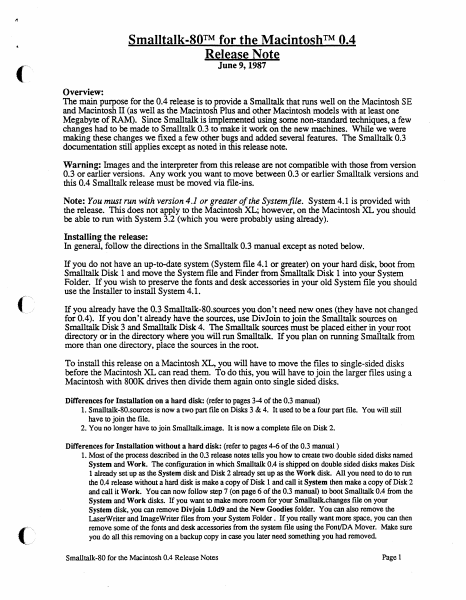
Smalltalk-SO™ for the Macintosh™ 0.4 Release Note June 9, 1987 Overview: The main purpose for the 0.4 release is to provide a Smalltalk that runs well on the Macintosh SE and Macintosh II (as well as the Macintosh Plus and other Macintosh models with at least one Megabyte of RAM). Since Smalltalk is implemented using some non-standard techniques, a few changes had to be made to Smalltalk 0.3 to make it work on the new machines. While we were making these changes we fixed a few other bugs and added several features. The Smalltalk 0.3 documentation still applies except as noted in this release note. Warning: Images and the interpreter from this release are not compatible with those from version 0.3 or earlier versions. Any work you want to move between 0.3 or earlier Smalltalk versions and this 0.4 Smalltalk release must be moved via file-ins. Note: You must run with version 4.1 or greater of the System file. System 4.1 is provided with the release. This does not apply to the Macintosh XL; however, on the Macintosh XL you should be able to run with System 3.2 (which you were probably using already). Installing the release: In general, follow the directions in the Smalltalk 0.3 manual except as noted below. If you do not have an up-to-date system (System file 4.1 or greater) on your hard disk, boot from Smalltalk Disk 1 and move the System file and Finder from Smalltalk Disk 1 into your System Folder. If you wish to preserve the fonts and desk accessories in your old System file you should use the Installer to install System 4.1. ( If you already have the 0.3 Smalltalk-80.sources you don't need new ones (they have not changed for 0.4). If you don't already have the sources, use DivJoin to join the Smalltalk sources on Smalltalk Disk 3 and Smalltalk Disk 4. The Smalltalk sources must be placed either in your root directory or in the directory where you will run Smalltalk. If you plan on running Smalltalk from more than one directory, place the sources in the root. To install this release on a Macintosh XL, you will have to move the files to single-sided disks before the Macintosh XL can read them. To do this, you will have to join the larger files using a Macintosh with SOOK drives then divide them again onto single sided disks. Differences for Installation on a hard disk: (refer to pages 3-4 of the 0.3 manual) 1. Smalltalk-80.sources is now a two part file on Disks 3 & 4. It used to be a four part file. You will still have to join the file. 2. You no longer have to join Smalltalk.image. It is now a complete file on Disk 2. Differences for Installation without a hard disk: (refer to pages 4-6 of the 0.3 manual) 1. Most of the process described in the 0.3 release notes tells you how to create two double sided disks named System and Work. The configuration in which Smalltalk 0.4 is shipped on double sided disks makes Disk 1 already set up as the System disk and Disk 2 already set up as the Work disk. All you need to do to run the 0.4 release witho…

Showing first 3,000 characters of 141,255 total. Open the full document →

Home Documents Macintosh Servant A New Shell For The Macintosh
Servant A New Shell For The Macintosh

Servant A New Shell For The Macintosh

Macintosh · 1987 · PDF
FilenameServant_A_New_Shell_for_the_Macintosh_1987.pdf
Size3.69 MB
Year1987
Subsection servant
Downloads16
Enjoying MacTrove? Anonymous downloads are free and unlimited. Create a free account to track favorites, contribute metadata corrections, and join the community chat.
Reader
Servant A New Shell For The Macintosh
/
Loading…
OCR / Text contents
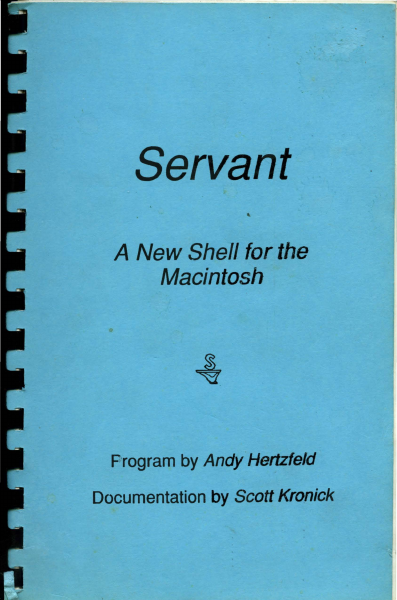
Servant A New Shell for the Macintosh Frogram by Andy Hertzfeld Documentation by Scott Kronick Servant A New Shell for the Macintosh .Program by Andy Hertzfeld Documentation by Scott Kronick Copyright © 1987 by Scott Kronick All rights reserved. No part of this publication may be reproduced, stored in a retrieval system, or transmitted, in any form or by any means, electronic, mechanical, photocopying, recording, or otherwise, without the prior written permission of the author. Printed in the United States of America. Products that are known by the author to be claimed as trademarks appear in initial caps. This publication is intended for informational purposes only and is subject to change without notice. The author assumes no liability for any errors or inaccuracies that may appear in this text. Contents 1 Introduction to Servant How is the manual organized? What hardware and system versions does Servant require? How is Servant being released? Where can I send feedback about Servant? 7 Chapter 1: Exploring the New Desktop Starting Servant Using the Cursor to Push and Select Selecting More than One Icon or Selecting None Bringing the Entire Desktop into View Viewing Size and Information Formats 21 Chapter 2: Adding Special Touches Making Custom Icons and Using Folder Tricks Setting the Background and the Startup Application Making Servant Talk 33 Chapter 3: Using the Desktop and Applications Together Launching an Application Switching between an Application and the Desktop Adding Another Application Switching Tips 45 Chapter 4: Exploring Resources Understanding Resources Opening a Resource Playing with the System and its Desktop Icons 57 Chapter 5: Servant Reference Annotated List of Features Topic Index to Features Graphic Index to Features Introduction to Servant When you turn on a Macintosh and Insert a disk, you expect to see a desktop and Its icons. This is the starting point for you to work with disks and launch applications. Servant replaces the old starting point (created by the Finder program in the System Folder) with a more powerful desktop that is an accessible part of your work environment at all times. As the central application between you and your disks, Servant will: • Perform desktop tasks faster, more conveniently, and more informatively. • Allow you to keep open numerous applications and disk windows at the same time, and to switch from one to another instantly by clicking in an application or disk window. • Give you the ability to modify an application by directly accessing and editing its resources . • • • On the Impetus for Servant Servant is a replacement for Apple's Finder program. A lot of programs like spreadsheets, word processors, and database programs are constantly improving. Every month there's a new one coming out that ups the ante a little bit and forces all 1 the people who have the other ones to improve their product to make it better and better and better. That's just the best si…

Showing first 3,000 characters of 101,244 total. Open the full document →

Home Documents Lisa Monitor 12.0 Release Notes Apr83
Monitor 12.0 Release Notes Apr83

Monitor 12.0 Release Notes Apr83

Lisa · 1983 · PDF
FilenameMonitor_12.0_Release_Notes_Apr83.pdf
Size0.54 MB
Year1983
Subsection pascal_monitor
Downloads2
Enjoying MacTrove? Anonymous downloads are free and unlimited. Create a free account to track favorites, contribute metadata corrections, and join the community chat.
Reader
Monitor 12.0 Release Notes Apr83
/
Loading…
OCR / Text contents
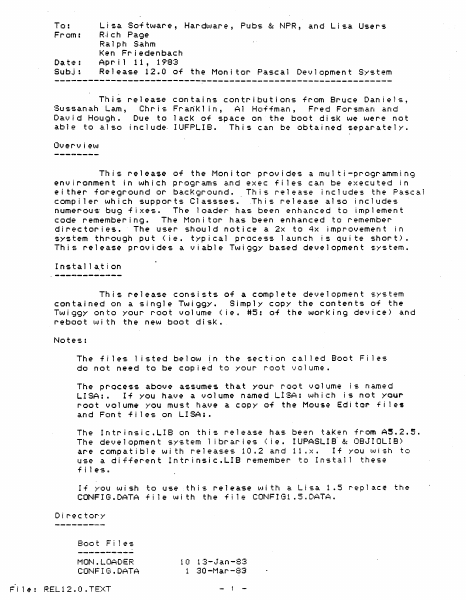
To: From: Ri eh Page Lisa So-f tware, Hardl,,·.Jare, Pubs &: NPR, and Lisa Users Date: Subj: Ralph Sahm Ken Friedenbaeh Ap r i 1 11, 1983 Release 12.0 of the Monitor Pascal Devlopment System This release contains contributions from Bruce Daniels, Sussanah Lam, Chris Fra~Kl in, Al Ho~-fman, Fred Forsman and David Hough. Due to lack of space on the boot disK we were not abl e to a.l so inc 1 ude- I UFPLI B. Th i s can be obta i ned separa te 1 y. Over-view This release of the Monitor provides a multi-programming environment in which programs and exec fi les can be executed in either foreground or bacKground. This release includes the Pascal compiler which supports Classses • . This release also includes numerous bug fixes. The loader has been enhanced to implement code remembering. The Monitor has been enhanced to remember directories. The user should notice a 2x to 4x improvement in ~ystem through put (ie. typical process launch is qui te short). This release provides a viable Twiggy based development system. Installa.t~on This release consists of a complete development system contained on a Single Twiggy. Simply COpy the contents of the Twiggy onto your root volume (ie. #5: of the worKing device) and reboot wi th the new boot disk. The files listed below in the section cal led Boot Fi les do not need to be copied to your root volume. The pr-ocess above assumes that your root volume is named LISA:. If yOU have a volume named L!SA: which is not your root volume YOU must have a COpy of the Mouse Editor fi les and Font fi les on LISA:. Intrinsic.LIB on this release has been taken from A~.2.51 The development system 1 ibraries (Ie. IUPASLIB- &: OBJIOLIB) are compatible wi th releases 10.2 and 11 IX. If yOU wish to use a different IntrinsicIILI8 remember to Install these The f i 1 es It If you wish to use this release with a Lisa 1.5 CONFIG.DATA fi Ie with the f11e CONF!Gl.5.DATA. D i r-ec tor'y Boot F i 1 es MON.LOADER COr-·!F I t3 • DATA ~i 1~: RELI2.0.TEXT 1 (I 13-.Jan-83 1 30 -t1ar -83 - 1 - replac~ the BOOTFILES.DATA LISABUG.08J LISA8UG2.0BJ DR I t)ERS • OBJ ""lS.08J UARTDRVR.OBJ LOADER.OBJ . TWGDRVR7.0S ..T MONITOR.08J MONITOR. SYMBOLS CONFIGl.S.DATA 1 21-Feb-83 63 10-Apr -83 29 27-Feb-83 16 23-Mar-83 5 28-""lar-83 2 23-Apr-82 64 8-Apr-83 4 25-Mar-83 38 10-Apr-83 12 10-Apr-83 8-Apr-83 1 o Start Up Files MON .M:[ SCINFO MON. STARTUP MONSTr~RTl .OBJ 1 12-Jun-80 4 3 8-0ct-81 4-Jun-81 91 29 6-Apr-83 System Util ities FILER.OBJ S'{St1GR.08J MOVESOROC.08J CHANGEMEM.08J MOUNT.OBJ FORMATTER.OBJ SHELL"OBJ 6-Apr~83 7-Jur.-81 2 1-Apr-83 4 24-Sep-81 12 28-Mar-83 11 10-Apr-83 4 Library & Link Files CALLSw08J LOADER. IMAGE MPASL lB. OB ..T NOFPLIB.OBJ INTRINSIC.LIB OBJIOLI8.0BJ IUPASLIB.08J 3 18-Nov-82 1 I-Jun-81 48 21-Jan-82 18 21-Jan-82 8 8-Apr-83 103 6-Apr-83 15 14-Feb-82 Development Fi les COMPILER.O"SJ PASERRS.ERR CODE.08J IULINKER.08J LINKER.OSJ N68K.OPCODES 180 8-Apr-83 7-Apr-83 103 7-Apr-83 56 10-Apr-83 32 8-Apr-…

Showing first 3,000 characters of 20,871 total. Open the full document →

Home Documents Lisa Hard Disk Install Feb86
Hard Disk Install Feb86

Hard Disk Install Feb86

Lisa · PDF
FilenameHard_Disk_Install_Feb86.pdf
Size5.61 MB
Subsection macworks
Downloads4
Enjoying MacTrove? Anonymous downloads are free and unlimited. Create a free account to track favorites, contribute metadata corrections, and join the community chat.
Reader
Hard Disk Install Feb86
/
Loading…
OCR / Text contents
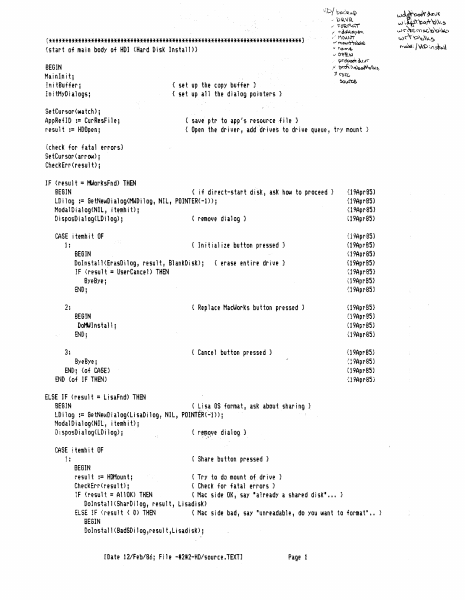
-\'\.:;>/ ba.r~'lC:v..Q Wa~~~\)( - 'D~\,IR w o'AP'o<x*'c\~~ ,/ l=O';l.f'\h)" J' t\o...'~O~tH\ {******************************************************************************} {start of main body of HOI <Hard Disk Install)} v ~ 1"\1>v..~Ji o/rnC7\Af\\-T~ ~ I\l)..mt. ~.~ I~t>i()!;.t~\\ v O~~'N ~<;,o~~t"(' I !?~'~~~\\t~ BEGIN Mainlnitj In i tBuffer; InitMyDialogsj )t ('$\(, SetCursor(watch}j AppRefIO := CurResFilej result := HOOpen; C ~v..et.e. { set up the COPY buffer } { set up all the dialog pointers} { save ptr to app s resourcef i 1e } { Open the dr i vel', add °dr i ves to dr i ve queue, try mount } I {check for fatal errors} SetCursor(arrow); CheckErr(result); IF (result = MWorksFnd) THEN BEGIN { if direct-start disk, ask how to proceed} LDilog := GetNewDialog(MWOilog, NIL, POINTER(-l»j ModalDialog(NIl, itemhit)j DisposDialog(LOilog)j { remove dialog} CASE j temh i t OF {19Ap(85) {19Ap(85) (19Ap(85) {19Apr8S) {i 9AprSS} {19AprBS} {19Apr8S} U9AprBS} { Initialize button pressed} 1: BEGIN Dolnstal1(ErasDilog, result, BlankDisk)j IF (result = Us@rCancel) THEN ByeByej END; {erase entire drive} 09AprBS} {19Apr8S} ':19AprBSJ { Replace MacWorks button pressed} 2: BEGIN DotitIlnshl1 ; {19Apr8S} {19AprBS} {19AprBS} {19Apr8S} END; {19Apr8S} { Cancel button pressed} 3: ByeByej END; {of CASE) ~i9Apr85} {19AprBS} ':19Apr85) END {of IF THEN} ELSE IF (result = LisaFnd) THEN BEGIN { Lisa OS format, ask about sharing} LD i i og := Be tNeIAID i a1og( Li saD i 109 f NI L, POINTER(~'1» j ModalDialog<NIL, itemhitl; DisposDialog(lDiiog); {r'~~~ve dialog} CASE ! temh i t OF 1: { Share button pressed} BEGIN resu 1t := HDMoun t ; { Try to do moun tof dr i lie } CheckErr(resultlj { ChecK for fatal errors} iF (result = AllOK) THEN ( Mac side OK, say 'already a shared disk' ... Dolnstal1(SharDilog, result, Lisadisk) ELSE !F ':result < 0) THEN { Mac side bad, say lIunreadable, do yOU lAint to formaP BEGIN DoInstall(BadSDilog,result,Lisadisk); !:Date 12lFeb/86; File -#2#2-HD/sQurce.TEXT] Page 1 ".'(1 mo.c"c\Q\~1 W\\-'O~\~~ uJ II IF (result =UserCancel) THEN Bye Bye END; END; { Erase All button pressed} BEGIN Dolnstall(ErasDilog, result, BlankDisk); IF (result =UserCancel) THEN ByeBye; {erase entire drive} END; { Cancel button pressed} 3: ByeBye; END; {of CASE} END {of IF THEN) ELSE IF (result = AllOK) THEN DOlnstal1(MacDi109, result, MacDisk) ELSE { Mac disk on-l ine } { check if reinitialize wanted} { damaged or not initialized} BEGIN OoInstall(BadMDilog, result, 81ankDisk); IF (result = UserCancel) THEN ByeByej {erase entire drive} END; CASE (result) OF A110K: BEGIN result := WrtBootBlks; IslconlnSysResj SetCursor(arrow); iternhit := NoteAlert(LstAlert, NIL)j { write boot blocks to hard disk} { make sure hard disk icons are in sysres } { notify about movfng system folder} ENDj { MacWorks has been replaced - all done} li4orksFnd: BEGIN END; USIn-Ca.nce 1: Is!conlnSysResj { make sure disk icons are in …

Showing first 3,000 characters of 212,547 total. Open the full document →

Home Documents Lisa The LisaTalk Report V02 N01
The LisaTalk Report V02 N01

The LisaTalk Report V02 N01

Lisa · 1986 · PDF
FilenameThe_LisaTalk_Report_V02_N01_1986_Spring.pdf
Size94.04 MB
Year1986
Subsection lisaTalkReport
Downloads4
Enjoying MacTrove? Anonymous downloads are free and unlimited. Create a free account to track favorites, contribute metadata corrections, and join the community chat.
Reader
The LisaTalk Report V02 N01
/
Loading…
OCR / Text contents
A SERVICE AND SUPPORT JOURNAL The LisaTalk Report -- INFORMATION ON OPTIMIZING YOUR LISA & MAC XL COMPUTER SYSTEMS - Spring Issue 1986 $10.50 Bulk Rate U.S. Postage Paid San Anselmo, CA 94960 Permit No. 78 FEATURES INSIDE: • LISN MAC XL SUPPORT: lST QUARTER, 1986 •MAC+ & MAC XL COMPARED •LISA DRAW: THREE YEARS OLD AND STILL THE BEST •REVIEW OF MACDRAFr ". HO"WToMake Yot.1r Maccing Faster, Easier, andaLotMore Fun! Tempo macros speed your work or play on the Macintosh. Record any series of Macintosh commands or keystrokes and Tempo will play them back, at top speed, every time you need them. With a single key code, you can execute a macro that replays an unlimited number of commands. Add intelligence to your Macintosh software If a macro needs to be performed 27 times in a row or every 15 minutes, Tempo will do that. If it depends on whether a number starts with a "$" or if a name is greater than 'Jones," Tempo will read it and decide which way to branch. Tempo can even determine if it needs to branch to another program. Tempo will close the program you're in, open the other, and continue replaying your commands. Automatically. Exactly as you require. Intelligent macros for the Macintosh. Edit your macros for changes or corrections You may edit Tempo macros the same way you create them click to edit, click to change, click to save. Tempo has no complex programming language, simply step-by-step menu commands and dialog boxes. What you can do with Tempo • Reduce complex commands to a single keystroke. • Automate moving information from one program to another. • Have Tempo wait until the time you specify, then perform multiple tasks on your Macintosh - unattended. • Guide new users through programs, prompting them with dialog boxes along the way. • Distribute time-saving macros to other members of your company. • Customize programs to work the way you need them to. • Simplify, automate, customize, modify, design, and create in a million different ways! Macintosh is a trademark licensed to Apple Computer, Inc. Tempo and Affinity are trademarks of Affinity Microsystems, Ltd. Other Tempo features ... • Pause during a macro replay to enter text or make a selection. • Record macros up to the limits of your disk space - hard drive or floppy. • Assign up to 450 keyboard commands in each application. • Use Command key codes or Option key codes. • Replay in slow motion, in real time, or at high speed. • Connect macros together, nested, branched or sequentially. • Repeat the macro if or until it sees the specified text, or for a required number of times. • Tempo works with nearly every Macintosh program. • For the 512K or larger Macintosh and Macintosh XL. • Works with all hard disk drives. • Tempo is not copy-protected, so you can easily install it on your hard drive. • If you're not absolutely happy with what Tempo can do for you and your Mac, return it within 90 days for a complete refund. We guarantee your satisfaction. For $99, you get mor…

Showing first 3,000 characters of 389,687 total. Open the full document →

Home Documents Lisa Daniels Lisas Alternative Operating System Computer Design
Daniels Lisas Alternative Operating System Computer Design

Daniels Lisas Alternative Operating System Computer Design

Lisa · 1983 · PDF
FilenameDaniels_-_Lisas_Alternative_Operating_System_-_Computer_Design_198308.pdf
Size5.07 MB
Year1983
Subsection development_history / articles
Downloads3
Enjoying MacTrove? Anonymous downloads are free and unlimited. Create a free account to track favorites, contribute metadata corrections, and join the community chat.
Reader
Daniels Lisas Alternative Operating System Computer Design
/
Loading…
OCR / Text contents
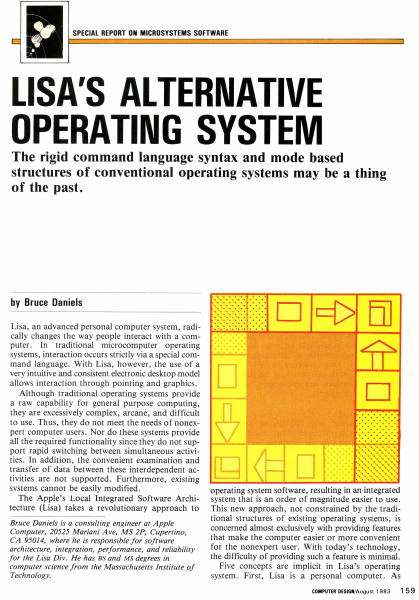
SPECIAL REPORT ON MICROSYSTEMS SOFTWARE LISA'S ALTERNATIVE OPERATING SYSTEM The rigid command language syntax and mode based structures of conventional operating systems may be a thing of the past. by Bruce Daniels Lisa, an advanced personal computer system, radically changes the way people interact with a computer. In traditional microcomputer operating systems, interaction occurs strictly via a special command language. With Lisa, however, the use of a very intuitive and consistent electronic desktop model allows interaction through pointing and graphics. Although traditional operating systems provide a raw capability for general purpose computing, they are excessively complex, arcane, and difficult to use. Thus, they do not meet the needs of nonexpert computer users. Nor do these systems provide all the required functionality since they do not support rapid switching between simultaneous activities. In addition, the convenient examination and transfer of data between these interdependent activities are not supported. Furthermore, existing systems cannot be easily modified . The Apple's Local Integrated Software Architecture (Lisa) takes a revolutionary approach to Bruce Daniels is a consulting engineer at Apple Computer, 20525 Mariani Ave, MS 2P, Cupertino, CA 95014, where he is responsible for software architecture, integration, performance, and reliability for the Lisa Div. He has BS and MS degrees in computer science from the Massachusetts Institute of Technology. . . ..... .. ......... ........... ........ ·.·.·.·.·.·.·.·.· . ................................... . . ..... .. D c::[> El] operating system software, resulting in an integrated system that is an order of magnitude easier to use. This new approach, not constrained by the traditional structures of existing operating systems, is concerned almost exclusively with providing features that make the computer easier or more convenient for the nonexpert user. With today's technology, the difficulty of providing such a feature is minimal. Five concepts are implicit in Lisa's operating system. First, Lisa is a personal computer. As COMPUTER DESIGN/August 1983 15 9 EDIT FILE/PRINT TYPE STYLE ARRANGEMENT LINES SHADES UNDO ARCHITECTURE ~ CALCULATOR ,D/ ~ CUT COPY PASTE CLEAR I /~ .) 0 " ~ WASTEBASKET ! " ". EJ @ MY DISK CLIPBOARD Jo]! [;!] 1 D D D D STRUCTURE OS DESKTOP MANAGER WASTE· BASKET What is the Lisa? Lisa represents over 200 person years and $50 million of development effort. Its intellectual inspiration came from the Smalltalk language and operating system developed at the Xerox Palo Alto Research Center. This system's pioneering use of graphics and a mouse to present the fundamental concepts of overlapping pieces of paper on an electronic desktop marked a departure in computer operating software. Taking the Smalltalk concepts, Apple spent three years refining them, adding innovations, and reducing costs. Hardware is based on the MC68000 micr…

Showing first 3,000 characters of 17,325 total. Open the full document →

Home Documents Lisa XENIX Installation Guide For The Apple Lisa 2 May84
XENIX Installation Guide For The Apple Lisa 2 May84

XENIX Installation Guide For The Apple Lisa 2 May84

Lisa · 1984 · PDF
FilenameXENIX_Installation_Guide_for_the_Apple_Lisa_2_May84.pdf
Size16.31 MB
Year1984
Subsection xenix
Downloads4
Enjoying MacTrove? Anonymous downloads are free and unlimited. Create a free account to track favorites, contribute metadata corrections, and join the community chat.
Reader
XENIX Installation Guide For The Apple Lisa 2 May84
/
Loading…
OCR / Text contents
The XENIX™ Operating System Installation Guide TM for the Apple Lisa 2 The Santa Cruz Operation, Inc. Information in this document is su bject to change without notice and does not represent a commitment on the part of The Santa Cruz Operation, Inc. and Microsoft Corporation. The software described in this document is furnished under a license agreement or nondisclosure agreement. The software may be used or copied only in accordance with the terms of the agreement. @The Santa Cruz Operation, Inc., 1984 @Microsoft Corporation, 1983 The Santa Cruz Operation, Inc. 500 Chestnut Street P.O. Box 1900 Santa Cruz, CaJifomia 95061 (408) 425-7222 • TWX: 910-598-4510 SeQ SACZ UNIX is a trademark of Bell Laboratories XENIX is a trademark of Microsoft Corporation Apple, Lisa 2, and ProFile are trademarks of Apple Computer Inc. Release: 68-5-24-84-1.0/1.0 Chapter 1 XENIXlnstallation Guide 1.1 Overview 1 1.2 XENlXDistributionSystems 1.3 WhatYouNeed 1 1.4 Before You Start 2 1.5 Installation Procedure 3 1.5.1 StartingXENlX From a Floppy Disk 3 1.5.2 InitializingtbeHardDisk. 4 1.5.3 StartingtbeSystemFromtbeHardDisk 6 1.5.4 CopyingtbeXENlXSystemFJ.les 7 1.5.5 CreatingtheSuper-UserPassword 9 1.5.6 CreatingtbeFirstUserAcoount 10 1.6 The Next Step 1.7 UpgradelnstallationNotes 13 1.7.1 Upgrade Overview 13 1.7.2 StartingXENlXFromaFloppy Disk 13 1.7.3 UpgradingtbeFileSystem 14 1.7.4 StartingtheSystemFromtheHardDisk 15 1.7.5 CopyingtbeXENlXSystemFJ.les 16 1.7.6 RestoringYourFJ.les 18 1.7.7 The Next Step . 18 1 12 - i - 1.1 Overview The XENIX Operating System is a powerful multiuser. multitasking system of programs for your computer. It takes the place ofyour existing Operating System and gives yoor computerthe powerofamuch larger and more expensive machine. To do its work. the XENIX Operating Sy.em must be installed on your compIler'S hard disk. Thisallowsthesystemtotakecontrolofyourcomputerwheneveryouturnit on. The instanation procedure consists of initializing your hard disk. then copying the XENIX system programs from the XENIX distribution floppydisks to the initializcd hard disk. N«e: "ftoppydisks" refers to the Sony Micro Roppydisb OIl which your systemisdi..-ibuted. 1.2 XENIX DJsb"lbutiOD Systems The completeXENIX Sy.em is a set ofthree distribution systems: The XENIX Operating System The XENIX Text Processing System The XENIX Developnent Sy.em TheOperatingSystemcontainstheXENIXprogramsyouneedtocreateuseracCOUDls. managefilesystemsandperformsystemmaintenancetasb. The Text Processing Sy.em contains the XENIX programs used to acate. edit. and typeset documents. The Development System contains theXENIX programs you need to create. compile. link. and debug assembly and high-level language programs. Y00 instan each package separately. Installation of the XENIX Openting System is required before you can install the Text Processing ar Development Systems. The software for each System is write protected, except the Do« 80ppydisk of…

Showing first 3,000 characters of 500,000 total. Open the full document →
Home Documents Lisa XENIX Lisa 2 Programmers Guide May84
XENIX Lisa 2 Programmers Guide May84

XENIX Lisa 2 Programmers Guide May84

Lisa · 1984 · PDF
FilenameXENIX_Lisa_2_Programmers_Guide_May84.pdf
Size14.83 MB
Year1984
Subsection xenix
Downloads5
Enjoying MacTrove? Anonymous downloads are free and unlimited. Create a free account to track favorites, contribute metadata corrections, and join the community chat.
Reader
XENIX Lisa 2 Programmers Guide May84
/
Loading…
OCR / Text contents
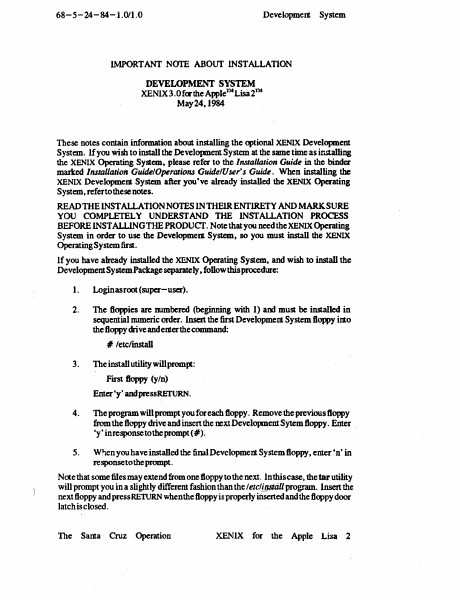
68-5-24-84- 1.011.0 DevelopmeIt System IMPORT ANT NOTE ABOUT INSTALLATION DEVELOPMENT SYSTEM XENLX3.0 fcrthe AppleJ~ Lisat~ May 24, 1984 These notes contain information about installing the optional XE.~IX Development System. If you wish to install the Development System at the same time as installing the XENIX Operating System, please refer to the Installation Guide in the binder marked I1I.$taUation GuidelOperatio1l.$ GuidelUser's Guide. When installing the XENIX Development System after you've already installed the XENIX Operating System, refertothese notes. READTHElNSTALLATION NOTES lNTHElRENTlRETY AND MARKSURE YOU COMPLETELY UNDERSTAND THE INSTALLATION PROCESS BEFORE INSTALLING THE PRODUcr. Note that you need theXENIX Operating System in order to use the Developmett System, so you must install the XENIX Operating System first. If you have already installed the XENIX Operating System, and wish to install the Development System Package separately, follow this procedure: 1. Login as root (super-user). 2. The floppies are munbered (beginning with 1) am must be installed in sequential numeric order. Insert the first Development System floppy into the floppy drive andemerthe command: :# letc/install 3. The install utility willprompt: First floppy (yIn) Enter'y' and press RETURN. 4. The program will prompt you for each floppy. Remove the previous floppy from the floppy drive and insert the next Development Sytem floppy. Enter . 'y' in response tothe prompt (#). 5. When you have installed the final Development System floppy, enter 'n' in response to the prompt. N<xe that some files may extend from one floppy to the next. In this case. the tar utility will prompt you in a slightly different fashion than the Ietcl{qstiill program. Insert the next floppy and press RETURN when the floppy is properly inserted and the floppy door latch is closed. The Sama Cruz Operation XENLX for the Apple Lisa 2 The XENIX™ Development System Programmer's Guide TM for the Apple Lisa 2 The Santa Cruz Operation, Ine. Information in this document is subject to change without notice and does not represent a commitment on the part or The Santa Cruz Operation, Inc. and Microsoft Corporation. The software described in this document is furnished under a license agreement or nondisclosure agreement. The software may be used or copied only in accordance with the terms of the agreement. CThe Santa Cruz Operation, Inc., 1984 CMicrosoft Corporation, 19S3 The Santa Cruz Operation, Inc. 500 Chestnut Street P.O. Box 1900 Santa Cruz, California 95061 (408) 425-7222 • TWX: 910-598-4510 SeQ SACZ UNIX is a trademark of Bell Laboratories XENIX is a trademark of Microsoft Corporation Apple, Lisa 2, and ProFile are trademarks or Apple Computer Inc. Release: 68-5-24-84-1.0/1.0 Contents 1 In~ucdon 1.1 1.2 1.3 1.4 1.7 1.8 Overview 1 Creating C Language Programs Creating Other Programs 2 Creating and Maintaining Libraries 2 Maintaining Program Source Files 3 Crea…

Showing first 3,000 characters of 500,000 total. Open the full document →
Subscribe to PDF
mp.ls