Home Documents Macintosh 030 0752 A Roadmap To AUX 2.0
030 0752 A Roadmap To AUX 2.0

030 0752 A Roadmap To AUX 2.0
Macintosh · 1990 · PDF
Filename030-0752-A_Roadmap_to_AUX_2.0_1990.pdf
Size4.87 MB
Year1990
Subsection a_ux / aux_2.0
Downloads9
Enjoying MacTrove? Anonymous downloads are free and unlimited. Create a free account to track favorites, contribute metadata corrections, and join the community chat.
Reader
030 0752 A Roadmap To AUX 2.0
/
Loading…
OCR / Text contents
® Road Map to A!UX ® LIMITED WARRANTY ON MEDIA AND REPIACEMENT If you discover physical defects in the manual or in the media on which a software product is distributed, Apple will replace the media or manual at no charge to you provided you return the item to be replaced with proof of purchase to Apple or an authorized Apple dealer during the 90-day period after you purchased the software. In addition, Apple will replace damaged software media and manuals for as long as the software product is included in Apple's Media Exchange Program. While not an upgrade or update method, this program offers additional protection for up to two years or more from the date of your original purchase. See your authorized Apple dealer for program coverage and details. In some countries the replacement period may be different; check with your authorized Apple dealer. AU IMPLIED WARRANTIES ON TInS MANUAL, INCLUDING IMPLIED WARRANTIES OF MERCHANTABILITY AND FITNESS FOR A PARTICULAR PURPOSE, ARE LIMITED IN DURATION TO NINETY (90) DAYS FROM TIlE DATE OF TIlE ORIGINAL RETAn PURCHASE OF TIllS PRODUCf. 030-0752-A Even though Apple has reviewed this manual, APPLE MAKES NO WARRANTY OR REPRESENTATION, EITHER EXPRESS OR IMPLIED, WTI1I RESPECf TO TIllS MANUAL, ITS QUALITY, ACCURACY, MERCHANTABILITY, OR FITNESS FOR A PARTICUlAR PURPOSE. AS A RESULT, TIllS MANUAL IS SOLD "AS IS," AND YOU, TIlE PURCHASER, ARE ASSUMING TIlE ENTIRE RISK AS TO ITS QUAUTY AND ACCURACY. IN NO EVENT WRL APPLE BE UABLE FOR DIRECf, INDIRECf, SPECIAL, INCIDENTAL, OR CONSEQUENTIAL DAMAGES RESULTING FROM ANY DEFECf OR INACCURACY IN TInS MANUAL, even if advised of the possibility of such damages. TIlE WARRANTY AND REMEDIES SET FORTII ABOVE ARE EXCLUSIVE AND IN LIEU OF AU OTIlERS, ORAL OR WRITTEN, EXPRESS OR IMPLIED. No Apple dealer, agent, or employee is authorized to make any modification, extension, or addition to this warranty. Some states do not allow the exclusion or limitation of implied warranties or liability for incidental or consequential damages, so the above limitation or exclusion may not apply to you. This warranty gives you specific legal rights, and you may also have other rights which vary from state to state. ~ O® Road Map to A/UX® 030-07S2-A o APPLE COMPUTER, INC. © 1990, Apple Computer, Inc. All rights reserved. Linotronic is a registered trademark of Linotype AG. No part of this publication may be reproduced, stored in a retrieval system, or transmitted, in any form or by any means, mechanical, electronic, photocopying, recording, or otherwise, without prior written permission of Apple Computer, Inc. Printed in the United States of America. MacWrite is a registered trademark of Claris Corporation. The Apple logo is a registered trademark of Apple Computer, Inc. Use of the "keyboard" logo (OptionShift-K) for commercial purposes without the prior written consent of Apple may constitute trademark infringement and unfair competition in violation of federal and state laws. P…

Showing first 3,000 characters of 183,149 total. Open the full document →
Home Documents Macintosh 030 3253 A AUX 1.0 Installation Guide
030 3253 A AUX 1.0 Installation Guide

030 3253 A AUX 1.0 Installation Guide

Macintosh · 1987 · PDF
Filename030-3253-A_AUX_1.0_Installation_Guide_1987.pdf
Size3.60 MB
Year1987
Subsection a_ux / aux_1.0
Downloads10
Enjoying MacTrove? Anonymous downloads are free and unlimited. Create a free account to track favorites, contribute metadata corrections, and join the community chat.
Reader
030 3253 A AUX 1.0 Installation Guide
/
Loading…
OCR / Text contents
NUX'" Installation Guide LIMITED WARRANTY ON MEDIA AND REPLACEMENT If you discover physical defects in the manuals distributed with an Apple product or in the media on which a software product is distributed, Apple will replace the media or manuals at no charge to you, provided you return the item to be replaced with proof of purchase to Apple or an authorized Apple dealer during the 90-day period after you purchased the software. In addition, Apple will replace damaged software media and manuals for as long as the software product is included in Apple's Media Exchange Program. While not an upgrade or update method, this program offers additional protection for up to two years or more from the date of your original purchase. See your authorized Apple dealer for program coverage and details. In some countries the replacement period may be different; check with your authorized Apple dealer. ALL IMPLIED WARRANTIES ON THE MEDIA AND MANUAlS, INCLUDING IMPLIED W ARRANTIES OF MERCHANTABILITY AND FITNESS FOR A PARTICULAR PURPOSE, ARE LIMITED IN DURATION TO NINETY (90) DAYS FROM THE DATE OF THE ORIGINAL RETAIL PURCHASE OF THIS PRODUCT. Even though Apple has tested the software and reviewed the documentation, APPLE MAKES NO WARRANTY OR REPRESENTATION, EITHER EXPRESS OR IMPliED, WITH RESPECT TO SOFTWARE, ITS QUAliTY, PERFORMANCE, MERCHANTABIliTY, OR FITNESS FOR A PARTICULAR PURPOSE. AS A RESULT, THIS SOFTWARE IS SOLD "AS IS," AND YOU THE PURCHASER ARE ASSUMING THE ENTIRE RISK AS TO ITS QUAliTY AND PERFORMANCE. IN NO EVENT WILL APPLE BE LIABLE FOR DIRECT, INDIRECT, SPECIAL, INCIDENTAL, OR CONSEQUENTIAL DAMAGES RESULTING FROM ANY DEFECT IN THE SOFTWARE OR ITS DOCUMENTATION, even if advised of the possibility of such damages. In particular, Apple shall have no liability for any programs or data stored in or used with Apple products, including the costs of recovering such programs or data. THE WARRANTY AND REMEDIES SET FORTH ABOVE ARE EXCLUSIVE AND IN liEU OF ALL OTHERS, ORAL OR WRITTEN, EXPRESS OR IMPLIED. No Apple dealer, agent, or ef(lployee is authorized to make any modification, extension, or addition to this warranty. Some states do not allow the exclusion or limitation of implied warranties or liability for incidental or consequential damages, so the above limitation or exclusion may not apply to you. This warranty gives you specific legal rights, and you may also have other rights which vary from state to state. WARNING This eqUipment has been certified to comply with the limits for a Class B computing device pursuant to Subpart J of Part 15 of FCC rules. Only peripheral devices (computer input/output devices, terminals, printers, and so on) certified to comply with Class B limits may be attached to this computer. Operation with noncertified peripheral devices is likely to result in interference to radio and television reception. o. Apple® A/UXTM Installation Guide • APPLE COMPUTER, INC. This manual and the software described in it are copyrigh…

Showing first 3,000 characters of 126,740 total. Open the full document →

Home Documents Lisa 12 Text Building Block
12 Text Building Block

12 Text Building Block

Lisa · 1984 · PDF
Filename12_Text_Building_Block.pdf
Size1.48 MB
Year1984
Subsection toolkit_3.0 / Package_2_Examples
Downloads4
Enjoying MacTrove? Anonymous downloads are free and unlimited. Create a free account to track favorites, contribute metadata corrections, and join the community chat.
Reader
12 Text Building Block
/
Loading…
OCR / Text contents
Text Building Block To: From: Date: Subject: Users of the TOOlKit's Text Building BloCk 21 Marcr! 1984 How to use the Text Building Block (TK8E) (draft version 3) ==============================================:====================-========:== When reading this document it is suggested that you have a copy of the UText interface available for reference. The Text Building Block allows users to specify an LRect in their view irl w~ii:~;ri m..Jltiple paragraphs may be entered either from the keyooara or pasted frOlT tne clipboard. "i thin this box, te>tt klill word klrap based on the bounos of t!'"l~ b:JY and optional 1ndentation fields 1n the TPara=ornet object. Trlese fields oe-foiJl t to zero, thus if the values are not Changed, the text kl1ll fit tig!"ltly 11.:1 tnir: the LRect specified. (Currently only left justified text is supported so trtere klill be a ragged right edge.) Application programmers must create a TTextlmage for eaCh separate grouo Of te~t they wiSh to display. The CREATE method expects an LReet within its vie~. Ir: adOi tion, the 1sGro~le ooolea!! parameter speCifies Whether or not tr,e LRect can grow at the bottom if text that is oisplayea cannot fit in the spe:ifiEJ LRect. Textlmages display TText Objects. A TText Object contains a list Of TParagr~~ oOjects. EaCh TParaglaph Object contains the characters ana typeStyle 1nformation for one paragraprl. Associated wit~ eaCh paragraph is a TParaImage wrl1c~ 1s stored 1n a list Of TParaImages in TTextlnage. A TParaImage cO;ltains all Of the display specific information about a particular paragraptl suerl a~ where each line ends and tne pixel height of the displayed paragratJn. Wrte:-I a TIextlmage is created, 1t nust have an 1nit1al TText object. Ttle next oeject, in turn, rust nave at least one paragraph 1n its paragraph l1st. Also, eaCf, paragrap~ points to a TParaFormat, Whicrl spec1fies margins, taos, paragraph spacing and other formatting Characteristics. TParaFormats are stored in a TStyleSheet, WhiCh is simply a list Of TParaFormats. Since the list is an indexed list, one can store commonly U$eo form&ts at known posi tioras in ttte list for rapia retrieval when reformatting a part1CUlar paragraph. Typically, app11cations store a single styleSrleet in a fie10 Of their applicat10n windOW. Eacn TText ooject, 1n adaition to containing a 11st -Of paragraphS also points to a styleSheet. By storing ttle styleSheet in the w1naow, eaCh next Object can refer-ence tr.e sarne styleStleet. Text Butldlrtg BlOCk ••••••••••••••.•••.•.••.•..•..•...•....•.....••••.•.....•.•..••.....•••.•................... PaQe 1 The typical order of allocation is then: Create a waraFormat. tnen create a TStyleSheet and install the paraFormat in its list. Set TAppllnaow.styleSheet to tne ne:J) stylesr'eet. create a paragraptl, passing the paraFormat just createa. Create a next ObJect and install the parag~ just created in its paragraphs list and trle set styleSheet field to the new styleSheet. Now cr…

Showing first 3,000 characters of 69,498 total. Open the full document →

Home Documents NuBus 65 2500 101 Avatar Coax Token Ring SDLC Workstation User Guide
65 2500 101 Avatar Coax Token Ring SDLC Workstation User Guide

65 2500 101 Avatar Coax Token Ring SDLC Workstation User Guide

NuBus · 1990 · PDF
Filename65-2500-101_Avatar_Coax_Token-Ring_SDLC_Workstation_User_Guide_1990.pdf
Size13.72 MB
Year1990
Subsection avatar / MacMainframeII
Downloads5
Enjoying MacTrove? Anonymous downloads are free and unlimited. Create a free account to track favorites, contribute metadata corrections, and join the community chat.
Reader
65 2500 101 Avatar Coax Token Ring SDLC Workstation User Guide
/
Loading…
OCR / Text contents
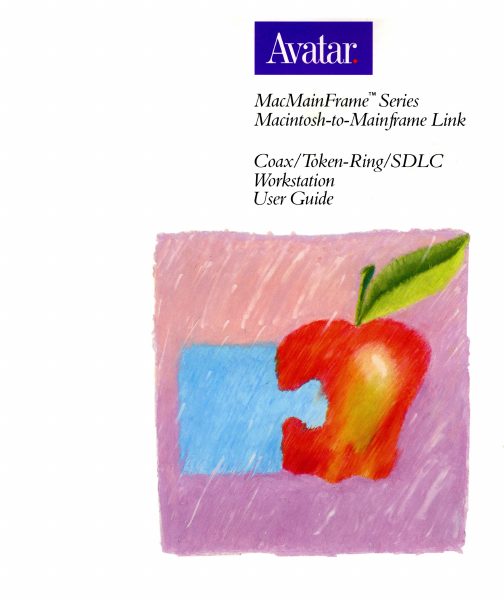
MacMainFrame™ Series Macintosh-to-Mainframe Link Coax/Token-Ring/SDLC Workstation User Guide MacMainFrame™ Series Macintosh to Mainframe Link Coax/Token-Ring/SDLC Workstation User Guide 65-2500-100 Copyright © 1990 Avatar Corporation 65 South Street Hopkinton, MA 01748 (508) 435-3000 All Rights Reserved The information contained herein is the property of Avatar Corporation. It shall not be reproduced, disclosed, or used in whole or in part without written permission of Avatar Corporation. MacMainFrame and EasyKeys are trademarks of Avatar Corporation. Fiber Optic System is a trademark of Du Pont Electronics. IBM PC, CICS, TSO, CMS, and INDS$FILE are trademarks of International Business Machines Corporation. MacLinkPlus is a trademark of Dataviz Corporation. Microsoft is a registered trademark, and Excel is a trademark of Microsoft Corporation. PageMaker is a registered trademark of Aldus Corporation. PhoneNet is a trademark of Farallon Computing Inc. VAX is a trademark of Digital Equipment Corporation. The following are trademarks of Apple Computer, Incorporated: AppleTalk Macintosh IIx EtherTalk Macintosh SE HyperCard Macintosh SE/30 HyperTalk MacTerminal Macintosh MacWorkstation Macintosh II MultiFinder Macintosh IIcx TokenTalk WARNING: This equipment generates, uses, and can radiate radio frequency energy; and if not installed and used in accordance with the instruction manual, may cause interference to radio communications. It has been tested and found to comply with the limits for a Class A computing device pursuant to Subpart J, Part 15 of FCC Rules, which are designed to provide reasonable protection against such interference when operated in a commercial environment. Operation of this equipment in a residential area is likely to cause interference; in which case the user must correct the interference at his/her own expense. WARNING: This equipment is a Class A digital apparatus which complies with the Radio Interference Regulations, CRC c. 1374. MacMainFrame Series Part # 65-2500-100-AA Printed in the United States of America Table of Contents PC la Ceererestecnssetesnsnsnsatenene tec etntennncncenerta dt enatatesrsersteresssrsstsed ii Audience...........c..ee ii How To Use This Book Chapter 1 — Introduction to MacMainFrame WOrkstation.........cccccecceceseccesceescneesersssccessenssueseeecerseseasseeeeees 1 COMPONENS...... cece cee ee eec ec ee eect eee eee see eeeeneeeeeeeneeeneeeneenes 2 COMNECHIVILY. 0. eee ce cece ec eee ee ee eee eee ceeen sense eeeeneaeeseeeeeeea tees 2 Single-Session and Multi-Session Terminals ..................cececsseeeeeee ee 4 LO VTETII(G) Ih3yseneadoceosodoecscdBeeob od cde obdeudeoanodan0D0sq50000000500000000000000005 6 File Transfer .............ccccceceecncececeeeceneneneneneeeeseneeeenseeeneeeseaenes 10 3287 Printer Emulation ...............cccecececse see eeeenenenee eee eeeeeeeeeeeees 10 MacMainFrame Graphics... ... 10 COTA Ke 10) I eaasnecsecneocsoas0c sss bcd bo ceo ESoassc…

Showing first 3,000 characters of 10,319 total. Open the full document →
Home Documents Lisa 050 4009 F CPU
050 4009 F CPU

050 4009 F CPU

Lisa · PDF
Filename050-4009-F_CPU.pdf
Size1.31 MB
Subsection hardware / Lisa_CPU
Downloads10
Enjoying MacTrove? Anonymous downloads are free and unlimited. Create a free account to track favorites, contribute metadata corrections, and join the community chat.
Reader
050 4009 F CPU
/
Loading…
OCR / Text contents
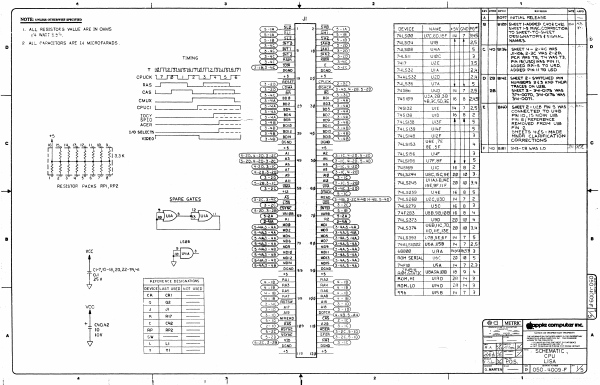
REv|zone| Ecoe REVISION barel arep \ NOTE: UNLESS OTHERWISE SPECIFIED Jl A 1BO97] INITIAL RELEASE. — NOTE es ee oe Bw ste __. B ai20| SHEET I-ADDED CHuoe CHa; fy [AE 1. ALL RESISTORS VALUE ARE IN OHMS Soa eg DEVICE NAME __}#5V|GNO|PG# SHEET AS misc. COMAECTION) | | ¥"" Ia TT + Ki - p-SHL CS Tip) = — EET “SH! i/4 WATT 25%, S rs cm 9 = # TYLSOO U7C,ED,ISF 114 | 7 B45 DESIGNATORS ¢ SIGNAL ey 2 ALL CAPACITORS ARE IN MICROFARADS . C3218 Te TAKO Coa8) : u ORS iT mses ul 25 > 9 pp AKL 3-20) 7ULSO U4A 5 [fC [yo lerse) SHEET 4- 2-4C WAS NT AKe "i Jl-l06, 2-3C WAS 2-20, TIMING S21O— sae ae C320) 7481! UIee 3 PCK WAS TS, TY WAS T3, Ca aI = 3-4) 7HI7 U2E 35 ee CEs "2 ~ 5D, T Wms emMemasustem GBS ~penp pong S25) 74LS32 UIA 24 ADDED PIN 11 TO USD CPUCK LZ TOLLS 2 lLasysois fe —SI 19 ear TUALS32 u2D 244] 0/25 level sueeT 2- SWITCHED PIN Ras _f [A Ca=25)-BESE CPUCK (330) 74LS38 U7A 5 None is tee C33) —LDMA BGACK (3-5 W2o8 S28) = : ON U2B. cas | a [ ian Fd 7USB6 UuD 4 | 7 j25 2B SHEET 3- 341-0175 WAS f eESerre por =) sig9 [UsA28,38 374-0070, BUI-O17% WAS = CMUX LL C3=5A ape : aaa 3 -4A) THSID' 4B,3C.50,3E. 16] 8 245 34-0071. (ELL ren CAL, - 7 mw 17 l25i{e BIO! SHEET 2-.UZB PIN 3 WAS Caza 08 BOS (Fu) pise oe 7 CONNECTED TO U4B EEC?) aoe Pererry) 74S138 uID lo | 8 42 PIN 10, 1S NOW UIB men) 74.136] vise 5 ae ate Bo? 7HLSI39 UIME 5 eer rernes Ca=45) 39 3) 2 Es = 7HLSINe Ul2F 3 MINOR CLARIFICATION PSNe suLgis3 | USE 7E 4 CORRECTIONS c +5 BE SF F /40 Jeiet| SH3-cB WAS 1.0 72 FETE E THLSI56 USE 3 Ge20.u=20.3-20)— 449 AS Gai 0205-40 usi66__| U7F,8F. 5 ag ye Set 20) 745169 uIC 16} 842 4220: 5280 he ad penne 7uiszuu_[usc,15c,9e| 20] 10 | 3- = AN Az UNIAN BIWE RESISTOR PACKS RPI,RP2 ee Wh_|.5 oof eee THLS245 ice ge tie | 22 | 12 [34 +12 TACK (~E— T4LS259 USE ie| 845 j+— 5-1C $ SPARE GATES (CIGEELIG ae READ Gide 3-2cuuD ue. 5-a) | 7urs260_|v2c,uso_ [iw [7 |2 : 2 C3 -20-Fe far oasis 74LS279 usc__ jie} | 3 June fs Juia > Ey ws - LS 74F283 | usB.sBioBL 16 | 8 | 4 MOI MO ESTRETTN Mes Mola =A) zurs374 | VEB:IC,70) 29 | 1g 3.4 G=4A3 4A uD: 3-4A.5-4A) HD WE ISE tse 5-4A3 4A ce oe 3-4A,5 -4A) 74LS393__{U7B,5E6F [iy | 715 B 9 YA g |? 88 og HAD 74acsiae2 [ueA,USB_ [14 | 7 [2,5 Use fiajusa ) 68000 uA na654 3 Rom Serta] vec f 20 fe | 5 V T4FIO usa [7 [2.3 CI-7,10-18, 20,22-39, 41 T4g-H cnn aaSitic | sagas | i8 | 9 | sv REFERENCE DESIGNATIONS Rom, HI UIBD_ [28 | 4 | 3 3a DEVICE|LAST USED| NOT USED ROM. LO UIHD 28} 413 oy 556 vise [uw f7 [3 i cR CRI RAZ RAS 8 a8) 499 19d Ca i) 9 Q a2 — Cra) BSW ad ars 2 = =) ite) vec =e ne a 2 = fa paren — R RI7 oe C3=10 READ a 4-48,5-A¥) iS = * > Cane =e eae Aap (ePPIc computer 2-10 199 ug —-C3- ic) ne my Aap_| pee | —— i a EB cerca) lov a Tayi oh 5 TOE OF ORME PROT A —— Cs=2) ee) eee era —_ 5-20, 3-28 p— C3 -1C) L Lt 3 END Benn 4 Y At — +8 lig sagt #5 =~ SCHEMATIC , CPU LISA c.marten! —— ]>] 050-4o009-F | 14) NOTE: UNLEss OTHERWISE SPECIFIED RPI 2 LSI69 RI3 . aa 20.37594 MHz | Jrefeone] econ] REVISION ic zap BUST rs SEE SHT. | | S09 | 11 i 10 7 Wi…

Showing first 3,000 characters of 10,451 total. Open the full document →
Home Documents Lisa 050 4043 A 1of1
050 4043 A 1of1

050 4043 A 1of1

Lisa · PDF
Filename050-4043-A-1of1.pdf
Size0.19 MB
Subsection hardware / Lisa_Lite
Downloads3
Enjoying MacTrove? Anonymous downloads are free and unlimited. Create a free account to track favorites, contribute metadata corrections, and join the community chat.
Reader
050 4043 A 1of1
/
Loading…
OCR / Text contents
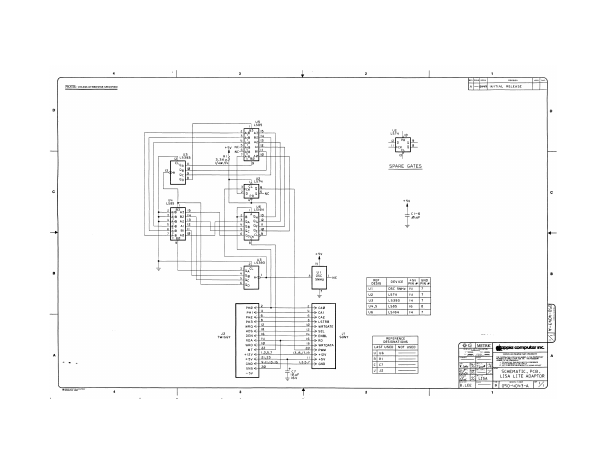
4 ( NOTE: UNLESS OTHERWISE SPECIFIED ie brf amar acca | @ePpic computer inc. necomermeeneprar sreceneo | A ut hig 2] PR oho 7 : bew, apo “ ce u3 pal? 19, rr ausits sks a T co | ifswnd4 9 oat SPARE GATES Bh, fe ac fe v2, Qo TB usty 3} re aft Lato afi wne oa +5v us = t ~ ci-6 +25 *a,[' OnE 3fe, othe T rage L- Sac agp §) ape etp>] a +5v us 3] $383 im foe af |, ut foe * *] Sie [8 a a Tas Slo, oesic | CEVICE loin # {PIN # ur Ose Swaz | 1 uz us7u w_[? us usses_—[w [7 PHO 2 2 cam u4,s us85 16 8 pHic fs SS car us Lsi6y wf? pu <+© S45 ca2 PHS 8 8 LUSTRE wra a a WRTGATE r HOS SEL v2 16 rm vt = OEN ENBL TWiGey oN ST if ne sony REFERENCE a 7 DESIGNATIONS. wRO 22 WRTOATA LAST USED | NOT USED MT 20 PWM ape DSC 131817119 TS yay ues ‘5y < | 2423 rl os alan Hcp eMTee era ET ges ac sus <}22 + v2 =5v c7 : Tour Liev SCHEMATIC, PCB, LISA LITE ADAPTOR ?[oso-vous-a | “J eed
Home Documents NuBus 030 3263 A MacDFT Users Guide
030 3263 A MacDFT Users Guide

030 3263 A MacDFT Users Guide

NuBus · 1989 · PDF
Filename030-3263-A_MacDFT_Users_Guide_1989.pdf
Size4.15 MB
Year1989
Subsection apple / Zorro_Coax-Twinax_Card / MacDFT
Downloads10
Enjoying MacTrove? Anonymous downloads are free and unlimited. Create a free account to track favorites, contribute metadata corrections, and join the community chat.
Reader
030 3263 A MacDFT Users Guide
/
Loading…
OCR / Text contents
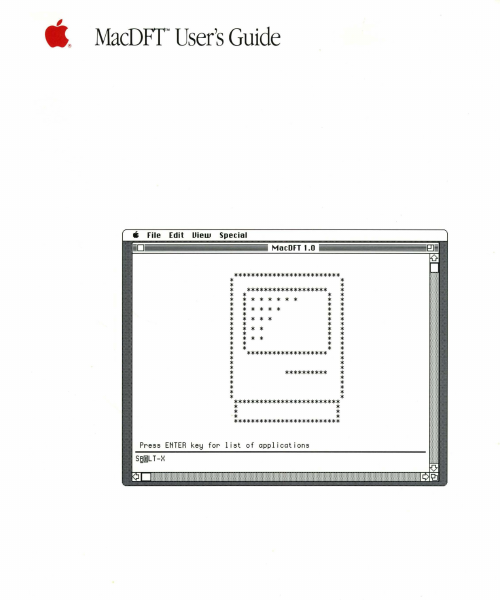
•• MacDFr"User's Guide s File Edit Uiew Special f§D Macon 1.0 ************************* ** ******************* * ** ** * * * * * * ** ** ** ** * * * * ** ** * * * * ***** ** * * * * **** ** * * * * **** ** ** ** * * * ******************* * ** * ** ** ** ********** ** ** ** ** * ************************** ** ** ** * * ************************* ** Press EHTER key for li st of application s S~l!]LT- X 111111 :;:;:: •• MacDFT™ User's Guide File Edit Uiew Special Macon 1.0 ************************* * * *** ******************** * *** ** ** * * * * * * ** ** * ** ** ** ** * ** ** ** * ** * * * * ** **** * ** * * ** ** * * ** ** * ******************* * ********** ** * *** ** ** ** ** ** * ** * ************************* * ** ** * * ************************* Press ENTER key for list of applications S APPLE COMPUTER, INC. This manual and the software described in it are copyrighted, with all rights reserved. Under the copyright laws, this manual or the software may not be copied, in whole or part, without written consent of Apple, except in the normal use of the software or to make a backup copy of the software. The same proprietary and copyright notices must be affixed to any permitted copies as were affixed to the original. This exception does not allow copies to be made for others, whether or not sold, but all of the material purchased (with all backup copies) may be sold, given, or loaned to another person. Under the law, copying includes translating into another language or format. You may use the software on any computer owned by you, but extra copies cannot be made for this purpose. The Apple logo is a registered trademark of Apple Computer, Inc. Use of the "keyboard" Apple logo (Option-Shift-k) for commercial purposes without the prior written consent of Apple may constitute trademark infringement and unfair competition in violation of federal and state laws. © Apple Computer, Inc., 1989 20525 Mariani Avenue Cupertino, CA 95014-6299 (408) 996-1010 Apple, the Apple logo, AppleTalk, LaserWriter, and Macintosh are registered trademarks of Apple Computer, Inc. A/ROSE, MacDFT, Macintosh Coprocessor Platform, and MultiFinder are trademarks of Apple Computer, Inc. IBM, SNA, and XEDIT are registered trademarks, and MVSIXA is a trademark, of International Business Machines Corporation. Illustrator is a trademark, and Postscript is a registered trademark, of Adobe Systems Incorporated. ITC Garamond and ITC Zapf Dingbats are registered trademarks of International Typeface Corporation. NuBus is a trademark of Texas Instruments. Linotronic is a registered trademark of Linotype Company. MacWrite is a registered trademark of Claris Corporation. Microsoft is a registered trademark of Microsoft Corporation. Varityper is a registered trademark, and VT600 is a trademark, of AM International, Inc. Simultaneously published in the United States and Canada. Contents Figures and tables ix Radio and television interference xii About This Gu…

Showing first 3,000 characters of 115,144 total. Open the full document →

Home Documents Macintosh 031 0124 AUX Text Editing Tools
031 0124 AUX Text Editing Tools

031 0124 AUX Text Editing Tools

Macintosh · 1990 · PDF
Filename031-0124_AUX_Text_Editing_Tools_1990.pdf
Size4.66 MB
Year1990
Subsection a_ux / aux_2.0
Downloads9
Enjoying MacTrove? Anonymous downloads are free and unlimited. Create a free account to track favorites, contribute metadata corrections, and join the community chat.
Reader
031 0124 AUX Text Editing Tools
/
Loading…
OCR / Text contents
A/UX® Text Editing Tools 031-0124' • APPLE COMPUTER, INC. © 1990, Apple Computer, Inc., and UniSoft Corporation. All rights reserved. Portions of this document have been previously copyrighted by AT&T Information Systems and the Regents of the University of California, and are reproduced with permission. Under the copyright laws, this manual may not be copied, in whole or part, without the written consent of Apple or UniSoft. The same proprietary and copyright notices must be affIxed to any permitted copies as were affIXed to the original. Under the law, copying includes translating into another language or format. The Apple logo is a registered trademark of Apple Computer, Inc. Use of the "keyboard" Apple logo (Option-Shift-K) for commercial purposes without the prior written consent of Apple may constitute trademark infringement and unfair competition in violation of federal and state laws. Apple Computer, Inc. 20525 Mariani Ave. Cupertino, California 95014 (408) 996-1010 Apple, the Apple logo, AlUX, ImageWriter, LaserWriter, and Macintosh are registered trademarks of Apple Computer, Inc. MacPaint is a registered trademark of Claris Corporation. UNIX is a registered trademark of AT&T Information Systems. Simultaneously published in the United States and Canada. 031-0124 UMlTED WARRANTY ON MEDIA AND REPlACEMENT If you discover physical defects in the manual or in the media on which a software product is distributed, Apple will replace the media or manual at no charge to you provided you return the item to be replaced with proof of purchase to Apple or an authorized Apple dealer during the 90-day period after you purchased the software. In addition, Apple will replace damaged software media and manuals for as long as the software product is included in Apple's Media Exchange Program. While not an upgrade or update method, this program offers additional protection for up to two years or more from the date of your original purchase. See your authorized Apple dealer for program coverage and details. In some countries the replacement period may be different, check with your authorized Apple dealer. AU IMPLIED WARRANTIES ON TInS MANUAL, INCLUDING IMPLIED WARRANTIES OF MERCHANTABILITY AND FITNESS FOR A PARTICULAR PURPOSE, ARE LIMITED IN DURATION TO NINETY (90) DAYS FROM THE DATE OF THE ORIGINAL RETAIL PURCHASE OF TInS PRODUCf. Even though Apple has reviewed this manual, APPLE MAKES NO WARRANTY OR REPRESENTATION, EITHER EXPRESS OR IMPLIED, WITH RESPECf TO TInS MANUAL, ITS QUALl1Y, ACCURACY, MERCHANTABWTY, OR FITNESS FOR A PARTICUlAR PURPOSE. AS A RESULT, 11IIS MANUAL IS SOlD "AS IS," AND YOU, THE PURCHASER, ARE ASSUMING THE ENTIRE RISK AS TO ITS QUAllTY AND ACCURACY. IN NO EVENT WILL APPLE BE LIABLE FOR DIRECT, INDIRECf, SPECIAL, INCIDENTAL, OR CONSEQUENTIAL DAMAGES RESULTING FROM ANY DEFECf OR INACCURACY IN TInS MANUAL, even if advised of the possibility of such damages. THE WARRANTY AND REMEDIES SET FORm ABOVE ARE EXCLUSIVE AND IN LIEU OF …

Showing first 3,000 characters of 217,348 total. Open the full document →

Home Documents NuBus Apple Address Resolution Protocol
Apple Address Resolution Protocol

Apple Address Resolution Protocol

NuBus · 1987 · PDF
FilenameApple_Address_Resolution_Protocol_19870518.pdf
Size0.57 MB
Year1987
Subsection apple / 670-0205_3Com_Ethernet
Downloads5
Enjoying MacTrove? Anonymous downloads are free and unlimited. Create a free account to track favorites, contribute metadata corrections, and join the community chat.
Reader
Apple Address Resolution Protocol
/
Loading…
OCR / Text contents
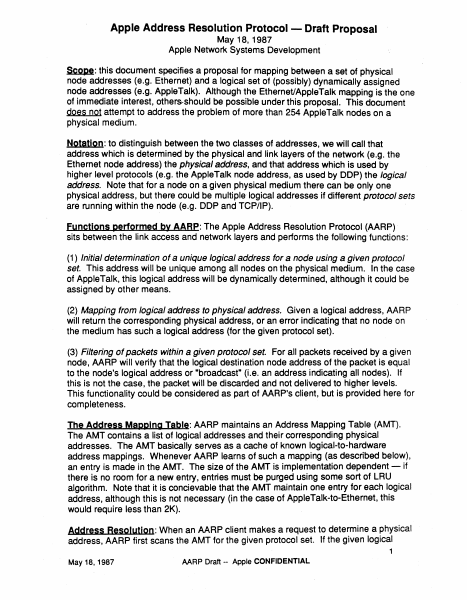
Apple Address Resolution Protocol - Draft Proposal May 18, 1987 Apple Network Systems Development Scope: this document specifies a proposal for mapping between a set of physical node addresses (e.g. Ethernet) and a logical set of (possibly) dynamically assigned node addresses (e.g. AppleTalk). Although the Ethernet/AppleTalk mapping is the one of immediate interest, others-should be possible under this proposal. This document does not attempt to address the problem of more than 254 AppleTalk nodes on a physical medium. Notation: to distinguish between the two classes of addresses, we will call that address which is determined by the physical and link layers of the network (e.g. the Ethernet node address) the physical address, and that address which is used by higher level protocols (e.g. the AppleTalk node address, as used by DDP) the logical address. Note that for a node on a given physical medium there can be only one physical .address, but there could be multiple logical addresses if different protocol sets are running within the node (e.g. DDP and TCP/IP). Functions performed by AARP: The Apple Address Resolution Protocol (AARP) sits between the link access and network layers and performs the following functions: (1) Initial determination of a unique logical address for a node using a given protocol set. This address will be unique among all nodes on the physical medium. In the case of AppleTalk, this logical address will be dynamically determined, although it could be assigned by other means. (2) Mapping from logical address to physical address. Given a logical address, AARP will return the corresponding physical address, or an error indicating that no node on the medium has such a logical address (for the given protocol set). (3) Filtering of packets within a given protocol set. For all packets received by a given node, AARP will verify that the logical destination node address of the packet is equal to the node's logical address or "broadcast" (i.e. an address indicating all nodes). If this is not the case, the packet will be discarded and not delivered to higher levels. This functionality could be considered as part of AARP's client, but is provided here for completeness. The Address Mapping Table: AARP maintains an Address Mapping Table (AMT). The AMT contains a list of logical addresses and their corresponding physical addresses. The AMT basically serves as a cache of known logical-to-hardware address mappings. Whenever AARP learns of such a mapping (as described below), an entry is made in the AMT. The size of the AMT is implementation dependent - if there is no room for a new entry, entries must be purged using some sort of LRU algorithm. Note that it is concievable that the AMT maintain one entry for each logical address, although this is not necessary (in the case of AppleTalk-to-Ethernet, this would require less than 2K). Address Resolution: When an AARP client makes a request to determine a physical address, AARP first scans the …

Showing first 3,000 characters of 13,267 total. Open the full document →

Home Documents Lisa 09 Printing
09 Printing

09 Printing

Lisa · 1984 · PDF
Filename09_Printing.pdf
Size0.35 MB
Year1984
Subsection toolkit_3.0 / Package_2_Examples
Downloads3
Enjoying MacTrove? Anonymous downloads are free and unlimited. Create a free account to track favorites, contribute metadata corrections, and join the community chat.
Reader
09 Printing
/
Loading…
OCR / Text contents
PRINTING --------...-----------------------------~----- From: To: Date: Subject: ToolKit Users 12 May 1984 - - Draft: 00:30 ToolKit Printing - Notes Printing in the ToolKit is organized around the concept of the View. Every panel's View is either "printable" or "not printable". The actual code to image a view on the printed page is the same TView.Draw which is used to image the view on the screen; the ToolKit takes care of differences between the resolution of the printer and that of the screen.form8tted Printing issues for a printable view are handled by its PrintManager. Each printable view in an appl ication has its own PrintManager, but usually an application which has more than one printable view wi II use an instance of the same TPrintManager subclass for each of its printable views. When creating a view (using TPanel.NewView or, in special cases, TView.CREATE), the application specifies the PrintManager to be used with it. Specifying NIL for the PrintManager indicates that the view is not to be printable. If a view is to be printable, there are three basic choices for its PrintManager: (1) The vanilla printManager, obtained by calling TPrintManager.CREATE - - this gives you printing but no faci lity for speCifying headings or margins. (2) The 'standard' printManager, of class TStdPrintManager, obtained by can ing TStdPrintManager.CREATE. This printManager gives the user of the apprication an interactive Headings and Margins facility. An application wishing to use this PrintManager must USE the Dialog Building Block, UDialog. (3) If an appl ication is not content with either of the above, it can define its own subclass of TPrintManager (or of TStdPrintManager). TPrintt1anager Class: SUperClass: TObject Defined Subclass: TStdPrintnanager (defined in the Dialog Building Block) Data fields: view: pageView: breakS: The view Whose printing is "anaged The view which draws the headings in the "argins of the page {the size of this view is the size Of one page} ARRAY(vhSelect] Of TArray {of LONGINT} The vertical and horizontal pagebreaks which parti tion the view up into pieces WhiCh will fit onto indivldual pages. (note: breaks[v) hOlds infor"ation for page bre~kS w~ich When drawn on the screen. are represented by verucalllnes). The represe~tation is; the absolute value gives ~he location in the vlew; the Slon tells Whether the break 1S an autOf'auc one (nonnegative) or a "anual (user-set) one (negative) The page Aargins to use when fitting view pieces onto pages; top and left are positive and botto" and right are negative. These TView TView ToolKit Printing Notes - 12 Kay 1084 - 00: 30 - Page 1 of 5 headings: canEdi tPages: Tust {of THeacling} BOOLEAN layoutDialogBox:TDialogBox fra"eBody: BOOLEAN paperLRect: LRect printableLRect: LRect contentLRect: LRect pageRiseDirection: YhSelect nuPtbers are in View resolution. hence the LRect even though the actual nURbers involvecl will be very Sf'all. The heaclings to be printed on the p…

Showing first 3,000 characters of 13,134 total. Open the full document →

Subscribe to PDF
mp.ls