Home Documents Macintosh 030 1677 C Powerbook Users Guide
030 1677 C Powerbook Users Guide

030 1677 C Powerbook Users Guide
Macintosh · PDF
Filename030-1677-C_Powerbook_Users_Guide.PDF
Size2.16 MB
Subsection powerbook
Downloads11
Enjoying MacTrove? Anonymous downloads are free and unlimited. Create a free account to track favorites, contribute metadata corrections, and join the community chat.
Reader
030 1677 C Powerbook Users Guide
/
Loading…
OCR / Text contents
Macintosh User’s Guide for Macintosh PowerBook computers ® ™ Limited Warranty on Media and Replacement Important If you discover physical defects in the manuals distributed with an Apple product or in the media on which a software product is distributed, Apple will replace the media or manuals at no charge to you, provided you return the item to be replaced with proof of purchase to Apple or an authorized Apple dealer during the 90-day period after you purchased the software. In addition, Apple will replace damaged software media and manuals for as long as the software product is included in Apple’s Media Exchange Program. While not an upgrade or update method, this program offers additional protection for two years or more from the date of your original purchase. See your authorized Apple dealer for program coverage and details. In some countries the replacement period may be different; check with your authorized Apple dealer. This equipment has been tested and found to comply with the limits for a Class B digital device in accordance with the specifications in Part 15 of FCC rules. See instructions if interference to radio or television reception is suspected. ALL IMPLIED WARRANTIES ON THE MEDIA AND MANUALS, INCLUDING IMPLIED WARRANTIES OF MERCHANTABILITY AND FITNESS FOR A PARTICULAR PURPOSE, ARE LIMITED IN DURATION TO NINETY (90) DAYS FROM THE DATE OF THE ORIGINAL RETAIL PURCHASE OF THIS PRODUCT. Even though Apple has tested the software and reviewed the documentation, APPLE MAKES NO WARRANTY OR REPRESENTATION, EITHER EXPRESSED OR IMPLIED, WITH RESPECT TO SOFTWARE, ITS QUALITY, PERFORMANCE, MERCHANTABILITY, OR FITNESS FOR A PARTICULAR PURPOSE. AS A RESULT, THIS SOFTWARE IS SOLD “AS IS,” AND YOU, THE PURCHASER, ARE ASSUMING THE ENTIRE RISK AS TO ITS QUALITY AND PERFORMANCE. IN NO EVENT WILL APPLE BE LIABLE FOR DIRECT, INDIRECT, SPECIAL, INCIDENTAL, OR CONSEQUENTIAL DAMAGES RESULTING FROM ANY DEFECT IN THE SOFTWARE OR ITS DOCUMENTATION, even if advised of the possibility of such damages. In particular, Apple shall have no liability for any programs or data stored in or used with Apple products, including the costs of recovering such programs or data. THE WARRANTY AND REMEDIES SET FORTH ABOVE ARE EXCLUSIVE AND IN LIEU OF ALL OTHERS, ORAL OR WRITTEN, EXPRESSED OR IMPLIED. No Apple dealer, agent, or employee is authorized to make any modification, extension, or addition to this warranty. Some states do not allow the exclusion or limitation of implied warranties or liability for incidental or consequential damages, so the above limitation or exclusion may not apply to you. This warranty gives you specific legal rights, and you may also have other rights which vary from state to state. DOC Class B Compliance This digital apparatus does not exceed the Class B limits for radio noise emissions from digital apparatus set out in the radio interference regulations of the Canadian Department of Communications. Observation des normes—Classe B Le prés…

Showing first 3,000 characters of 398,433 total. Open the full document →
Home Documents ADB 019000200 1090 C1 Kensington Turbo Mouse User Manual
019000200 1090 C1 Kensington Turbo Mouse User Manual

019000200 1090 C1 Kensington Turbo Mouse User Manual

ADB · 1990 · PDF
Filename019000200-1090-C1_Kensington_Turbo_Mouse_User_Manual_1990.pdf
Size0.98 MB
Year1990
Subsection Kensington
Downloads8
Enjoying MacTrove? Anonymous downloads are free and unlimited. Create a free account to track favorites, contribute metadata corrections, and join the community chat.
Reader
019000200 1090 C1 Kensington Turbo Mouse User Manual
/
Loading…
OCR / Text contents
Turbo Mouse® User Manual TURBO MOUSE USER MANUAL The contents of this manual are not intended to and do not constitute a warranty of any sort. Kensington Microware Limited specifically dis· claims any implied warranties of merchantability or fitness for any particular purpose resulting from this manual. Kensington Microware Limited reserves the right to revise and make changes to this manual (and to the Kensington product and software) from time to time without obligation to notify any person of, or to provide any person with such revision or changes. Turbo Mouse and Kensington are registered trademarks of Kensington Microware Limited. Apple, Macintosh, Finder, and TeachText are registered trademarks of Apple Computer, Inc. Any unauthorized copying, duplicating, or other reproduction of the contents hereof is prohibited without written consent from Kensington Microware Limited. Copyright © 1988, 1990 Kensington Microware Limited. All rights reserved. KENSINGTON .. Kensington Microware Limited 2855 Campus Drive San Mateo. CA 94403 (800) 535·4242 (415) 572·2700 Fax (415) 572·9675 DOCUMENT 019000200-1090-C I Turbo Mouse® User Manual TABLE OF CONTENTS Introduction Turbo Mouse Hardware ......................................................................................................................... I Personalizing Your Turbo Mouse ........................................................................................................... 1 Special Features of Turbo Mouse ADB ................................................................................................. 1 Connecting Your Turbo Mouse ...............................................................................................................3 Retiring Your Old Mouse .........................................................................................................................3 Using Your Turbo Mouse ........................................................................................................................4 Using the Chording Feature in Turbo Mouse ADB ..............................................................................5 Maintaining Your Turbo Mouse ..............................................................................................................5 Turbo Mouse Software ...........................................................................................................................6 Software Requirements ...........................................................................................................................6 Making a Backup Disk ..............................................................................................................................6 Installing the Turbo Mouse Software .....................................................................................................7 Accessing the Turbo Mouse cdev .............................................................................…

Showing first 3,000 characters of 33,490 total. Open the full document →
Home Documents Macintosh 030 0761 A AUX Text Processing Tools
030 0761 A AUX Text Processing Tools

030 0761 A AUX Text Processing Tools

Macintosh · 1990 · PDF
Filename030-0761-A_AUX_Text_Processing_Tools_1990.pdf
Size11.75 MB
Year1990
Subsection a_ux / aux_2.0
Downloads10
Enjoying MacTrove? Anonymous downloads are free and unlimited. Create a free account to track favorites, contribute metadata corrections, and join the community chat.
Reader
030 0761 A AUX Text Processing Tools
/
Loading…
OCR / Text contents
A/UX® Text Processing Tools 030-0761 • APPLE COMPUTER, INC. © 1990, Apple Computer, Inc., and UniSoft Corporation. All rights reserved. Portions of this document have been previously copyrighted by AT&T Information Systems and the Regents of the University of California, and are reproduced with permission. Under the copyright laws, this· manual may not be copied, in whole or part, without the written consent of Apple or UniSoft. The same proprietary and copyright notices must be afftxed to any permitted copies as were afftxed to the original. Under the law, copying includes translating into another language or format. The Apple logo is a registered trademark of Apple Computer, Inc. Use of the "keyboard" Apple logo (Option-Shift-K) for commercial purposes without the prior written consent of Apple may constitute trademark infringement and unfair competition in violation of federal and state laws. Apple Computer, Inc. 20525 Mariani Ave. Cupertino, California 95014 (408) 996-1010 Apple, the Apple logo, AlUX, ImageWriter, LaserWriter, and Macintosh are registered trademarks of Apple Computer, Inc. APS-5 is a trademark of Autologic. DEC is a trademark of Digital Equipment Corporation. Diablo is a registered trademark of Xerox Corporation. Hewlett-Packard 2631 is a trademark of Hewlett-Packard. 030-0761 MacPaint is a registered trademark of Claris Corporation. POSTSCRIPT is a registered trademark, and TRANSCRIPT is a trademark, of Adobe Systems, Incorporated. Teletype is a registered trademark of AT&T. TermiNet is a trademark of General Electric. UNIX is a registered trademark of AT&T Information Systems. Versatec is a registered trademark of Versatec. Wang C/AlT is a trademark of Wang Laboratories. Simultaneously published in the United States and Canada. UMITED WARRANTY ON MEDIA AND REPLACEMENT If you discover physical defects in the manual or in the media on which a software product is distributed, Apple will replace the media or manual at no charge to you provided you return the item to be replaced with proof of purchase to Apple or an authorized Apple dealer during the 90-day period after you purchased the software. In addition, Apple will replace damaged software media and manuals for as long as the software product is included in Apple's Media Exchange Program. While not an upgrade or update method, this program offers additional protection for up to two years or more from the date of your original purchase. See your authorized Apple dealer for program coverage and details. In some countries the replacement period may be different, check with your authorized Apple dealer. AIL IMPLIED WARRANTIES ON THIS MANUAL, INCLUDING IMPLIED WARRANTIES OF MERCHANTABIIlTY AND FITNESS FOR A PARTICULAR PURPOSE, ARE LIMITED IN DURATION TO NINElY (90) DAYS FROM THE DATE OF THE ORIGINAL RETAIL PURCHASE OF TInS PRODUCT. Even though Apple has reviewed this manual, APPLE MAKES NO WARRANlY OR REPRESENTATION, EITHER EXPRESS OR IMPLIED, WITH RESPECT TO nns MANU…

Showing first 3,000 characters of 500,000 total. Open the full document →
Home Documents Lisa 02 An Introduction To Clascal Jul84
02 An Introduction To Clascal Jul84

02 An Introduction To Clascal Jul84

Lisa · PDF
Filename02_An_Introduction_To_Clascal_Jul84.pdf
Size2.17 MB
Subsection toolkit_3.0 / Package_2_Examples
Downloads10
Enjoying MacTrove? Anonymous downloads are free and unlimited. Create a free account to track favorites, contribute metadata corrections, and join the community chat.
Reader
02 An Introduction To Clascal Jul84
/
Loading…
OCR / Text contents
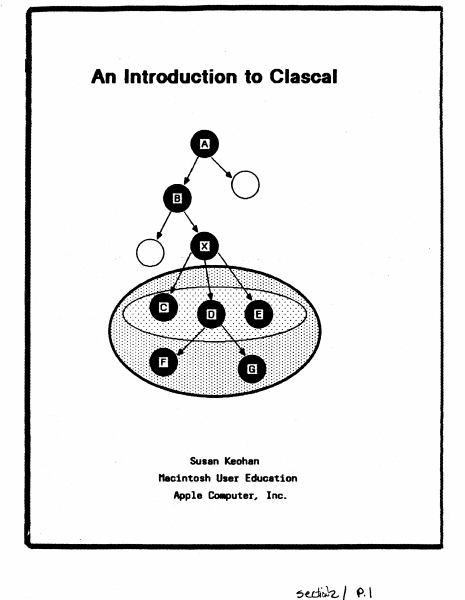
An Introduction to Clascal Susan Keohan nacintoshUser Education Apple Co.puter, Inc. Preface This is a conceptual introduction to ClascaL not a reference manual. Example programs and syntax diagrams follow the text. The purpose of this document is to introduce experienced Pascal programmers to the concepts necessary to make the transition from a traditional procedure-oriented environment to Clascal's . object-oriented environment. This document assumes you are familiar with Lisa Pascal and QuickDraw. All programs and program fragments are boldface in this document. for example, thisShape.Erase is a program fragment. Table of Contents Introduction ...... . Comparing Pascal and Clascal Pascal. Clascal Class Types. Objects Methods 1 1 ••2 ••4 . , ,. 8 ·.9 12 SELF. 16 Class Hierarchy and Inheritance Assignment Checking and Typecasting . . Creating and Freeing Objects StPERSELF and Extensibility ..... . Clascal vs. Pascal .....•.. Clascal and the Lisa Applications ToolKit. .hen to Use the Clascal Extensions Advanced Topics .... The Example Programs 17 20 21 22 25 26 26 27 30 .. J./~ AI7 InlrDtb:fion to CI6SC61 "1y198*, An Introduction to Clascal Introduction ellsoll is I set of extensions to Lisl Pasoal that adds objects and classes of objects to the language. The sesaantic extensions of elascal were inspired by the language s.Blltalk 76. The syntactic extensions were influenced by the language SillJII 67.. It is not necessary to know s.alltalk or Simula before learning elascal. elascal differs little fro. Pascal syntactically. The ..jor difference between the languages is in progr_ing technique. bn you write a Pascal proor., your procedure and fooction specifications are separate fro. your data structure specifications. When a Pasoal proor. is rCA data is passed to a procedure or function, and the procedure or function acts on the data. In elascal the data structures of an object and its procedures and functions'ar~ specified together 1n a class declaration. Ihen the program is rWl, objects are created. These objects use the functions and procedures that the program.er specified when defining the data structure. All the operations that an object eM perf0111 are defined by the object's class. As a result, progr.. modularity is i~roYed. In Pascal, to add new variations to an old data type, you ..st either define new types inc~atible rith the old type, or. edit existing code to add new cases to a variant record type and to procedures that act on that type. In ClasoaL you can define subclasses of existing classes without editing existing code Met without introducing incDq)atible types. As a result, progr_ extensibility is illproved. CCJIIparing Pasc.l and Clascal Clascal is a superset of Lisa Pascal. Because the readers of this doc\IIent are Pascal progr...ers, CI.scal oonoepts are CGIIPIred to Pascal concepts throughout. this doouIent. As a Pascal progrlllller, you should have little difficulty adjusting to ClesoaL because III)St of w…

Showing first 3,000 characters of 62,562 total. Open the full document →

Home Documents Macintosh 030 0787 A AUX Toolbox Macintosh ROM Interface
030 0787 A AUX Toolbox Macintosh ROM Interface

030 0787 A AUX Toolbox Macintosh ROM Interface

Macintosh · 1990 · PDF
Filename030-0787-A_AUX_Toolbox_Macintosh_ROM_Interface_1990.pdf
Size9.09 MB
Year1990
Subsection a_ux / aux_2.0
Downloads11
Enjoying MacTrove? Anonymous downloads are free and unlimited. Create a free account to track favorites, contribute metadata corrections, and join the community chat.
Reader
030 0787 A AUX Toolbox Macintosh ROM Interface
/
Loading…
OCR / Text contents
A/UX®Toolbox: Macintosh®ROM Interface .® A/UX® Toolbox: Macintosh® ROM Interface 030-0787-A • APPLE COMPUTER, INC. © 1990, Apple Computer, Inc. All rights reserved. No part of this publication may be reproduced, stored in a retrieval system, or transmitted, in any form or by any means, mechanical, electronic, photocopying, recording, or otherwise, without prior written permission of Apple Computer, Inc. Printed in the United States of America. The Apple logo is a registered trademark of Apple Computer, Inc. Use of the "keyboard" logo (OptionShift-K) for commercial purposes without the prior written consent of Apple may constitute trademark infringement and unfair competition in violation of federal and state laws. Apple Computer, Inc. 20525 Mariani Ave. Cupertino, California 95014 (408) 996-1010 Apple, the Apple logo, AppleLink, AppleShare, AppleTalk, A!UX, LaserWriter, LocalTalk, Macintosh, MacTCP, MPW, MultiFinder and SANE are registered trademarks of Apple Computer, Inc. APDA, Finder, MacX, QuickDraw, ResEdit and SuperDrive are trademarks of Apple Computer, Inc. Ethernet is a registered trademark of Xerox Corporation. ITC Garamond and ITC Zapf Dingbats are registered trademarks of International Typeface Corporation. Microsoft is a registered trademark of ¥icrosoft Corporation. NuBus is a trademark of Texas Instruments. 030-0787-A POSTSCRIPT is a registered trademark, and Illustrator is a trademark of Adobe Systems, Incorporated. UNIX is a registered trademark of AT&T. Simultaneously published in the United States and Canada. LIMITED WARRAN1Y ON MEDIA AND REPLACEMENT If you discover physical defects in the manual or in the media on which a software product is distributed, Apple will replace the media or manual at no charge to you provided you return the item to be replaced with proof of purchase to Apple or an authorized Apple dealer during the 90-day period after you purchased the software. In addition, Apple will replace damaged software media and manuals for as long as the software product is included in Apple's Media Exchange Program. While not an upgrade or update method, this program offers additional protection for up to two years or more from the date of your original purchase. See your authorized Apple dealer for program coverage and details. In some countries the replacement period may be different; check with your authorized Apple dealer. All IMPLIED WARRANTIES ON THIS MANUAL, INCLUDING IMPLIED WARRANTIES OF MERCHANTABILITY AND FITNESS FOR A PARTICULAR PURPOSE, ARE LIMITED IN DURATION TO NINE1Y (90) DAYS FROM THE DATE OF THE ORIGINAL RETAn PURCHASE OF TIDS PRODUCT. Even though Apple has reviewed this manual, APPLE MAKES NO WARRANTY OR REPRESENTATION, EITHER EXPRESS OR IMPLIED, WITH RESPECT TO THIS MANUAL, ITS QUALITY, ACCURACY, MERCHANTABIllTY, OR FITNESS FOR A PARTICULAR PURPOSE. AS A RESULT, THIS MANUAL IS SOLD "AS IS," AND YOU, THE PURCHASER, ARE ASSUMING THE ENTIRE RISK AS TO ITS QUALITY AND ACCURACY. IN NO EVENT WIL…

Showing first 3,000 characters of 381,459 total. Open the full document →

Home Documents ADB Front Desk Bus An Alternative Proposal
Front Desk Bus An Alternative Proposal

Front Desk Bus An Alternative Proposal

ADB · 1984 · PDF
FilenameFront_Desk_Bus_An_Alternative_Proposal_19840820.pdf
Size0.28 MB
Year1984
Subsection fdb
Downloads4
Enjoying MacTrove? Anonymous downloads are free and unlimited. Create a free account to track favorites, contribute metadata corrections, and join the community chat.
Reader
Front Desk Bus An Alternative Proposal
/
Loading…
OCR / Text contents
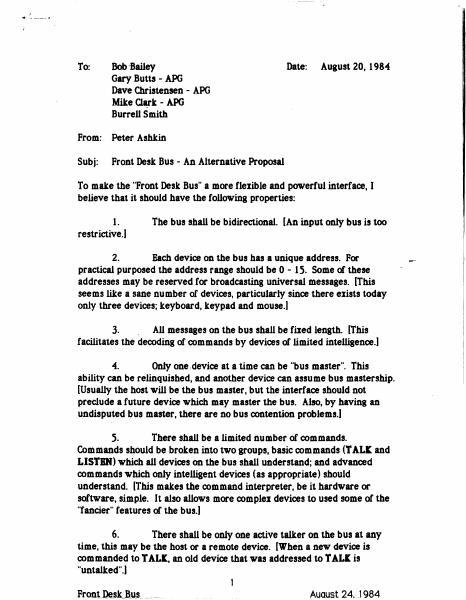
I ~' - --~-" To: Bob-Bailey Gary Butts - APG Dave Christensen - APG Mike Clark - - APG Burrell Smith From: Peter Ashkin Subj: Front Desk Bus - An Alternative Proposal Date: August 20, 1984 To make the "Front Desk Bus" a more fleiible and powerful interface, I believe that it should have the following properties: The bus shall be bidirectional. [An input only bus is too 1. restrictive.) 2. Each device on the bus has a unique address. For practical purposed the address range should be 0 - 15. Some of these addresses may be reserved for broadcasting universal messages. (This seems like a sane number of devices, particularly since there eiists today only three devices; keyboard, keypad and mouse.) 3. . All messages on the bus shall be filed length. (This facilitates the decoding of commands by devices of limited intelligence.) 4. Only one rdevice at a time can be "bus master". This ability can be relinquished, and another device can assume bus mastership. (Usually the host will be the bus master, but the interface should not preclude a future device which may master the bus. Also, by having an undisputed bus master, there are no bus contention problems.) 5. There shall be a limited number of commands. Commands should be broken into two groups, basic commands (T AL~ and LISTBN) which all devices on the bus shall understand; and advanced commands which only intelligent devices (as appropriate) should understand. (This makes the command interpreter, be it hardware or software, simple. It also allows more comple1 devices to used some of the "fancier" teatures of the bus.) There shall be only one active talker on the bus at any time, this may be the host or a remote device. (When a new device is commanded to T ALl, an old device that was addressed to T ALl is "untalked".) 6. FrontJ&s_k_B_u_s__ ~,-- __ _ Auaus.t 24. J 984 7. Bus must accept devices that talk at different speeds. The host, -at-a· minimum, must be able to listen at various speeds. (This implies that the data on the bus must be se1f-clocked... By not rigidly filing the speed of transmission, the bus does not need to be crystal (etc.) controlled.] 11 8. There can be multiple active listeners on the bus. (Listen commands are additive, as needed, multiple devices can be addressed to listen. To remove a selected listener, a special Unlisten" command is sent to globally deselect all listeners.) 11 9. An interrupt mechanism must be available which circumvents the needs to poll devices that need service. (Since the bus is relatively slow, the interrupt latency time in a polled environment is long. The ability to interrupt the master for service is important.) 10. There shall eiist a mechanism that sends a unique message that puts all devices on the bus into the command (reset) mode. (This is important if for some reason the bus gets hung".) 11 11. There should be a minimum number of "time-outs" needed on the bus. The only needed time out should be to time out a non-responsi…

Showing first 3,000 characters of 9,168 total. Open the full document →

Home Documents Macintosh Servant A New Shell For The Macintosh
Servant A New Shell For The Macintosh

Servant A New Shell For The Macintosh

Macintosh · 1987 · PDF
FilenameServant_A_New_Shell_for_the_Macintosh_1987.pdf
Size2.34 MB
Year1987
Downloads13
Enjoying MacTrove? Anonymous downloads are free and unlimited. Create a free account to track favorites, contribute metadata corrections, and join the community chat.
Reader
Servant A New Shell For The Macintosh
/
Loading…
OCR / Text contents
Servant A New Shell for the Macintosh Program by Andy·Hertzfeld Documentation by Scott Kronick If you wish your name to be placed on the Documentation Update' mailing list, please fill out this page and send it to: Servant Documentation Update 1442A Walnut Street. Suite 278 Berkeley. CA 94709 You can also use this form to order additional copies of the Servant documentation and Scott Kronick's programming textbooks. Please enclose a check or money order only, made out to "Sco" Kronick." Prices include postage. __Servant: A New Shell for the Macintosh ($10.00) __MPW and Assembly Language Programming ($24.95) __Macintosh Pascal Illustrated: The Fear and Loathing Guide ($16.95) __Instant Pascal Illustrated: Fear and Loathing on the Apple II ($18.95) Name ___________________________________ Street~ Ci~ _________________________________ ___________________________________ State and Zip Code________________ Did you obtain Servant through a friend, electronic service, users group or other? ___________________ Servant A New Shell for the Macintosh ,Program by Andy Hertzteld Documentation by Scott Kronick Copyright © 1987 by Scott Kronick All rights reserved. No part of this publication may be reproduced, stored in a retrieval system, or transmitted, in any form or by any means, electronic, mechanical, photocopying, recording, or otherwise, without the prior written permission of the author. Printed in the United States of America. Products that are known by the author to be claimed as trademarks appear in initial caps. This publication is intended for informational purposes only and is subject to change without notice. The author assumes no liability for any errors or inaccuracies that may appear in this text. Contents 1 Introduction to Servant How is the manual organized? What hardware and system versions does Servant require? How is Servant being released? Where can I send feedback about Servant? 7 Chapter 1: Exploring the New Desktop Starting Servant Using the Cursor to Push and Select Selecting More than One Icon or Selecting None Bringing the Entire Desktop into View Viewing Size and Information Formats 21 Chapter 2: Adding Special Touches Making Custom Icons and Using Folder Tricks Setting the Background and the Startup Application Making Servant Talk 33 Chapter 3: Using the Desktop and Applications Together Launching an Application Switching between an Application and the Desktop Adding Another Application Switching Tips 45 Chapter 4: Exploring Resources Understanding Resources Opening a Resource Playing with the System and its Desktop Icons 57 Chapter 5: Servant Reference Annotated List of Features Topic Index to Features Graphic Index to Features Introduction to Servant When you turn on a Macintosh and insert a disk, you expect to see a desktop and its icons. This is the starting point for you to work with disks and launch applications. Servant replaces the old starting point (created by the Finder program in the …

Showing first 3,000 characters of 101,108 total. Open the full document →

Home Documents Macintosh 031 0127 AUX Programming Languages And Tools Volume 2
031 0127 AUX Programming Languages And Tools Volume 2

031 0127 AUX Programming Languages And Tools Volume 2

Macintosh · 1990 · PDF
Filename031-0127_AUX_Programming_Languages_And_Tools_Volume_2_1990.pdf
Size10.14 MB
Year1990
Subsection a_ux / aux_2.0
Downloads9
Enjoying MacTrove? Anonymous downloads are free and unlimited. Create a free account to track favorites, contribute metadata corrections, and join the community chat.
Reader
031 0127 AUX Programming Languages And Tools Volume 2
/
Loading…
OCR / Text contents
A/UX® Programming Languages and Tools, Volume 2 031-0127 • APPLE COMPUTER, INC. © 1987, 1988, Apple Computer, Inc., and UniSoft Corporation. © 1990, Apple Computer, Inc. All rights reserved. Portions of this document have been previously copyrighted by AT&T Information Systems and the Regents of the University of California, and are reproduced with permission. Under the copyright laws, this manual may not be copied, in whole or part, without the written consent of Apple. The same proprietary and copyright notices must be affIxed to any permitted copies as were affixed to the original. Under the law, copying includes translating into another language or format. The Apple logo is a registered trademark of Apple Computer, Inc. Use of the "keyboard" Apple logo (Option-Shift-K) for commercial purposes without the prior written consent of Apple may constitute trademark infringement and unfair competition in violation of federal and state laws. Apple Computer, Inc. 20525 Mariani Ave. Cupertino, California 95014 (408) 996-1010 Apple, the Apple logo, A!UX, ImageWriter, LaserWriter, and Macintosh are registered trademarks of Apple Computer, Inc. MacPaint is a registered trademark of Claris Corporation. UNIX is a registered trademark of AT&T Information Systems. Simultaneously published in the United States and Canada. 031-0127 LIMITED WARRAN1Y ON MEDIA AND REPLACEMENT If you discover physical defects in the manual or in the media on which a software product is distributed, Apple will replace the media or manual at no charge to you provided you return the item to be replaced with proof of purchase to Apple or an authorized Apple dealer during the 90-day period after you purchased the software. In addition, Apple will replace damaged software media and manuals for as long as the software product is included in Apple's Media Exchange Program. While not an upgrade or update method, this program offers additional protection for up to two years or more from the date of your original purchase. See your authorized Apple dealer for program coverage and details. In some countries the replacement period may be different; check with your authorized Apple dealer. All IMPLIED WARRANTIES ON THIS MANUAL, INCLUDING IMPliED WARRANTIES OF MERCHANTABll..ITY AND FITNESS FOR A PARTICULAR PURPOSE, ARE LIMITED IN DURATION TO NINETY (90) DAYS FROM TIlE DATE OF TIlE ORIGINAL RETAIL PURCHASE OF TInS PRODUCf. Even though Apple has reviewed this manual, APPLE MAKES NO WARRANTY OR REPRESENTATION, EITHER EXPRESS OR IMPLIED, WITH RESPECT TO TInS MANUAL, ITS QUAUTY, ACCURACY, MERCHANTABILITY, OR FITNESS FOR A PARTICULAR PURPOSE. AS A RESULT, TInS MANUAL IS SOLD "AS IS," AND YOU, mE PURCHASER, ARE ASSUMING mE ENTIRE RISK AS TO ITS QUAUTY AND ACCURACY. IN NO EVENT WILL APPLE BE UABLE FOR DIRECT, INDIRECT, SPECIAL, INCIDENTAL, OR CONSEQUENTIAL DAMAGES RESULTING FROM ANY DEFECT OR INACCURACY IN mIS MANUAL, even if advised of the possibility of such damages. mE WARRANTY AND REMEDI…

Showing first 3,000 characters of 483,719 total. Open the full document →

Home Documents Macintosh 030 0778 A AUX Network System Administration
030 0778 A AUX Network System Administration

030 0778 A AUX Network System Administration

Macintosh · 1990 · PDF
Filename030-0778-A_AUX_Network_System_Administration_1990.pdf
Size10.71 MB
Year1990
Subsection a_ux / aux_2.0
Downloads10
Enjoying MacTrove? Anonymous downloads are free and unlimited. Create a free account to track favorites, contribute metadata corrections, and join the community chat.
Reader
030 0778 A AUX Network System Administration
/
Loading…
OCR / Text contents
A/UX®Network System Administration .® A/UX® Network System Administration 030-0778-A • APPLE COMPUTER, INC. e 1990, Apple Computer, Inc., and UniSoft Corporation. All rights reserved. ITC Zapf Dingbats are registered trademarks of International Typeface Corporation. Portions of this document have been previously copyrighted by AT&T Information Systems and the Regents of the University of California, and are reproduced with permission. Under the copyright laws, this manual may not be copied, in whole or part, without the written consent of Apple or UniSoft. The same proprietary and copyright notices must be affIxed to any permitted copies as were affIXed to the original. Under the law, copying includes translating into another language or format. MacPaint is a registered trademark of Claris Corporation. The Apple logo is a registered trademark of Apple Computer, Inc. Use of the "keyboard" Apple logo (Option-Shift-K) for commercial purposes without the prior written consent of Apple may constitute trademark infringement and unfair competition in violation of federal and state laws. VAX is a trademark of Digital Equipment Corporation. Apple Computer, Inc. 20525 Mariani Ave. Cupertino, California 95014 (408) 996-1010 Apple, the Apple logo, AppleShare, AppleTalk, A/ux, ImageWriter, LaserWriter, and Macintosh are registered trademarks of Apple Computer, Inc. APDA, EtherTalk, and LocalTalk are trademarks of Apple Computer, Inc. B-NET is a registered trademark of UniSoft Corporation. Ethernet is a registered trademark of Xerox Corporation. 030-0778-A Microsoft is a registered trademark of Microsoft Corporation. NFS is a registered trademark of Sun Microsystems. POSTSCRIPT is a registered trademark, and Illustrator is a trademark of Adobe Systems, Incorporated. UNIX is a registered trademark and 3B20 is a trademark of AT&T Information Systems. Simultaneously published in the United States and Canada. LIMITED WARRANlY ON MEDIA AND REPLACEMENT If you discover physical defects in the manual or in the media on which a software product is distributed, Apple will replace the media or manual at no charge to you provided you return the item to be replaced with proof of purchase to Apple or an authorized Apple dealer during the 90-day period after you purchased the software. In addition, Apple will replace damaged software media and manuals for as long as the software product is included in Apple's Media Exchange Program. While not an upgrade or update method, this program offers additional protection for up to two years or more from the date of your original purchase. See your authorized Apple dealer for program coverage and details. In some countries the replacement period may be different; check with your authorized Apple dealer. ALL IMPLIED WARRANTIES ON TIllS MANUAL, INCLUDING IMPllED WARRANTIES OF MERCHANTABILI1Y AND FITNESS FOR A PARTICULAR PURPOSE, ARE LIMITED IN DURATION TO NINElY (90) DAYS FROM TIlE DATE OF THE ORIGINAL RETAIL PURCHASE…

Showing first 3,000 characters of 487,059 total. Open the full document →

Home Documents PowerPC Apple Porting To PowerPC Jun1993
Apple Porting To PowerPC Jun1993

Apple Porting To PowerPC Jun1993

PowerPC · 1993 · PDF
FilenameApple_Porting_to_PowerPC_Jun1993.pdf
Size7.81 MB
Year1993
Subsection developerUniversity
Downloads10
Enjoying MacTrove? Anonymous downloads are free and unlimited. Create a free account to track favorites, contribute metadata corrections, and join the community chat.
Reader
Apple Porting To PowerPC Jun1993
/
Loading…
OCR / Text contents
R&D University Porting to PowerPC ( sitv ," { ... PowerPC .dl ij''":oftllb ,.";' : .,.J:>£,--:1 :.' '>~", :)dt\Ulration strategies for PowerPC ' . ,. , ..' . d'C ,an4'~;Th1i;-,b~YF;become the ~~9h~p()~~~§ this decade, and most of the development tools that are available are geared towards these languages. Because of this, the earliest PowerPC development tools will be oriented towards C and C+ + programmers. However, since many ,". devel~ve WtlitmrlttlllffiIlflmductsirt Wt~es.()ther than C or C+ +, we'll take a quick look at theii:i{iptions WffioVing11OipowerPC. ' '. 811'r g.lig;,_"j:)IDilor-:;n, '. , li1 ~)!i;, Gii'. ,., .. ).)" _ . Pascal Development ,')JHJO?, I"IJ ~i;' Pascal developers have a{ew:~when ~~ng-the.ir code to PowerPC: - Wai~ for:a third-party Pasca[compiler~MetroWer~ is producing a Pascal compilers for PowerPC. ~:~b::~~~~~!~j~~~~~.oo:~t~p~:who - Re~ U'fC or C+ +: This approach, while potentially difficult, gives you the widest range of po :::.;Wityloptions to PowerPC and other p1a,tfonJ1S (ifyou should ever choose to go crosspla tp', '; 1;HH rol - uset~:;:;as.ql t~~conversion tool: Sierra ~~are has produced "~2C", which converts P~ or Object PjlSCal to QC+ +. Several groups Wlthm Apple have used thIS too~ and most of them didn't like~W~fe ~ loo~~g for a better solution. , ..... ' uJ~h~I;j~!~~Hd:_:(a spin-off of Bell Labs) makes "FlashPort", a tool which treats your compiled application as the input to a compiler which emits PowerPC object code. This yields an application which is faster than a strictly emulated 680xO application, but somewhat slower and larger than an applkation re-compiled for PowerPC from its original sources. " - Port as ~tich as ~ible/and emulate non-portable parts via Mixed mode: This is a reasonable ) ~atq~gy.~rtt}t.~a~~me parts of your code that are not processor intensive and which would be (,~~4hp:~()!f/«Q~ever, remember that you will not get the full performance benefits that a .lm~re '&rWplele pbhmg job would yield. Assembly-Language Development Assembly-language programmers cannot simply re-compile for PowerPC; some sort of porting will be required Our recommendation is that you re-write your assembly code as portable C source code. While many assembly language programmers feel that this is a poor chOice, the design of the PowerPC Macintosh removes many of the reasons that developers write in assembly language. The 4 major reasons developers write in assembly language are 1) speed, 2) linking different calling conventions together, 3) addressing custom hardware installed in a particular machine, or 4) a need to jump to a particular routine instead of using a subroutine call. We'll look at how the PowerPC programming model addresses each of these issues. Migration Strategies for PowerPC Page 1 • The first case, speed, should be handled adequately by the optimizing Ccompilers. Creating optimized code for the PowerPC is no easy feat, and it is easy to overlook one rule or another wh…

Showing first 3,000 characters of 155,216 total. Open the full document →

Subscribe to PDF
mp.ls