Home Documents Macintosh MacApp 2.0 Object And Method Reference
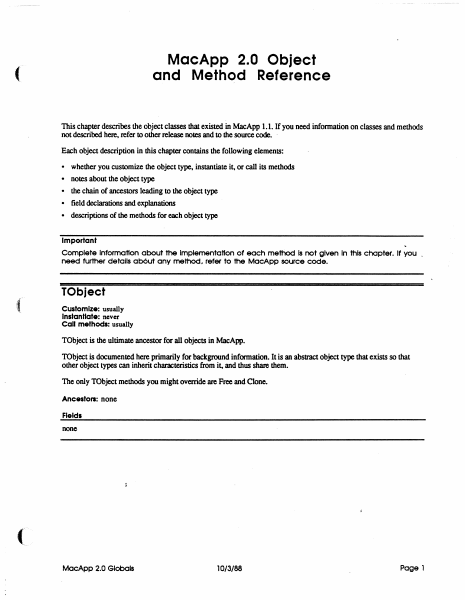
MacApp 2.0 Object And Method Reference

MacApp 2.0 Object And Method Reference
Macintosh · PDF
FilenameMacApp_2.0_Object_and_Method_Reference_198810.pdf
Size3.08 MB
Subsection developer / MacApp / MacApp_2.0b5
Downloads2
Enjoying MacTrove? Anonymous downloads are free and unlimited. Create a free account to track favorites, contribute metadata corrections, and join the community chat.
Reader
MacApp 2.0 Object And Method Reference
/
Loading…
OCR / Text contents
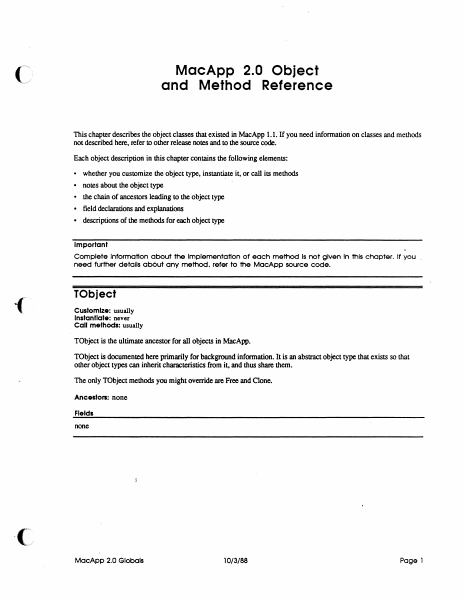
MacApp 2.0 Object and Method Reference ( This chapter describes the object classes that existed in MacApp 1.1. If you need infonnation on classes and methods not described here, refer to other release notes and to the source code. . Each object description in this chapter contains the following elements: • • • • • whether you customize the object type. instantiate it, or call its methods notes about the Object type the chain of ancestors leading to the object type field declarations and explanations descriptions of the methods for each object type Important Complete Information about the Implementation of each method Is not given In this chapter. It you _ need further details ab6ut any method, refer to the MocApp source code. TObject Customize: usually Instantiate: never Call methods: usually TObject is the ultimate ancestor for all objects in MacApp. TObject is documented here primarily for background information. It is an abstract object type that exists so that other object types can inherit characteristics from it, and thus share them. The only TObject methods you might override are Free and Clone. Ancestors: none Fields none MocApp 2.0 Globels 10/3/88 Page 1 Clone FUNCTION TOb ject. Clone: TOb ject; The return value An exact copy of the calling object Purpose To clone dependent objects referred to by the fields of an object as well as cloning the object itself. An object is dependent on another object when the second object has the only (or the only important) reference to the fU'St object Dependency is a relatively vague condition; when you override this method. you need to determine what objects are dependent on SELF. The default version Calls ShallowClone. and thus clones only the object itself Override Sometimes Call Sometimes Free PROCEDURE TObject.Free; Purpose To free the calling object and any dependent objects referred to by its fields. An' object is dependent on another object when the second object has the only (or the only important) reference to the fU'St object Dependency is a relatively vague condition; when you override this method. you need to determine what objects are dependent on SELF. The default version Calls ShallowFree Override Often. Your version should free any dependent objects you have added for your customization and then call INHERITED Free so that any ancestor methods can free other dependent objects. The chain of INHERlTED calls leads to TObjectFree. which calls TObject.ShallowFree. which frees SELF. Call Often ShallowClone FUNCTION TObject.ShallowClone: TObject; The return value Purpose This is the lowest-level method for copying an object Called by TObjectOone The default version Calls HandToHand. an Inside Macintosh routine, to copy the object data Override Never Call Rarely MacApp 2.0 Globals 10/3/88 Page 2 Shallow Free PROCEDURE ( TObject.ShallowFree; Purpose This is lhe lowest-level method for freeing an object Called by TObjecLFree The default v…

Showing first 3,000 characters of 78,076 total. Open the full document →
Home Documents Macintosh MacApp 2.0 Globals
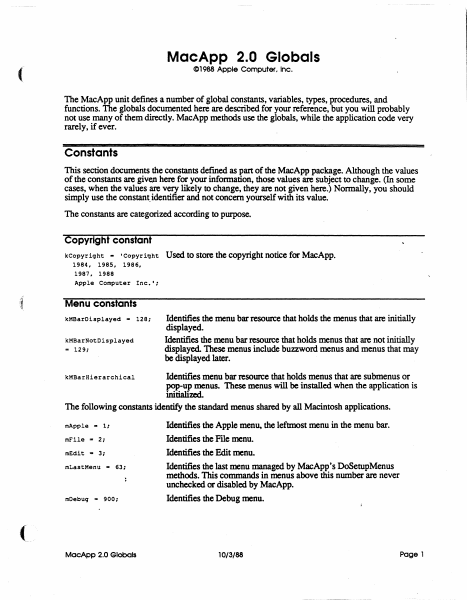
MacApp 2.0 Globals

MacApp 2.0 Globals

Macintosh · 1988 · PDF
FilenameMacApp_2.0_Globals_1988.pdf
Size1.56 MB
Year1988
Subsection developer / MacApp / MacApp_2.0b5
Downloads2
Enjoying MacTrove? Anonymous downloads are free and unlimited. Create a free account to track favorites, contribute metadata corrections, and join the community chat.
Reader
MacApp 2.0 Globals
/
Loading…
OCR / Text contents
MacApp 2.0 Globals C1988 Apple Computer. Inc. ( The MacApp unit defines a number of global constants, variables, types, procedures, and functions. The globals documented here are described for your reference, but you will probably not use many of them directly. MacApp methods use the globals, while the application code very rarely, if ever. Constants This section documents the constants defmed as part of the MacApp package. Although the values of the constants are given here for your information, those values are subject to change. (In some cases, when the values are very likely to change, they are not given here.) Normally, you should simply use the constant. identifier and not concern yourself with its value. The constants are categorized according to purpose. Copyright constant kCopyriqht - 'Copyright 1984, 1985, 1986, 1987. 1988 Apple Computer Inc.'; ,t Used to store the copyright notice for MacApp. Menu constants kMBarDisplayed - 128; kMBarNotDisplayed .. 129; Identifies the menu bar resource that holds the menus that are initially displayed. Identifies the menu bar resource that holds menus that are not initially displayed. These menus include buzzword menus and menus that may be displayed later. Identifies menu bar resource that holds menus that are submenus or pop-up menus. These menus will be installed when the application is initialimL The following constants identify the standard menus shared by all Macintosh applications. kMBarHierarchical mApple - 1: mFile - 2: mEdit - 3; mLastMenu '" 63: mDebuq '" 900: MacApp 2.0 Globals Identifies the Apple menu, the leftmost menu in the menu bar. Identifies the File menu. Identifies the Edit menu. Identifies the last menu managed by MacApp's DoSetupMenus methods. This commands in menus above this number are never unchecked or disabled by MacApp. Identifies the Debug menu. 10/3/88 Page 1 Command numbers The command numbers listed here are passed to your methods, generally to gTargetDoMenuCommand Most are passed as a result of the user picking a menu command; command numbers are alsO used for other types of commands, such as typing or mouse commands. When the description says "MacApp catches this," that means that the MacApp DoMenuCommand methods will handle those command numbers, often by calling application methods. cNoCommand Command number representing no command. MacApp catches this. cAboutApp Identifies the About <AppNme>..• command. MacApp catches this. File menu commands Identifies the New command MacApp catches this. (See also cNew .. 10; cNewLast.) cNewLast - 19; cSave .. 30; cClose - 31; cSaveAs .. 32; cSaveCopy - 33; cRevert .. 34; cOpen - 20; cOpenLast .. 29; cPaqeSetup - 176; cPr intOne - 177; cPrint - 178; cPrintToFile - 179; cPrFileBase - 176; cPrFileMax .. 195; cPrViewBase .. 201; cPrViewMax .. 250; cQuit - 36; MacApp 2.0 Globais Identifies the last New command MacApp provides a range of New commands for applications that have diff…

Showing first 3,000 characters of 37,364 total. Open the full document →

Home Documents Macintosh Macintosh Allegro Common LISP Foreign Function Interface
Macintosh Allegro Common LISP Foreign Function Interface

Macintosh Allegro Common LISP Foreign Function Interface

Macintosh · PDF
FilenameMacintosh_Allegro_Common_LISP_Foreign_Function_Interface.pdf
Size1.44 MB
Subsection developer / Macintosh_Allegro_Common_LISP
Downloads2
Enjoying MacTrove? Anonymous downloads are free and unlimited. Create a free account to track favorites, contribute metadata corrections, and join the community chat.
Reader
Macintosh Allegro Common LISP Foreign Function Interface
/
Loading…
OCR / Text contents
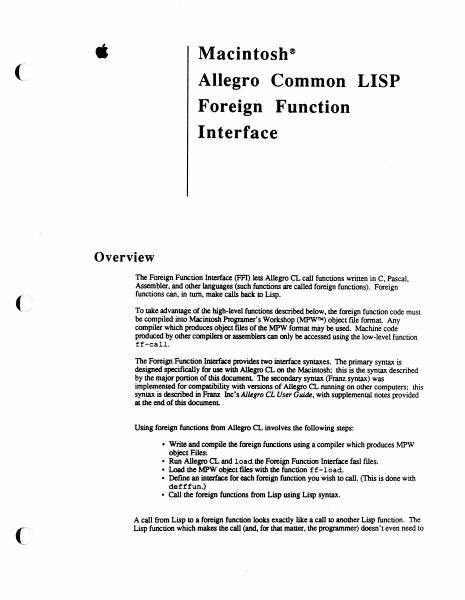
é Macintosh? Allegro Common LISP Foreign Function Interface Overview The Foreign Function Interface (FFI) lets Allegro CL call functions written in C, Pascal, Assembler, and other languages (such functions are called foreign functions). Foreign functions can, in turn, make calls back to Lisp. To take advantage of the high-level functions described below, the foreign function code must be compiled into Macintosh Programer’s Workshop (MPW™) object file format. Any compiler which produces object files of the MPW format may be used. Machine code produced by other compilers or assemblers can only be accessed using the low-level function ff-call. The Foreign Function Interface provides two interface syntaxes. The primary syntax is designed specifically for use with Allegro CL on the Macintosh; this is the syntax described by the major portion of this document. The secondary syntax (Franz syntax) was implemented for compatibility with versions of Allegro CL running on other computers; this syntax is described in Franz Inc’s Allegro CL User Guide, with supplemental notes provided at the end of this document. Using foreign functions from Allegro CL involves the following steps: * Write and compile the foreign functions using a compiler which produces MPW object Files. ¢ Run Allegro CL and load the Foreign Function Interface fas! files. ¢ Load the MPW object files with the function f£-1load. * Define an interface for each foreign function you wish to call. (This is done with defffun.) Call the foreign functions from Lisp using Lisp syntax. A call from Lisp to a foreign function looks exactly like a call to another Lisp function. The Lisp function which makes the call (and, for that matter, the programmer) doesn’t even need to Allegro Foreign Function Interface know that the function called was written in a different language. Installation The files required to use the foreign function interface are found in the folder "Foreign Function Folder." You may wish to move the files "££.fasi" and "defforeign.fas1" into a directory included in your *module-search-path*. To use the foreign function interface, run Allegro CL and load the file "££.fasl". If you wish to use Franz syntax, you must also load the file "defforeign.fasl". Foreign Function Interface Operations £f£-load files &key :entry-names :libraries [Function] :library-entry-names :ffenv-name :replace loads the MPW object files specified by files, and returns a foreign function environment. The foreign function environment returned consists of code segments, a jump table, a static data area, and a collection of active entry point names. Dead code removal is performed so that only code and data reachable from the active entry points will be included in the environment. files should be a filename, pathname or a list of filenames and pathnames of MPW object files. :entry-names a list of strings naming all the entry points in files which should be active. If :ent ry-names is not specif…

Showing first 3,000 characters of 22,104 total. Open the full document →

Home Documents Macintosh Macintosh Allegro Common LISP Version 1.2 Release Notes
Macintosh Allegro Common LISP Version 1.2 Release Notes

Macintosh Allegro Common LISP Version 1.2 Release Notes

Macintosh · PDF
FilenameMacintosh_Allegro_Common_LISP_Version_1.2_Release_Notes.pdf
Size4.03 MB
Subsection developer / Macintosh_Allegro_Common_LISP
Downloads2
Enjoying MacTrove? Anonymous downloads are free and unlimited. Create a free account to track favorites, contribute metadata corrections, and join the community chat.
Reader
Macintosh Allegro Common LISP Version 1.2 Release Notes
/
Loading…
OCR / Text contents
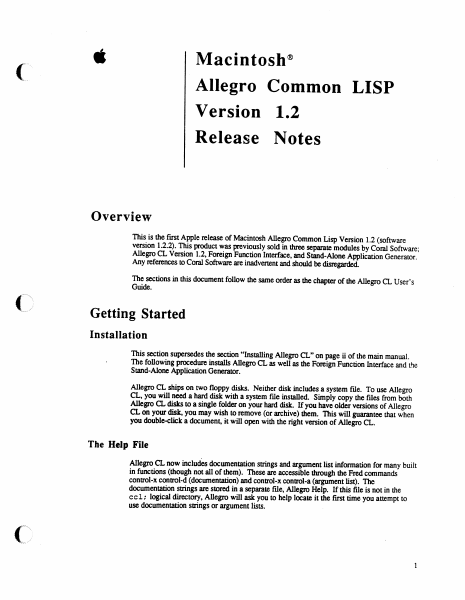
é Macintosh® Allegro Common LISP Version 1.2 Release Notes Overview This is the first Apple release of Macintosh Allegro Common Lisp Version 1.2 (software version 1.2.2). This product was previously sold in three separate modules by Coral Software; Allegro CL Version 1.2, Foreign Function Interface, and Stand-Alone Application Generator. Any references to Coral Software are inadvertent and should be disregarded. The sections in this document follow the same order as the chapter of the Allegro CL User’s Guide. Getting Started Installation This section supersedes the section “Installing Allegro CL” on page ii of the main manual. The following procedure installs Allegro CL as well as the Foreign Function Interface and the Stand-Alone Application Generator. Allegro CL ships on two floppy disks. Neither disk includes a system file. To use Allegro CL, you will need a hard disk with a system file installed. Simply copy the files from both Allegro CL disks to a single folder on your hard disk. If you have older versions of Allegro CL on your disk, you may wish to remove (or archive) them. This will guarantee that when you double-click a document, it will open with the right version of Allegro CL. The Help File Allegro CL now includes documentation strings and argument list information for many built in functions (though not all of them). These are accessible through the Fred commands control-x control-d (documentation) and control-x control-a (argument list). The documentation strings are stored in a separate file, Allegro Help. If this file is not in the cel; logical directory, Allegro will ask you to help locate it the first time you attempt to use documentation strings or argument lists. Allegro CL 1.2 Release Notes The disassembler Because of size constraints, the disassemble feature has been moved from the main Allegro CL application into a fasl file. This file is in the library folder. It will be loaded automatically (using require) when disassemble is called. The only constraint is that it be kept ina folder directly accessible to Allegro CL. *abort-character* The variable *abort-character* has been removed from Allegro CL. This function is now only performed by command-period. The variable was removed so that control-g could be used by ed-abort-listener- input. This command, when typed in the Listener, aborts the current input and prints a new Listener prompt. The old input is not deleted, so that you can go back to it later. Allegro CL Menus There have been several changes in the arrangement of the menubar. In the Edit, the Change Font and Insert Killed String... menu-items have been removed. These are now available as example files. The Documents... menu-item has been removed (because the ccl-doc folder has also been removed). In the Eval menu, menu items have been added for step and trace. The Step... menu-item lets the user input a string, which is read and then stepped. The Trace... menu-item brings up a dialog box gi…

Showing first 3,000 characters of 23,686 total. Open the full document →
Home Documents Macintosh MPW 3.0 Reference Volume 2
MPW 3.0 Reference Volume 2

MPW 3.0 Reference Volume 2

Macintosh · 1988 · PDF
FilenameMPW_3.0_Reference_Volume_2_1988.pdf
Size13.41 MB
Year1988
Subsection developer / MPW
Downloads2
Enjoying MacTrove? Anonymous downloads are free and unlimited. Create a free account to track favorites, contribute metadata corrections, and join the community chat.
Reader
MPW 3.0 Reference Volume 2
/
Loading…
OCR / Text contents
Part II Command Reference Part II Command Reference Part II is a conunand dictionary that describes each of the tools, scripts, and built-in conunands of the Macintosh Programmer's Workshop 3.0. When you have become sufficiently familiar with the material in Part I, you can move Part II to a smaller separate binder for convenient desktop reference. (You may also want to include frequently used appendixes or tables in the separate binder.) Please be sure to read the next section, "Conunand Prototype," which explains the format for all conunand deSCriptions and defines the basic behavior of all conunands .• Contents Conunand Prototype 6 AddMenu-add menu item 9 Adjust-adjust lines 13 Alert---display an alert box 14 Alias---define or write conunand aliases 15 Align-align text to left margin 17 Asm-MC68xxx Macro Assembler 18 Backup-folder file backup 25 Beep-generate tones 34 Begin ... End-group conunands 36 Break-break from For or Loop 38 BuildConunands-show Build commands 40 BuildMenu-create the Build menu 42 BuildProgram-build the specified program 43 C-C Compiler 45 Canon-canonical spelling tool 49 Catenate-concatenate files 52 CheckIn-check in files to a project 54 CheckOut-check out files from a project 57 CheckOutDir-set checkout directory 61 Choose-choose or list network volumes and printers 64 Clear-clear the selection 68 Close-close specified windows 69 1 Conunando-display dialog for a command 71 Compare-compare text files 73 CompareFiles-show file differences 79 CompareRevisions-compare revisions 81 Confirm-display confirmation dialog box 83 Continue-continue with next iteration of For or Loop 85 Copy-copy selection to Clipboard 87 Count-count lines and characters 89 CPlus-C++ compiling system 91 CreateMake-create a simple makefile 96 Cut-copy selection to Clipboard and delete it 99 Date-write the date and time 100 Delete-delete files and directories 102 DeleteMenu-delete user-defined menus and items 104 DeleteNames--delete symbolic names 105 DeleteRevisions--delete revisions and branches 107 DeRez-Resource decompiler 109 Directory-set or write the default directory 113 DirectoryMenu-create the Directory menu 115 Dolt-highlight and execute a series of conunands 117 DumpCode-write formatted resources 119 DumpFile-display contents of an arbitrary file 122 DumpObj-write formatted object file 125 Duplicate-duplicate files and directories 128 Echo-echo parameters 130 Eject-eject volumes 132 Entab-<:onvert runs of spaces to tabs 133 Equa1-compare files and directories 136 Erase-initialize volumes 139 Evaluate-evaluate an expression 140 Execute-execute a script in the current scope 145 Exists-<onfirm the existence of a file or directory 146 Exit-exit from a script 147 Export-make variables available to programs 148 FileDiv-divide a file into several smaller files 150 Files-list files and directories 152 Find-find and select a text pattern 155 Flush-<:lear the conunand cache 157 For...-repeat conunands once per parameter 158 2 MPW 3.0 Refer…

Showing first 3,000 characters of 443,907 total. Open the full document →
Home Documents Macintosh Macintosh Allegro Common LISP
Macintosh Allegro Common LISP

Macintosh Allegro Common LISP

Macintosh · 1989 · PDF
FilenameMacintosh_Allegro_Common_LISP_1989.pdf
Size25.56 MB
Year1989
Subsection developer / Macintosh_Allegro_Common_LISP
Downloads2
Enjoying MacTrove? Anonymous downloads are free and unlimited. Create a free account to track favorites, contribute metadata corrections, and join the community chat.
Reader
Macintosh Allegro Common LISP
/
Loading…
OCR / Text contents
@ Macintosh® Allegro Common LISP APPLE COMPUTER, INC. This manual and the software described in it are copyrighted, with all rights reserved. Under the copyright laws, this manual or the software may not be copied, in whole or in part, without written consent of Apple, except in the normal use of the software or to make a backup copy of the software. The same proprietary and copyright notices must be affixed to any permitted copies as were affixed to the original. This excep-tion does not allow copies to be made for others, whether or not sold, but all of the material purchased (with all backup copies) may be sold, given, or loaned to another person. Under the law, copying includes translating into another lan-guage or format. You may use the software on any computer owned by you, but extra copies cannot be made for this purpose. The Apple logo is a registered trademark of Apple Computer, Inc. Use of the “keyboard” logo (Option-Shift-K) for commercial purposes without the prior written consent of Apple may constitute trademark infringement and unfair competition in violation of federal and state laws. © Apple Computer, Inc., 1983- 1989 20525 Mariani Avenue Cupertino, CA 95014 (408) 996-1010 Apple, the Apple logo, Laser Writer, Macintosh, and MacApp are registered trademarks and trademarks of Apple Computer, Inc. Adobe Illustrator and POSTSCRIPT are registered trademarks of Adobe Systems Incorporated. Allegro CL is a registered trademark of Franz,Inc. ImageStudio is a trademark of Esselte Pendaflex Corporation in the United States, of LetraSet Canada Limited in Canada, and of Esselte LetraSet Limited elsewhere. ITC Garamond and ITC Zapf Dingbats are registered trademarks of International Typeface Corporation. Linotronic is a registered trademark of Linotype company. MacPaint and MacWrite are registered trademarks of Claris Corporation. Microsoft is a registered trademark of Microsoft Corporation. QMS is a registered trademark of QMS, Inc. Smalitalk-80 is a registered trademark of the Xerox Corporation. Apple Computer, Inc., acknowledges the contributions of Franz, Inc. in the creation of this product. Simultaneously published in the United States and Canada. Table of Contents Introduction Documentation Running Allegro CL Installing Allegro CL Launching Allegro CL 1. Getting Started Overview The Allegro CL Environment The Menubar 2. Fred the Editor Overview Fred and Packages Editing Macintosh Style Editing Emacs Style 3. Object Lisp Overview Tutorial Object Lisp Functions 4. Macintosh Basics Overview Points Font Specs Turnkey Dialogs Miscellaneous 5. Menus Overview Menubars Menus Menu-items 6. Windows Overview Window Functions and Variables Supporting Undo Supporting Save and Save As... 7. Dialogs Overview Dialog Functions Dialog Items Specialized Dialog-items Table-dialog-items Specialized Table-dialog-items 8. Events Overview Event Handlers Event Information Functions The Event Management System Cursor Handling 9. …

Showing first 3,000 characters of 8,827 total. Open the full document →
Home Documents Macintosh MacDFT Users Guide
MacDFT Users Guide

MacDFT Users Guide

Macintosh · 1989 · PDF
FilenameMacDFT_Users_Guide_1989.pdf
Size4.52 MB
Year1989
Subsection developer
Downloads2
Enjoying MacTrove? Anonymous downloads are free and unlimited. Create a free account to track favorites, contribute metadata corrections, and join the community chat.
Reader
MacDFT Users Guide
/
Loading…
OCR / Text contents
• '• ~ Ifi\ MacDFTTM User's Guide Preproduction Draft, Working Draft #5 Apple. Confidential w • LIMITED WAIUtA.\lY ON MEDIA AND REPlACEMENT If you discover physical defects in the manuals distributed with an Apple product or in the media on which a software product is distributed, Apple will replace the media or manuals at no charge to you, provided you return the item to be replaced with proof of purchase to Apple or an authorized Apple dealer during the 9O-day period after you purchased the software. In addition, Apple will replace damaged software niedia and manuals for as long as the software product is included in Apple's Media Exchange Program. While not an upgrade or updale method, this program offers additional protection for up to two years or more from the date of your original purchase. See your authorized Apple dealer for program coverage and details. In some countries the replacement period may be different; check with your authorized Apple dealer. AU. IMPLIED WARIWiTIES ON THE MEDIA AND MANUAlS, INCWDING IMPIJED WARJlAI\,'11ES OF 1WlCllA.1\'TABIUJ'Y AND mNESS FOR A p.uncm.u PURPOSE, ARE UMlTED IN DtlIlAnON TO l\'Il\'ETY (90) DAYS FROM DIE DATI OF DIE ORIGINAL RETAIL PIJJlCHASE OF nus PROOOCl'. Even though Apple has tested the software and reviewed the documentation, APPLE MAlES NO WAIUlA.\'TY OR REPRISE.\'TATIOS, mHER EXPRESS OR 1MPIlED, WlIlI RESPECT TO SOFTWARE, rrs QUAIlfY, PERFOR.\lA!~CE, MERCHA.\'TABlLlTY, OR Fm'ESS FOR A PAmClJl.U PURPOSE. AS A RES1.J1.T, nus SOFTWARE IS SOU> MAS IS: AND YOU, THE PURCHASER, ARE ASSUMlXG THE L\'TIRI RISK AS TO ITS QUAIlfY A..'iD PERFOR.\IA.'~CE. IN NO EVE!\, WIll APPlE BE IlABLE FOR DIRICI', INDIRECI', SPEaAI., 1S0·DE.\"TAL. OR CONSEQUL'11AL DAMAGES RESULTING FROM Ao\'Y DEFEer IN THE SOFTWARE OR rrs DOCUME.\"TATIOS, even if advised of the pOSSibility of such damages. In particular, Apple shall have no liability for any programs or data stored in or used with Apple products, including the costs of recovering such programs or data. THE WA.RRA.'lY AND RIMEDIF5 SET FOml ABOVE ARE EXOlJSIVE A..~D IS lIEU OF AU. OTHERS, ORAL OR WlUTTE.'i, EXPRESS OR IMPUED. No Apple dealer, agent, or employee is authorized to make any modification, extension, or addition to this warranty. Some states do not allow the exclusion or limitation of implied warranties or liability for incidental or consequential damages, so the above limitation or exclusion may not apply to you. This warranty gives you specific legal rights, and you may also have other rights which vary from state to state. WAR.'iL'iG This equipment generates, uses, and can radiate radio-frequency energy and, if not installed and used in accordance with the instructions in this manual, may cause interference to radio communications. It has been tested and found to comply with the limits for a Class Acomputing device, in accordance with the specifications in Subpan J of Pan 15 of FCC rules. These specifications are designed to provide reasonable pro…

Showing first 3,000 characters of 121,037 total. Open the full document →

Home Documents Macintosh MacTCP Programmers Guide
MacTCP Programmers Guide

MacTCP Programmers Guide

Macintosh · 1989 · PDF
FilenameMacTCP_Programmers_Guide_1989.pdf
Size3.76 MB
Year1989
Subsection developer / Networking
Downloads2
Enjoying MacTrove? Anonymous downloads are free and unlimited. Create a free account to track favorites, contribute metadata corrections, and join the community chat.
Reader
MacTCP Programmers Guide
/
Loading…
OCR / Text contents
., l AppleGD MacTCP™ Programmer's Guide -.• ----·--•-·•··•-~-~-~~•• -----··•·•no.·-•·•••-• ··•·•• -•-••--·--·••·-··· ---·------------- ti APPLE COMPUTER, INC. This manual and the software described in it are copyrighted, with all rights reserved. Under the copyright laws, this manual or the software may not be copied, in whole or in part, without written consent of Apple, except in the normal use of the software or to make a backup copy of the software. The same proprietary and copyright notices must be affixed to any permitted copies as were affixed to the original. This exception does not allow copies to be made for others, whether or not sold, but all of the material purchased (with all backup copies) may be sold, given, or loaned to another person. Under the law, copying includes translating into another language or format. You may use the software on any computer owned by you, but extra copies cannot be made for this purpa;e. ©Apple Computer, Inc., 1989 20525 Mariani Avenue Cupertino, CA 95014 (400) 996-1010 Apple, the Apple logo, AppleTalk, and Macintosh are registered trademarks of Apple Computer, Inc. LocaJTalk, MacTCP, and MPW are trademarks of Apple Computer, Inc. ITC Garamond is a registered trademark of International Typeface Capcntion. Microsoft is a registered trademark of Microsoft Corporation. PostScript is a registered trademark of Adobe Systems Incorporated. Simultaneously published in the United States and Canada. • ' ' (/ Contents / Figures and tables I vii Preface I ix What's in th~ guide I ix Who should read ~guide I ix Document conventions I ix Related documents I x 1 Introduction I 1 Architectural overview I 2 Application, presentation, and session layers I 2 Transport layer I 3 User Datagram Protocol (UDP) I 3 Transmission Control Protocol O'CP) I 3 Network layer I 3 Link access layer I 4 Physical layer I 4 :\ 2 The MacTCP Driver I S The PBOpen call I 6 The PBControl call I 7 The PBOose call I 8 Implementation notes I 8 Breakpoints I 8 Fragmentation and reassembly I 8 Routing I 9 3 User Datagram Protocol I 11 Data structures I 12 Write Data Structures I 12 Receive buffer area I 13 Apple Confidential iii - - -- - --- ------- • Using UDP I 13 UDP routines I 14 UDPCreate I 15 UDPRead I 16 UDPBfrRetum I 17 UDPWrite I 18 UDPRelease I 19 UDPMTIJ I 20 UDP asynchronous notification routine I 21 C parameter block definitions I 23 , '" 4 Transmission Control Protocol I 25 Data struc.tures I 26 Read and Write Data Structures I 26 Receive buffer area I 'l'! Using TCP I 'l'! Streams and connections I 27 Asynchronous notification routine I 'l'! Connection opening I 28 Receiving data I 28 Sending data I 28 Time-outs I 28 Pushed data I 29 Urgent mode I 29 Connection dosing I 30 Network management information I 30 Formatting MacTCP commands I 30 TCP routines I 31 TCPCJeate I 32 TCPJ>wiveOpen I 33 Ta>A<.ti.veOpen I 36 TCPSend /37 TCJ>NoCopyRcv I 38 Ta>BfrRetum I 40 TCPRcv /41 Ta>Oaie I 43 Ta>Abort I 44 TCPStatu…

Showing first 3,000 characters of 104,272 total. Open the full document →

Home Documents Macintosh MPW 3.0 Reference Volume 1
MPW 3.0 Reference Volume 1

MPW 3.0 Reference Volume 1

Macintosh · 1988 · PDF
FilenameMPW_3.0_Reference_Volume_1_1988.pdf
Size29.53 MB
Year1988
Subsection developer / MPW
Downloads2
Enjoying MacTrove? Anonymous downloads are free and unlimited. Create a free account to track favorites, contribute metadata corrections, and join the community chat.
Reader
MPW 3.0 Reference Volume 1
/
Loading…
OCR / Text contents
ti® Macintosh® Macintosh Programmer's Workshop 3.0 Reference S APPLE COMPUI'ER, INC. 'J1ili manual and the software described in iI are copyrighted, with all righrs reserved. Under the copyright laws, this manual or the software may not be copied, in whole or part, without written consent of Apple, . except in the normal use of the software or to make a backup copy of the software. The same proprietary and copyright notices must be affixed to any permitted copies as were affixed to the original. 'J1ili exception does not allow copies to be made for others, whether or not sold, but all of the .material pwchased (with all backup copies) may be sold, given, or loaned to another person. Under the law, copying includes translating into another language or format. POSTSCRIPT is a trademark of Adobe Systems Incorporated. Linotronic is a registered trademark of Linotype company. Adobe Illustrator 88 is a trademark of Adobe Systems Incorporated. lmageStudio is a trademark of Esselte Pendaflex Corporation in the United States, of LetraSet Canada Limited in Canada, and of Esselte LetraSet limited elsewhere. Motorola is a trademark of Motorola, Inc. QMS is a registered trademark of QMS, Inc. You may use the software on any UNIX is a trademark of AT&T Bell Laboratories. computer owned by you, but extra copies cannot be made for this purpose. Simultaneously published in the United States and Canada. C 1985-88 Apple Computer, Inc. 20525 Mariani Ave. Cupertino, California 95014 (408) 996-1010 Pascal Compiler C 1982-88 Apple Computer, Inc. e 1981svs,1nc. Apple, the Apple logo, AppleShare, AppleTalk, A/UX, ImageWriier, LaserWriter, Lisa, MacApp, Macintosh, and SANE are registered trademarks of Apple Computer, Inc. MPW, QuickDraw, ResEdit, and SADE are trademarks of Apple Computer, Inc. MacDraw, MacPaint, and MacWriie are registered trademarks of Claris Corporation. Microsoft Wotd is a trademark of Microsoft Corporation. MPW sample programs Apple Computer, Inc. grantS users of the Macintosh Programmer's Workshop a royalty-free license to incorporate Macintosh Programmer's Workshop sample programs into their own programs, or to modify the sample programs for use in their own programs, provided such use is exclusively on Apple computers. For any modified Macintosh Programmer's Workshop sample program, you may add your own copyright notice alongside the Apple copyright notice. Contents Figures and tables xxvii Part I Shell Reference 1 Introduction: The New and the Nec5ary 3 Power tools for Macintosh programmers 5 What's new in MPW 3.0 7 MPWC++ 7 Projector 8 Symbolic Application Debugging Environment (SADE) 8 New or enhanced tools 8 New or enhanced Shell commands 10 New Shell editor capabilities 12 New standard Shell variables 13 Changes to menus and dialogs 14 Miscellaneous Shell changes 14 Numeric libraries 15 MPW Cand MPW C++ Include files 16 MPW Pascal 16 MPW tool libraries 17 What you'll need 17 Hardware and system requirements 17 . System Folder r…

Showing first 3,000 characters of 500,000 total. Open the full document →

Home Documents Macintosh MacApp 2.0 Object And Method Reference
MacApp 2.0 Object And Method Reference

MacApp 2.0 Object And Method Reference

Macintosh · PDF
FilenameMacApp_2.0_Object_and_Method_Reference_19881003.pdf
Size3.02 MB
Subsection developer / MacApp_2.0
Downloads2
Enjoying MacTrove? Anonymous downloads are free and unlimited. Create a free account to track favorites, contribute metadata corrections, and join the community chat.
Reader
MacApp 2.0 Object And Method Reference
/
Loading…
OCR / Text contents
MacApp 2.0 Object and Method Reference This chapter describes the object classes that existed in MacApp 1.1. If you need infonnation on classes and methods not described here. refer to other release notes and to the source code. Each object description in this chapter contains the following elements: • whether you customize the object type. instantiate it. or call its methods • notes about the object type • the chain of ancestors leading to the object type • field declarations and explanations • descriptions of the methods for each object type Important Complete Information about the Implementation of each method Is not given In this chapter. If you need further details ab6ut any method. refer to the MacApp source code. TObject Customize: usually Instantiate: never Call methods: usually TObject is the ultimate ancestor for all objects in MacApp. TObject is documented here primarily for background information. It is an abstract object type that exists so that other object types can inherit characteristics from it, and thus share them. The only TObject methods you might override are Free and Clone. Ancestors: none Fields none MacApp 2.0 Globals 10/3/88 Page 1 Clone FUNCTION TObject .Clone: TObject; The retum value An exact copy of the calling object Purpose To clone dependent objects referred to by the fields of an object as well as cloning the object i~lf. An object is dependent on another object when the second object has the only (or the only important) reference to the first object Dependency is a relatively vague condition; when you override this method, you need to detennine what objects are dependent on SELF. The default version Calls ShallowClone, and thus clones only the object i~lf Override Sometimes Call Sometimes Free PROCEDURE TOb ject:. Free; Purpose To free the calling object and any dependent objects referred to by its fields. An· object is dependent on another object when the second object has the only (or the only important) reference to the first object Dependency is a relatively vague condition; when you override this method, you need to determine what objects are dependent on SELF. Th• default version Calls ShallowFree Override Often. Your version should free any dependent objects you have added for your customization and then call INHERITED Free so that any ancestor methods can free other dependent objects. The chain of INHERI1ED calls leads to TObject.Free, which calls TObjecLShallowFree, which frees SELF. Call Often ShallowClone FUNCTION TObject. ShalloWClone: TObject; The retum value Purpose This is the lowest-level method for copying an object Called by TObject.Oone The default version Calls HandToHand, an Inside Macintosh routine, to copy the object data Override Never Call Rarely MocApp 2.0 Globals 10/3/88 Page 2 Shallow Free PROCEDURE TObject.ShallowFxee; Purpose This is the lowest-level method for freeing an objecL Called by TObjecLFree The default version Frees t…

Showing first 3,000 characters of 78,310 total. Open the full document →

Subscribe to developer
mp.ls