Home Documents Macintosh MacApp 2.0b5
MacApp 2.0b5

MacApp 2.0b5

Macintosh · PDF
FilenameMacApp_2.0b5_19880803.pdf
Size1.40 MB
Subsection developer / MacApp_2.0
Downloads2
Enjoying MacTrove? Anonymous downloads are free and unlimited. Create a free account to track favorites, contribute metadata corrections, and join the community chat.
Reader
MacApp 2.0b5
/
Loading…
OCR / Text contents
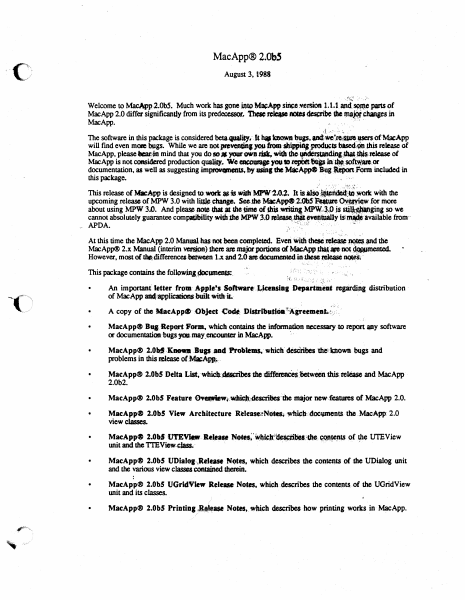
MacApp® 2.0bS August 3, l988 ,:!~t ·,: -,;h Welcome to MacApp2.0b5. Much work has gone into M~App siliee,.'\'ersion 1; 1.1 anci S4m,\C pans of MacApp 2.0 differ significandy-from its predeoessor, rcleue ~ dMs ~ Chanses in MacApp. ., .... n. **' .J ... .'- .:. :, ·- The software in this package is considered beta.qutlliq..·- k i,. bo.wJl .,., anct•·~.apcnof MacApp will find even me»e lMlgs. While we are not iw•dns )'OU·ftOlll~ producu blsecl~ .dtis release ot MacApp, please lar?in mind that you do so# your own risk, widJ tho·f¥'~;-,,_,ieJta.se of MacApp is not considered production qualq. We WOQJ8P )'OU ID JepbtttfflP in'·~.sot~a10.or documentation, as well as suggesting im~ts.by uinf she MlieAppe Bug·~ rQrl'ft included in this package. · . ... · ) '·'''·':·· ;:,i..:.t' This release of Mll:App is designed to.wort asis.wilhMPW'l.0.2~ It is~. •~dild~bi·· with the upcoming release of MPW 3.0 with ~:change. ~Jbe MacApp<9 2~0b5· ~ure ~for more about using MPW 3.0. And please -note that a dle lme of this .Wl'iQng MP\\'..·~~P js s~ginj. so we cannot absolutely guarantee compafibility widubc MPW 3.0 ~~- evettluiJ.lt islmW :available from·· ,. APDA. ,', . . '..~: .,! -· : . , '· , At this time the MacApp 2.0 Manualhas not been completed. Even "'"1t ~~ . • ~the MacApp® 2.x Manu,al (interim vas,ipn) Jhere are major portions of MaeApp_~-~ ~ However, most of thit;differencedie.lween 1.x and 2.0•doeummfeciht.thestl~ ~( This package contains the followjnJ..1»cumenlS:. • "': ': ·-": :· . , _. ,, .. :-r., ~~ . ·; .; :.~. :". : ~' ·,~'.~ ,;,:. . An important' letter rrom- .6.-p9Je!1 Softnre-.t,.,ieeasia1 Departilt'eat reprdjng distribution of MacApp ai4~licationsbuilt. widliL- • • MacApp® BUI Report Form, which contains the infOrmadon necessary to report IPY softw.are or docwnentation-. bugs yqulay_encoun= in Mac.App. · MacApp® 2.0bf'·'Knoa-Bugs.and f'f.obtems,-whiclfdesciribes 'die'tnown bugs and problems in this .tease of~.· • MacApp® 2.0bS Delta List,-whiclJ.~dta:rlbes the ~-between 1his ~ and MacApp 2.0b2. r-, '~" • MacApp® 2.0b5 Feature 0¥.-Wt:~;descritfe$:ibe major new.featuros of MacApp 2.0• • MacApp® 2.0b5 View Architecture Release~N~~ll,doc\PnenlS t1le MacApp: 2.0 view classes. • MacApp® 2.0b5 Ut'EVl«!tt: Re-. ~~·~~Jt~bM:•.~~ ()f rpe UTEView llllit and the Tl'EView.~· . -. . . -· .. • MacApp® 2.0b5 UDiatoa..,Retuse N~es. which describes the contelJlS of the UDialQ& unit and the various view cluscs conrained ~. · • MacApp® 2.0bS UGridView Release Notn. whidl describes the conteJll$ of the UGridView unit and its cJasses. · - • MacApp® 2.0b5 Printing1~ase Notes, which descnleS how printingw~in MacApp. MacApp® 2.0 Memory Management. which discusses memory management in MacApp. · Mac,ARP~ 2:0 Glooali.'· ;whleh describes global constants, variables, data types, and routines in • ~App. !.·(-, M~ci\<pp41F2:0 Obj~~'t dn·d· Method Reference, which discusses object classes that also .• existed in MacAou 1.1. To use,'"MacAw"w…

Showing first 3,000 characters of 33,069 total. Open the full document →
Home Documents Macintosh MacApp Cookbook Draft 1
MacApp Cookbook Draft 1

MacApp Cookbook Draft 1

Macintosh · PDF
FilenameMacApp_Cookbook_draft_1_19890126.pdf
Size14.96 MB
Subsection developer / MacApp_2.0
Downloads2
Enjoying MacTrove? Anonymous downloads are free and unlimited. Create a free account to track favorites, contribute metadata corrections, and join the community chat.
Reader
MacApp Cookbook Draft 1
/
Loading…
OCR / Text contents
( ti Macintosh® MacApp Cookbook Apple Programmer's and Developer's Association 1/26189 Draft 1 MacApp Cookbook Contents Figures and tables ii Preface About the Cookbook 1 About this book 1 Other materials you'll need 1 How to use this book 2 What it contains 2 Visual cues 2 Roadmap to the MacApp documentation suite 3 Chapter 1 Introduction to the Cookbook 5 A MacApp translation guide 5 Chapter 2 The Apple Menu 6 2.1 Creating an "About Your Application" entry 2.2 Creating a separate "About ..." resource 6 2.3 Animating the "About ... " entry 6 6 Chapter 3 AppleTalk, Multiuser, and Network Considerations Using IO completion routines 8 Leaving files open for other users Chapter 4 Applications 7 8 9 3.1 Creating objects: an overview 3.2 Creating an application 10 9 i Draft 1 MacApp Cookbook 1/26189 Step 1 Initializing the Toolbox 11 Step 2 Initializing printing 12 Step 3 Assigning the application signature and the main file type 13 Step 4 Declaring a subclass of !Application 13 Step 5 Defining your application initialization method 14 Step 6 Instantiating your application class 14 Step 7 Calling your initialization method 15 Step 8 Calling the Run method 15 Continuing from here 15 3.3 Opening an application without opening a document 16 Chapter 5 Browser 17 Chapter 6 The Clipboard and Cut, Copy, and Paste 19 Creating a Clipboard view 20 Run-time summary of creating a clipboard view 20 Overview of your responsibilities 21 Step 1 Define a handle type 21 Step 2 Define a resource type 22 Step 3. Override MakeViewForAlienClipboard 22 Step 4. Override methods for your Clipboard view type 23 Step 5. Override the ContainsClipType method 23 Step 6. Override the GivePasteData method 23 Step 7. Override 'IView.WriteToDeskScrap for your Clipboard view Step 8. Create a Clipboard document, if desired 25 Step 9. Add a Show Clipboard menu item to your resource file 25 Continuing from here 27 Supporting Cut and Copy commands 28 Supporting the Paste command 29 Step 1 Call the global procedure CanPaste 29 Step 2 Define and create a paste command object 29 Step 3 Retrieve the data to be pasted 30 Continuing from here 30 Supporting a private scrap type 31 ii MACAPP COOKBOOK 25 MacAppCookbook 1/26189 Draft 1 ( Chapter 7 Collections Chapter 8 Color 33 35 Chapter 9 Compatibility 37 Checking system software 38 Checking hardware 38 Future compatibility rules 38 Converting from MacApp 1.1 to MacApp 2.0 Unit dependencies 40 Debugging 40 Document changes 41 View changes 42 Windows 43 Your views 43 TEViews and Dialog Boxes 44 Command objects 44 !Command 44 Tracking methods 44 Editing commands 45 ( Chapter 10 Controls and Control Views Chapter 11 Cursors Chapter 12 38 47 49 Changing the Cursor Shape Cursor region 50 50 Debugging in MacApp 51 Writing a Fields Method 52 Step 1 Declare a Fields method for your document class 52 Step 2 Define the Fields method 52 CONTENTS ill Draft 1 Mac.App Cookbook Step 3 Step 4 Call Inh…

Showing first 3,000 characters of 375,333 total. Open the full document →

Home Documents Macintosh Mac OS 8 Revealed
Mac OS 8 Revealed

Mac OS 8 Revealed

Macintosh · 1996 · PDF
FilenameMac_OS_8_Revealed_1996.pdf
Size3.00 MB
Year1996
Subsection developer / Copland
Downloads2
Enjoying MacTrove? Anonymous downloads are free and unlimited. Create a free account to track favorites, contribute metadata corrections, and join the community chat.
Reader
Mac OS 8 Revealed
/
Loading…
OCR / Text contents
• • • • • • • • • • • • • • • • • • • • • • • • • • • • • • • • • • • • • • • • • • • • Mac OS 8 Revealed Tony Francis Addison-Wesley Developers Press Reading, Massachusetts • Menlo Park, California • New York Don Mills, Ontario • Harlow, England • Amsterdam Bonn • Sydney • Singapore • Tokyo • Madrid • San Juan Seoul • Milan • Mexico City • Taipei Apple, AppleScript, AppleTalk, Color LaserWriter, ColorSync, FireWire, LocalTalk, Macintosh, Mac, MacTCP, OpenDoc, Performa, PowerBook, PowerTalk, QuickTime, TrueType, and WorldScript are trademarks of Apple Computer, Inc., registered in the United States and other countries. Apple Press, the Apple Press Signature, AOCE, Balloon Help, Cyberdog, Finder, Power Mac, and QuickDraw are trademarks of Apple Computer, Inc. Adobe™, Acrobat™, and PostScript™ are trademarks of Adobe Systems Incorporated or its subsidiaries and may be registered in certain jurisdictions. AIX® is a registered trademark of IBM Corp. and is being used under license. NuBus™ is a trademark of Texas Instruments. PowerPC™ is a trademark of International Business Machines Corporation, used under license therefrom. SOM, SOMobjects, and System Object Model are licensed trademarks of IBM Corporation. UNIX® is a registered trademark of Novell, Inc. in the United States and other countries, licensed exclusively through X/Open Company, Ltd. Many of the designations used by manufacturers and sellers to distinguish their products are claimed as trademarks. Where those designations appear in this book, and Addison-Wesley was aware of a trademark claim, the designations have been printed in initial capital letters or all capital letters. The author and publisher have taken care in the preparation of this book, but make no express or implied warranty of any kind and assume no responsibility for errors or omissions. No liability is assumed for incidental or consequential damages in connection with or arising out of the use of the information or programs contained herein. Library of Congress Cataloging-in-Publication Data Francis, Tony, 1956– Mac OS 8 revealed / Tony Francis. p. cm. Includes index. ISBN 0-201-47955-9 1. Mac OS 8. 2. Operating systems (Computers) I. Title. QA76.76.063F76 1996 005.4'469--dc20 96-25119 CIP Copyright © 1996 Apple Computer, Inc. Developers Press is a division of Addison-Wesley Publishing Company, Inc. All rights reserved. No part of this publication may be reproduced, stored in a retrieval system, or transmitted, in any form or by any means, electronic, mechanical, photocopying, recording, or otherwise, without the prior written permission of the publisher. Printed in the United States of America. Published simultaneously in Canada. Sponsoring Editor: Keith Wollman Project Manager: Sarah Weaver Cover design: Suzanne Heiser Text design: Kim Arney Set in 10 point Sabon by Tony Francis and Vicki Hochstedler 1 2 3 4 5 6 7 8 9 - MA - 0099989796 First printing, August 1996 Addison-Wesley books are available for bulk purchase…

Showing first 3,000 characters of 500,000 total. Open the full document →

Home Documents Macintosh Macsbug 6.1 Reference
Macsbug 6.1 Reference

Macsbug 6.1 Reference

Macintosh · 1989 · PDF
FilenameMacsbug_6.1_Reference_1989.pdf
Size6.01 MB
Year1989
Subsection developer / Macsbug
Downloads2
Enjoying MacTrove? Anonymous downloads are free and unlimited. Create a free account to track favorites, contribute metadata corrections, and join the community chat.
Reader
Macsbug 6.1 Reference
/
Loading…
OCR / Text contents
('', 9. Macintosh~ MacsBug 6.1 Reference ti APPLE COMPUTER, INC. This manual and the software described in iI are c0pyrighted, with all rights reserved. Under the copyright laws, this manual or the software may not be copied, in whole or part, without written consent of Apple, except in the normal use of the software or to make a backup copy of the software. The same proprietary and copyright notices must be aff'ixed to any permitted copies as were aff'ixed to the original. This exception does not allow copies to be made far others, whether or not sold, but all cf the material purchased (with all backup copies) may be sold, given, or loaned to another person. Under the law, copying includes uamlating into another language or fonnat. You may use the software oo any computer owned by you, but extra copies cannot be made for this purpose. © Apple Computer, Inc., 1989 20525 Mariani Avenue Cupertino, CA 95014 (408) 996-1010 Apple, the Apple logo, HyperCard, ImageWriier, LiserWriier, and Macintosh are registered trademarks of Apple Computer, Inc. Apple Desktop Bus, .Extended Discipline, Finder, MPW, MultiFinder, RAMDump, ResEdit and SADE are trademarks of Apple Computer, Inc. ITC Garamond and ITC 1.apf Dingbats are registered trademarks of International Typeface Corporation. Microsoft is a registered trademark of Microsoft Corporation. PostScript is a registered trademark of Adobe Systems Incorporated. Simultaneously published in the United States and Canida. Contents Preface About ThJs Manual vii Overview ix Notation conventions x Aids to understanding x 1 MacsBug Overview 1 About MacsBug 3 Macintosh debugging 3 .MacsBug fifes 5 2 Debugging With MacsBug 7 Getting started 9 · Specifying things 12 How did I get here? 13 Controlling· program execution 14 Stopping at a particular place 15 Watching for memory to change 16 Displaying and setting memory 16 Checking the heap 17 Exertising your program 17 The dot address 17 MacsBug resources 19 Figure 2-1 MacsBug display 10 ill 3 MacsBug Commands 21 Command syntax 23 Values 23 Operators 24 Command descriptions 25 ATB-A Trap Break 26 ATC-A Trap Clear 27 ATD-A Trap Display 28 ATIIC-A Trap Heap Check 29 ATP-A Trap Playback 30 ATR-A Trap Record 31 ATSS-A Trap Step Spy 32 ATI-A Trap Trace 33 BR-Breakpoint 34 BRC-Breakpoint Clear 36 BRO-Breakpoint Display 37 BRM-Multiple Breakpoints 38 CS-Checksum 39 DB-Display Byte 40 DH-Disassemble Hexadecimal 41 DL-Display Long 42 OM-Display Memory 43 DP-Display Page 44 DSC-Extended Discipline 45 DY-Display Version 46 OW-Display Word 47 DX-Debugger Exchange 48 EA-Exit to Application 49 • ES-Exit to Shell 50 F-Find 51 G-Go 52 GT-Go Till 53 HC-Heap Check 54 HD-Heap Display 55 HELP-Help 57 HOW-Display Break Message 58 HS-Heap Scramble 59 HT-Heap Tota~ 60 HX-Heap Exchange 61 iv MacsBug 6.1 Reference HZ-Heap Zones 62 ID-Disassemble One tine 63 IL-Disassemble From Address 64 IP-Disassemble Around Addres.5 65 IR-Disassemble Until End of Procedure 66 LOG-Ing to a prin…

Showing first 3,000 characters of 148,969 total. Open the full document →
Home Documents Macintosh Resedit 2.0b2 Reference
Resedit 2.0b2 Reference

Resedit 2.0b2 Reference

Macintosh · 1990 · PDF
FilenameResedit_2.0b2_Reference_1990.pdf
Size10.03 MB
Year1990
Subsection developer / Resedit
Downloads3
Enjoying MacTrove? Anonymous downloads are free and unlimited. Create a free account to track favorites, contribute metadata corrections, and join the community chat.
Reader
Resedit 2.0b2 Reference
/
Loading…
OCR / Text contents
( For ResEdit 2.0b2 •• ResEdit Reference •• Draft Developer Technical Publications @ Apple Computer, Inc. 1990 " APPLE COMPUl'ER, INC. This manual is copyrighted by Apple or by Apple's suppliers, with all rights reserved. Under the copyright laws, this manual may not be copied, in whole or in part, without the written consent of Apple Computer, Inc. This exception does 00: allow copies to be made for others, whether or n<i sold, but all of the material purchased may be sold, given, or lent to aoother person. Under the law, copying includes translating into another language. The Apple logo is a registered trademark of Apple Computer, Inc. Use of the "keyboard- Apple logo (OptionShift-K) for commercial purposes without the prior written consent of Apple may constitute trademark infringement and unfair competition in violation of federal and state laws. e Apple Computer, Inc., 1990 20525 Mariani Avenue Cupertino, CA 95014-6299 (408) 996"1010 Apple, the Apple logo, AIUX, HyperCard, MacApp, LaserWriter, and Macintosh are registered trademarks of Apple Computer, Inc. APDA, MPW, MultiFinder, and Switcher are trademarks of Apple Computer, Inc. ITC ZapfDingbats is a registered trademark of Imemational Typeface Corporation. POSTSCRIPT is a registered trademark, and illustrator is a trademark, of Adobe Systems Incorporated. Simultaneously published in the United States and Canada. IJmited Warranty on MedJa and Beplacemem If you discover physical defects in the manual or in the media on which a software product is distributed, APDA will replace the media or manual at no charge to you provided you return the item to be replaced with proof of purchase to APDA. AIl.1MPIlED WAlUlANTIFS ON THIS MANUAL, INCLUDING IMPIlED WARRANTIFS OF MERCHANTABIUl'Y AND Fll'NESS FORA PAmCUlAR ptJRPQSE, ARE LIMrI'ED IN DURAnON TO N1NE1Y (90) DAYS FROM THE DATE OF THE ORIGINAL RETAIL PURCHASE OF THIS PRODUCl'. Even though Apple has reviewed this manual, APPLE MAKES NO WARRANTY OR REPRESENTAnON, EII'HER EXPRFSS OR IMPIlED, wrm RFSPECl'TO THIS MANUAL, D'S QUAUlY, ACCURACY, . MERCHANTABIUl'Y, OR Fll'NESS FORA PAmCUlAR PURPOSE. AS ABFSULT, THIS MANUALm SOlD -AS m,· AND YOU, THE PURCHASER, ARE ASSUMlNG THE ENTIRE RISK AS TO D'S QUAUlY AND ACCURACY. IN NO EVENT WlLLAPPU BE UABlE FOR DIRECT, INDIRECT, SPECIAL, lNaDENTAL, OR CONSEQUEN11AL DAMAGES BESULTING FROM ANY DEFECT OR INACCURACY IN THIS MANUAL, even if advised of the possibility of such damages. THE WARRANTY AND REMEDIES SEl' FOKTH ABOVE ARE EX~IVEAND IN LIEU OF AIl. OTHERS, ORAL OR WRIl1'EN, EXPRFSS OR IMPIlED. No Apple dealer, agent, or employee is authorized to make any modification, extension, or addition to this warranty. Some states do not allow the exclusion or limitation of implied warranties or liability for incidental or consequential damages, so the above limiration or exclusion may not apply to you. This warranty gives you SpecifIC legal rights, and you may also have other rights which vary from state to s…

Showing first 3,000 characters of 221,779 total. Open the full document →
Home Documents Macintosh SADE Reference
SADE Reference

SADE Reference

Macintosh · 1988 · PDF
FilenameSADE_Reference_1988.pdf
Size5.81 MB
Year1988
Subsection developer / SADE
Downloads3
Enjoying MacTrove? Anonymous downloads are free and unlimited. Create a free account to track favorites, contribute metadata corrections, and join the community chat.
Reader
SADE Reference
/
Loading…
OCR / Text contents
C: 'ti. Macintosh' SADE Refereaee c ·• Ill 9 APPLE COMPum, INC. ~ manual and the software described in it are copyrighted, with all rights reserved. Under the copyright laws, this manual or the software may not be copied, in whole or in part, Whout written consent of Apple, except in the normal use of the softwue a' to make a backup copy of the software. The same proprietary and copyright notices must be affixed to any permilled copies as were aff'ixed to the orisiml· 'Ibis exception does not allow copies to be made for others, whether or not sold, but all of the material pwchased (with all backup copies) may be sold, given, or loaned to another person. Under the law, copying includes trarulating into another language or fonnat. You may use the software on any computer owned by you, but extra copies cannot be made for this purpose. The Apple logo is a registered trademark of Apple Computer, Inc. Use of the "keyboard• logo (OptionShift.K) for commercial purposes with:>ut the prior written consent of Apple may constitute trademark infringement and unfair competition in viciati>n of federal and state laws. C 1988 Apple Computer, Inc. 20525 Mariani Avenue Cuperuoo, CA 95014 (408) 996-1010 Apple, the Apple logo, WerWriter, Macintosh, APDA, MPW and SADE ue registered trademarlcs of Apple Computer, Inc. ITC Garamond and ITC Zapf Dingbats are registered trademarks of International Typeface Corporation. Mi:rosoft is a registered trademark of Microsoft Corporation. POSTSCRIPT and Adobe filustrator are registered trademarks of Adobe Systems Incorporated. Adobe Illustrator is a rndemark of Adobe Systems Incorporated. ImageStudh is a rndema.rk of ~te Pendaflex Corporation in the United States, of tetra.Set Canada Limited in Canada, and of Esselte LetraSet Limited elsewhere. QMS is a registered trademark of QMS, Inc. Llnotronic is a registered trademark of Linotype company. Smalltallc-80 is a registered trademark of the Xerox Corporation. Simultaneously publishe-;i in the United States and Canada. ) Contents Preface About This Manual v Notation conventions vii Aim to understanding vii For more information viii Part I SADE Reference 1 1 SADE Overview 3 ( ·.~. \ . ",.--" AboutSADE 5 Loading SADE 5 Getting started 6 Entering commands 7 Identifying your program to SADE 8 2 Debugging With SADE 9 Starting and stopping 11 Controlling program execution 13 More SADE commands 14 Programming in SADE 15 Break actions 16 SADE procedures and functions 16 The SADEStartup file 18 3 Symbols, Constants, and Expressions About symbols 23 Program symbols 24 Predefined SADE variables Register names 28 •' 21 27 iii • Expressions 29 Numeric constants 29 Strings 30 Built-in SADE functions 31 Operator precedence 34 Expression operand base types 35 Expression evaluation 36 The assignment operator 37 The pointer operator 38 The address operator 39 The trap operator 39 Type coercion 39 Ranges 40 A Coaunand Sununary 41 B Program Symbols 45 Part D Command Refer…

Showing first 3,000 characters of 152,255 total. Open the full document →
Home Documents Macintosh Kernel And OS Services
Kernel And OS Services

Kernel And OS Services

Macintosh · 1992 · PDF
FilenameKernel_and_OS_Services_19951023.pdf
Size0.46 MB
Year1992
Subsection developer / Copland / D9_19950530
Downloads5
Enjoying MacTrove? Anonymous downloads are free and unlimited. Create a free account to track favorites, contribute metadata corrections, and join the community chat.
Reader
Kernel And OS Services
/
Loading…
OCR / Text contents
ð Kernel and Operating System Services ð Preliminary Developer Press  Apple Computer, Inc. 1992–1995 This document was created with FrameMaker 4.0.4 ð Apple Computer, Inc.  1992–1995 Apple Computer, Inc. All rights reserved. No part of this publication may be reproduced, stored in a retrieval system, or transmitted, in any form or by any means, mechanical, electronic, photocopying, recording, or otherwise, without prior written permission of Apple Computer, Inc., except to make a backup copy of any documentation provided on CD-ROM. The Apple logo is a trademark of Apple Computer, Inc. Use of the “keyboard” Apple logo (Option-Shift-K) for commercial purposes without the prior written consent of Apple may constitute trademark infringement and unfair competition in violation of federal and state laws. No licenses, express or implied, are granted with respect to any of the technology described in this book. Apple retains all intellectual property rights associated with the technology described in this book. This book is intended to assist application developers to develop applications only for Apple-labeled or Apple-licensed computers. Every effort has been made to ensure that the information in this manual is accurate. Apple is not responsible for typographical errors. Apple Computer, Inc. 1 Infinite Loop Cupertino, CA 95014 408-996-1010 Apple, the Apple logo, AppleLink, AppleScript, AppleShare, AppleTalk, GeoPort, HyperCard, ImageWriter, LocalTalk, Macintosh, MacTCP, OpenDoc, PowerBook, Power Macintosh, PowerTalk, QuickTime, TrueType, and WorldScript are trademarks of Apple Computer, Inc., registered in the United States and other countries. Balloon Help, Chicago, Finder, Geneva, Mac, and QuickDraw are trademarks of Apple Computer, Inc. IBM is a registered trademark of International Business Machines Corporation. MacPaint and MacWrite are registered trademarks, and Clarisworks is a trademark, of Claris Corporation. NuBus is a trademark of Texas Instruments. PowerPC is a trademark of International Business Machines Corporation, used under license therefrom. UNIX is a registered trademark of Novell, Inc. in the United States and other countries, licensed exclusively through X/Open Company, Ltd. Some states do not allow the exclusion or limitation of implied warranties or liability for incidental or consequential damages, so the above limitation or exclusion may not apply to you. This warranty gives you specific legal rights, and you may also have other rights which vary from state to state.. Simultaneously published in the United States and Canada. Even though Apple has reviewed this manual, APPLE MAKES NO WARRANTY OR REPRESENTATION, EITHER EXPRESS OR IMPLIED, WITH RESPECT TO THIS MANUAL, ITS QUALITY, ACCURACY, MERCHANTABILITY, OR FITNESS FOR A PARTICULAR PURPOSE. AS A RESULT, THIS MANUAL IS SOLD “AS IS,” AND YOU, THE PURCHASER, ARE ASSUMING THE ENTIRE RISK AS TO ITS QUALITY AND ACCURACY. IN NO EVENT WILL APPLE BE LIABLE FOR DIRECT, INDIRE…

Showing first 3,000 characters of 156,631 total. Open the full document →
Home Documents Macintosh Macintosh Allegro Common LISP Dump LISP
Macintosh Allegro Common LISP Dump LISP

Macintosh Allegro Common LISP Dump LISP

Macintosh · PDF
FilenameMacintosh_Allegro_Common_LISP_Dump_LISP.pdf
Size0.55 MB
Subsection developer / Macintosh_Allegro_Common_LISP
Downloads3
Enjoying MacTrove? Anonymous downloads are free and unlimited. Create a free account to track favorites, contribute metadata corrections, and join the community chat.
Reader
Macintosh Allegro Common LISP Dump LISP
/
Loading…
OCR / Text contents
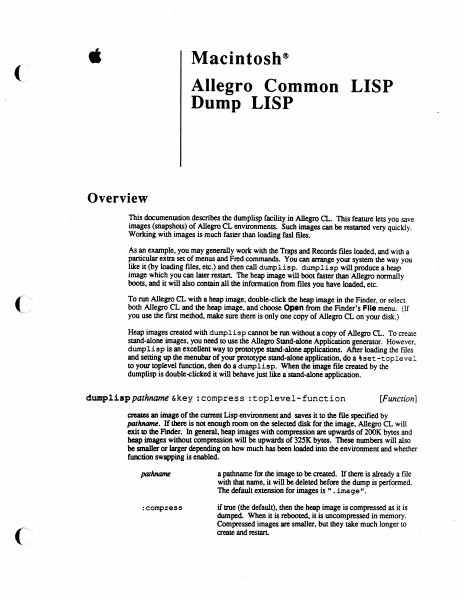
é Macintosh® Allegro Common LISP Dump LISP Overview This documentation describes the dumplisp facility in Allegro CL. This feature lets you save images (snapshots) of Allegro CL environments. Such images can be restarted very quickly. Working with images is much faster than loading fasl files. As an example, you may generally work with the Traps and Records files loaded, and with a Particular extra set of menus and Fred commands. You can arrange your system the way you like it (by loading files, etc.) and then call dumplisp. dumplisp will produce a heap image which you can later restart. The heap image will boot faster than Allegro normally boots, and it will also contain all the information from files you have loaded, etc. To run Allegro CL with a heap image, double-click the heap image in the Finder, or select both Allegro CL and the heap image, and choose Open from the Finder’s File menu. (If you use the first method, make sure there is only one copy of Allegro CL on your disk.) Heap images created with dump1isp cannot be run without a copy of Allegro CL. To create stand-alone images, you need to use the Allegro Stand-alone Application generator. However, dump1isp is an excellent way to prototype stand-alone applications. After loading the files and setting up the menubar of your prototype stand-alone application, doa ¢set -toplevel to your toplevel function, then do a dumplisp. When the image file created by the dumplisp is double-clicked it will behave just like a stand-alone application. dumplisp pathname &key :compress :toplevel-function [Function] creates an image of the current Lisp environment and saves it to the file specified by pathname. If there is not enough room on the selected disk for the image, Allegro CL will exit to the Finder. In general, heap images with compression are upwards of 200K bytes and heap images without compression will be upwards of 325K bytes. These numbers will also be smaller or larger depending on how much has been loaded into the environment and whether function swapping is enabled. pathname a pathname for the image to be created. If there is already a file with that name, it will be deleted before the dump is performed. The default extension for images is ". image". :compress if true (the default), then the heap image is compressed as it is dumped. When it is rebooted, it is uncompressed in memory. Compressed images are smaller, but they take much longer to create and restart. DumpLisp stoplevel-function ; the toplevel function to be set up when the heap image is A restarted. Toplevel functions are described below. This i. argument defaults to the current toplevel function. If supplied, the toplevel function must be a compiled function object. (It cannot be a symbol.) Before dumping a heap image, dump1isp executes all the functions in the list *save- exit-functions*, This list initially contains a single function which closes all windows, takes down and stores the current menubar, and dispose…

Showing first 3,000 characters of 11,602 total. Open the full document →

Home Documents Macintosh Microkernel And Core Sys Services
Microkernel And Core Sys Services

Microkernel And Core Sys Services

Macintosh · 1996 · PDF
FilenameMicrokernel_and_Core_Sys_Services_199604022.pdf
Size1.48 MB
Year1996
Subsection developer / Copland / D11E4_19960613
Downloads3
Enjoying MacTrove? Anonymous downloads are free and unlimited. Create a free account to track favorites, contribute metadata corrections, and join the community chat.
Reader
Microkernel And Core Sys Services
/
Loading…
OCR / Text contents
K INSIDE MACINTOSH Microkernel and Core System Services K WWDC Release May 1996 © Apple Computer, Inc. 1994 - 1996 K Apple Computer, Inc. © 1996 Apple Computer, Inc. All rights reserved. No part of this publication may be reproduced, stored in a retrieval system, or transmitted, in any form or by any means, mechanical, electronic, photocopying, recording, or otherwise, without prior written permission of Apple Computer, Inc., except to make a backup copy of any documentation provided on CD-ROM. The Apple logo is a trademark of Apple Computer, Inc. Use of the “keyboard” Apple logo (Option-Shift-K) for commercial purposes without the prior written consent of Apple may constitute trademark infringement and unfair competition in violation of federal and state laws. No licenses, express or implied, are granted with respect to any of the technology described in this book. Apple retains all intellectual property rights associated with the technology described in this book. This book is intended to assist application developers to develop applications only for Apple-labeled or Apple-licensed computers. Every effort has been made to ensure that the information in this manual is accurate. Apple is not responsible for typographical errors. Apple Computer, Inc. 1 Infinite Loop Cupertino, CA 95014 408-996-1010 Apple, the Apple logo, Macintosh, and QuickTime are trademarks of Apple Computer, Inc., registered in the United States and other countries. Mac, NuBus, and QuickDraw are trademarks of Apple Computer, Inc. Adobe, Acrobat, and PostScript are trademarks of Adobe Systems Incorporated or its subsidiaries and may be registered in certain jurisdictions. QuickView™ is licensed from Altura Software, Inc. Simultaneously published in the United States and Canada. Even though Apple has reviewed this manual, APPLE MAKES NO WARRANTY OR REPRESENTATION, EITHER EXPRESS OR IMPLIED, WITH RESPECT TO THIS MANUAL, ITS QUALITY, ACCURACY, MERCHANTABILITY, OR FITNESS FOR A PARTICULAR PURPOSE. AS A RESULT, THIS MANUAL IS SOLD “AS IS,” AND YOU, THE PURCHASER, ARE ASSUMING THE ENTIRE RISK AS TO ITS QUALITY AND ACCURACY. IN NO EVENT WILL APPLE BE LIABLE FOR DIRECT, INDIRECT, SPECIAL, INCIDENTAL, OR CONSEQUENTIAL DAMAGES RESULTING FROM ANY DEFECT OR INACCURACY IN THIS MANUAL, even if advised of the possibility of such damages. THE WARRANTY AND REMEDIES SET FORTH ABOVE ARE EXCLUSIVE AND IN LIEU OF ALL OTHERS, ORAL OR WRITTEN, EXPRESS OR IMPLIED. No Apple dealer, agent, or employee is authorized to make any modification, extension, or addition to this warranty. Some states do not allow the exclusion or limitation of implied warranties or liability for incidental or consequential damages, so the above limitation or exclusion may not apply to you. This warranty gives you specific legal rights, and you may also have other rights which vary from state to state. Draft. Confidential.  Apple Computer, Inc. 4/22/96 Contents Chapter 1 About Mac OS 8 1-1 Mac OS 8 Architecture 1-3 …

Showing first 3,000 characters of 500,000 total. Open the full document →

Home Documents Macintosh RAMdump And ReAnimator Users Manual Draft 3
RAMdump And ReAnimator Users Manual Draft 3

RAMdump And ReAnimator Users Manual Draft 3

Macintosh · 1988 · PDF
FilenameRAMdump_and_ReAnimator_Users_Manual_draft_3_19880420.pdf
Size2.35 MB
Year1988
Subsection developer / RAMdump_ReAnimator
Downloads3
Enjoying MacTrove? Anonymous downloads are free and unlimited. Create a free account to track favorites, contribute metadata corrections, and join the community chat.
Reader
RAMdump And ReAnimator Users Manual Draft 3
/
Loading…
OCR / Text contents
tl. Macintosh"' RAMDump and ReAnimator Users Manual Working Draft 3 20 April 1988 Rob Dearborn Afple C.a1f1dential Contents Introduction ......................................................................................... 1 ~ ................................................................................ 2 Re~ .....••••••..••..••.....••...••...•.••..••••.•...•...••.••••••••..•.••.•.•.••• 111.2 This 'Dc:x:ument •••.••.••••.•..•••.•••••••.••••••••.•••.••.•••••••••••••••...••.••••••••••..3 Using ~p ................................................................................. 4 InsWlation ...........................•..................................................... 5 Use .........................................................................................6 Taking a Dump ...................................................................6 The Dump Files .................................•....•...........................7 How It Works ............................................................................. 8 l.Tsillg ReAnimatc>l" •••••••••••••.••••••..•.••.••••••••••••••••••••••••••••••••••••••••••••.•••••••..9 ( Using ReAnimator for Dump Analysis .....•................••......................... 10 Using ReAnimator for Two-machine Debugging ....•..•............................. 11 Values In Cells .......................•.........•................................. 12 How Pro be Works ............................................................... 13 ReAnilna.tol' Refeience ...........................................................•..•............. 14 ReAnimator Window Format............................................................ lS ReAnimatoi- Window Content ....................•.........•••••••..••••.•.•••.••...••.. 17 The File Menu ......•..........................................•........•.................. 19 Examine RAMDump ............................................................ 19 Remote Debug Using Modem/Printer Port ................................... 19 Dump Info ..........•.............•....•...•...•...•........•..................... 19 Heap Check On/Off.............................................................. 19 Wait ................................•........•...•..................................20 QJit ......................•.......•....•...•..••••.....•....•....................... 20 The Edit Menu .............................................................................20 TilC Run Menu ......................................•...••.....•..•••.•...........••...... 21 Trace ...............................................................................21 Proceed ............................................................................21 Go 'I'ill •••••.••.••.••.•......•.•..•..•••••.•..••••••.•.•••••••.••..•••.•....••..••...21 Go To ••••..••.••..•••........••......••••••.•.••.••••••••••••••••••••••••...•..•••21 l"race lnt<>RC>~ •••.••.•..•••...•.••••.•••••••••••••••••.•••••••.••••••••.••.•…

Showing first 3,000 characters of 53,211 total. Open the full document →

Subscribe to developer
mp.ls