Home Documents Lisa Applenet Hardware Background And Current Status
Applenet Hardware Background And Current Status
Applenet Hardware Background And Current Status

Lisa · PDF
FilenameApplenet_Hardware_Background_and_Current_Status.pdf
Size1.13 MB
Subsection appleNet
Downloads4
Enjoying MacTrove? Anonymous downloads are free and unlimited. Create a free account to track favorites, contribute metadata corrections, and join the community chat.
Reader
Applenet Hardware Background And Current Status
/
Loading…
OCR / Text contents
Applenet Hardware: Background and Current Status CO NFID ENT1AL Authors: Bob Paratore/Jan Sheehan Preface This document presents the current status of and thoughts about the Applenet hardware. Chapter 1 explains local area computer networks, and Chapter 2 describes the current hardware design and implementation of Apple's version of a local network, Applenet. Chapter 3 ends the discussion of current thoughts and designs with an explanation of the personality module, a low-cost way of emulating certain devices. The last chapter of this document, Chapter 4, discusses what developments and user needs future versions of Applenet must consider. 1. Network Concept& ~omputer netw~rks connect computers and related resources together so that 'they can communicate with one another. Each se"parate connection to the communications" medium, called a node, att~ches one or "more computers and related resources to the network. Long-haul computer networks, such as ARPANET, connect computers that are more than a few miles apart; local area computer networks, such as Applenet, connect computers that are only a few thousand feet apart. Networks, whether local or long-haul, need to control how and when the connected computers sommunicate with one another. Networks control communication through choice of structure (topoiogy) and through rules (protocols) implemented in the system's hardware and software. The structure of a network defines how nodes are physically connected to one another. The system protocols are divided into sets of rules for each level of the communication process, and define the structure of packets, how and when a node can transmit or receive a message, and how the network and user software forms and interprets packets. Communication between nodes in a network is either circuit-switched or packet-switched. Circuit-switched networks dedicate a communication line for the duration of a communication. However, packet-switched networks do not dedicate a line. Instead, computers connected to packet-switched networks transmit packets, small envelopes of information. The advantage of packet switching is that many nodes can share the same communication line and transmit virtually simultaneously due to the short length and transmission time of the packet. Usually, local networks are packet-switched rather than circuit-switched. 1.1 Local Network Topologies Some local networks have centralized control. In these networks, one node receives and routes all messages. Common topologies for such networks are the loop and the star (see Figure 1-1). In a star network, all computers connect directly to the controller and send/receive messages only through the controller. In a loop network, the connections of the nodes form a circ~e. A message travels around the loop to the controller and the contrJller routes the message around the loop to its intended destination. These two topologies have one major disadvantage: their dependency on the controller node. …

Showing first 3,000 characters of 20,344 total. Open the full document →
Home Documents Lisa Wrege Lisas Design Popular Computing
Wrege Lisas Design Popular Computing

Wrege Lisas Design Popular Computing

Lisa · 1979 · PDF
FilenameWrege_-_Lisas_Design_-_Popular_Computing_198303.pdf
Size7.60 MB
Year1979
Subsection development_history / articles
Downloads3
Enjoying MacTrove? Anonymous downloads are free and unlimited. Create a free account to track favorites, contribute metadata corrections, and join the community chat.
Reader
Wrege Lisas Design Popular Computing
/
Loading…
OCR / Text contents
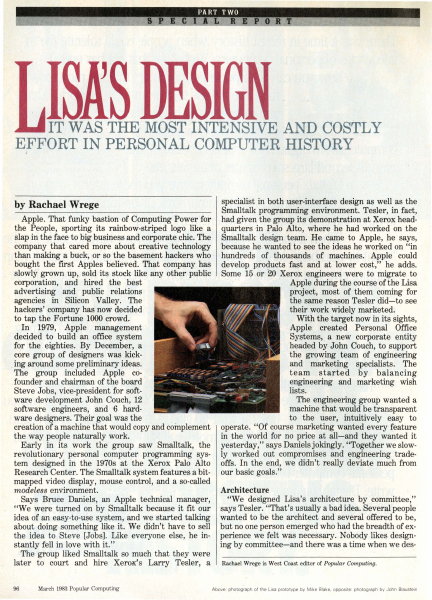
IT WAS -THE· MOST INTE·NSIVE AND COSTLY EFFORT IN PERSONAL COMPUTER HISTORY ,i specialist in both user-interface design as well as the Smalltalk programming environment. Tesler, in fact, Apple. That funky bastion of Computing Power for had given the group its demonstration at Xerox headthe People, sporting its rainbow-striped logo like a quarters -in Palo Alto, where he had worked on the slap in the face to big business and corporate chic. The Smalltalk design team. He came to Apple, he says, company that cared more about creative technology 'because he.wanted to see the ideas he worked on "in than making a buck, or so the basement hackers who · hundreds · of . thousands of machines. Apple could bought the first Apples believed. That company has develop products fast and at lower cost," he adds. slowly grown up, sold its stock like any other public . Some 15 .or 20 Xerox engineers were to migrate to corporation, and hired the best , ·· · Apple during the course of the Lisa advertising and public relations project, most of them coming for agencies in Silicon Valley. The the same reason Tesler did-to see hackers' company has now decided their work widely marketed. to tap the Fortune 1000 crowd. With the target now in its sights, In 1979, Apple management Apple created Personal Office decided to build an office system Systems, a new corporate entity for the eighties. By December, a headed by John Couch, to support core group of designers was kickthe growing team of ·engineering . ing around some pr~liminary ideas. and marketing specialists. The The group included Apple coteam started by balancing .founder and chairman of the board engineering and marketing wish lists. Steve Jobs, vice-president for softThe engineering group wanted a ware development John Couch, 12 machine that would be transparent software engineers, and ·6 hardto the user, intuitively easy to ware designers. Their goal was the creation of a machine that would copy and complement operate. "Of course marketing wanted every feature the way people naturally work. in the world for no price at all-and they wanted it Early in its work the group saw Smalltalk, the yesterday," says Daniels jokingly. "Together we slowrevolutionary personal computer programming sys- ly worked out compromises and engineering tradetem designed in the 1970s at the Xerox Palo Alto offs. In the end, we didn't really deviate much from Research Center. The Smalltalk system features a bit- our basic goals." mapped video display, mouse control, and a so-called Architecture modeless environment. "We designed Lisa's architecture by committee," Says Bruce Daniels, an Apple technical manager, "We were turned on by Smalltalk because it fit our says Tesler. "That's usually a bad idea. Severalpeople idea of an easy-to-use system, and we started talking wanted to be the architect and several offered to be, about doing something like it. We didn't have to sell but no one person emerged who had the breadth of exthe idea to Ste…

Showing first 3,000 characters of 17,982 total. Open the full document →
Home Documents Lisa Perkins Inventing The Lisa User Interface
Perkins Inventing The Lisa User Interface

Perkins Inventing The Lisa User Interface

Lisa · 1980 · PDF
FilenamePerkins_-_Inventing_the_Lisa_User_Interface_199704.pdf
Size24.30 MB
Year1980
Subsection development_history / articles
Downloads2
Enjoying MacTrove? Anonymous downloads are free and unlimited. Create a free account to track favorites, contribute metadata corrections, and join the community chat.
Reader
Perkins Inventing The Lisa User Interface
/
Loading…
OCR / Text contents
art i c I e Frank Luclol INVENTING THE USER INTERFACE Macintosh user interface is a direct descendant of rst ~eveloped and used on Apple's Lisa computer. Iex:I-oased system that presented the user with a blank ~" · king cursor, the Lisa displayed an electronic desktop, he user manipulated directly to tell the computer electronic desktop, with its windows, menu bar, . part of the original design; rather, it was the . result of a 4-year-long' process of refining goals and developing, ~~~-.--~~~~--~--~, testing, and synt esizing many alternative ideas. In fact, the iconic deskto · was first tried in 1980 and discarded! The final result (Fig- ~ ure ·1) cot .anly_mage computers easier to use, it made them fun. Ill The system will provide one standard method ofinteracting with a user in handling text, numbers, and graphics... The system will adhere to the concept of "gradual learning': .. A user must be able to do some important tasks easily and with minimal instruction or preparation... The more sophisticated ftatures will be unobtrusive until they are needed Errors will be handled consistently in as friendly a manner as possible, and the user will be protected from obvious errors... ... A "Set-up" program will allow the user to customize several system attributes in order to "personalize" interaction with the system... in order to make the system uniquely personal for the user without interfering with the interface standards... {It should allow) a user to put whatever he/she is doing on "hold" in order to answer the phone, look up an address, or respond to an asynchronous interrupt (time for a meeting, mail received on the network, etc). .. In addition, the use ofgraphics in general user interaction will set Lisa apart from its competitors and will go a long way toward making the system friendly, easy and enjoyable to use. 'Intuitive icons" can be designed to indicate certain messages to the user. .. ., The authors were members of the software team that designed and implemented Lisa's system software and applications. Rod Perkins joined the team in early 1979, shortly after the start of the project, to work on applications and prototypes of the early ideas about the appearance and workings of windows, dialogue boxes, and menus. Dan Keller and Frank Ludolph began working on Lisa in late 1980 and were resp0nsible for what eventually became the .Desktop Manager with folders and icons. ~-'"!1!P and Guiding Principles -. • new machine, first proposed in late 1978, to be designed for general office use-a high-quality, easy-to-use computer for secretaries, managers, and professionals that would give the individual more independence performi~ multiple tasks without disrupting the office. The ease-of-use goal evolved during 1979 as the software team tried many ideas. Requirements, developed jointly by marketing and engineering, enumerated the following goals [4]. Lisa must be fun to use. It will not be a system that is used by someone "because…

Showing first 3,000 characters of 39,288 total. Open the full document →
Home Documents Lisa Tesler The Legacy Of The Lisa Macworld
Tesler The Legacy Of The Lisa Macworld

Tesler The Legacy Of The Lisa Macworld

Lisa · 1983 · PDF
FilenameTesler_-_The_Legacy_of_the_Lisa_-_Macworld_198509.pdf
Size2.57 MB
Year1983
Subsection development_history / articles
Downloads3
Enjoying MacTrove? Anonymous downloads are free and unlimited. Create a free account to track favorites, contribute metadata corrections, and join the community chat.
Reader
Tesler The Legacy Of The Lisa Macworld
/
Loading…
OCR / Text contents
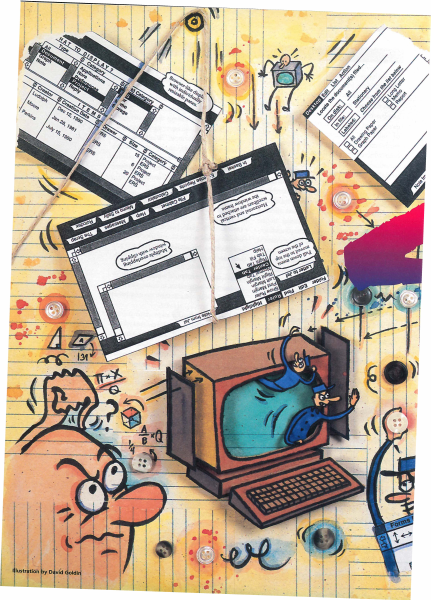
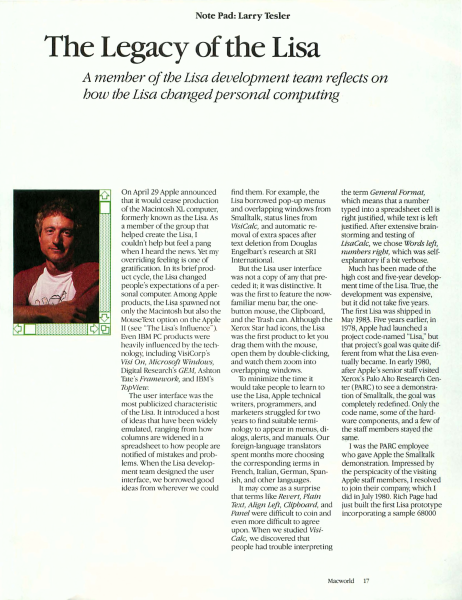
Note Pad: Larry Tesler The Legacy of the Lisa A member of the Lisa development team reflects on how the Lisa changed personal computing On April 29 Appl announced char ic would cease production of che Macintosh XL computer, formerly known as che Lisa. As a member of ch group that helped create che Lisa, I c uldn'c help but feel a pang w hen I heard the news. Yer my verriding fe ling is one of gratifi cation. In its brief product cycle, the Lisa changed people's expectaci ns of a personal computer. A mong Apple products, che Lisa spawned not only the Macintosh but also che MouseText opti n on che Apple II (see "The Lisa·s Influence'} Even I BM PC pro ducts were heavil y influenc d by che cechnology, including VisiCor p's Visi On, Microsoji \'(lfndows, Digital Research's GEM, As hron Tace·s Frameu ork, and IBM 's Top View. The user interface wa the most publiciz d characterist ic of the Lisa. Ir introduced a host of ideas thac have been w idely emulated, ranging from how column s are wid ned in a spreadsheet ro how people are notified of mistakes and problems. When the Lisa developm nt team d signed the user interface, we I arrowed good ideas from wherever we could find them. For example, the Lisa borrowed pop-up menus and overlapping w indows from Smalltalk, status lines from VisiCalc, and automatic remova l of extra spaces afc r text deletion from Douglas Engelban's research at RI I mernacional. But the Lisa user inter face was not a copy of any chat preceded it; it was distinctive. It was ch firsc to feature the nowfarn ili ar menu bar, the onebutton mouse, the Clipboard, and che TJ·ash can . Although the Xerox tar had icons, the Lisa was the first prod uct to lee you drag them w ith the mouse, open them by double-clicking, and watch them zoom into overlapping w indows. Tu minimize the time it would take people to learn to use che Li a, Apple technical writer., programmer , and marketers struggled for two years to find suitable termi nology to appear in menus, dialogs, alerts, and manuals. Our foreign-language translaror spent months more choosing the corresponding terms in French Ita lian, German , Spanish, and other languages. It may come as a suq ri se that terms like Revert, Plain Text, Align Le.ft, Clipboa rd, and Panel we re difficult to coin and even more difficult to agree upon. When we stud ied VisiCa/c, we discovered chat people had trouble imerpreting the term General Format, which means that a number ryped into a spreadsheet cell is right justified, w hile texc is left justified. After extensive brainstorming and testing of LisaCalc, we cho e Words left, numbers rigbt, which was sel fexplanator y if a bit verbose. Much has been made of the high cost and five-year develop ment time of the Lisa. True, the development was expensive, but it did not take five years. The first Lisa was shipped in May 1983. Five years earlier, in 1978, Apple had launched a project code-nam ed "Lisa," bur that project's goal was quite different from w ha…

Showing first 3,000 characters of 8,539 total. Open the full document →

Home Documents Lisa Smith The Past Present And Future Of The Macintosh Desktop Semaphore Signal
Smith The Past Present And Future Of The Macintosh Desktop Semaphore Signal

Smith The Past Present And Future Of The Macintosh Desktop Semaphore Signal

Lisa · 1986 · PDF
FilenameSmith_-_The_Past_Present_and_Future_of_the_Macintosh_Desktop_-_Semaphore_Signal_198603.pdf
Size0.08 MB
Year1986
Subsection development_history / articles
Downloads2
Enjoying MacTrove? Anonymous downloads are free and unlimited. Create a free account to track favorites, contribute metadata corrections, and join the community chat.
Reader
Smith The Past Present And Future Of The Macintosh Desktop Semaphore Signal
/
Loading…
OCR / Text contents
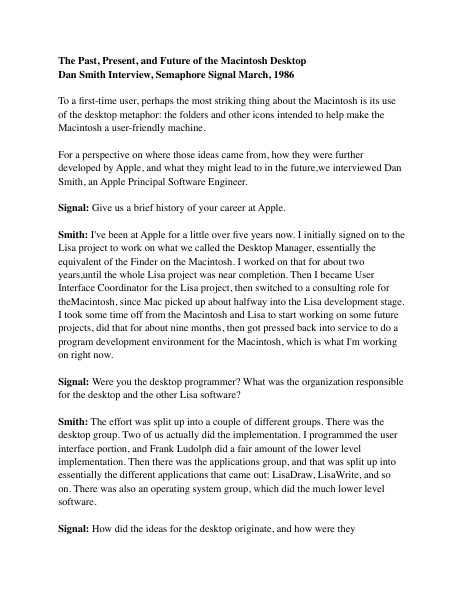
The Past, Present, and Future of the Macintosh Desktop Dan Smith Interview, Semaphore Signal March, 1986 To a first-time user, perhaps the most striking thing about the Macintosh is its use of the desktop metaphor: the folders and other icons intended to help make the Macintosh a user-friendly machine. For a perspective on where those ideas came from, how they were further developed by Apple, and what they might lead to in the future,we interviewed Dan Smith, an Apple Principal Software Engineer. Signal: Give us a brief history of your career at Apple. Smith: I've been at Apple for a little over five years now. I initially signed on to the Lisa project to work on what we called the Desktop Manager, essentially the equivalent of the Finder on the Macintosh. I worked on that for about two years,until the whole Lisa project was near completion. Then I became User Interface Coordinator for the Lisa project, then switched to a consulting role for theMacintosh, since Mac picked up about halfway into the Lisa development stage. I took some time off from the Macintosh and Lisa to start working on some future projects, did that for about nine months, then got pressed back into service to do a program development environment for the Macintosh, which is what I'm working on right now. Signal: Were you the desktop programmer? What was the organization responsible for the desktop and the other Lisa software? Smith: The effort was split up into a couple of different groups. There was the desktop group. Two of us actually did the implementation. I programmed the user interface portion, and Frank Ludolph did a fair amount of the lower level implementation. Then there was the applications group, and that was split up into essentially the different applications that came out: LisaDraw, LisaWrite, and so on. There was also an operating system group, which did the much lower level software. Signal: How did the ideas for the desktop originate, and how were they incorporated into your design? Smith: That's a pretty interesting story. When I started at Apple, the idea of the desktop hadn't really quite been born. In fact, it was thought we'd do something fairly simple, and it would be a one-person job for a couple of months and it would be over. It was a little later in the project that we realized the desktop was going to be a central part of the entire system. The idea of an iconic form didn't come along until quite late into the development of the product. We started off with something that was pretty Smalltalk-like. There was a notion of a thing called a browser, which is essentially a table you could flip through, listing the documents you had in a hierarchical fashion. But the whole initial desktop was essentially technically oriented. We went through iteration after iteration. I remember doing prototype after prototype, and trying them on several groups of people, getting it to be more and more useable. But a number of us were not happy with what we were gettin…

Showing first 3,000 characters of 29,183 total. Open the full document →

Home Documents Lisa Perkins Inventing Lisa Interface CPSR Email
Perkins Inventing Lisa Interface CPSR Email

Perkins Inventing Lisa Interface CPSR Email

Lisa · 2000 · PDF
FilenamePerkins_-_Inventing_Lisa_Interface_CPSR_email_199606.pdf
Size0.46 MB
Year2000
Subsection development_history / articles
Downloads2
Enjoying MacTrove? Anonymous downloads are free and unlimited. Create a free account to track favorites, contribute metadata corrections, and join the community chat.
Reader
Perkins Inventing Lisa Interface CPSR Email
/
Loading…
OCR / Text contents
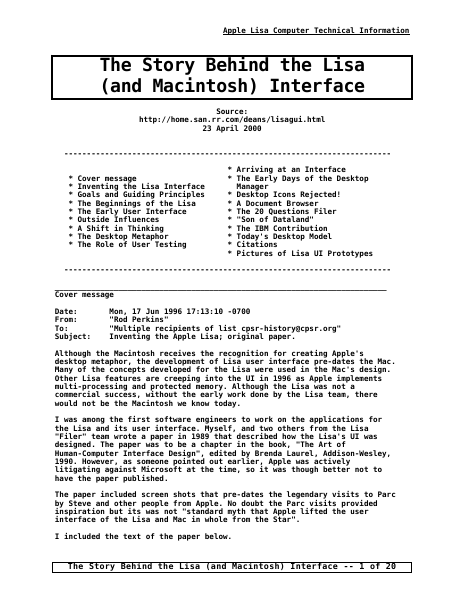
Apple Lisa Computer Technical Information The Story Behind the Lisa (and Macintosh) Interface Source: http://home.san.rr.com/deans/lisagui.html 23 April 2000 -----------------------------------------------------------------------* Cover message * Inventing the Lisa Interface * Goals and Guiding Principles * The Beginnings of the Lisa * The Early User Interface * Outside Influences * A Shift in Thinking * The Desktop Metaphor * The Role of User Testing * Arriving at an Interface * The Early Days of the Desktop Manager * Desktop Icons Rejected! * A Document Browser * The 20 Questions Filer * "Son of Dataland" * The IBM Contribution * Today's Desktop Model * Citations * Pictures of Lisa UI Prototypes -----------------------------------------------------------------------_________________________________________________________________________ Cover message Date: From: To: Subject: Mon, 17 Jun 1996 17:13:10 -0700 "Rod Perkins" "Multiple recipients of list cpsr-history@cpsr.org" Inventing the Apple Lisa; original paper. Although the Macintosh receives the recognition for creating Apple's desktop metaphor, the development of Lisa user interface pre-dates the Mac. Many of the concepts developed for the Lisa were used in the Mac's design. Other Lisa features are creeping into the UI in 1996 as Apple implements multi-processing and protected memory. Although the Lisa was not a commercial success, without the early work done by the Lisa team, there would not be the Macintosh we know today. I was among the first software engineers to work on the applications for the Lisa and its user interface. Myself, and two others from the Lisa "Filer" team wrote a paper in 1989 that described how the Lisa's UI was designed. The paper was to be a chapter in the book, "The Art of Human-Computer Interface Design", edited by Brenda Laurel, Addison-Wesley, 1990. However, as someone pointed out earlier, Apple was actively litigating against Microsoft at the time, so it was though better not to have the paper published. The paper included screen shots that pre-dates the legendary visits to Parc by Steve and other people from Apple. No doubt the Parc visits provided inspiration but its was not "standard myth that Apple lifted the user interface of the Lisa and Mac in whole from the Star". I included the text of the paper below. The Story Behind the Lisa (and Macintosh) Interface -- 1 of 20 Apple Lisa Computer Technical Information _________________________________________________________________________ Inventing the Lisa Interface Frank Ludolph Ludolph@aol.com Rod Perkins rod@aviodigital.com Dan Smith dkeller@palm.com Today's familiar Macintosh user interface is a direct descendent of the interface first developed and used on Apple's Lisa computer. Instead of a text-based system that presented the user with a blank screen and blinking cursor, the Lisa gave the user a picture of an electronic desktop, a picture that the user manipulated directly to tell the computer…

Showing first 3,000 characters of 34,902 total. Open the full document →

Home Documents Lisa Hawkins Lisa History
Hawkins Lisa History

Hawkins Lisa History

Lisa · 1985 · PDF
FilenameHawkins_-_Lisa_History_19940207.pdf
Size10.40 MB
Year1985
Subsection development_history / memos
Downloads2
Enjoying MacTrove? Anonymous downloads are free and unlimited. Create a free account to track favorites, contribute metadata corrections, and join the community chat.
Reader
Hawkins Lisa History
/
Loading…
OCR / Text contents
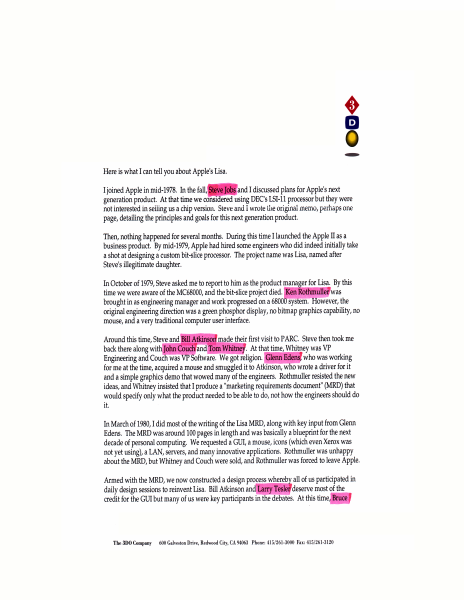
By the way, many Apple documents became public record as a result of a shareholder lawsuit around 1985. I am sure if you make inquiries you could locate many interesting documents including the Lisa MRD. It's almost a bible of personal computing. Best of luck with your project, and by all means check out 3DO! Regards, T~~ Trip Hawkins President and CEO The 3DO Cumpan)' MR. TRIP HAWKINS PRESIDENT AND CEO. THE 3DO COMPANY 600 GALVESTON DRIVE REDWOOD CITV. CA 94063 /?ece,'Veef= (}3 /{Ar (fff Re: Apple Lisa computer Dear Mr. Hawkins: Thank you very much for the generous reply to my recent letter concerning the origins of the Lisa computer. The remarks you made in your letter of 07 February were fascinating reading. I plan to incorporate them into the revision of my Lisa legacy paper. If you can answer some more questions about the Lisa I would be very appreciative. These wi 11 be the last questions I have for you since I assume you have more pressing matters at hand, e.g. running 3DO. I've enclosed a SASE to make this reply easier (or you can e-·mai I me at my CompuServe address in the letterhead)= 0) May I make your letter available to others with an interest in the Lisa? '{ e 5 l) Who came up with LISA= 1.ocal Integrated ~oftware Architecture? I assume uo~.Ldid. A T Jowr rt.IA<~ 2) Were there ever other names for the Lisa. besides5~or example. ~~l:a~J.e...vt.u, 3) I noticed that Apple changed its corporate phone number afound 1983 to end in 1016 which is the A-line trap value in binary that Lisa (and Macintosh) programmers use for making system calls. Was this change do~ring the Lisa's development? Were you involved with this change? t.1 v wtU 908 /IJ/O -fin as {~ tfU T ~'1 re~ 1N.. pkevte. rr;c, v.idJ. ~ h~ I 'f~3 .' Thanks for the comment about the Lisa MAD. I wi II look around and see if I can find copy. FYI. I have a copy of the Lisa PIP and found that a very interesting read. Good luck at 3DO. Sincerely, 0,, -~7 /'/? . /-r-1,~ /~ /. David T. Craig {f,e . / IQ . we_~;f~f-1 [b<- fvf-;f WtJt! ttfw415 -h ''[,-,. {J,.,jed" 1;./Y'____ Wednesday. February 23. 199'1 J: r~~ ~ u,l/ ;{- A-ppfe Q!!! Apple Lisa Historical Info from Trip Hawkins 21 Apr ii 1994 -- David T. Craig The following information was provided by Owen W. Linzmayer of San Francisco, CA via CompuServe: David, April 21, 1994 I'm pretty busu finishing up mu b~ but I just got a nice missive rrcm Trip Hawkins that I tha!ght uw might like. --owz. I worked for Steve Jobs until Lisa was taken away from him in the fall of 1980, on the eve of Apple's IPO. A few months after that, Steve took over Jef Raskin's project, contirned to call It Macintosh, and totally changed it into Steve's vision of a scaled-down Lisa. All of the core ideas were the same for both Lisa and Mac. Steve did have some legitimate concerns about Lisa being too high-end in its conception, but Ironically over time the Mac grew to have as much memory and cost as Lisa had. I have a huge amount of re…

Showing first 3,000 characters of 8,777 total. Open the full document →

Home Documents Lisa Ludolph Lisa Filer External Reference Specification
Ludolph Lisa Filer External Reference Specification

Ludolph Lisa Filer External Reference Specification

Lisa · 1981 · PDF
FilenameLudolph_-_Lisa_Filer_External_Reference_Specification_19810723.pdf
Size4.20 MB
Year1981
Subsection development_history / memos
Downloads3
Enjoying MacTrove? Anonymous downloads are free and unlimited. Create a free account to track favorites, contribute metadata corrections, and join the community chat.
Reader
Ludolph Lisa Filer External Reference Specification
/
Loading…
OCR / Text contents
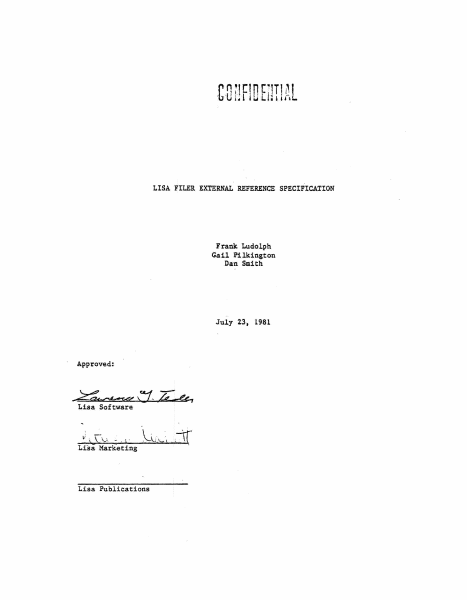
rnul' .i.tr:1 tn~· rr10L ·b I l.J I.. 1 • I & I i LISA FILER EXTERNAL REFERENCE SPECIFICATION Frank Ludolph Gail Pilkington Dan Smith July 23, 1981 Approved: - ~~v- u &, Lisa Software Lisa Publications - Acknowledgement Many thanks to all the POS people that offered their time and ideas during t:he development of the Filer and this ERS.o APPLE CONFIDENTIAL .FILER 'ERS Project Identif+cation - PROJECT IDENTIFICATION 1.1 Pr()ject Name: Lisa Filer 1.2 Project Number: El46 1.3 Related Documents [l} Lisa Preliminary Personal Applications M.RD 1 June 30 1 1980. Barry Margerum [2} Lisa User Interface Standards Document: September 24, 1980. Bill Atkinson. 13] Lisa Diagnostics ERS, Version 1.1, December 23, 1980. Rich Castro. [41 :t.isa Software Theft Protection MRD, Version 1.0, April 30, 1981M Eric Michelman. 1.4 Product Abstract The Filer performs a btoad range of functions relating to the access and management ()f documents on the Lisa's deskto.p and storage media: * Creating, filing. and retrieving documents. * Init:l.alizing mounting, unmounting, and verifying the cons.istency of 1 disk.s. * Contr.olling the movement of tools between disk(ette)s. * Stationery (forms) management• Chapter two contains a complete list.of functions. The filing model is based on the.paper office but is even simpler; documents are placed in files which are on disk( ette)s ('drawers' in the paper office). As detailed in .chapter 2, many of the rest.rictions that exist in the paper off ice have been lifted; those that still remain are identical to those that exist in the paper officet e.g. disks (drawers) have a finite storage capacity. The user interacts with the Filer via .the dialog box - window$ are reserved for use by documents on the desktop.. This makes it easy for the user to get to the Filer by selecting a single menu option rather than hav1ng to search through the documents on the desktop. In general, the user specif1es the (set of) document(s) s/he wants to operate on.and then the operation, just as in the rest of Lisa. The Filer steps the. user through the standard document page 1 July 23, 1981 A1'PLE qoNFIDENTIAL Project ldentificatioll specification procedure (which the user can easily override) prompting for informacion and providinghi.Dl/her with tbe v11lU choices.. This appraaeh m111imizes 1 the lea'dling time. and the number of ki;ly1n;rcikes needed to accomplish .the task. 1.4 .1 Typie41 Users AlJ. Lisa use"t"s nll use the Filer. It is 'the first tool the new user. is trained on. Design of tha File:r has been bias:ad such tha.t the everyday o.perations are: exceedingly s:l.:mt>le. l .4.2 Novel Eeat'!lres • S:Lm.plUiel:I retrieval: Although the filer supports a (limi~ed) hie.r•rchical view of stored d.ocuments (documents in files <in d.isk(ette)s ).' the user can scan the do<:;umenrs unincu11bered by ft.le and disk(ette) b®ndries. • Simplified st.ationery handling: ~Y document can, be made :Ln'.to stationery .... by simp…

Showing first 3,000 characters of 75,097 total. Open the full document →

Home Documents Lisa Preliminary Applenet Interface Specification Jun81
Preliminary Applenet Interface Specification Jun81

Preliminary Applenet Interface Specification Jun81

Lisa · 1981 · PDF
FilenamePreliminary_Applenet_Interface_Specification_Jun81.pdf
Size0.63 MB
Year1981
Subsection appleNet
Downloads2
Enjoying MacTrove? Anonymous downloads are free and unlimited. Create a free account to track favorites, contribute metadata corrections, and join the community chat.
Reader
Preliminary Applenet Interface Specification Jun81
/
Loading…
OCR / Text contents
APPLENET IF SPEC Preliminary APPLENET Interface Specification June 3, 1981 R. Hochsprung R. Paratore 6/3/81 page 1 APPLENET IF SPEC This specification is a first-cut at describing how the Lisa Host, interfaces with the APPLENET card to execute the basic network services provided by the Z8. Many details are left out, such as exact sizes of host queue elements, etc. since these are dynamiclly defined. This document should give the reader a basic sense of the "style" of interaction to be provided. The host sees the APPLENET card as a shared-memory device. All commands are initiated by setting parameters into a single Task Command Block (TCB) within this shared memory. Periodically, the Z8 performs a scan of. this TGB and will execute the command when it discovers it. After a command has been completed, the Z8 will generate an interrupt to the Host. At this time, the host is responsible to examine the results of the command. In addition, the APPLENET card is normally always armed to receive packets over the net. Data from received packets are placed wi thin buffers in the shared memory. Several such buffers (called Host Queue Elements - HQE) are maintained by the 28 after Initailization. As in the case of a completed command, the Z8 will interrupt the Host after each packet is successfully received. The term "queue" is somewhat misleading, since no explicit queuing mechanisms are provided. Instead, by mutual agreement between the Host and the Z8, these Host Queue Elements are scanned in a cyclic fashion. Thus, the Z8 will guarantee to fill the Host Queue in sequence (chronological order). Likewise, the Host should maintain such a cyclic sequencing when examining the queue. The only time when this "queue" will become full is when the Host does not free a HQE. The Z8 will consider the buffer overrun and Jam directed packets and increment the buffer overrun status on bradcast packets until the next HQE is free. In order to properly synchronize the shared usage of thes TCB) and HQEs (and long buffers), each such object contains a semaphore. The value of the semaphore always indicates the current state of the object. The interpretation of the semaphores is as follows: o A value of zero for any semaphore means that the object is currently free; ego neither the Z8 nor Host is using the object. + Any (strictly) positive value indicates that the object is being processed by the Z8. For the TCB, the value is set by the Host with a unique value indicating the desired command. For HQEs and long buffers, the value is set by the Z8 when the object is first allocated to begin reception of a new packet. - A negative value indicates that the object has been "completed" by the Z8 and should thus be processed by the Host. For the TCB, this indicates that the command is done. For HQEs, this indicates that a packet has been successfully received and should be processed by the Host. The following scenarios describe the sequence of semaphore values for two cases: …

Showing first 3,000 characters of 12,195 total. Open the full document →

Home Documents Lisa Lisa Hardware Manual Sep82
Lisa Hardware Manual Sep82

Lisa Hardware Manual Sep82

Lisa · 1982 · PDF
FilenameLisa_Hardware_Manual_Sep82.pdf
Size10.78 MB
Year1982
Subsection hardware
Downloads3
Enjoying MacTrove? Anonymous downloads are free and unlimited. Create a free account to track favorites, contribute metadata corrections, and join the community chat.
Reader
Lisa Hardware Manual Sep82
/
Loading…
OCR / Text contents
September 7th 1982 LISA Hardware Manual LISA HARDWARE MANUAL Forrest Warthman and Associates Final Draft September 7th 1982 Author: D. Berry September 7th 1982 LISA Hardware Manual PREFACE (Full Version Only) The LISA Hardware Manual is concerned with the internal functioning of the LISA system. It is intended for use by people concerned with the detailed functional operation of the LISA hardware. It is divided into two sections. Section I provides information on the functional performance and specification of the system. Chapter 1 provides a general introduction to the Lisa system, while giving a brief description of the system architecture. Chapter 2 will be of interest to programmers who need to know the address and interrupt structure, as well as the operation of the Memory Mapping Unit. Chapter 3 contains in!ormation on dimensions and environmental requirements and interfaces to the system, which are of use to design engineers wishing to interface to the Lisa. Section II of the· manual contains full functional. descriptions and theory of operation for each of the modules in the Lisa system. It will not be of interest to the general reader and is intended for use only by design and service personnel. Section II includes chapters on: * * * * * * * * The _processor board The memory board The I/O board The video board The operator interface The floppy disk unit The power supply System assembly The appendices supply schematics for the system components. Other documents relevant to the system are: * * * * LISA Hardware Manual (Condensed Version) LISA Floppy Disk Drive Manual LISA Owner's Guide LISA Operating System Manual * * * * * * Motorola 68000 User's Manual Motorola 6504 User's Manual Motorola 6522 Data Sheet COPS42l User's Manual 8530 sec User's Manual AMD 9512 Data Sheet xii LISA Hardware Manual September 7th 1982 TABLE OF CONTENTS Preface -- Section I -- Chapter 1 1.1 1.2 1.3 1.4 1.S 1.6 1.7 1.8 Chapter 2 SYSTEM ARCHITECTURE System Layout • • • • • • • • • • 1-1 Hardware Structure • • • • • • • • • • 1-4 The Central Processing Unit • • • • • • 1-6 f-temory • • '. • • • • • • • • • 1-6 Internal Buses • • • • • • •• •• 1-10 Storage Media • • • • • • • • • • • • • 1~11 User In'terfaces • • • • • • • • • • • • .1-11 Additional Features • • • • • • • • 1-11 SYSTEt-t PROGRAUMING 2.3 ..·.·.. 2-1 CPU Registers and Their Osp. · . . • .•.• 2-2 Memory Management Scheme 2-3 · · ·· •• ·· ·· •· 2-5 2.3.1 Address Transformation 2.3.2 The MMU Registers • 2-8 · · · · · · 2.3.3 MMU Initialization 2-11 2.3.4 System Contexts • · · · · · · · • ·• ·• 2-13 2.4 Addressing in Special I/O Space • • • • 2-15 2.5 System I/O Map. '. • • • • • 2-15 2.5.1 Floppy Disk Control • 2-16 • • • 2.5.2 Serial Port Control • 2-19 • • 2.5.3 Parallel Port Control • 2-22 • 2.5.4 Keyboard/Mouse Control 2-26 2.5.5 Processor Board Control • • 2-33 2.6 Interrupt Handling 2.7 Error Processing 2.8 System Status • • • 2.1 2.2 The Instruction Set ii . …

Showing first 3,000 characters of 348,461 total. Open the full document →

Subscribe to Lisa
mp.ls