Home Documents Lisa A6L0143 LisaGraph
A6L0143 LisaGraph

A6L0143 LisaGraph

Lisa · 1983 · PDF
FilenameA6L0143_LisaGraph_1983.pdf
Size8.30 MB
Year1983
Subsection office_system
Downloads4
Enjoying MacTrove? Anonymous downloads are free and unlimited. Create a free account to track favorites, contribute metadata corrections, and join the community chat.
Reader
A6L0143 LisaGraph
/
Loading…
OCR / Text contents
LisaGraph A6L0143 Lisa Graph 029-0208-A Lisa Graph 111 @ ® @ ® ® @, G @ 1It 'j 029-0097-A @ quality, performance, merchantability, Lisa Software License Agreement Customer Satisfaction or fitness for any particular purpose. signed by each Lisa owner. Under the If you discover physical defects in the copyright laws and the License As a result, this software is sold "as manuals distributed with a Lisa product Agreement, this manual or the is," and you the purchaser are or in the media on which a software programs may not be copied, in whole assuming the entire risk as to its product is distributed, Apple will quality and performance. or in part, without the written consent of replace the documentation or media at Apple, except in the normal use of the no charge to you during the 90-day In no event will Apple or its software software or to make a backup copy. period after you purchased the product. suppliers be liable for direct, indirect, This exception does not allow copies to special, incidental, or consequential In addition, if Apple releases a be made for others, whether or not damages resulting from any defect in corrective update to a software product sold, but all of the material purchased the software or manual, even if they during the 90-day period after you (with all backup copies) may be sold, have been advised of the possibility of purchased the software, Apple will given, or loaned to other persons if they such damages. In particular, they shall replace the applicable diskettes and agree to be bound by the provisions of have no liability for any programs or the License Agreement. Copying documentation with the revised version data stored in or used with Apple at no charge to you during the six includes translating into another products, including the costs of months after the date of purchase. language or format. recovering or reproducing these programs or data. In some countries the replacement You may use the software on any computer owned by you, but extra period may be different; check with The warranty and remedies set forth copies cannot be made for this your authorized Lisa dealer. Return any above are exclusive and in lieu of all item to be replaced with proof of purpose. For some products, a multiothers, oral or written, express or purchase to Apple or to an authorized use license may be purchased to allow implied. No Apple dealer, agent, or Lisa dealer. the software to be used on more than employee is authorized to make any one computer owned by the purchaser, Limitation on Warranties and Liability modification, extension, or addition to including a shared-disk system. this warranty. (Contact your authorized Lisa dealer for All implied warranties concerning this manual and media, including implied Some states do not allow the exclusion information on multiuse licenses.) warranties of merchantability and or limitation of implied warranties or Product Revisions fitness for a particular purpose, are liabilit…

Showing first 3,000 characters of 252,344 total. Open the full document →
Home Documents Lisa Clascal Reference Manual Mar83
Clascal Reference Manual Mar83

Clascal Reference Manual Mar83

Lisa · 1983 · PDF
FilenameClascal_Reference_Manual_Mar83.pdf
Size2.27 MB
Year1983
Subsection toolkit_university
Downloads4
Enjoying MacTrove? Anonymous downloads are free and unlimited. Create a free account to track favorites, contribute metadata corrections, and join the community chat.
Reader
Clascal Reference Manual Mar83
/
Loading…
OCR / Text contents
CLASCAL REFERENCE MANUAL for the LISA 1N First Dratt~ March· 9th , MCMLXXXIII by Da.vid Casseres IApple Co"puter. Inc. 198J Cla.sca1 Reference ManuaJ CONTENTS 1 Introduction to Clascal Concepts 1.1 Class-Types ....•..... 1.2 Objects ............ . 1.3 The Class H1erarchy .... . 1.4 ~~ce ........... . 1.5 Assignment-Compa;tibillty of Objects Expa.ns1on ofEx1st1ng Pasca.1. Syntax .. 'Def1rdng a Class .......................... . l)ef'ining a Metl\.od . • • • • • • . . . • . • • • • . • . • • • . • • • • . .......... 2 3 4 4.1 4.2 4.3 4.4 4.5 4.6 5 6 'l OverrldingInher1tedMethods ••• Self-Reference via. the Self Pseudova.ria.ble Self-Reference via a Class-Identif1er Cla.sswid.e Methods Abstra.ctMethods • The New Metl\.od Class Object .•••••. Objects as Handles ...... . $H+ a.n.d$H- Compiler Commands Appendix A:· Sample lJstings ............. . 1 1 1 . . •. 2 2 3 3 •. 6 9 9 9 11 13 13 14 14 15 16 A-l Reference Manual Cla.sca.J 1 Introduction to Clascal Concepts Clascal is a set of extensions to Pascal on the Lisa. These extensions support "object-oriented" programming in a style th.a.t somewhat resembles SIMULA and SmalltaJk. The purpose is to provide a very highlevel interface to code libraries, allowing the user program to perform highly complicated functions with simple eaJ.ls, while still reta.irrlng flexibility . 1.1 Class-Types Cla.sealis ba.sed on a new category of user-def1ned types called clasS'" types. An individual class-type is referred to as a aJass. A cla.ss-type is a klnd of S'trUctured-type, resembling a reeord-type in that it contains na.med fields. A class can have two kinds of fields: • 1)8,:ta. Oelds are like the fields of a record; they. contain variable data, and each data field has its own type. • .Methods are procedures and functions. The fields are referenced lUte fields of a record, using a period and a field-identlf1er (or a w1th-statement that references a. field-identlf1er). For' exa.mple, it. area. identi:f1es a· field· defined in class Triangle, and c:rntTria:ngleis decla:rec:1 by va.r c:rntTr.ia.ngle: Tr.ia.ngle; then crntTrla.ngle. 8J'."e& is a reference to the area. field of cri\.tTrla.ngle. If azea. is a data. field, then crntTr.ia.ngle. area. is a va.ria.ble-referen.c:e; if area. is a. method, then crntTrla.ngle.area. is either a proceduresta.ternent or a. :t\mction-ca.ll. A class-type is declared in the interface-part of a unit, and is supported by a .method-block in th.eimplementation-part of the same unit. Section 3 gives the syntax for class-types and method-blocks. 12 Objects A class defines the behavior (data. fields and methods) of its objects:. Each objeetis an .tnsta.nce of the class tha.t def1nes its behavior. Each object is stored. in a. dyn~ca.lly alloca.ted.,pot.entially reloeatable data area. w1th,1n a heap. An. object of a given class is created by the new method defined. for that class; .this method returns a newlY created object of the cl.a.ss(see Seetl.on <4.6). …

Showing first 3,000 characters of 28,484 total. Open the full document →
Home Documents Macintosh AUX 1.0 Release Notes Nov87
AUX 1.0 Release Notes Nov87

AUX 1.0 Release Notes Nov87

Macintosh · 1986 · PDF
FilenameAUX_1.0_Release_Notes_Nov87.pdf
Size4.32 MB
Year1986
Subsection a_ux / aux_1.0
Downloads5
Enjoying MacTrove? Anonymous downloads are free and unlimited. Create a free account to track favorites, contribute metadata corrections, and join the community chat.
Reader
AUX 1.0 Release Notes Nov87
/
Loading…
OCR / Text contents
.® Apple® A/UXTM Release Notes Version 1.0 Ii APPLE COMPUTER, INC. © Apple Computer, Inc., 1986 20525 Mariani Ave. Cupertino, California 95014 (408) 996-1010 Apple, the Apple logo, AppleTalk, ImageWriter, LaserWriter, Macintosh, MacTerminal, and ProDOS are registered trademarks of Apple Computer, Inc. Apple Desktop Bus, A!UX, EtherTalk, and Finder are trademarks of Apple Computer, Inc. Ethernet is a registered trademark of Xerox Corporation. IBM is a registered trademark, and PC-DOS is a trademark, of International Business Machines, Inc. - ITC Avant Garde Gothic, ITC Garamond, and ITC Zapf Dingbats are registered trademarks of International Typeface Corporation. Microsoft and MS-DOS are registered trademarks of Microsoft Corporation. NFS is a registered trademark, and Sun Microsystems is a trademark, of Sun Microsystems, Inc. NuBus is a trademark of Texas Instruments. POSTSCRIPT is a registered trademark, and TRANSCRIPT is a trademark, of Adobe Systems Incorporated. UNIX is a registered trademark of AT&T Information Systems. UNIBUS, VAX, VMS, and VT100 are trademarks of Digital Equipment Corporation. Simultaneously published in the United States and Canada. APPLE'S SYSTEM V IMPLEMENTATION A/UX RELEASE 1.0 RUNNING ON A MACINTOSH II COMPUTER HAS BEEN TESTED BY THE AT&T-IS' SYSTEM V VERIFICATION SUITE AND CONFORMS TO ISSUE 2 OF AT&T-IS' SYSTEM V INTERFACE DEFINITION BASE PLUS KERNEL EXTENSIONS. Introduction to A/UX Release Notes, Version 1.0 These release notes contain late-breaking information about release 1.0 of the A!UXI'M software for the Apple® Macintosh® II computer. This package contains two kinds of materials: o Specific information that was not available in time to be incorporated into the printed manuals. Insert the pages that contain this information in the "Notes" section at the back of AlUX Local System Administration. Some of this material represents an expansion or update to a specific manual. In these cases, you may want to mark the table of contents for the affected manual with a reference to these release notes. o Replacement command reference pages. Insert these pages alphabetically by section into the appropriate A/UX reference manuals (AJUX Command Reference, AlUX Programmer's Reference, and AJUX System Administrator's Reference). You should read these release notes before installing and using your AIUX system, so that you can avoid potential problems caused by using out-of-date documentation. Additional update information appears in the software itself, in the standard text file /README. You can read this file in either of two ways: o Page through the text by entering the command rno re / README To see more information, press the space bar at the --More-- prompt. When you reach the end of the text file, you are returned to the shell. To quit before the end of the file, press the Q key. o Use your favorite A!UX text editor to read the text. iii These release notes are divided into eight sections: Section 1, "Program…

Showing first 3,000 characters of 210,811 total. Open the full document →
Home Documents Lisa A6L0144 LisaWrite
A6L0144 LisaWrite

A6L0144 LisaWrite

Lisa · 1983 · PDF
FilenameA6L0144_LisaWrite_1983.pdf
Size9.20 MB
Year1983
Subsection office_system
Downloads4
Enjoying MacTrove? Anonymous downloads are free and unlimited. Create a free account to track favorites, contribute metadata corrections, and join the community chat.
Reader
A6L0144 LisaWrite
/
Loading…
OCR / Text contents
LisaWrite r (J) ' ~ .:::::+: (1) A6L0144 Lisa Write 029-0103-A Guide to Lisa Manuals Set up your Lisa following the setup procedures in the Lisa accessories box or in Appendix 1, Setup Procedures, in the Lisa Owner's Guide. Go through Section A, LisaGuide, in the Lisa Owner's Guide, for an introduction to the Lisa. If your dealer or service representative did not set your system Preferences so that the Lisa knows what external devices are attached, follow the instructions in Section D, Desktop Manager Reference Guide, under Set, in the Lisa Owner's Guide. ~ Go to Section A, Getting Started, in the manual for each office tool that you want to learn, for the essentials of using that tool. Go to Section B, Lisa Fundamentals, in the Lisa Owner's Guide, for the background information you need before beginning long-term work on the Lisa. You are now ready to start doing your own work on the Lisa: • If you want self-paced instructions for using a tool, go to Section B, Tutorial, in that tool manual. • If you want instructions for performing specific tasks with a tool, go to Section C, Reference Guide, in that tool manual. For specific instructions on filing and desktop management, go to Section D, Desktop Manager Reference Guide, in the Lisa Owner's Guide. For more information on the Lisa hardware, tips on caring for the Lisa, and suggestions for troubleshooting when the system isn't working properly, go to the other sections of the Lisa Owner's Guide. Lisa Write 1$ 029-0102·A Customer Satisfaction If you discover physical defects in the manuals distributed with a Lisa product or in the media on which a software product is distributed, Apple will replace the documentation or media at no charge to you during the 90-day period after you purchased the product. its quality, performance, merchantability, or fitness for any particular purpose. As a result, this software is sold "as is," and you the purchaser are assuming the entire risk as to its quality and performance. In no event will Apple or its software suppliers be liable for direct, indirect, special, incidental, or consequential In addition, if Apple releases a damages resulting from any defect in corrective update to a software product the software or manual, even if they during the 90-day period after you have been advised of the possibility of purchased the software, Apple will such damages. In particular, they shall replace the applicable diskettes and have no liability for any programs or documentation with the revised version data stored in or used with Apple at no charge to you during the six products, including the costs of months after the date of purchase. recovering or reproducing these In some countries the replacement programs or data. period may be different; check with The warranty and remedies set forth your authorized Lisa dealer. Return any above are exclusive and in lieu of all item to be replaced with proof of others, oral or written, express or purchase to Appl…

Showing first 3,000 characters of 329,926 total. Open the full document →
Home Documents Macintosh Appletalk Router Administrators Guide
Appletalk Router Administrators Guide

Appletalk Router Administrators Guide

Macintosh · 1989 · PDF
FilenameAppletalk_Router_Administrators_Guide_1989.pdf
Size6.46 MB
Year1989
Subsection developer / Networking
Downloads4
Enjoying MacTrove? Anonymous downloads are free and unlimited. Create a free account to track favorites, contribute metadata corrections, and join the community chat.
Reader
Appletalk Router Administrators Guide
/
Loading…
OCR / Text contents
Apple Confidential (/ •~ Apple~ AppleTalk* Internet Router Administrator's Guide (_ . Apple Confidential • ti APPLE COMPUTER, INC. This manual and the software described in it are copyrighted, with all rights reserved. Under the cop'YJ'ight laws, neither this manU1l nor the software may be copied, in whole or in part, wlhout written consent of Apple, except in the normal use of the software or to make a backup copy of the software. The same proprietary and copyright notices must be aff'ixed to any permined copies as were aff'ixed to the original. This exception does not allow copies to be made for othels, whether or not sold, but all of the mate.rial purchased (with all backup copies) may be sold, given, or loaned to another person. Under the law, copying includes translating into another language or fomiat. You may use the software on any computer owned by you, but exua copies cannot be made for this purpose. © Apple Computer, Inc., 1989 20525 Mariani Avenue Cupenino, CA 95014 (408) 996-1010 Apple, the Apple logo, AppleShare, AppleTalk, ImageWriter, LaserWriter, and Macintosh are registered trademarks of Apple Computer, Inc. EtherTalk, Finder, Inter• Poll, LocalTalk, and TokenTalk are trademarks of Apple Computer, Inc. MacDraw is a registered trademark of Claris Corporation. . Apple Confldentlal Contents Figures and tables Preface About This Guide Who should read this guide How to use this guide If you're new to routers If you're experienced with routers Selecting a network administrator Additional references Part I 1 Introduction and System Requirements The AppleTalk Internet Router How the AppleTalk Internet Router works Network connections on your router What the AppleTalk Internet Router can do Internet routing functions Router control and monitoring functions Bridges and routers v .. Apple Confldentlal 2 AppleTaJk Terms and Concepts AppleTalk networks and intemets Network Internet 1be AppleTalk Network System Netwm servkes AppleTalk addressing Packers Nodes Network addresses Node addreues AppleTalk zones 1.one names and zone lists An inremet zone example Internet routers Hardware-based and software-based routers Seed routers Hops Routing tables 3 System Requirements .and Router Environments System requirements Hardware Software Macintosh router environments Running the AppleTalk Internet Router on a nondedicated Macintosh computer Running the AppleTalk Internet Router on a dedicated Macintosh computer RuMing the AppleTalk Internet Router on a Macintosh workstation Connecting networks to the router ports Potts 4 A quick tour The Router desk accessory The Router Setup window The Network Information window The Port Statistics window Router operatioo vi Contents Apple Conllderit!al . Part U JostaWng and Using the AppleTalk Internet Router 5 Installing the AppleTalk Internet Router The AppleTalk Inremct Rooter diR Installing on a bard <&k Installing the AppleTalk Internet Router with an AppleShare file server Sh…

Showing first 3,000 characters of 176,958 total. Open the full document →

Home Documents Lisa Architecture Of The Lisa
Architecture Of The Lisa

Architecture Of The Lisa

Lisa · 1975 · PDF
FilenameArchitecture_of_the_Lisa.pdf
Size2.33 MB
Year1975
Subsection toolkit_university
Downloads4
Enjoying MacTrove? Anonymous downloads are free and unlimited. Create a free account to track favorites, contribute metadata corrections, and join the community chat.
Reader
Architecture Of The Lisa
/
Loading…
OCR / Text contents
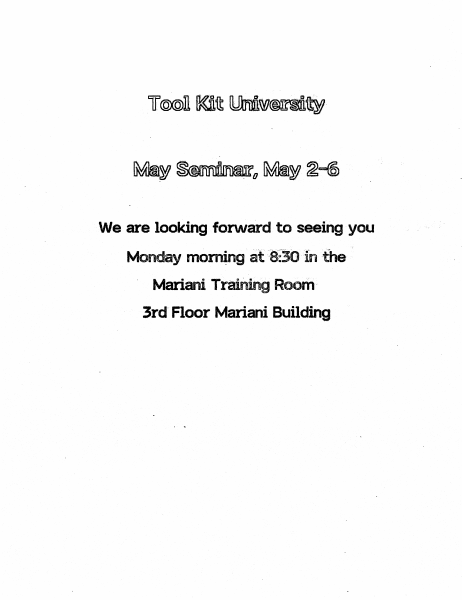
We are looking forward to seeing you Monday· mom~ng at~8:30'Inthe' " Mariani .Training Room3rd" Floor Mariani Building Architecture of the Personal Office System ~. -- ~ .;; ~~ 'r~j;ir ~k~~~~ij t:~::~:=:j ·r=I· .: ;:, : ," ..:. . :,:<. . .~ :::~. I!~'r_' - .' . . :. .'. . ' .. ~~~-B- i:t" ~ ~ ~ Power I/O Board Supply CPU Board Memory ·Board Video Board ,Expan . Slots Peripherals etc. l • 2 ~rial (RS-232) ports • 1 panillel port • 3 .expansion· slots . • video output • clocklcalendar • paraltster memory • speaker :: -- ·......... ", I , @ Operating System * Single-User * Multi-Tasking * Priority Scheduling * Interrupt-Driven M Byte-Stream I/O Model Inter-Task Communication M - Shared Files - Shared Data - Pipes - Event Channels * Demand Fetching Of Code * Automatic Stack Expansion . * Redundant, Distributed Directory FD F SYS I EM REDUNDANCY I-ELPS SCAVENGER RE~T DlR'ECTORIES IN CASE OF POYIER FAlLUP£ MAS I ER DIRECTORY 1 PER DISK FILE NME... 10, TYPE, 10 I~nCN FD...E HINT (SAVED WITH FD..E) •. SECTOA HINT 1 PER FD...E NAnE. . TYPE DATE ACCfSSED, COPY PROTECTION, USER-DEfINABlE TYPES 1 PER SECTOR gCTOR HINT 10, INCARNATION, REt FILE POSH, DATA SI~ RELIABILITY FLAGS DATA ....,. ~ Jb. ..... ......... h. ...... . . 4sa Workshop • Keyboard oriented Intmface (cwlently) • Includes: Mc4 &Se oriented Text Editor La q sages (Pascal. ESic, Cobol) 68000 Assenlbler Linker Devel.opIlelt Utili~ • twachine lartguage ~ Syntbolic Procedlm-e ~llSS Disassa I tbler • @ -' Lisa Pascal Language If Desired Compatibilities - Standard Pascal (Jensen & Wirth) - UCSD Pascal (Apple II ar~ //1) - ISO Standard Pascal - Parametric Procedures M ~jor Extensions - 32 Bit Integers (LongInt Type) - @ Operator (address of) - Separate Compilations (UCSD Units) - Control of Physical Segmentation - Classes (e.g. Simula-67, Smalltalk) - Debugging Aids M' Ql:Ja.1ity of Code Generated - 16 Bit Address Offsets . - "Hot" Variables in Registers :! '\i"';' .. ,.,.,,;:;:;.;:;';:',;;;:::::;:,.;:;:;:;:::::;.,:::;:;.:.::,,:,,::::.:.: .. :;.::;::.:.;.:.:,;:',;.;:;.:.:::':';:::::;.::;::,:.;,::::;,:, .. :.:.:.:.:.:'. :':':::::':';';':"'::;:;:::::;.::;.; .. :;.:.;::,;.;.:::.::;:;:.::.;,:.:.::)~; Libraries Application FUer corrm SCroll Bar f'1gr .AJert ~ Cl1pBoard Mgr Print Library Field Editor Print ~ I j oata Base Intrtn !' Storage Allccator ! - - - - - - + - - - i FontMgt' II ~: Applications make calls to many different library units. ~: :; H n ~i ~-----------......--~-----......-~j \:.:.:;;.:::::.::;.,,;.;:,:. :-::::::,:.:::::,::-:::::: .. ::,-:........ ... ::,.:' ':"'" '-:":;:::::'.:-: . '. :;. :';.:-.' ' .. ;..-: ..... : ..... ' . ' ; ' ~ .: .. :,:;.. Storage l\Aanager pointer .... ,- .... ncn-relocatable blccX relccatable block ClipBoard Used to share data, cut & paste notation I,: .cut from here I~-te to here T I I ~ ~_~. .J: : : ;~ := -~=~:I=~I : '---""""-("""r!"'1 "i M.~…

Showing first 3,000 characters of 8,132 total. Open the full document →

Home Documents Macintosh AUX 1.0 Getting Started With AUX
AUX 1.0 Getting Started With AUX

AUX 1.0 Getting Started With AUX

Macintosh · 1987 · PDF
FilenameAUX_1.0_Getting_Started_With_AUX_1987.pdf
Size4.12 MB
Year1987
Subsection a_ux / aux_1.0
Downloads4
Enjoying MacTrove? Anonymous downloads are free and unlimited. Create a free account to track favorites, contribute metadata corrections, and join the community chat.
Reader
AUX 1.0 Getting Started With AUX
/
Loading…
OCR / Text contents
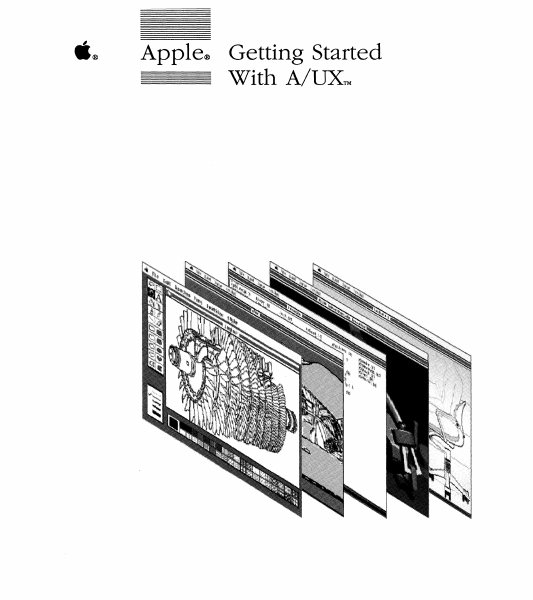
ti® Apple® Getting Started With A/UXTM Copyright This material contains trade secrets and confidential and proprietary infonnation of Apple Computer, Inc., and UniSoft Corporation. Use of this copyright notice is precautionary only and does not imply publication. Copyright© 1985, 1986, 1987, Apple Computer, Inc., and UniSoft Corporation. All rights reserved. Portions of this document have been previously copyrighted by AT&T Information Systems, the Regents of the University of California, and Motorola, Inc., and are reproduced with pennission. Under the copyright laws, this manual or the software may not be copied, in whole or part, without written consent of Apple or UniSoft, except in the nonnal use of the software or to make a backup copy of the software. The same proprietary and copyright notices must be affixed to any permitted copies as were affixed to the original. This exception does not allow copies to be made for others, whether or not sold, but all of the material purchased (with all backup copies) may be sold, given, or loaned to another person. Under the law, copying includes translating into another language or format. You may use the software on any computer owned by you, but extra copies cannot be made for this purpose. Apple Computer, Inc. 20525 Mariani Ave. Cupertino, California 95014 (408) 996-1010 Apple, the Apple logo, ImageWriter, LaserWriter, and Macintosh are registered trademarks of Apple Computer, Inc. A/UX is a trademark of Apple Computer, Inc. UNIX is a registered trademark of AT&T Information Systems. VT100 is a trademark of Digital Equipment Corporation. Limited Warranty on Media and Replacement If you discover physical defects in the manuals distributed with an Apple product or in the media on which a software product is distributed, Apple will replace the media or manuals at no charge to you, provided you return the item to be replaced with proof of purchase to Apple or an authorized Apple dealer during the 90-day period after you purchased the software. In addition, Apple will replace damaged software media and manuals for as long as the software product is included in Apple's Media Exchange Program. While not an upgrade or update method, this program offers additional protection for up to two years or more from the date of your original purchase. See your authorized Apple dealer for program coverage and details. In some countries the replacement period may be different; check with your authorized Apple dealer. ALL IMPLIED WARRANTIES ON THE MEDIA AND MANUALS, INCLUDING IMPLIED WARRANTIES OF MERCHANT ABILITY AND FITNESS FOR A PARTICULAR PURPOSE, ARE LIMITED IN DURATION TO NINETY (90) DAYS FROM THE DATE OF THE ORIGINAL RETAIL PURCHASE OF THIS PRODUCT. Even though Apple has tested the software and reviewed the documentation, APPLE AND ITS SOFTWARE SUPPLIER MAKE NO WARRANTIES OR REPRESENTATIONS, EITHER EXPRESS OR IMPLIED, WITH RESPECT TO SOFTWARE, ITS QUALITY, PERFORMANCE, MERCHANT ABILITY, OR FITNESS FOR A PAR…

Showing first 3,000 characters of 128,678 total. Open the full document →

Home Documents Lisa A6L0146 LisaProject
A6L0146 LisaProject

A6L0146 LisaProject

Lisa · 1983 · PDF
FilenameA6L0146_LisaProject_1983.pdf
Size6.04 MB
Year1983
Subsection office_system
Downloads4
Enjoying MacTrove? Anonymous downloads are free and unlimited. Create a free account to track favorites, contribute metadata corrections, and join the community chat.
Reader
A6L0146 LisaProject
/
Loading…
OCR / Text contents
Lisa Project A6L0146 LisaProject Program by Debra J. Willrett 029-0108-A ® @) @) @) ® LisaProject @ @ 1$ 029-0107-A 1$ @ Customer Satisfaction If you discover physical defects in the manuals distributed with a Lisa product or in the media on which a software product is distributed, Apple will replace the documentation or media at no charge to you during the 90-day period after you purchased the product. its quality, performance, merchantability, or fitness for any particular purpose. As a result, this software is sold "as is," and you the purchaser are assuming the entire risk as to its quality and performance. In no event will Apple or its software suppliers be liable for direct, indir.ect, special, incidental, or consequential. In addition, if Apple releases a damages resulting from any defect In corrective update to a software product the software or manual, even if they during the 90-day period after you have been advised of the possibility of purchased the software, Apple will such damages. In particular, they shall replace the applicable diskettes and. have no liability for any programs or documentation with the revised version data stored in or used with Apple at no charge to you during the six products, including the costs of months after the date of purchase. recovering or reproducing these programs or data. In some countries the replacement period may be different; check with The warranty and remedies set forth your authorized Lisa dealer. Return any above are exclusive and in lieu of all item to be replaced with proof of others, oral or written, express or purchase to Apple or to an authorized implied. No Apple dealer, agent, or Lisa dealer. employee is authorized to make any Limitation on Warranties and Liability modification, extension, or addition to this warranty. All implied warranties con~er,:,ing ~his Some states do not allow the exclusion manual and media, including Implied or limitation of implied warranties or warranties of merchantability and liability for incidental or consequential fitness for a particular purpose, are limited in duration to ninety (90) days damages, so the above limitation ~r exclusion may not apply to you. This from the date of original retail warranty gives you specific legal rights, purchase of this product. and you may also have other rights that Even though Apple has tested the vary from state to state. software described in this manual and reviewed its contents, neither Apple License and Copyright nor its software suppliers make any This manual and the software warranty or representation, either (computer programs) described in, it are express or implied, with respect to copyrighted by Apple or by Apple s the software described in this manual, software suppliers, with all rights reserved, and they are covered by the ©1983 by Apple Computer, Inc. 20525 Mariani Avenue Cupertino, California 95014 (408) 996-1010 Lisa Software License Agreement signed by each Lisa owner. Under the …

Showing first 3,000 characters of 185,089 total. Open the full document →

Home Documents Macintosh An Introduction To Copland
An Introduction To Copland

An Introduction To Copland

Macintosh · 1995 · PDF
FilenameAn_Introduction_to_Copland_1995.pdf
Size0.07 MB
Year1995
Subsection developer / Copland
Downloads4
Enjoying MacTrove? Anonymous downloads are free and unlimited. Create a free account to track favorites, contribute metadata corrections, and join the community chat.
Reader
An Introduction To Copland
/
Loading…
OCR / Text contents
An Introduction to Copland The Mac™ OS Foundation for the Next Generation of Personal Computers TM Copland is the development name for the next major release of the Mac™ OS from Apple® Computer, Inc. This document introduces Copland’s new architecture, its capabilities, and the benefits it will deliver to individuals and organizations. Product Primer Contents Welcome ..........................................................................................................................3 Introducing Copland: Foundation for the Future ........................................................4 Copland: The Next Step Toward Apple’s Vision for the Mac OS ......................................................4 Creating Copland: Apple’s Four-Point Plan for the Mac OS ..............................................................4 The Copland Advantage ......................................................................................................................5 Summary ................................................................................................................................................5 Setting New Standards for Ease of Use: The Copland User Interface ......................6 Automating Routine Tasks: From “Show Me” to “Do It for Me” ....................................................................6 Managing Information Overload......................................................................................................................7 Personalizing the Work Environment ..............................................................................................................7 Summary ..........................................................................................................................................................8 Improving on Superior Performance: Copland’s System Foundation ......................9 Copland OS Foundation ......................................................................................................................9 Exploiting the Power of RISC for Higher Performance ............................................................10 Memory Protection for Better System Reliability ......................................................................10 A More Efficient—and Cost-Effective—Memory Model ............................................................10 Easier System Extension ............................................................................................................10 More Options Through Hardware Abstraction ........................................................................11 Improvements in Networking ..........................................................................................................11 OpenDoc: Component Software for Innovative Solutions ............................................................11 Summary ...............................................................................................…

Showing first 3,000 characters of 50,117 total. Open the full document →

Home Documents Lisa A6L0147 LisaTerminal
A6L0147 LisaTerminal

A6L0147 LisaTerminal

Lisa · 1983 · PDF
FilenameA6L0147_LisaTerminal_1983.pdf
Size3.52 MB
Year1983
Subsection office_system
Downloads4
Enjoying MacTrove? Anonymous downloads are free and unlimited. Create a free account to track favorites, contribute metadata corrections, and join the community chat.
Reader
A6L0147 LisaTerminal
/
Loading…
OCR / Text contents
LisaTerminal A6 L01 4 7 LisaTerminal 029-0303-A • • • • • • • • • • • • • • • • • • • • • • • • • • • • • • • • • • • • • • • • • • • • • • • • .. • • • • • • .. • • • • • • • • • • • • • • • • • • II • • • • • • • • • • • • • • • • • • • • • • • • • • • • • • • • • • • • • • • • • • • • .. • • at • " 029-0298-A • " • • o • • • • LisaTerminal· " • • • • • • • • ,. damages resulting from any defect in the soft-.'Vare or manual, even if they If you discover physical defects in the have been advised of the possibility of manuals distributed with a Lisa product such damages. In particular, they shall or in the media on which a software have no liability for any programs or product is distributed, Apple will data stored in or used with Apple replace the documentation or media at products, including the costs of no charge to you during the 90-day recovering or reproducing these period after you purchased the product. programs or data. Customer Satisfaction Limitation on Warranties and Liability The warranty and remedies set forth above are exclusive and in lieu of all others, oral or written, express or implied. No Apple dealer, agent, or employee is authorized to make any modification, extension, or addition to this warranty. Ali implisd warrantiee concerning this manual and media, including implied warranties of merchantability and fitness for a particular purpose, are limited in duration to ninety (90) days from the date of original retail purchase of this product. Even though Apple has tested the software described in this manual and reviewed its contents, neither Apple ncr its software suppliers make any warranty or representation, either express or implied, with respect te the software described in this manual, its quality, performance, merchantability, lOr fitness fer amy particular purpcse. As a result, this s".'Iitware is sold "as is," and you the purchaser are assuming the entire risk as to its quality and performance. In no event will Apple or its software suppliers be liable for direct, indirect, special, incidental, or consequential ©1983 by Apple Computer, Inc. 20525 Mariani Avenue Cupertino, California 95014 (408) 996-1010 Some states do not allow the exclusion or limitation of implied warranties or liability for incidental or consequential damages, so the above limitation or exclusion may not apply to you. This warranty gives you specific legal rights, and you may also have other rights that vary from state to state. License and Copyright This manual and the software (computer programs) described in it are copyrighted by Apple or by Apple's software suppliers, with all rights reserved, and they are covered by the Lisa Software License Agreement signed by each Lisa owner. Under the copyright laws and the License Agreement, this manual or the programs may not be copied, in whole or in…

Showing first 3,000 characters of 109,919 total. Open the full document →

Subscribe to PDF
mp.ls