Home Documents Macintosh AUX 1.0 Local System Administration
AUX 1.0 Local System Administration

AUX 1.0 Local System Administration
Macintosh · 1987 · PDF
FilenameAUX_1.0_Local_System_Administration_1987.pdf
Size11.89 MB
Year1987
Subsection a_ux / aux_1.0
Downloads5
Enjoying MacTrove? Anonymous downloads are free and unlimited. Create a free account to track favorites, contribute metadata corrections, and join the community chat.
Reader
AUX 1.0 Local System Administration
/
Loading…
OCR / Text contents
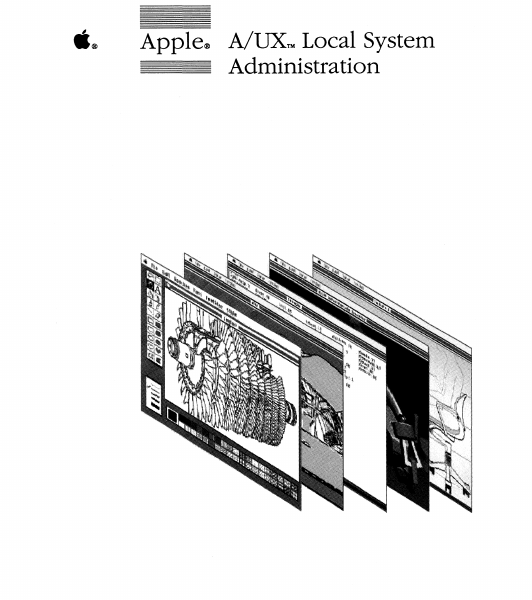
ti® Apple® A/UXTM Local System Administration Copyright This material contains trade secrets and confidential and proprietary information of Apple Computer, Inc., and UniSoft Corporation. Use of this copyright notice is precautionary only and does not imply publication. Copyright© 1985, 1986, 1987, Apple Computer, Inc., and UniSoft Corporation. All rights reserved. Portions of this document have been previously copyrighted by AT&T Information Systems, the Regents of the University of California, and Motorola, Inc., and are reproduced with permission. Under the copyright laws, this manual or the software may not be copied, in whole or part, without written consent of Apple or UniSoft, except in the normal use of the software or to make a backup copy of the software. The same proprietary and copyright notices must be affixed to any permitted copies as were affixed to the original. This exception does not allow copies to be made for others, whether or not sold, but all of the material purchased (with all backup copies) may be sold, given, or loaned to another person. Under the law, copying includes translating into another language or format. You may use the software on any computer owned by you, but extra copies cannot be made for this purpose. Apple Computer, Inc. 20525 Mariani Ave. Cupertino, California 95014 (408) 996-1010 Apple, the Apple logo, ImageWriter, LaserWriter, and Macintosh are registered trademarks of Apple Computer, Inc. A/UX is a trademark of Apple Computer, Inc. UNIX is a registered trademark of AT&T Information Systems. PosTSCRIPI' and TRANSCRIPT are trademarks of Adobe Systems, Inc.© 1984 Adobe Systems, Inc. All rights reserved. Limited Warranty on Media and Replacement If you discover physical defects in the manuals distributed with an Apple product or in the media on which a software product is distributed, Apple will replace the media or manuals at no charge to you, provided you return the item to be replaced with proof of purchase to Apple or an authorized Apple dealer during the 90-day period after you purchased the software. In addition, Apple will replace damaged software media and manuals for as long as the software product is included in Apple's Media Exchange Program. While not an upgrade or update method, this program offers additional protection for up to two years or more from the date of your original purchase. See your authorized Apple dealer for program coverage and details. In some countries the replacement period may be different; check with your authorized Apple dealer. ALL IMPLIED WARRANTIES ON THE MEDIA AND MANUALS, INCLUDING IMPLIED WARRANTIES OF MERCHANTABILITY AND FITNESS FOR A PARTICULAR PURPOSE, ARE LIMITED IN DURATION TO NINETY (90) DAYS FROM THE DATE OF THE ORIGINAL RETAIL PURCHASE OF Tms PRODUCT. Even though Apple has tested the software and reviewed the documentation, APPLE AND ITS SOFTWARE SUPPLIER MAKE NO WARRANTIES OR REPRESENTATIONS, EITHER EXPRESS OR IMPLIED, WITH RESPECT TO SOFfWARE, IT…

Showing first 3,000 characters of 388,294 total. Open the full document →
Home Documents Macintosh DMU Disk Controller Register Operation
DMU Disk Controller Register Operation

DMU Disk Controller Register Operation

Macintosh · 1984 · PDF
FilenameDMU_Disk_Controller_Register_Operation_19841010.pdf
Size0.31 MB
Year1984
Subsection prototypes / 1984_Turbo_Mac
Downloads5
Enjoying MacTrove? Anonymous downloads are free and unlimited. Create a free account to track favorites, contribute metadata corrections, and join the community chat.
Reader
DMU Disk Controller Register Operation
/
Loading…
OCR / Text contents
-------- CONFIDENTIAL ----------------------------------- CONFIDENTIAL -------- * DMU Disk Controller Register Operation * and * State Sequencing * Burrell Smith 10 October 1984 Copyright Apple Computer -------- CONFIDENTIAL ----------------------------------- CONFIDENTIAL -------- OVERVIEW The DMU has two DMA channels, Channel 0, which supports an internal 20 Megabyte Nisha Winchester disk drive, and Channel 1, which supports a general purpose high speed serial DMA link. Each channel has enough bandwidth so that the internal Winchester and another peripheral of slightly less than 8 Mhz transfer rate each appear to have concurrent access to the DMU RAM. Double these values when calculating the peak transfer rates available for a one Megabyte memory configuration, since the memory data bus in systems employing the DMU support a 32 bit memory bus. The Winchester controller (Channel 0) supports consecutive sector DMA for reads, the common case, without requiring CPU intervention. Writes, which must be performed at two-to-one interleave because of the Winchester's long recovery time following a write (this prohibits reading the header on the following sector) may only be written a sector at a time •. This requires the internal AMU registers to be reloaded every 1.2 rns for writes (design change pending to eliminate this and allow sector blocks for writes). The Winchester controller also supports variable-size sectors at single byte increments, up to just under 4K bytes in size, and up to 64 sectors per track. The General Purpose DMA channel transfers data in a block of up to 32K bytes per transfer, and restricts the transfer to a contiguous block. The General Purpose channel supports laser printing, and other external peripherals. This document presents detailed information only on the Winchester Disk Controller, Channel 0. The DMA steals cycles from the CPU for each transfer. Dedicated bandwidth assigned to the CPU guarantees a minimum of approximately 25% of full bandwidth for the 68000, eliminating processor lockout because of a faulty peripheral. Although almost all the registers needed for a DMA transaction reside in the DMU, two important registers do not. These are the DMA Memory Pointers, which point to a physical location in RAM as the source or destination for DMA 10 October 198~ DMU Disk Controller Page 2 transfer. Following each transfer, the Memory Pointers increment by one 16-bit word. In 32 bit configurations, the Memory Pointers increment by two 16-bit words. Consult the Turbo Memory Map document for details about how to address these registers. In normal operation, the Memory Pointers will be changed only at the beginning of a transfer. They are write only registers. CHANNEL 0 REGISTERS 1. Register Addressing The DMU appears as two word locations: the Address Register and the Data Register. The Address Register selects one of the Data Registers for reading or writing. All registers are read-only or write-only, and the direc…

Showing first 3,000 characters of 13,150 total. Open the full document →

Home Documents Macintosh Dbg Syms
Dbg Syms

Dbg Syms

Macintosh · PDF
Filenamedbg-syms.pdf
Size0.33 MB
Subsection prototypes / 1985_YACC / firmware / yaccsbug
Downloads5
Enjoying MacTrove? Anonymous downloads are free and unlimited. Create a free account to track favorites, contribute metadata corrections, and join the community chat.
Reader
Dbg Syms
/
Loading…
OCR / Text contents
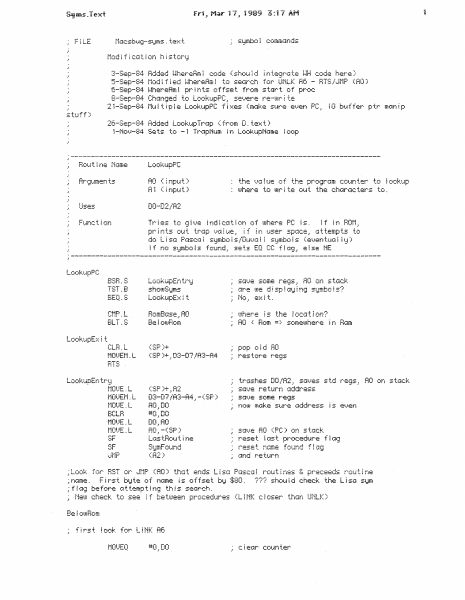
Macsbug-syms.text Modification history :3-Sep-84 Added i.Jher·eRm ~ c:ode (shot~ l d ! tgf..e9r·c4te ~-~H code here) 5-Sep-84 t·~od if i ed ~-~hereAm i to search for UNLK RC: - BTS/tJt~1p (RO) rs;.· r-·: ••._-,. ...-_.. 6-Sep-84 ~-~hereAm i buffer stuff) (from D ~ te:=-::t) LookupPC AO ( i npt~t) R1 ( ~ rapt~ t ) the =.}1J i tie of the prc=9rGm CCHJn ter·· to ~ o::t;::.,tip uJhere to mr i te 01_.1 t the chcirac ters to . DO-D2/R2 Uses !J.ihere PC ?S. If in in user space, attempts to do L i SC~ PfJSC:(~ ~ S!Jmbo ! s /'Dui.}Q ~ ! Si:Jmbo ~ s ( e 1.}er~ !JAG! ~ i !J ) if no S!dmbo is found~: sets EQ CC f I ag_; e i se NE Lookt~pEn tr!:J TST . B sh!J!.!JSi::1ms S(~=-..1e some re~~s RO ors s t(~:::k (Are i.!Je di sp ~ Gi:J i n9 SiJmbo ! s? Mo . e}:: i t . .1 1 ;-: __ :-, •___ .{::. .: ne_; :-:,-: nt_~mci:t BLT.S ~ Be ~ O!.uBom AO ·=: Hom => sometohere i n Bam C:LB.L .:; .: ~ ! LGOKt.ipt:.n tr~:1 t·10UE . L (SP)+.; A2 f·10l)EJi . L D3-07/A3-A4,-(SP) t10t.JE ~ L AO_,DO BCLB #0.,DO trashes [HJ /A2 ~! .sc.P...ies std regs.: RO on s tc~ck scp. }e re turn :Jddress s-:1:...;e s~:1me re9s nooJ m;Jke st~r·e r~ddress i s e=.}en D0 AO 1 R0 1 -(SP) S!:JmF::tund reset last procedure f !ag reset name found flag (fi2) c~nd SF t1rst look for L!NK A6 return ~200.:DO *~;4E86_.Di !eek fer L!NK A6 Look 4~-ford search forward by 2·s and try to find it fot.4nd ~ t.t AO pts to LINK Afi t·iciskBC .: AO !:l #2 .. 02 BNE.S @O t·10tJE. L t·10l}E. L #0.=DO #2048.=DO #$4E75 ,D1 c ~ eGr c:ot.;nter sei:Arc:h 2K uJords f c=r BTS set.. seGrch '-}G ~ l~e for HTS set for pos ~ t. i 1.. h~ !.uort:l se:::1rc:h (SP)_: AO set AO = PC 4 r·10t.JEQ MOt)E.L i urge dummy :.)a ! ue ( FFFFFF ) !ocat ion A6 r1·:· :on s:_~ .:. u .._: Look4~·~ord AO pts BNE.S rkt::kBC .= AO A0.%04 ~·10!..JEQ t·10i.)E . ~.J BSH.S BNE.S #2048.!DO #$4EDO.! Di (SP)_, AO set se1=~rc:h t.J(.'~ i ue .= D2 st ~ i ~ .J::-.1 i i d i. set RO = PC search for i t f ct1..~nd .; AO p ts ti:: :Jt·1P (RO ) Look4L-!ord Q·-; ;::.;;:.,. RO.:D4 BGT.S D4 ::- (AO) AO~! D4 .1AO f*IGi:Jbe founfj either BTS or :Jt·1P (f10) .: first cf-1ec:k u.1hether iJJe di !j fl nsj Gn;:Jt!i i r!:;!. see tohet..her ! t: s ; c: i oser: thc:u-; Li t~K A6 ~ f not.: 4 • w or C:MP.L t·1GskBC ·' AO BEO.S LocskupE::< ~ t BGE4S @O AO,,D:::; if AO= FFFFFF uJh i e:h Lookt~pE::-:: i t 4 BT:3 '!i :Jf·iP (AO > or L i NK? D:3 >= AO~' HST /'=Jt·1P (AO ) c i oser then L t NK .= if of rout ~ne i s !_: 1 i_ir::: =::r · .~ +..hen neither Cl ! AO_. -(SP> * 10_;DO #$4E5E}D1 set seG1r·ch !.}::::; i ue to UNLK A6 t·10UEQ #-2~: D2 set_ for b!Jcku.?:J.rds uJ::;rd se:::irc:h ;::-·T""a c-:.:=tn ..;-· :: Look4~·~ord C:-! (. ::;r! }+ ; AO not f otJrgj .: cor:d l t i or1cJ I b:::f i ~ out set AO bs::1ck to pos i t i =::n c: f l cis t Pr En tProe:S1::,tm found, print out string f·10t)E ~ L ( ~;r-: .::+ . RO RODQ #2.~ RO 'Jet i as t_ i ns trt4C: t i c1n bump ·b:~ r-;e…

Showing first 3,000 characters of 6,871 total. Open the full document →

Home Documents Macintosh AUX 3.0 Installation Guide
AUX 3.0 Installation Guide

AUX 3.0 Installation Guide

Macintosh · 1992 · PDF
FilenameAUX_3.0_Installation_Guide_1992.pdf
Size2.95 MB
Year1992
Subsection a_ux / aux_3.0
Downloads4
Enjoying MacTrove? Anonymous downloads are free and unlimited. Create a free account to track favorites, contribute metadata corrections, and join the community chat.
Reader
AUX 3.0 Installation Guide
/
Loading…
OCR / Text contents
9 Apple Computer, Inc. This manual and the soft:Ware described in it are copyrighted, with all rights reserved. Under the copyright laws, this manual or the software may not be copied, in whole or part, without written consent of Apple, except in the normal use of the software or to make a backup copy of the software. The same proprietary and copyright notices must be affixed to any permitted copies as were affixed to the original. This exception does not allow copies to be made for others, whether or not sold, but all of the material purchased (with all backup copies) may be sold, given, or loaned to another person. Under the law, copying includes translating into another language or format. You may use the software on any computer owned by you, but extra copies cannot be made for this purpose. The Apple logo is a registered trademark of Apple Computer, Inc. Use of the "keyboard" Apple logo (Option-Shift-k) for commercial purposes without the prior written consent of Apple may constitute trademark infringement and unfair competition in violation of federal and state laws. ©Apple Computer, Inc., 1992 20525 Mariani Avenue Cupertino, CA 95014-6299 (408) 996-1010 Apple, the Apple logo, AppleTalk, A/UX, LaserWriter, Macintosh, and Quadra are trademarks of Apple Computer, Inc., registered in the United States and other countries. Finder and QuickTime are trademarks of Apple Computer, Inc. Adobe Illustrator and PostScript are registered trademarks of Adobe Systems Incorporated. DEC, VAX, VT52, and VTlOO are trademarks of Digital Equipment Corporation. ITC Garamond and ITC Zapf Dingbats are registered trademarks of International Typeface Corporation. Linotronic is a registered trademark of Linotype Company. Microsoft and MS-DOS are registered trademarks of Microsoft Corporation. QuarkXPress is a registered trademark of Quark, Inc. UNIX is a registered trademark of UNIX System Laboratories, Inc. XWindow System is a trademark of the Massachusetts Institute of Technology. Simultaneously published in the United States and Canada. Mention of third-party products is for informational purposes only and constitutes neither an endorsement nor a recommendation. Apple assumes no responsibility with regard to the performance or use of these products. Contents Figures and Tables I ix About This Guide I xi What's in this guide I xi How to use this guide I xii What you should already know I xiii Conventions used in this guide I xiii Keys and key combinations I xiii Tenninology I xiv The Courier font I xiv Font styles I xv NUX command syntax I xv Manual page reference notation I xvi For more information I xvii 1 Before You Start I 1-1 What you need I l-2 Starting up the computer I l-3 Reading the Read Me file I 1-4 Where to go from here I 1-5 2 Updating a Previous Version of A/UX to Version 3.0 I 2-l Updating your current A/UX system I 2-3 Advantages I 2-3 Disadvantages I 2-3 We recommend I 2-4 The update process I 2-4 About syschk and bakchk I 2-6 Using syschk…

Showing first 3,000 characters of 174,028 total. Open the full document →

Home Documents Macintosh AppleShare PC Users Guide
AppleShare PC Users Guide

AppleShare PC Users Guide

Macintosh · 1989 · PDF
FilenameAppleShare_PC_Users_Guide_1989.pdf
Size8.67 MB
Year1989
Subsection developer / AppleShare
Downloads4
Enjoying MacTrove? Anonymous downloads are free and unlimited. Create a free account to track favorites, contribute metadata corrections, and join the community chat.
Reader
AppleShare PC Users Guide
/
Loading…
OCR / Text contents
CONFIDENTIAL ti® The Caladan User's Guide CONFIDENTIAL IJMn'ED WAllRANTY ON MEDIA AND REPLACEMENT If you discover physical defects in the manuals distributed with an Apple product or in the media on which a software product is distnbuted, Apple will replace the media or manuals at no charge to you, provided you return the item to be replaced with proof of purchase to Apple or an authorized Apple dealer during the 90-day period after you purchased the software. In addition, Apple will replace damaged software media and manuals for as long as the software product is included in Apple's Media Exchange Program. While not an upgrade or update method, this program offers additional protection for up to two years or more from the date of your original purchase. See your authorized Apple dealer for program coverage and details. In some countries the replacement period may be different; check with your authorized Apple dealer. All. IMPLIED WARRANTIES ON TIIE MEDIA AND MANUMS, INUUDING IMPllED WARRANTIES OF MERCHANTABllll'Y AND FITNESS FOR A PARTICUIAR PURPOSE, ARE UMITED IN DURATION TO NINETY (90) DAYS FROM TIIE DATE OF THE ORIGINAL RETA.ll. PUROIASE OF nus PRODUCT. Even though Apple has tested the software and reviewed the documentation, APPLE ~KES NO WARRANTY OR REPRESE.VTATION, EITHER EXPRESS OR Ll'tlPLIED, WITH RESPECT TO SOFTWARE, ITS QUALITY, PERFORMANCE, MERCHANTABILITY, OR FITNESS FOR A PARTICULAR PURPOSE. AS A RESULT, THIS SOFTWARE IS SOLD "AS IS," AND YOU TIIE PUROIASER ARE ASSUMING THE ENTIRE RISK AS TO ITS QUALITY AND PERFORMANCE. IN NO EVENT Will APPLE BE LIABLE FOR DIRECT, IXDIRECT, SPECIAL, IM:JDENTAl, OR CONSEQUENTIAL DAMAGES RESULTING FROM ANY DUICT L\ THE SOFTWARE OR ITS DOCUMENTATION, even if advised of the possibility of such damages. In particular, Apple shall have no liability for any programs or data stored in or used with Apple products, including the costs of recovering such programs or data. THE WARRA.VTY AND REMEDIES SET FORTH ABOVE ARE IXUUSIVE AND l~ UEV OF All. OTHERS, ORAL OR WRin'IN, EXPRESS OR L\IPLIED. No Apple dealer, agent, or employee is authorized to make any modification, extension, or addition to this warranty. Some states do not allow the exclusion or limitation of implied warranties or liability for incidental or consequential damages, so the above limitation or exclusion may not apply 10 you. This warranty gives you specific legal rights, and you may also have other rights which vary from state to state. .,,"'/ CONFIDENTIAL S APPLE COMPUTER, INC. This manual and the software described in it are copyrighted, with all rights reserved. Under the copyright laws, this manual or the software may not be copied, in whole or part, without written consent of Apple, except in the normal use of the software or to make a backup copy of the software. The same proprietary and copyright notices must be affixed to any permitted copies as were affixed to the original. This exception does not allow copies to be made for …

Showing first 3,000 characters of 244,714 total. Open the full document →
Home Documents Lisa Cossey Hardware Interface For Lisa 1.75
Cossey Hardware Interface For Lisa 1.75

Cossey Hardware Interface For Lisa 1.75

Lisa · 1983 · PDF
FilenameCossey_-_Hardware_Interface_for_Lisa_1.75.pdf
Size0.93 MB
Year1983
Subsection hardware / 1983_Whopper
Downloads3
Enjoying MacTrove? Anonymous downloads are free and unlimited. Create a free account to track favorites, contribute metadata corrections, and join the community chat.
Reader
Cossey Hardware Interface For Lisa 1.75
/
Loading…
OCR / Text contents
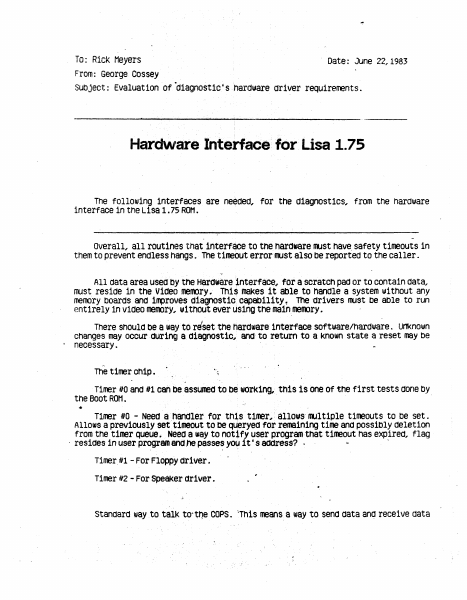
To: Rick Meyers From: George Cossey Date: June 22,1983 Subject: Evaluation of .diagnostic's hardware driver requirements. Hardware Interface for Lisa 1.75 me f ollow1ng interfaces are needed, for the diagnostics, from the hardware interface in tne Lisa 1. 75 ROM. overall, all routines that interface to the hardware 1111st have. safety t 1meout s in them to prevent endless hangs. The timeout error 11l1St also be reported to the caner. All oata area usea·oy the Haraware interface, for a scratch pad or to contain oata, rust reside in the Video memory. Tn1~ makes it able to handle a system without any meroory boards ana i~roves a1agnost1c capability, rne ·arivers rust be able to run entirely in viaeo rneroory, without ever using the ma1nmet00ry. There should be a way to reset the hardware 1nterface software/hardware. Unknown cnanges may occur auring a aiagnostic, and· to return to a known state a reset may be · necessary. ·· The timer chip. Timer 1to and 1t1 canoe assumea to be working,. this is one of the first tests done by the Boot ROM. . ·• r1ner ttO - Need a handler for thls t1mer,: allows· rTlll t1ple timeouts to oe set. Allows a previously set' timeout to be q~ryecJ for remaining time ana possibly deletion from tne timer queue. Neea a way to notify user program.that timeout nas expired, flag · resides in user program and rte passes yo~ 1t • s aaaress? · Timer.ill - For Floppy ariver. Timer ll2 - For Speaker ariver. Standard way to tall<: to--tt)e COPS. "This means a way to send data anq receive data . ' ' with a timeout option, to get around a hang conct1tion. Should be a way to talk to the COPS in a non-structured way, 1.e. not expect or send data in only speci fie formats. A structured way to talk to the COPS shOuld al so be available. A change to the current method would b~~ to have a timeout on rrultiple byte data streams. This will allow getting out 1f only part of a roou~e stream comes in, a tirreout error should occur. This would also handle if rultiple data is oeing sent, as in a date, and the COPS stops accepting data. Should be able to use the COPS in a'polled ioode or an interrupt roooe. 11 Need a handler for Speaker values, volUrre and frequency. This latch requires a shadow" to be kept in mennory. Need a handler for Contrast values. This latch requires a "shadow" to oe kept in reroory. · Astandard floppy driver, capable pf handling either the 871 or the Sony, using tne IWM chip. Primitive corrrnands ffLISt be allowed, with error trapping. High level cofTlllands should be available with error trapping. A built-in hard disk driver . ' The special diagnostic co1110ands in the disk drive oust be accessiable. Th1LS driver rust allow low level and hign level corrmands. AProfile hard disk driver, driving out of a parallel interface car.a. This driver rrust allow low level and lnigh level con11lands . standard MMU registier routines, for reading and for writing. Checksums in all ROt1s rrust be in a standard place in the…

Showing first 3,000 characters of 24,012 total. Open the full document →
Home Documents NuBus BootBug W 1.3 Addendum
BootBug W 1.3 Addendum

BootBug W 1.3 Addendum

NuBus · PDF
FilenameBootBug_w_1.3_Addendum.pdf
Size0.97 MB
Subsection brigent / bootbug
Downloads4
Enjoying MacTrove? Anonymous downloads are free and unlimited. Create a free account to track favorites, contribute metadata corrections, and join the community chat.
Reader
BootBug W 1.3 Addendum
/
Loading…
OCR / Text contents
BootBug "the ideal tool for debugging boot-time code... " Brigent, Inc. 684 Costigan Circle Milpitas, California 95035-3366 (408) 956-0322 (voice & fax) AppleLink: ScottC Warranty Brigent Incorporated (Brigent) warrants BootBug hardware against defects in material and workmanship for 90 Days from the original purchase date. Brigent shall, at its own expense and option, either repair or replace the defective product during the warranty period, provided that the original purchaser has notified Brigent and, upon inspection by Brigent, Brigent has found the product defective. Purchaser's sole and exclusive remedy hereunder shall be limited to the repair or replacement of the product. Any misuse, abuse, modification, or tampering with serial numbers shall void this warranty. The express warranties set forth herein are in lieu of all other warranties, expressed or implied, including without limitation, any warranties of merchantability or fitness for a particular purpose*. In no event will Brigent be liable to the purchaser for damages, including any lost profits, lost savings or other incidental or consequential damages arising out of the use or inability to use such product even if Brigent has been advised of the possibility of such damages, or for any claim for any other party. In any event, the liability of Brigent shall not exceed the purchase price of the product*. * May not apply in some states. · Table of Contents Introduction .............................................................. 1 What is BootBug? .........................................1 How Does BootBug Work? ............................ .1 About the Manual ......................................... l Notations .....................................................2 Installation ..............................................................3 Using a Macintosh as the TerminaL ...............3 Installing the BootBug Card ..........................3 Connecting the Serial Cable ......................... .4 Installing the Terminal SOftware ..................4 Booting BootBug! ..........................................4 Using Another Computer as the TerminaL .....5 How BootBug Works .................................................6 The Boot Process ............................................6 What BootBug Depends On ...........................7 BootBug Debugging Tips ............................................8 Debugger Trap ...............................................8 Breaking on a Primary Init ............................8 Breaking on a SCSI Driver .............................9 BootBug Command Reference .....................................10 Command Expressions .................................... l0 ATB ..............................................................11 ATC ..............................................................12 ATD .............................................................13 ATSS ............................................................ 14 BA…

Showing first 3,000 characters of 46,657 total. Open the full document →
Home Documents Macintosh An Introduction To MacApp 0.1
An Introduction To MacApp 0.1

An Introduction To MacApp 0.1

Macintosh · 1985 · PDF
FilenameAn_Introduction_to_MacApp_0.1_19850214.pdf
Size1.08 MB
Year1985
Subsection developer / MacApp
Downloads4
Enjoying MacTrove? Anonymous downloads are free and unlimited. Create a free account to track favorites, contribute metadata corrections, and join the community chat.
Reader
An Introduction To MacApp 0.1
/
Loading…
OCR / Text contents
Date: From: To: January 21, 1985 Larry Tesler ~ Larry Rosenstein, Ken Doyle, Scott Wallace, Gaby Hirl, Dan lngalls, Barry Haynes, Yu Ying Chow, Mark Lentczner, Chris Espinosa, Andy AverilL Scott Knaster, Russ Daniels, Pete Cressman, Judy York, Amy Rapport, Eileen Crombie . . Subject: Bud Tribble, Jerome Coonen, Rony Sebok . . Steve Capps, Martin Haeberli, Rick Meyers, Al Hoffman . . Gursharan Sidhu. . Dan Cochran. . Hasmig Seropian, Cary Clark, Bob Belleville Expandable Application: Release Plan This is a release plan for the Expandable Application (aka Generic Appl ication, Standard Appl ication, Macintosh ToolKit, Vantage). All releases will be made through the Software Library. Non-Apple users will contact Technical Support for help. In turn, Technical Support will forward questions they can't answer to my group. Release 0.0 (•Phi") is planned for January 23, 1985. lts authors were Larry Rosenstein, Scott Wallace, and Ken Ooyle. One of two sample programs is by Gaby Hirl. Release 0.0 is intended for use by Rony Sebok (who is writing an electronic mail user interface)„ Russ Daniels (to prepare for eventual technical support of the product), and Kurt Schmucker and Andy Averilt {to write documentation). lt is missing many smal 1 but critical features; memory management is not yet smart; the Pascal syntax is not the tatest Wirth-approved variety; it is virtually undocumented; it has not been used outside my group. Release D.1 c-·chi•) is planned for February L 1985. The audience wi 11 be expanded to include other Apple employees who program Macintosh appl ications in Pascal, and a number of outside testers to be selected by Scott Knaster and myself. The outside testers wi 11 come from the ranks of university customers and certif ied developers with experiPnce in both Macintosh ToolBox use and object-oriented programming (e.g.„ Lisa Clascal). lt will be like Release 0.0 except it will have the Wirth-approved new syntax, scrap management, and various m inor improvements. We plan ta teach an in-hause course in February based an release 0.1. Release D.3 („Psi„) is planned for March 15, 1985. There will a little more documentation. The audience will be enlarged to include some outside testers with no specific prior experience. The capabilities will be expanded to include smarter memory management and to t ie other loose ends. Release 0.5 („Omega•) is planned for April 241 1985. lt will have the final architecture and fairly complete documentation. The audience wi 11 be expanded to include as many developers as we can suppart. Release 0.5 wi 11 never be a „Product 11 because the Lisa Workshop wil 1 be needed to compi lel 1 but it should make Macintosh application development easier for Lisa owners. Release 0. 7 („Alpha") is planned for around June 1, actually, one month after the later of: Release 0.5; Alpha of the New Macintosh Development System. This version will be compatible with Objective C, support applications in assembler . . and suppor…

Showing first 3,000 characters of 44,536 total. Open the full document →

Home Documents Macintosh AUX 3.0 Programming Languages And Tools Volume 1
AUX 3.0 Programming Languages And Tools Volume 1

AUX 3.0 Programming Languages And Tools Volume 1

Macintosh · 1992 · PDF
FilenameAUX_3.0_Programming_Languages_and_Tools_Volume_1_1992.pdf
Size14.12 MB
Year1992
Subsection a_ux / aux_3.0
Downloads3
Enjoying MacTrove? Anonymous downloads are free and unlimited. Create a free account to track favorites, contribute metadata corrections, and join the community chat.
Reader
AUX 3.0 Programming Languages And Tools Volume 1
/
Loading…
OCR / Text contents
A/UX Programming Languages and Tools Volume 1 Release 3.0 LIMITED WARRANT¥ ON MEDIA AND REPIACEMENT If you discover physical defects in the manuals distributed with an Apple product or in the media on which a software product is distributed, Apple will replace the media or manuals at no charge to you, provided you return the item to be replaced with proof of purchase to Apple or an authorized Apple dealer during the 90-day period after you purchased the software. In addition, Apple will replace damaged software media and manuals for as long as the software product is included in Apple's Media Exchange Program. While not an upgrade or update method, this program offers additional protection for up to two years or more from the date of your original purchase. See your authorized Apple dealer for program coverage and details. In some countries the replacement period may be different; check with your authorized Apple dealer. All IMPLIED WARRANTIES ON 11IE MEDIA AND MANUlli, INCLUDING IMPLIED WARRANTIES OF MERCHANTABIIJ1Y AND FITNESS FOR A PARTICUIAR PURPOSE, ARE LIMITED IN DURATION TO NINE1Y (90) DAYS FROM 11IE DATE OF 11IE ORIGINAL RETAIL PURCHASE OF nus PRODUCT. Even though Apple has tested the software and reviewed the documentation, APPLE MAKES NO WARRANTY OR REPRESENTATION, EITHER EXPRESS, OR IMPLIED, WITII RESPECT TO SOFTWARE, ITS QUAIJTY, PERFORMANCE, MERCHANTABIIJ1Y, OR FITNESS FOR A PARTICUIAR PURPOSE. AS A RESULT, nus SOFTWARE IS SOLD "AS IS," AND YOU, TIIE PURCHASER, ARE ASSUMING 11IE ENTIRE RISK AS TO ITS QUALITY AND PERFORMANCE. IN NO EVENT WILL APPLE BE LIABLE FOR DIRECT, INDIRECT, SPECIAL, INCIDENTAL, OR CONSEQUENTIAL DAMAGES RESULTING FROM ANY DEFECT IN 11IE SOFTWARE OR ITS DOCUMENTATION, even if advised of the possibility of such damages. In particular, Apple shall have no liability for any programs or data stored in or used with Apple products, including the costs of recovering such programs or data. 11IE WARRANTY AND REMEDIES SET FORTII ABOVE ARE EXCLUSIVE AND IN LIEU OF All OTIIERS, ORAL OR WRITTEN, EXPRESS, OR IMPLIED. No Apple dealer, agent, or employee is authorized to make any modification, extension, or addition to this warranty. Some states do not allow the exclusion or limitation of implied warranties or liability for incidental or consequential damages, so the above limitation or exclusion may not apply to you. This warranty gives you specific legal rights, and you may also have other rights which vary from state to state. 9 Apple Computer, Inc. © 1992, Apple Computer, Inc., and UniSoft Corporation. All rights reserved. Portions of this document have been previously copyrighted by AT&T Information Systems and the Regents of the University of California, and are reproduced with permission. Under the copyright laws, this manual may not be copied, in whole or part, without the written consent of Apple or UniSoft. The same proprietary and copyright notices must be affixed to any permitted copies as were affixed to the or…

Showing first 3,000 characters of 500,000 total. Open the full document →

Home Documents Macintosh AUX 3.0 Shells And Shell Programming
AUX 3.0 Shells And Shell Programming

AUX 3.0 Shells And Shell Programming

Macintosh · 1992 · PDF
FilenameAUX_3.0_Shells_and_Shell_Programming_1992.pdf
Size16.89 MB
Year1992
Subsection a_ux / aux_3.0
Downloads3
Enjoying MacTrove? Anonymous downloads are free and unlimited. Create a free account to track favorites, contribute metadata corrections, and join the community chat.
Reader
AUX 3.0 Shells And Shell Programming
/
Loading…
OCR / Text contents
A/UX Shells and Shell Programming Release 3.0 U\llTED WARRANTY ON MEDIA AND REPLACEMENT If you discover physical defects in the manu~ or in the media on which a software product is distributed, Apple will replace the media or manual at no charge to you provided you return the item to be replaced with proof of purchase to Apple or an authorized Apple dealer during the 90-day period after you purchased the software. In addition, Apple will replace damaged software media and manuals for as long as the software product is included in Apple's Media Exchange Program. While not an upgrade or update method, this program offers additional protection for up to two years or more from the date of your original purchase. See your authorized Apple dealer for program coverage and details. In some countries the replacement period may be different; check with your authorized Apple dealer. All IMPLIED WARRANTIES ON THIS MANUAL, INCLUDING IMPLIED WARRANTIES OF MERCHANTABILI1Y AND FITNESS FOR A PARTICULAR PURPOSE, ARE LIMITED IN DURATION TO NINETY (90) DAYS FROM THE DATE OF THE ORIGINAL RETAIL PURCHASE OF THIS PRODUCT. Even though Apple has reviewed this manual, APPLE MAKES NO WARRANTY OR REPRESENTATION, EITHER EXPRESS OR IMPLIED, WITH RESPECT TO THIS MANUAL, ITS QUALITY, ACCURACY, MERCHANTABILI1Y, OR FITNESS FOR A PARTICULAR PURPOSE. AS A RESULT, THIS MANUAL IS SOLD "AS IS," AND YOU, THE PURCHASER, ARE ASSUMING THE ENTIRE RISK AS TO ITS QUALITY AND ACCURACY. IN NO EVENT WILL APPLE BE LIABLE FOR DIRECT, INDIRECT, SPECIAL, INCIDENTAL, OR CONSEQUENTIAL DAMAGES RESULTING FROM ANY DEFECT OR INACCURACY IN THIS MANUAL, even if advised of the possibility of such damages. THE WARRANTY.AND REMEDIES SET FORTH ABOVE ARE EXCLUSIVE AND IN LIEU OF All OTHERS, ORAL OR WRITTEN, EXPRESS OR IMPLIED. No Apple dealer, agent, or employee is authorized to make any modification, extension, or addition to this warranty. Some states do not allow the exclusion or limitation of implied warranties or liability for incidental or consequential damages, so the above limitation or exclusion may not apply to you. This warranty gives you specific legal rights, and you may also have other rights which vary from state to state. ti Apple Computer, Inc. © 1992, Apple Computer, Inc.,© 1989, Apple Computer, Inc., and UniSoft Corporation. All rights reserved. Portions of this document have been previously copyrighted by AT&T Information Systems and the Regents of the University of California, and are reproduced with permission. Under the copyright laws, this manual may not be copied, in whole or part, without the written consent of Apple or UniSoft. The same proprietary and copyright notices must be affixed to any permitted copies as were affixed to the original. Under the law, copying includes translating into another language or format. The Apple logo is a registered trademark of Apple Computer, Inc. Use of the "keyboard" Apple logo (Option-Shift-K) for commercial purposes without the prior writt…

Showing first 3,000 characters of 500,000 total. Open the full document →

Subscribe to PDF
mp.ls