Home Documents Macintosh AUX 1.0 Programming Languages And Tools Volume 1
AUX 1.0 Programming Languages And Tools Volume 1

AUX 1.0 Programming Languages And Tools Volume 1
Macintosh · 1987 · PDF
FilenameAUX_1.0_Programming_Languages_and_Tools_Volume_1_1987.pdf
Size15.87 MB
Year1987
Subsection a_ux / aux_1.0
Downloads4
Enjoying MacTrove? Anonymous downloads are free and unlimited. Create a free account to track favorites, contribute metadata corrections, and join the community chat.
Reader
AUX 1.0 Programming Languages And Tools Volume 1
/
Loading…
OCR / Text contents
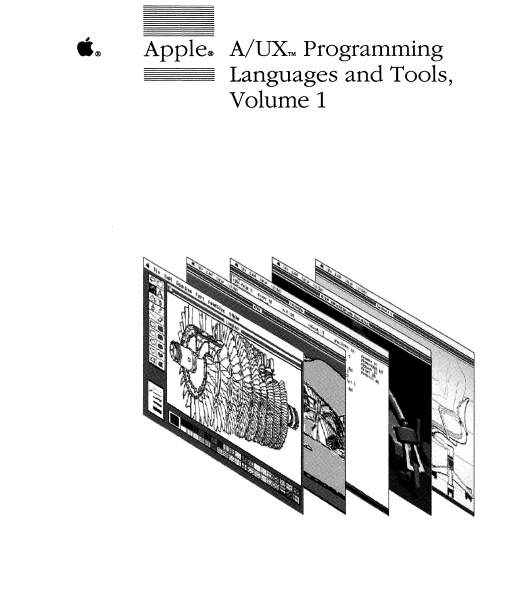
ti® Apple® A/UXTM Programming Languages and Tools, Volume 1 Copyright This material contains trade secrets and confidential and proprietary information of Apple Computer, Inc., and UniSoft Corporation. Use of this copyright notice is precautionary only and does not imply publication. Copyright© 1985, 1986, 1987, Apple Computer, Inc., and UniSoft Corporation. All rights reserved. Portions of this document have been previously copyrighted by AT&T Information Systems, the Regents of the University of California, and Motorola, Inc., and are reproduced with permission. Under the copyright laws, this manual or the software may not be copied, in whole or part, without written consent of Apple or UniSoft, except in the normal use of the software or to make a backup copy of the software. The same proprietary and copyright notices must be affixed to any permitted copies as were affixed to the original. This exception does not allow copies to be made for others, whether or not sold, but all of the material purchased (with all backup copies) may be sold, given, or loaned to another person. Under the law, copying includes translating into another language or format. You may use the software on any computer owned by you, but extra copies cannot be made for this purpose. Apple Computer, Inc. 20525 Mariani Ave. Cupertino, California 95014 (408) 996-1010 Apple, the Apple logo, lmageWriter, LaserWriter, and Macintosh are registered trademarks of Apple Computer, Inc. A/UX is a trademark of Apple Computer, Inc. UNIX is a registered trademark of AT&T Information Systems. VAX is a trademark of Digital Equipment Corporation. 3B20 is a trademark of AT&T Informati011 Systems. Limited Warranty on Media an Replacement If you discover physical defects in the mar als distributed with an Apple product or in media on which a software product is distr buted, Apple will replace the media or Irull als at no charge to you, provided you retur the item to be replaced with proof of purcb to Apple or an authorized Apple dealer dw the 90-day period after you purchased the software. In addition, Apple will replace d, aged software media and manuals for as lo as the software product is included in Appl Media Exchange Program. While not an upgrade or update method, this program offers additional protection for up to two years or more from the date of your origin: purchase. See your authorized Apple deale for program coverage and details. In some countries the replacement period may be d ferent; check with your authorized Apple dealer. ALL IMPLffiD WARRANTIES ON Tll MEDIA AND MANUALS, INCLUDINC IMPLmD WARRANTms OF MERCHANTABILITY AND FITNESS FOR PARTICULAR PURPOSE, ARE LIMITED IN DURATION TO NINETY (90: DAYS FROM THEDATE OF mE OB GINAL RETAIL PURCHASE OF Tffil PRODUCT. Even though Apple has tested the software and reviewed the documentation, APPLE AND ITS SOFTWARE SUPPLIER MA NO WARRANTms OR REPRESENTATIONS, EITHER EXPRESS OR IMPLffiD, WITH RESPECT TO SOFTWARE, ITS QUAL· ITY, PERF…

Showing first 3,000 characters of 500,000 total. Open the full document →
Home Documents Macintosh Arioso Macintosh IO Systems Architecture 1.0
Arioso Macintosh IO Systems Architecture 1.0

Arioso Macintosh IO Systems Architecture 1.0

Macintosh · 1991 · PDF
FilenameArioso_Macintosh_IO_Systems_Architecture_1.0_19920129.pdf
Size10.05 MB
Year1991
Subsection functionalTechnologies
Downloads5
Enjoying MacTrove? Anonymous downloads are free and unlimited. Create a free account to track favorites, contribute metadata corrections, and join the community chat.
Reader
Arioso Macintosh IO Systems Architecture 1.0
/
Loading…
OCR / Text contents
Macintosh 1/0 Systems Architecture version 1.0 1/29/92 Henry Kannapell Scott Sarnikowski Architectural lnvestigations & Modeling Functional Technologies Contents Preface ·About this Document 1 lntroduction to Arioso / 1 - 1 2 ADB -Apple Desktop Bus / 2 - 1 3 Floppy / 3 - 1 ·=·==t~th. 4 LocalTalk / 4 - 1 5 Architectural Investigations & Modeling -Arioso ©1991 S® Apple Computer Confidential - Need to Know Atioso Rcv 1.0- lfl.9/92 Preface - About this Document This document contains a description and discussion of the Arioso model ofseveral Macintosh 10 subsystems. The Arioso model is intended to be a conceptual model ofIO subsystems that helps to· improve the portabilityof low-level VO software from one platfonn to another. :i~lilililil !~ ;1!il!l l l i~1~/ „/[]~/ ·41~.il. ~.i·:;~.·:_.·:a') i:_:,,_::1.: .. ::1.::..:.:.:[l..=.·..=':!:·!:..:!:!:··::i:_:'.·:;·:·:·:··::.:.::;::··.·:':.. :.: .·=.:·:. ..···:...·=:· . . .= .....:·::·.:··:·..:.•:..::......:·:.:::· ~'4! ii Architectural Inve.stigations & Modeling -Arioso ©1991 ti@ Apple Computer Confidential - Need to Know jJ Arioso Rev 1.0 - l/29ß2 What's in this Document? This document describes the important features and concepts of the Aioso VO model for Macintosh computers. This document contains the following material: • Chapter 1, "Introduction to Ariso" provides an ovelView of the Arioso model and discusses the motivation behind the Arioso Model. lt also includes a descrlption ofa new set for diagramming symlx>ls that capture the complexity of real-time algoritms. • Chapter 2, "ADB -Apple Desktop B1:l§" docum~A!$. the Arioso model for the ADB. • G.Mpter 6, "SG$.f.EßmiltlM@.mpijf:i.fS}'stems Interface" documents the Arioso model for SCSI. : :::::::~;~,\\~?::::hFlop~YO~rem ;h~ !!!~!t!::~:~::::~:r:;;:b~:~remcan srandabne. So, ü you arej@n!y inter~ted ir{SÖil read only chapter 6. In order to get a backgound an the Arioso ß.q\~l, make sure thaFyou read Chapter 1 prior to reading any of the later chapters. :=·=·====~tlt~=: ....•h :_~. ;:·1~._ :,r' ;~ ':·.1:;:,_:;;_::.:::_=·•·.:·.=··.=•.:::·,_·:.,.:·:_.:·_ .. ::.. .. ('C:J,/ •.. Architectural Investigations & Modeling -Arioso ©1991 S® Apple Computer Confidential - Need to Know üi Arioso Rcv 1.0 - 1/29192 e ~w" ~1 . :•.:.:';: •.: :;····:,.:_i·_;_ 4tf ~1t ~ : ~ . · _ = 1 . : = ~ : ' . . : i . 1 · ~ f~il::*f~fl; ( _ · . : ·..: ;:.:;.:·.:;.::::_:!_::!·' : ' .0•• '.!'!:;,._.;·::=·:·.:::·.:.:·.=·._.=.·:„:·. :.·_. . . Architectural Investigations & Modeling -Ariooo ©1991 ti@ Apple Computer Confidential-Need to Know ....... ARIOSO Chapter 1. Introduction to Arioso Henry Kannapell & Scott Sarnikowski About This Chapter chapter presents an introduction :tArio4.:lr the Macintosh Device System Tue Arioso This qf IO model is loosely based on the OSI UJ.,. sW~@fyirlgl~i&.9.tJftajor layers for each 10 device type. :~~~:~~~:~~:r:.;B!!:~~~~~~::i:~~a:~~~wswith each ®:W. ~chineJt1n~.Ne~1K~metMU{fac OS will soon represent …

Showing first 3,000 characters of 226,300 total. Open the full document →

Home Documents Macintosh Apple Blue Book Vol2
Apple Blue Book Vol2

Apple Blue Book Vol2

Macintosh · 1989 · PDF
FilenameApple_Blue_Book_vol2_1989.pdf
Size47.85 MB
Year1989
Subsection blue
Downloads4
Enjoying MacTrove? Anonymous downloads are free and unlimited. Create a free account to track favorites, contribute metadata corrections, and join the community chat.
Reader
Apple Blue Book Vol2
/
Loading…
OCR / Text contents
~- ::::"."~'. l:::.-I . . Finder & Applications Our group is doing four kinds of projects for Big Bang. First of all, we're doing user interrace, bug fix, and cosmetic improvements to existing software. This includes updating LaserWriter Font Utility to support the Kanji LaserWriter (LaserWriter Font Utility 2.0), imrpoving CloseView for sighted users (CloseView 1.1), MacroMaker with an improved user interface (MacroMaker 1.1) and new versions of vari0us desk accessories. Second, we're doing support for specific hardware. This includes the Esprit control panel, the Battery desk accessory, and the Topanga video control paneL Third, we're doing to major projec .T Installer 3.0 and few moments wit the Macintosh a span more than e ~"'-1:JJ.l~aJ;w~ Some of our specifications. are more complete than others, but I hope you'll find most of them interesting. Darin Who Does What? Projects in Finder & Applications Miscellanea scott douglass Darin Adler Frank Stanbach Esprit Support Bryan Steams Lase 2.0 ~~~~ PictWhap and Pat ~e~ Bo3b Johnson Frank Stanbach C~ Bo3b "Ringo" Johnson MacroMT·~ Don John Meier scott douglass Furnishings 2000 Darin Adler Paul Mercer Dave Owens Bryan Stearns (Mover) an ndy :frost Installer 3.0 Bruce Jones Paul Mercer Finder 6.2 Installer·3.0 Alpha Release ERS January 13, 1988 Cindy Frost x3452 Bruce Jones x3454 Introduction This document describes the :new Installer version 3.0. This new Installer has three main goals: 1) to allow for multi-disk installations, 2) to address complaints that customers have with the current in e. A fourth goal would be Installer, and 3) to enhance the Installer y ovidin I I to make structural chan es to the code itsel makin it easier for a new user· nterface or other new enhancements to be inc rporated in future leases This document firs approximately in order Fri, Jan 13, 1989 Installer 3.0 ERS Apple Computer, Inc. Confidential page 1 Requirements To accomplish our three main goals, we have addressed many different issues. Here is a summary of the areas we have changed for the Altair System release. Multi.Disk Installation - System Tools releases will soon be larger than what fits on a standard 800K floppy disk. Because of this, the driving requirement for a new version of the Installer is the ability to install files and resources from more than one disk. The novice Macintosh user should have available a simple, painless way of installing all of the system software (including printer drivers) from 2 or more floppy disks onto his or her new system. Version 3.0 must support this requirement. Reduce Disk Swappine -If installing System Tools Version 5.0 on a Mac Plus with a single floppy drive, over "300 disk swaps are required for the operation. In order to decrease our liability, (Macintosh Owner Goes Stark Raving Mad - Sues Apple) Installer version 3.0 will maximize utilization of system memory to minimize th ber of disk swaps needed for installation. Context Intellieen…

Showing first 3,000 characters of 500,000 total. Open the full document →
Home Documents Lisa Exec File Preprocessor Mar83
Exec File Preprocessor Mar83

Exec File Preprocessor Mar83

Lisa · 1983 · PDF
FilenameExec_File_Preprocessor_Mar83.pdf
Size1.90 MB
Year1983
Subsection workshop_beta
Downloads3
Enjoying MacTrove? Anonymous downloads are free and unlimited. Create a free account to track favorites, contribute metadata corrections, and join the community chat.
Reader
Exec File Preprocessor Mar83
/
Loading…
OCR / Text contents
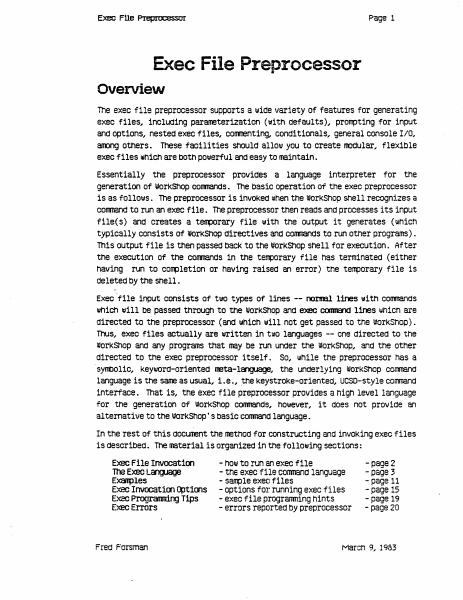
Page 1 Exec FUe Pleplo;essor Exec File Preprocessor Overview The exec file preprocessor supports a 1.111de variety of features for generating exec files, inclUding parameterization (with defaults), prorrpting for input and options, nested exec files, COITITenting, conditionals, general console IIO, aroong others. These facilities should allol.ll you to create lOOdular.. flexible exec files which are bOth pOlJlerful and easy to maintain. Essentially the preprocessor provides a language interpreter for the generation of IIJorKShop conmands. The basic operation of the exec preprocessor is as follol.lls. The preprocessor is invoked when the workShop shell recognizes a cornnand to run an exec file. The preprocessor then reads and processes its input flle( s) and creates a teflllOrary file 1111th the output it generates (which typically consists of WOrkShop directives and conmands to run other programs) . This output file 1s then passed back to the I#OrKShOp Shell for execution. After the execution of the conmands 1n the t~orary file haS terminated (either having run to completion or having raised an error) the terrporary file is deleted by the shell. Execflle input consists of tlllO types of lines -- naI1lBl lines with conmands lIIhiCh will be paSSed through to the workShop and e>eee COOII&1d lines whiCh are directed to the preprocessor (and lIIhich w111 not get paSSed to the WOrkShop). Thus, exec files actually are written in t\lO languages -- one directed to the worKShop and any programs that may be run under the worKShop, and tne other directed to the exec preprocessor i tself . So, I.IIhile the preprocessor has a ·syntlOl1c, KeYWOrd-oriented neta-l~, the underlying worKShop comnand language 1s the sane as usual, 1.e., .the KeystroKe-oriented, UCSD-style corrmand interface. That is, the exec file preprocessor provides a high level language for the generation Of worKShOp CommandS, however, it does not provide an a1 temative to the worKShop' S basic conmand language. In the rest of this cIOcunent the methOd for constructing and inVOKing exec files is described. The material is organized 1n the following sections: Exec File Invocatioo 100 Exec language E~les Exec Invocat100 ~t1oos Exec Programr1.rYJ Tips Exec Errors Fred Forsman - hOIll to run an exec file - tne exec file conmand language - sarrple exec files - options for running exec files - exec file progranming hints - errors reported by preprocessor -page 2 - page 3 - page 11 - page 15 - page 19 - page 20 March 9, 1983 Exec f!le Prepnx:essor !=Iage 2 Exec File Invocation . An invocation line for the preprocessor has the follollling form: <exec conmand> <exec file> [ «pararreter list» [ <exec options> ]] The <exec corrmand> can be either "EXECI'" or "<". The <exec file> is the name of the exec file you lIIiSh to A". TEXT" extension will be assuned if one 1s not specified; holJlever, you may override the mechanism IJIhiCh supplies the". TEXT" extension by ending your <exec file> name…

Showing first 3,000 characters of 39,736 total. Open the full document →
Home Documents Lisa Chow Vanilla Application Window ERS
Chow Vanilla Application Window ERS

Chow Vanilla Application Window ERS

Lisa · 1983 · PDF
FilenameChow_-_Vanilla_Application_Window_ERS_19831031.pdf
Size2.49 MB
Year1983
Subsection development_history / memos
Downloads5
Enjoying MacTrove? Anonymous downloads are free and unlimited. Create a free account to track favorites, contribute metadata corrections, and join the community chat.
Reader
Chow Vanilla Application Window ERS
/
Loading…
OCR / Text contents
Vanilla Application Window External Reference Specifications OcttQ!r 3~ 1983 By Yu-Ying 01ow 1. Project Q!!fin.ititns .. 1.1. Procl.1ct M>st? act A V111illa Pascal progrm is a text-oriented program that uses only WRITELNs ta display its output, and only REAOL.Ns to get input. This type of program ems not have tne ability ta access manager libraries to directly _1nterac1; •itn •indo•, Bl.I or tne nDJse~ n. vanilla application •indOw (sometimes called tne VS1illa or tne application •indo•) proviaes a vanilla Pascal progxam •itn a .ay to direct its output to a 1111nac111 and get its 1npJt from tne keyt>Oard, follo•ing tne Office System user interface standards. The vanUJ.a •indcilt gives tne user of tnis type of program tne • capetlility to Control its output window •itn menus mia.:tne 111:>1.1.se. •J;t,, tne . vanilla sucn programs C8'l be ported to n.n in tne Office Sy~em ·•itncut siy lllXU.ficatian' 1n tne source coae as lcng as tney nave 1'1'\. 1n trie larksncp. •indo• •inao• •inclo• For prog?ams tnat· USe the ~iekOraw (saretimes called vanilla QuiCkOra111 piograns) sics nn in tne I0?1<snop today, tne vanilla •1.ndo• also proviaes a •Y to direct 1ts gras:t11c cur;iut to a window. In add1t1ais.. far programs tnat use tne HarcMr.e (liit (HfINT) to get tne llD.lse lccation (MOuseLocation) mid tne DDJse events (Keytx£vent), tne vanilla •indow also provides a way to get tne 11D.1Se cocrd1nates. Ho.ever, tne vanilla •111 noi support · prog:rams tnat use tne Hardware l.1'11t to dO otner hardware control t.~t . , affects tne entire system. These progr~ nave to oe convertea to use trie ToolKit before tney cai n.n in tne Office System. Otner programs t..,a~ neea to nave tneir own men.is tnat are different from tne vanilla wL.,d ···· a11ll nave to be ccnverted to use tne ToolKit as 111e11. There 111111 c <' . e· •indo• •indc• for text mict grapnic outp.at for eacn vat1illa Qu1CkOra ·' .· ~ even if tne progran uses tJatn and tne Cuid<O?'aw. The vaiilla •indc• eaulates a terminal display. The te~ t~ be scrolled off tne top of a typical terminal display ;:I s · . . vaiilla •indo•. This output can tle scrolled Oack at ;fly~ t ..... _ . e ·vanilla 91ncla• prov1aes a StamrrJ ~ tnat performs p:i11on ~,. ~·- . · ·ai ,"'1Ctions ~ITEi.NS sucn as positioning tne cursor ana clearing tne ¥?een, efi:'?'.} It also enacles tnird parties to •rite ~ific terminal !lll.llatq,:s for·<tne vertilla wir.dO•-. • are providing a VTJJJO and a sarac terminal ~atible en1Jlators with tnis .ProdUCt. Eacti vanilla proc;ram is associatea with a decua,int .n1cn contains t~e output Ci.splay of tne program. Eitner all or part 0~11 tne outcut from a va.r.:.::a . progz511 can De saved in. tne .~t. The aocunent .cart oe mantpulatea -:~~­ same .ay as otner Lisa CIOCl.lll!nts. It.canoe •set Aside" OT •savea &Put Away• and openea later to see tne output of t;ie :irevicus run •. In aQai~i9n, eacn vS1illa prog:am can aeal •itn OS files 1h tne sane :uay as it coes ""., tne wort<snop. Th…

Showing first 3,000 characters of 17,908 total. Open the full document →
Home Documents Lisa Lisa 1.75 Boot ROM
Lisa 1.75 Boot ROM

Lisa 1.75 Boot ROM

Lisa · PDF
FilenameLisa_1.75_Boot_ROM_19830721.pdf
Size2.93 MB
Subsection hardware / 1983_Whopper
Downloads3
Enjoying MacTrove? Anonymous downloads are free and unlimited. Create a free account to track favorites, contribute metadata corrections, and join the community chat.
Reader
Lisa 1.75 Boot ROM
/
Loading…
OCR / Text contents
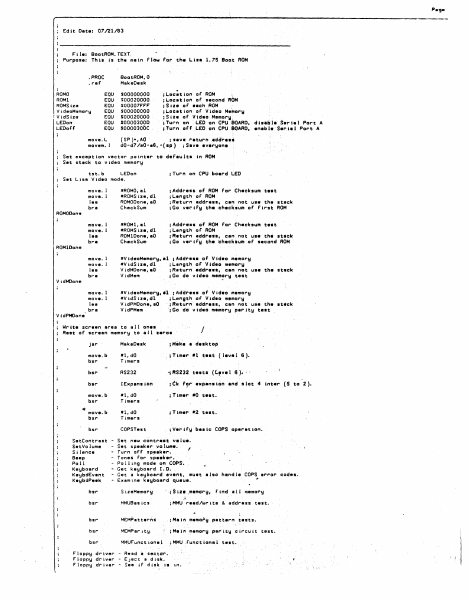
Peg. r: Edit Dote• 07/21/83 File: BootROM.TEXT Purpose: This ts the mein Flaw for the Lisa 1.75 Soot ROM BoatROM,0 MakeOesk .PROC .ref ROMO RO Ml ROMSize Vi deoH1,mory ! Vid$iz1t LEDon LEDoff EQU EQU EQU EQU EQU EQU EQU move.L mavem. I $00000000 $00020000 $00007F'F'F' $00000000 $00020000 $00003000 SOOOOJOOC ;Loc;tian of ROM ;L.ocatton of second ROM ;Siie of each ROM ;Location of Video Me~ory ;Size of Video Memory, ; Tu1r-n on L.£0 on CPU $OARD, d te•b I• Ser i • l Port A ;Tu~n o(f LEO on CPU.$0ARD, enebl• $eri1J Port A {SP)+,AO · ;~eve r•turn •ddrea~ d0-d7/a0-e6,-(•P) ;Save everyone Set e1eceptlan vector pointer to defaults In ROM Set stack to video memory ;Turn on CPU boerd LEO tst.b LEDon Set Lisa Video mode. move. I move. I lea bra •ROMO, al •ROMSize,dl ROMOOone,aO Check Sum ;Address of ROM for Checksum teat ; l..engtn of ROM ;Return address, can not use the stack ; Go ver try th• checksum or .First ROM move. l move. 1 lea bl"' a •FIOMl,el #ROMSize,dl ROMlDone,aO Check Sum ;Address of ROM far Checksum te•t ; L.ength of AOM ;Return address, c•n ~at use th~ st•ck ;Go vertfy ~he checksum of second ROM move. l move. 1 lea bra #VtdeoMemary,al ;Address or Video m~mory #VidStze,dl ;L.~ngth or Video memory VidMDone,eO ;R1tturn address, cen not use th• stack V idMem ; Gc1 do video mem?ry test move. l move. l lea bra #VideaMemory,~1 ROMOOom11 ROMlDono V idMOone #VidSize,d1 VidPMOone,aO VidPMem ;Address of Video memory of Video memory address, can not use th• stack ;Go do video memory parity test ;L.~ngth ;A~turn VidPMOone Writ• screen area to all ones Rest of screen memory to all zeros .r I jsr MakeDesk ;Mitklt • desktop move.b bsl"' #l,dO Timer-s .;Timer •1 t••t ( leve 1 6 ). bsr RS232 -; AS:232 tests (C.~vel 6 >· .. bsr IE1epansion i f!k move.b bsr #l,dO Timers ; Tuner •O test. move.b bsr" #l,dO Timers ; Tu~e,. •2 test. bsr COPSTest ; Ver· ify basic COPS operatton. SetContrast SatVolume Si lance Beep Po 11 Keyboard KeybdEvsnt KeybdPHk fl?r ••Penstcin and slot 4 int el" (S to 2 ). - Set new c~ntrest ve1ue. - Set speaker volume. f - Turn off sp~aker. - Tones For speek•r. - Po 11 Ing mode on COPS". - Get keyboard I.O. - Get a keyboard event, must also handle COPS,,. error codes. - Examine keyboard queue. bsr S izeMamory ·. ; Size ,memory, Find a 11 memot"y bsr MMUBasics jMMU read/write & addl"'ess test. bsr MEMPatter~$ ;Main memo~y pattern tests. bsr MEMPar1ty. ;Main memorij pat"ity circuit test. bsr MMUFunctionel ;M~U .functional .. i Floppy dr ver - Read ~ sector. Floppy dr ver - Eject a dlsk. Floppy dr ver - See iF disk is 1n. test. F'loppy dr-iv•,. - Debug co111111ends required by F'ield S~r-v&ce. bsr IWMCh ip ; tWM, floppy dr- iver i::h tp, test. Bui 1t- in hard disk drivel"' Bui It- in hard disk d·r iver Built-in hard disk driver Bu i-ltin bsr . •tatus of' •• ltt••t· . Relid s•• if' disk , ready !jet. R. . d a sector. ;Builtin hard dtck port test bsr TestlExpenaion ; Execut…

Showing first 3,000 characters of 129,179 total. Open the full document →

Home Documents Macintosh Apple Events In Mac OS 8
Apple Events In Mac OS 8

Apple Events In Mac OS 8

Macintosh · 1994 · PDF
FilenameApple_Events_in_Mac_OS_8_19960422.pdf
Size0.41 MB
Year1994
Subsection developer / Copland / D11E4_19960613
Downloads4
Enjoying MacTrove? Anonymous downloads are free and unlimited. Create a free account to track favorites, contribute metadata corrections, and join the community chat.
Reader
Apple Events In Mac OS 8
/
Loading…
OCR / Text contents
ð INSIDE MACINTOSH Apple Events in Mac OS 8 ð WWDC Release May 1996 © Apple Computer, Inc. 1994 - 1996 ð Apple Computer, Inc. © 1994–1996 Apple Computer, Inc. All rights reserved. No part of this publication may be reproduced, stored in a retrieval system, or transmitted, in any form or by any means, mechanical, electronic, photocopying, recording, or otherwise, without prior written permission of Apple Computer, Inc., except to make a backup copy of any documentation provided on CD-ROM. The Apple logo is a trademark of Apple Computer, Inc. Use of the “keyboard” Apple logo (Option-Shift-K) for commercial purposes without the prior written consent of Apple may constitute trademark infringement and unfair competition in violation of federal and state laws. No licenses, express or implied, are granted with respect to any of the technology described in this book. Apple retains all intellectual property rights associated with the technology described in this book. This book is intended to assist application developers to develop applications only for Apple-labeled or Apple-licensed computers. Every effort has been made to ensure that the information in this manual is accurate. Apple is not responsible for typographical errors. Apple Computer, Inc. 1 Infinite Loop Cupertino, CA 95014 408-996-1010 Even though Apple has reviewed this manual, APPLE MAKES NO WARRANTY OR REPRESENTATION, EITHER EXPRESS OR IMPLIED, WITH RESPECT TO THIS MANUAL, ITS QUALITY, ACCURACY, MERCHANTABILITY, OR FITNESS FOR A PARTICULAR PURPOSE. AS A RESULT, THIS MANUAL IS SOLD “AS IS,” AND YOU, THE PURCHASER, ARE ASSUMING THE ENTIRE RISK AS TO ITS QUALITY AND ACCURACY. IN NO EVENT WILL APPLE BE LIABLE FOR DIRECT, INDIRECT, SPECIAL, INCIDENTAL, OR CONSEQUENTIAL DAMAGES RESULTING FROM ANY DEFECT OR INACCURACY IN THIS MANUAL, even if advised of the possibility of such damages. THE WARRANTY AND REMEDIES SET FORTH ABOVE ARE EXCLUSIVE AND IN LIEU OF ALL OTHERS, ORAL OR WRITTEN, EXPRESS OR IMPLIED. No Apple dealer, agent, or employee is authorized to make any modification, extension, or addition to this warranty. Some states do not allow the exclusion or limitation of implied warranties or liability for incidental or consequential damages, so the above limitation or exclusion may not apply to you. This warranty gives you specific legal rights, and you may also have other rights which vary from state to state. Apple, the Apple logo, and Macintosh are trademarks of Apple Computer, Inc., registered in the United States and other countries. Finder and Mac are trademarks of Apple Computer, Inc. Simultaneously published in the United States and Canada. Draft. Confidential.  Apple Computer, Inc. 4/22/96 Contents Chapter 1 Introduction to the Mac OS 8 Event Model 1-1 Apple Events in Mac OS 8 1-4 Apple Event Communications Model 1-4 Apple Event Data Model 1-5 The Mac OS 8 Event Model 1-6 Apple Event Dispatchers 1-8 Handler Tables 1-9 Apple Event Handlers 1-10 Tasking Models 1-11 One Ta…

Showing first 3,000 characters of 108,499 total. Open the full document →

Home Documents Macintosh AppleShare PC Installation Guide
AppleShare PC Installation Guide

AppleShare PC Installation Guide

Macintosh · 1989 · PDF
FilenameAppleShare_PC_Installation_Guide_1989.pdf
Size1.43 MB
Year1989
Subsection developer / AppleShare
Downloads4
Enjoying MacTrove? Anonymous downloads are free and unlimited. Create a free account to track favorites, contribute metadata corrections, and join the community chat.
Reader
AppleShare PC Installation Guide
/
Loading…
OCR / Text contents
1 I ( '- .~Apple. Sphinx Installation Guide t lOOTED WAIIANTY ON MEDIA AND IEPlACDIE.''T If you diaco¥er physial defec1s in the manuals distributed wlh an Apple product or in the media on which a aoftwan: product i5 distributed, Apple will replace the media or manuals at DO charge to you, provkied you rerum the item to be replaced with proof c:J pwclwe 10 Apple or an authorized Apple dealer during the 9O-day period after you purchased the sc:itware. In addition, Apple will replace darmged aoftwan: media and manuals for as btg as the aoftwan: product is induded in Apple's Media Exchange ProgrIm. While not an upg!2de or update method, this program offen additional protection for up to two years or more from the date of your original purchase. See your authorized Apple dealer for program ~ and deta.iJs. In aome countries the replacement period may be different~ check with your a\lborized Apple dealer. AIJ. JMPlIED WAIUlANTIES ON 11IE MEDIA AND MANUALS,IN<ll1DING IMPUED WA.IW.NTIES OF ME.IICHAN'IABDl ANI> FD'NESS FaaA PAllT1CUI.U PURPOSE, ARE LIMITED IN DViADON TO NIJI4"EIl' (90) nus mOM lHE DATE OF lHE ORIGINAL 1£l'AJI. PllIOWE OF nus Paooocr. Even though Apple has teMed the software and reviewed the documentation, APIU MAKES NO WAJlRANTY 01. REPRESENTATION, UI'HEB. EXPIESS oa IMPUED, WII'H RESPECf TO SOFTWARE,lI'SQVAUl'Y,PEllFOB.MANCE,MEIlClA.NTABllll'Y.OI.FIl'NESSFOI.A PAJI'lOJIAR JIU1IPOSE. AS A RESULT, nus SOFTWARE 15 SOU> -AS IS," AND YOU 11IE PllIOIASEB. ARE ASSUMING 11IE ENTIB.E JUSI( AS TO lI'S QUALm' AND PEllFOB..\lANCE. IN NO EVFNl' WILL APIU BE 1lABlE FOI. DIRECf,INDIB.ECl'. SPEClAL, INCDENTAL, oa CONSEQUENTIAL DAMAGE'S RESULTING mOM A,.-;Y DEFECf IN 11IE SOFTWAB.E 01. rrs DOCUMENTAllON, even if advised d the ~ibility d such damages. In parucu12r, Apple shall have no liability for any prognms or data stored in or used with Apple products, induding the C06tS of recovering such programs or data. lHE WAllB.ANTY ANI> IEMEDlES SIT FOKI'H ABOVE ARE EXOl1SlVE AND IN LlEU OF AIJ. O'I'HERS, om oa W1UTl'EN, EXPRESS OR JMPlIED. No Apple dealer, agent, or employee is authorized 10 make any rnodifiation, extension, or addition 10 this warranty. Some states do not allow the exclusion or limitation of implied warranties or liability for incidental or consequential damages, so the above limiWion or exclusion may nIX apply to you. This wamnty gives you Specific legal rights, and you may also have other rights, which vary from state to state. NOTE: the Canadian warranty statement wtlJ be placed hm by production. ! ( • APPLE CoMP1TI'Ell, INc. This manual is copyriglted by Apple IX' by Apple's suppa, wlh all rights reserved. Under the copyrisht laws, this manual may not be mpied, in whole IX' in part, without the written consett of Apple Computer, Inc. This exczption does not allow copies to be made for OOlers, whether or not sold, but all of the l1IiIleI'Ql purchased may be sold, Biven, or lent to IJXIIher person. Under the law, copyiDg irx:lud…

Showing first 3,000 characters of 35,747 total. Open the full document →

Home Documents Lisa Lisa Develpment System Internals Documentation
Lisa Develpment System Internals Documentation

Lisa Develpment System Internals Documentation

Lisa · PDF
FilenameLisa_Develpment_System_Internals_Documentation_198402.pdf
Size9.32 MB
Subsection workshop_3.0
Downloads3
Enjoying MacTrove? Anonymous downloads are free and unlimited. Create a free account to track favorites, contribute metadata corrections, and join the community chat.
Reader
Lisa Develpment System Internals Documentation
/
Loading…
OCR / Text contents
---~inc aR...,, ,.,..,.,,,,„.., KalM IYIU.)' •••••••••••••••merno••••••••••••••• To: Development Tools Group, Operating Sy·stems Group, Numerics Group, Eric Herslem, Lerry Tesler, Pete Creuman, steve Luckau, Paul Williams, Berry Haynes, Susan Keohan, Chris Espinosa, Ceroline Rose, Jerome Coonen From: Katie Withey, x3596 Date: 1' Fet>ruery 64 Re: Internals Documentation ••••••••••••••••••••••••••••••••••• Attatched is the fint draft of the Lisa Development S}1stem Jnternals Documentation. Please note that this is a living document; changes will be made, end no pert of it js guarenteed to be accurate. If you have any changes or corrections_, PLE ASE don't just merk them in your copy; tell me about them. Suggestions for inclusions in the next release ere also welcome. Preface lhe purpose of thh document is to explain/the internal itruct.ures and algorithms used by the Ltsa's run-time erwironment and development tools, and the internal library units (such as OBJIOLIB and SULIB) that ere related only to Lisa systems software. lt is actually a collection of documenh and memos, any or which cen be used separately, all relating to different aspects of the sytt.em. lhis is a reference document for programmen working on the following: • Maintaining or enhancing exirting Lisa development software. • Writing compilers or utilities for the Lisa Workshop, elther on contract with Apple or as third-party independanh. • Writing auembly-le.nguage programs that will interf ace with our compiled code. How will they benef it from thb document? • lt will save the people maintaining tools the trouble of looking through the code themselves to find inf ormatior.. • lt will save out.dde programmen, who don't have acceu to the code, from ce.lling us to ask questions about things that we have to look up in the code. • Parts of it will be included as a ref erence section in technical contracb that we assign to outside programmers. • lt will provide assembly-language programmers with such specifics e.s register conventions, pm-ameter-passing techniques, and memory layouh used by the compiler f or different types of arrays and structures. • lt can be uied to train new syitems ioftware programmen on the existing internah of the system. 16-JanuBJ'}„-84 Preface Contents Lisa Development Software Dcicurnentation: A Road Map Pascal Compiler Directives Pascal Code-Cruncher' s He.ndbook Tt1e Last Whole Eexth Text File Format Pascal's Packing Algorithrn PASLIB Procedure Interface PaslibCall Unit PPaslibC Unit.: Privil eged PASLIB Calls Floating-Point Libraries Standard Unit Execution Environment of the Pascal Compiler Intrinsic Unit.s Mechanism (overview) IUManager (old and "spring release" versions) Objec:t File Formats Interface to OBJIOLIB Format of .SYMBOLS File Using LisaBug Shell-VJriter's Guide Contents Lisa Development Software Documentation: A Road Map JrUoduction This road map was designed to help you to find your Wt!f!I around the verious documents descr…

Showing first 3,000 characters of 384,356 total. Open the full document →

Home Documents Lisa A6L0145 LisaList
A6L0145 LisaList

A6L0145 LisaList

Lisa · 1983 · PDF
FilenameA6L0145_LisaList_1983.pdf
Size7.41 MB
Year1983
Subsection office_system
Downloads4
Enjoying MacTrove? Anonymous downloads are free and unlimited. Create a free account to track favorites, contribute metadata corrections, and join the community chat.
Reader
A6L0145 LisaList
/
Loading…
OCR / Text contents
LisaList A610145 LisaList Update Notes and Errata Using TAB to Add More Columns A list can have up to 100 columns. When you are creatIng a list, or adding columns to it, you can add more columns by pressing the TAB key from the header of the last column. Initially, LisaList displays a number of blank columns at the right of the Lts t (ten in the Create Table, five in the Add/Remove Table). If you have filled in all the columns, and you press the TAB key from the header of the last column, LisaList adds one more blank column. Data Formats to Avoid When you are creating a list, you should not use the data formats -9 or -99 for money or number data types. If you do, the values will not sort in the correct order. However, you can create the list using the default formats for these columns, and then later change them to -9 or -99. LisaList - 1 LisaList 029-0209-A LisaList ® 029-0092-A Customer Satisfaction If you discover physical defects in the manuals distributed with a Lisa product or in the media on which a software product is distributed, Apple will replace the documentation or media at no charge to you during the 90-day period after you purchased the product. its quality, performance, merchantability, or fitness for any particular purpose. As a result, this software is sold "as is," and you the purchaser are assuming the entire risk as to its quality and performance. In no event will Apple or its software suppliers be liable for direct, indirect, speCial, incidental, or consequential In addition, if Apple releases a damages resulting from any defect in corrective update to a software product the software or manual, even if they during the 90-day period after you have been advised of the possibility of purchased the software, Apple will such damages. In particular, they shall replace the applicable diskettes and have no liability for any programs or documentation with the revised version data stored in or used with Apple at no charge to you during the six products, including the costs of months after the date of purchase. recovering or reproducing these In some countries the replacement programs or data. period may be different; check with The warranty and remedies set forth your authorized Lisa dealer. Return any above are exclusive and in lieu of all item to be replaced with proof of attisfa, oral or written, express or purchase to Apple or to an authorized implied. No Apple dealer, agent, or Lisa dealer. employee is authorized to make any Limitation on Warranties and Liability modification, extension, or addition to this warranty. All implied warranties concerning this manual and media, including implied Some states do not allow the exclusion or limitation of implied warranties or warranties of merchantability and liability for incidental or consequential fitness for a particular purpose, are limited in duration to ninety (90) days damages, so the above limitation or exclusion may not apply to you. This from the date of origina…

Showing first 3,000 characters of 245,772 total. Open the full document →

Subscribe to PDF
mp.ls