Home Documents Lisa IBM RC8384 Schild PICTUREWORLD A Concept For Future Office Systems
IBM RC8384 Schild PICTUREWORLD A Concept For Future Office Systems

IBM RC8384 Schild PICTUREWORLD A Concept For Future Office Systems
Lisa · PDF
FilenameIBM_RC8384_Schild_-_PICTUREWORLD_A_Concept_for_Future_Office_Systems_198007.pdf
Size0.89 MB
Subsection development_history / articles
Downloads3
Enjoying MacTrove? Anonymous downloads are free and unlimited. Create a free account to track favorites, contribute metadata corrections, and join the community chat.
Reader
IBM RC8384 Schild PICTUREWORLD A Concept For Future Office Systems
/
Loading…
OCR / Text contents
RC 8384 (#36518) 7/ 30/80 39 pages Computer Science Research Report PICTUREWORLD: A Concept for Future Office Systems l·J . sch i l d L• R • Po ~-1 e r M. K<irnaugh IBM Thom~s J. Watson Research Center Yorktown Heights, N.Y. 10598 ,. ~~ Research Divisi on San Jose · York town . Zurich Copies may be requested from: IBM Thomas J. Watson Research Center Distribution Services 36-068 Post Office Box 218 Yorktown Heights, New York 10598 1 RC 8384 (#36518) 7/30/80 Computer Science 39 pages PICTUREWORLD: A Concept for Future Offlce Systems IL Sch j 1 d * L. R. Pol•er M. Karnaugh IBM Thomas J. Watson Research Center Yorktown Helghts, N.Y. 10598 ABSTRACT: After a characterlzatlon of the work of offlce prlnclpals and a statement of some qualltatlve requlrements, the system concept called "Plctureworld" ls descrlbed. Plctureworld provldes the user with an understandable, self-promptjng lnterface whlch cilsplays lconlc r2presentatlons of famlllar offlce objects. It ls easy to learn and to remember how to command the system. Functions for an entry level system are deflned. A software organlzatlon ln terms of Plctureworld objects wlll facilitate maintenance and expansion of tl1e system. In view of large areas of lgnorance concernlng the acceptablllty and value of prlnclpal support systems, Plctureworld ls proposed 011ly as one con1po11ent of a larger progrant of research. * W. Schlld was formerly with IBM Israel. l· Introduction The anticipated widespread use of electronic systems to support the work of office principals will bring a very large group of non-programmers into frequent close interaction with information processing systems. Because the users will not be highly motivated to develop their programming skills, the design of principal support systems poses some special problems. Either the services offered must be stereotyped, narrow, and inflexible or else the user interface and the system software must provide much more competence in modeling the users' task environment and needs than has previously been attempted, The office environment already provides support devices that aid principals in stereotyped, narrow, inflexible and also non-integrated ways. These include the telephone, the file cabinet, and the hand calculator. The challenge faced by the information systems designer is to bring into being a class of systems that come much closer to meeting the principals' needs. This is not merely a question of good implementation; the functional requirements and cost-effectiveness tradeoffs are not yet well understood. This report includes a discussion of the principal and his work (Section 2), some of the qualitative functional requirements for effective principal support (Section 3), and in later sections, an approach to the designs of the user interface and the system software for a proposed experimental system. This approach will be called "Pictureworld." .. ' . We have not implemented a Pictureworld system and we make no cla…

Showing first 3,000 characters of 58,614 total. Open the full document →
Home Documents Lisa Atkinson LISA User Interface Standards
Atkinson LISA User Interface Standards

Atkinson LISA User Interface Standards

Lisa · 1980 · PDF
FilenameAtkinson_-_LISA_User_Interface_Standards_198009.pdf
Size0.84 MB
Year1980
Subsection development_history / memos
Downloads4
Enjoying MacTrove? Anonymous downloads are free and unlimited. Create a free account to track favorites, contribute metadata corrections, and join the community chat.
Reader
Atkinson LISA User Interface Standards
/
Loading…
OCR / Text contents
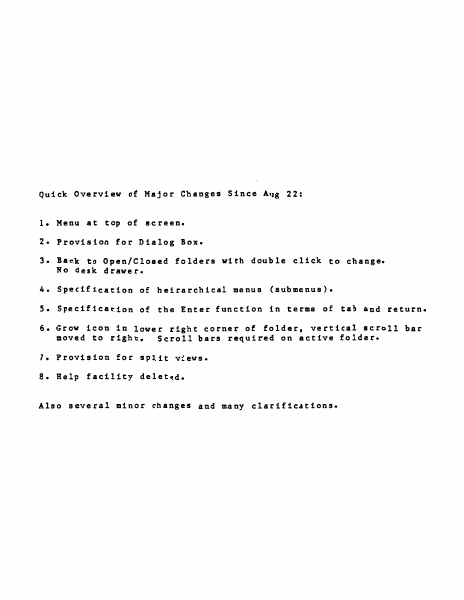
Quick Overview of Major Changes Since Aug 22: 1. Menu at top of screen. 2. Provision for Dialog Box. 3. Back to Open/Closed No desk drawer. fold~rs with double click to change. 4. Specification of heirarchical menus (submenus). S. Specification of the Enter function in terms of tab and return. 6. Grow icon in lower right corner of folder, vertical scroll bar moved to right. Scroll bars requi~ed on active folder. 7. Provision for split views. 8. Help facility deleted. Also several minor changes and many clarifications. TABLE .QI. CONTENTS o. Introduction • • • • • • • • • • • • • • • • • • • • • • • • • • 2. Mouse and Cursor • • • • • • • • • • • • 3. Pointing, Clicking, and Dragging • • • 4. Keyb card • • • • • • • • • • • • • • • • s. Memory • • • • • • • • • • • • • • 6. Mass Memory • • • • • • • • • • • • • 7. Initialization • • • • • • • • • • 8. In Everyday Operation • • • • • • • • • 9. What the Screen Looks Like • • • • • • • •••••••••••••• 10. Folders • 11. Basic Folder Appearance • • • • • • • • 1 • Display . 12. 13. 14. 15. 16. 1 7. 18. 19. 20. 21. 22. 23. 24. 25. 2 6. 2 7. 28. 29. 30. 31. 3 2. 33. 34. 35. 3 6. 3 7. 38. 39. 40. 41. 42. 43. 44. 45. 46. 4 7. 48. 49. so. 51. • • • • • • • • • • • • • • • • • • • • • • • • • • • • • . ' • •· • • • • • • • • • • • • • • • • • • • • • • • • • • • • • • • • • • • • • • • • • • • • • • • • • • . . • .. . . .. • • • • • • • • • • Open and Closed Folders ••• • •••• • The System Font •••••••••••• • The Active Folder • • • • • • • • • • • • Making a Folder Active • • • • • • • Moving a Folder •• . • • • • • • • • • • Growing the Active Folder , • • • • • • • • Scrolling ••••••••••••••• • How to,Scroll • • • • • • • • Split Views • • • • ••••••••• • The Selection • • • • • • • • • • • • • • Visibility of Operations on Selections • • Marking a Selection • • • • • • • • • • • The Menu Bar • • • • • • • • • • • • • • Making a Menu Choice • • • • • • • • • • • Menu Items that Do Nothing • • • • • • • • Contents of the Menu.Bar and Menus • • • • Making Menu Choices From the Keyboard • • The Dialog Box •••••••••••• • Text Editing Philosophy • • • •• • Typing Printing Characters • • • •• • Keys that Alter the Meaning of Other Keys Shift • • • • • • • • • • • • • • • Alpha Lock • • • • • • • • • • • • • • • • Apple Key • • • • • • • • • • • • • • Code • • • • • • • • • • • • • • • • • Repeating Keys • • • • • • • • • • • • • Type Ahead • • • • • • • • • • • Backspace •••• • • • • • • • • The Backspace Buff er • • • • • • Tab • • • • • • • • • • • • • Return • • • • • • • • • • • • • • • • • • the Edit Menu • • • • • • • • • • • • Cut • • • • • • • • • • • • • • • • Paste • • • • • • • • • • • • • Copy • • • • • • •. • • • • • • • Undo • • • • • • • • • • • • • • • Utility Documents and Folders • • • • • • The Scrap ••• • • • • • • • • • • • The Abbreviation Folder • • • • • • • • The User Profile Folder • • • • • • • • • ... .. • • • • • • • • • • • • • ..... • • • • • • • • • • •…

Showing first 3,000 characters of 39,339 total. Open the full document →
Home Documents NuBus EtherTalk Interface Card Preliminary Note
EtherTalk Interface Card Preliminary Note

EtherTalk Interface Card Preliminary Note

NuBus · 1987 · PDF
FilenameEtherTalk_Interface_Card_Preliminary_Note_19870529.pdf
Size1.10 MB
Year1987
Subsection apple / 670-0205_3Com_Ethernet
Downloads4
Enjoying MacTrove? Anonymous downloads are free and unlimited. Create a free account to track favorites, contribute metadata corrections, and join the community chat.
Reader
EtherTalk Interface Card Preliminary Note
/
Loading…
OCR / Text contents
EtherTalk™ Interface Card Preliminary Note Final Draft 5{29/87 Apple User Education Copyright© 1987 Apple Computer, Inc. All rights reserved. Ether'Ialk Interface Card Preliminary Note 9 APPLE COMPUTER, INC. This document and the product described in it are copyrighted, with all rights reserved. Under the copyright laws, this document may not be copied, in whole or part, without written consent of Apple Computer. The same proprietary and copyright notices must be affixed to any permitted copies as were affixed to the original. This exception does not allow copies to be made for others, whether or not sold, but all of the material purchased may be sold, given, or loaned to another person. Under the law, copying includes translating into another language or format © Apple Com,Puter, Inc., 1987 20525 Mariam Ave. Cu_pertino, California 95014 (408) 996-1010 Apple, the Apple logo, and AppleTalk are registered trademarks of Apple Computer, Inc. EtherTalk, A/UX, .and Macintosh are trademarks of Apple Computer, Inc. Ethernet is a registered trademark of Xerox Corporation. Nubus is a trademark of Texas Instruments. Tlie information in this document reflects the current state of the product. Every attempt has been made to verify the accuracy of this mformation, however, it is subject to change. Preliminar1 notes are released in this form to provide the development commumty with essential information in order to facilitate work on third-party products. Apple Computer Confulential i May 29, 1987 Etheflalk lnterfaa Card Preliminary Note Table of Contents iii iii 1 1 List of Figures List of Tables Introduction Product Overview 2 3 Where to Find Additional Information Network Architecture, Protocols, and Interfaces EtherTalk Card Media Access Method Media Accessc.d by the EtherTalk Card Operating Systems and Drivers EtherTalk Card Hardware Description 4 4 5 5 7 7 8 9 10 11 12 Local Memory Address Assignments NIC Register Addresses Programming Guidelines Initialization Procedure Receive Buffer Ring Overflow Procedure Packet Transmission Apple Computer Confuiential ii May 29, 1987 EtherTalk Interface Card Preliminary Note List of Figures 3 5 6 7 Figure 1. OSI Layers Figure 2. EtherTalk Card Architecture Figure 3. Hardware Model Figure 4. Address Assignments List of Tables 8 9 Table 1. Page 0 Address Assignments (PSl=O, PSO=O) Table 2. Page 1 Address Assignments (PSl=O, PSO=l) Apple Computer Con[ulential iii May 29, 1987 Ethefl'alk Interface Card Preliminary Note Introduction This document is intended for application developers writing communication software for Local Arca Networks (LANs) using the Institute of Electrical and Electronics Engineers (IEEE) 802.3 standards. The document contains programming information for the EtherTalk Interface CanfTM. It is assumed that programmers developing applications for networking environments arc familiar with the software environment they will use. Some familiarity with LANs is also assume…

Showing first 3,000 characters of 28,199 total. Open the full document →
Home Documents Macintosh AUX 1.0 Communications Users Guide
AUX 1.0 Communications Users Guide

AUX 1.0 Communications Users Guide

Macintosh · 1987 · PDF
FilenameAUX_1.0_Communications_Users_Guide_1987.pdf
Size5.54 MB
Year1987
Subsection a_ux / aux_1.0
Downloads4
Enjoying MacTrove? Anonymous downloads are free and unlimited. Create a free account to track favorites, contribute metadata corrections, and join the community chat.
Reader
AUX 1.0 Communications Users Guide
/
Loading…
OCR / Text contents
ti® Apple® A/UXTM Communications User's Guide Copyright This material contains trade secrets and confidential and proprietary information of Apple Computer, Inc., and UniSoft Corporation. Use of this copyright notice is precautionary only and does not imply publication. Copyright© 1985, 1986, 1987, Apple Computer, Inc., and UniSoft Corporation. All rights reserved. Portions of this document have been previously copyrighted by AT&T Information Systems and the Regents of the University of California and are reproduced with permission. Under the copyright laws, this manual or the software may not be copied, in whole or part, without written consent of Apple or UniSoft, except in the normal use of the software or to make a back.up copy of the software. The same proprietary and copyright notices must be affixed to any permitted copies as were affixed to the original. This exception does not allow copies to be made for others, whether or not sold, but all of the material purchased (with all backup copies) may be sold, given, or loaned to another person. Under the law, copying includes translating into another language or format. You may use the software on any computer owned by you, but extra copies cannot be made for this purpose. Apple Computer, Inc. 20525 Mariani Ave. Cupertino, California 95014 (408) 996-1010 Apple, the Apple logo, ImageWriter, LaserWriter, and Macintosh are registered trademarks of Apple Computer, Inc. A/UX is a trademark of Apple Computer, Inc. UNIX is a registered trademark of AT&T Information Systems. B-NET is a trademark of UniSoft Corporation. Ethernet is a trademark of Xerox Corporation. VAX is a trademark of Digital Equipment Corporation. Limited Warranty on Media and Replacement If you discover physical defects in the manuals distributed with an Apple product or in the media on which a software product is distributed, Apple will replace the media or manuals at no charge to you, provided you return the item to be replaced with proof of purchase to Apple or an authorized Apple dealer during the 90-day period after you purchased the software. In addition, Apple will replace damaged software media and manuals for as long as the software product is included in Apple's Media Exchange Program. While not an upgrade or update method, this program offers additional protection for up to two years or more from the date of your original purchase. See your authorized Apple dealer for program coverage and details. In some countries the replacement period may be different; check with your authorized Apple dealer. ALL IMPLIED WARRANTIES ON THE MEDIA AND MANUALS, INCLUDING IMPLIED WARRANTIES OF MERCHANTABILITY AND FITNESS FOR A PARTICULAR PURPOSE, ARE LIMITED IN DURATION TO NINETY (90) DAYS FROM THEDATE OF THE ORIGINAL RETAIL PURCHASE OF THIS PRODUCT. Even though Apple has tested the software and reviewed the documentation, APPLE AND ITS SOFTWARE SUPPLIER MAKE NOWARRANTIES OR REPRESENTATIONS, EITHER EXPRESS OR IMPLmD, Wim RESPECT TO …

Showing first 3,000 characters of 173,768 total. Open the full document →

Home Documents Macintosh Dbg Print
Dbg Print

Dbg Print

Macintosh · PDF
Filenamedbg-print.pdf
Size0.15 MB
Subsection prototypes / 1985_YACC / firmware / yaccsbug
Downloads6
Enjoying MacTrove? Anonymous downloads are free and unlimited. Create a free account to track favorites, contribute metadata corrections, and join the community chat.
Reader
Dbg Print
/
Loading…
OCR / Text contents
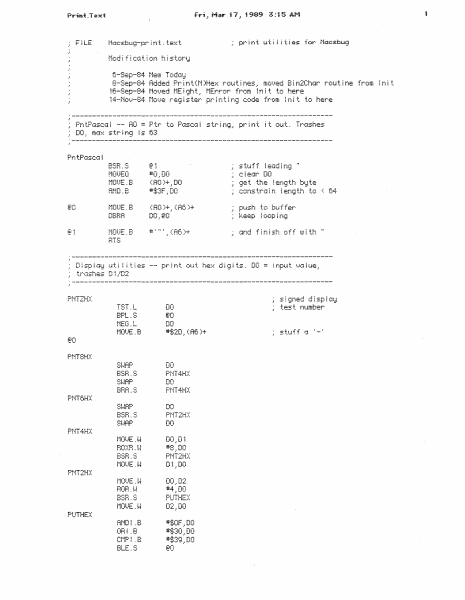
Fi LE Mac£bug-print.text Modification history 6-Sep-84 NeuJ Todci;:J 8-Sep-84 Added Pr ; n t ( N )He::< roiJ t ~ nes .· mor...zed B i n2Cha:4r rot~ t i ne from i n i t 1t:-~:;ep-·B4 t·1o;~}ed t·iE i gh t t·1Err:::ir f rc:m t r¥ i t to here .?; 14-Nov-84 Move register printing code from !nit to nere ..·----------------------------------------------------------------- AO = Ptr to PGsc:c1 i str in=~~ print st1Jf f I e(~d ~ n:~ nn i.-··-· n t·iOUEQ t·1CU..JE. B :i+i i <AO)+,DO cleGr DO get the !ength byte AND~B *:£;:3F ~DO cons trG i n DBFiA <RO)+_, (fl6 )+ DO_,€t0 ptfsh to buffer ¥:.eep i oop i rii;t @1 · - · .1 #' " ' ~ enid th to . : e~4 (fi(: )+ Display Y~i 11~1es trGshes D1/D2 PNTZH::( s ~ :~r¥ed d j sp i ::~1::i TST . L DO BPL.S @;iO NEG.L DO #1;2D ·' ( R6 )+ PNT8!-[:( DO BHA.S DO FNT4H::( •=·!!wC' ._:s-·-1: u DO PNT6HX BSH.S PNT2H):: DO PNT4HX MOUE. t-~ BO)::B. t~~ DO .• D1 #8.;DO PNT2H::( Di.:DO PNT2HX UU ... UL #4}00 PU THE):: D2.:DO PUTHE::< ANDI .8 ORi .B Ct·1P ~ . 8 BlE.S test number #:f;OF;DO ii:$;:30_,DO #$39.: DO f:o stuff ;~ ADOQ. l-J DO_, (R6 )+ r·1ot.JE. 8 BTS The fol lowing routines have a hex value ( ::;p )+ .• A2 R6}-(SP) to A1 : ..Hf1 ..... ·- sci=t}e oid f C! buffer pointer set A6 (current.. i 0 i npu t i oc:a t i on ) tci ne1.o (fi2) A6_.A1 bi..J.mp Ai t..c' rre1.t1 s.}Ci i t~e (SP )+ .:Af! restore AC; HTS PEA PMTBHX PER BHA . S PEA Pr ~ n t2He::-:: PNT2H):: BBA.S Pr~ nt 1He:=< PEA PUTHEX BBR.S Bin2Chc-tr DO.B ~--------------------------------------------------------------------------------------­ ·' '_,DO #' : .:DO DO . (Af! )+ #: i t1Error Pr i n t out four charae: ter·:=: i nd::;:;.::ed OD byte::: f r-·iJm Mte::-:: t .~ f o ! l c.!!!Jad by ' EAR' Fix8t.!f riFOUH !·iFOUF; LEA tite::<t_, AO DO*,AO (RO) .• S::A6 )+ ADD HTS ·--------------------------------------------------------------------------------------- -' DO <inpiJt) AO ( tr(7!Sh) word offset from MText of text string LEA J·i te:=-=: t...: RO ADD DD_,AO (RO)+·' (fi6 )+ (RO ) . A6 )+ t ( HTS ... Heg~sters • -- - . t •.. 1st c:har :... innI.!T J - .. ·;-- pos~t~on SUBQ.B ADD . H R5.:AO #1_,DO DO_.AO i;te t i n i ti a ! s t::Ar t p::ss i t i on 1:-.1dj ;_~st pc•s it ion ;:-n··e U..ie G1 t Car p=::iS t Ct1P. L the end p:::S i t. j or1 '? no.= er-;d 1-u_::::.. > ~ 0 1-==-=:::. .: (A6 )+ BBA.S @O stuff o spoce cind loop PNTCLS CLH.L Fl:X:BUF Dt: BSH.S PNTREG BNE.S PNTCLS2 #4.,D6 !-Jr~ tel i ne C;f..Jli-·i C -i :i ! ii! ;_..i,_._t. : PNTCLS2 CMP! .B BNE.S PNTCLSi i-~r i tel i ne MOUE.8 D7.: (A6 )+ f·10t.JE. B BSB PUT HEX PNTREG 06.=DO # : = : .= ( ACs )+ D6.~DO LSL.L RDD4L *1:2 .• DO A:3.: DO DO.;A4 RDDQ RTS F ~)::BUF ADDQ #2;A6 t·iOt)E. B # : = : .: ( A6 )+ pntrer;a i
Home Documents Lisa Kato Lisa Hardware
Kato Lisa Hardware

Kato Lisa Hardware

Lisa · 1983 · PDF
FilenameKato_-_Lisa_Hardware_19851012.pdf
Size7.43 MB
Year1983
Subsection development_history / memos
Downloads3
Enjoying MacTrove? Anonymous downloads are free and unlimited. Create a free account to track favorites, contribute metadata corrections, and join the community chat.
Reader
Kato Lisa Hardware
/
Loading…
OCR / Text contents
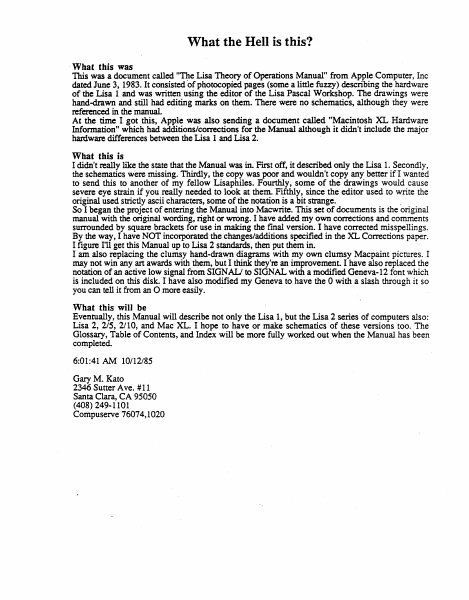
What the Hell is this? · What this was This was a document called "'nte Lisa Theory of Operations Manual" from Apple Computer, Inc dated June 3, 1983. It consisted of photocopied pages (some a little fuzzy) describing the hardware of the Lisa 1 and was written using the editor of the Lisa Pascal Workshop. The drawings were hand-drawn and still had editing marks on them. There were no schematics, although they were referenced in the manual. At the time I got this, Apple was also sending a document called "Macintosh XL Hardware Information" which had additions/corrections for the Manual although it didn't include the major hardware differences between the Lisa 1 and Lisa 2. , What this is I didn't really like the state that the Manual was in. First off, it described only the Lisa 1. Secondly, the schematics were missing. Thirdly, the copy was poor and wouldn't copy any better if I wanted to send this to another of my fell ow Lisaphiles. Fourthly, some of the drawings would cause severe eye strain if you really needed to look at them. Fifthly, since the editor used to write the original used strictly ascii characters, some of the notation is a bit strange. . So I began the project of entering the Manual into Macwrite. This set of documents is the original manual with the original wording, right or wrong. I have added my own corrections and comments surrounded by square brackets for use in making the final version. I have corrected misspellings. By the way, I have NOT incorporated the changes/additions specified in the XL Corrections paper. I figure I'll get this Manual up to Lisa 2 standards, then put them in. I am also replacing the clumsy hand-drawn diagrams with my own clumsy Macpaint pictures. I may not win any art awards with them, but I think they're an improvement I have also replaced the notation of an active low signal from SIGN ALJ to SIGNAL with a modified Geneva-12 font which is included on this disk. I have also modified my Geneva to have the 0 with a slash through it so you can tell it from an 0 more easily. · What this will be Eventually, this Manual will describe not only the Lisa 1, but the Lisa 2 series of computers also: Lisa 2, 215, 2/10, and Mac XL. I hope to have or make schematics of these versions too. The Glossary, Table of Contents, and Index will be more fully worked out when the Manual has been completed. · 6:01:41 AM 10112185 Gary M. Kato 2346 Sutter Ave. # 11 Santa Clara, CA 95050 (408) 249-1101 Compuserve 76074, 1020 Lisa Hardware Manual Lisa Theory of Operations [Let's use the Lisa script here! - gk] WARNING: This equipment has been certified to comply with the limits for a Class 8 computing device, pursuant to Subpart J of Part 15 of FCC rules. Only peripherals (computer input/output devices, terminal, printers, and the like) certified ·to comply with the Class B limits may be attached to this computer. Operation with noncertified peripherals is likely to result in interference to radio and TV reception. © Apple…

Showing first 3,000 characters of 276,093 total. Open the full document →

Home Documents Macintosh AUX 3.0 Local System Administration
AUX 3.0 Local System Administration

AUX 3.0 Local System Administration

Macintosh · 1992 · PDF
FilenameAUX_3.0_Local_System_Administration_1992.pdf
Size8.41 MB
Year1992
Subsection a_ux / aux_3.0
Downloads4
Enjoying MacTrove? Anonymous downloads are free and unlimited. Create a free account to track favorites, contribute metadata corrections, and join the community chat.
Reader
AUX 3.0 Local System Administration
/
Loading…
OCR / Text contents
A/UX Local System Administration Release 3.0 UMITED WARRANTY ON MEDIA AND REPIACEMENT If you discover physical defects in the manuals distributed with an Apple product or in the media on which a software product is distributed, Apple will replace the media or manuals at no charge to you, provided you return the item to be replaced with proof of purchase to Apple or an authorized Apple dealer during the 90-day period after you purchased the software. In addition, Apple will replace damaged software media and manuals for as long as the software product is included in Apple's Media Exchange Program. While not an upgrade or update method, this program offers additional protection for up to two years or more from the date of your original purchase. See your authorized Apple dealer for program coverage and details. In some countries the replacement period may be different; check with your authorized Apple dealer. All IMPLIED WARRANTIES ON TIIE MEDIA AND MANUAIS, INCLUDING IMPLIED WARRANTIES OF MERCHANTABllllY AND FITNESS FOR A PARTICULAR PURPOSE, ARE LIMITED IN DURATION TO NINETY (90) DAYS FROM TIIE DATE OF TIIE ORIGINAL RETAIL PURCHASE OF TIIIS PRODUCT. Even though Apple has tested the sotiware and reviewed the documentation, APPLE MAKES NO WARRANTY OR REPRESENTATION, EITIIER EXPRESS, OR IMPLIED, WITII RESPECT TO SOFTWARE, ITS QUALITY, PERFORMANCE, MERCHANTABllllY, OR FITNESS FOR A PARTICULAR PURPOSE. AS A RESULT, TIIIS SOFTWARE IS SOID "AS IS," AND YOU, TIIE PURCHASER, ARE ASSUMING TIIE ENTIRE RISK AS TO ITS QUALITY AND PERFORMANCE. IN NO EVENT Will APPLE BE LIABLE FOR DIRECT, INDIRECT, SPECIAL, INCIDENTAL, OR CONSEQUENTIAL DAMAGES RESULTING FROM ANY DEFECT IN TIIE SOFTWARE OR ITS DOCUMENTATION, even if advised of the possibility of such damages. In particular, Apple shall have no liability for any programs or data stored in or used with Apple products, including the costs of recovering such programs or data. TIIE WARRANTY AND REMEDIES SET FORTII ABOVE ARE EXCLUSIVE AND IN LIEU OF All OTIIERS, ORAL OR WRITTEN, EXPRESS, OR IMPLIED. No Apple dealer, agent, or employee is authorized to make any modification, extension, or addition to this warranty. Some states do not allow the exclusion or limitation of implied warranties or liability for incidental or consequential damages, so the above limitation or exclusion may not apply to you. This warranty gives you specific legal rights, and you may also have other rights which vary from state to state. ti Apple Computer, Inc. This manual and the software described in it are copyrighted, with all rights reserved. Under the copyright laws, this manual or the software may not be copied, in whole or part, without written consent of Apple, except in the normal use of the software or to make a backup copy of the software. The same proprietary and copyright notices must be affixed to any permitted copies as were affixed to the original. This exception does not allow copies to be made for others, whether or not…

Showing first 3,000 characters of 500,000 total. Open the full document →

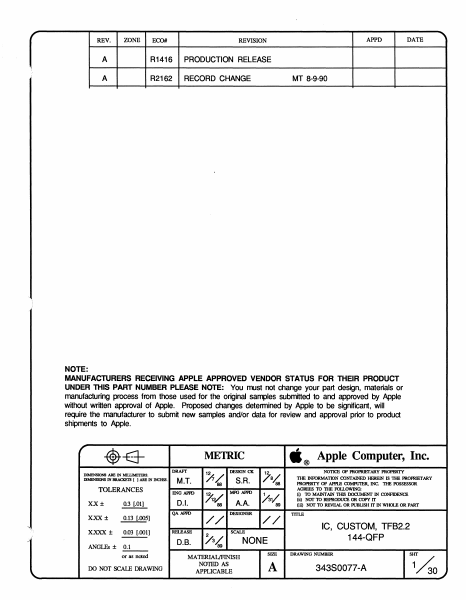
Home Documents NuBus TFB 2.2 343S0077 A
TFB 2.2 343S0077 A

TFB 2.2 343S0077 A

NuBus · 2000 · PDF
FilenameTFB_2.2_343S0077-A_19900809.pdf
Size1.91 MB
Year2000
Subsection apple / TFB
Downloads2
Enjoying MacTrove? Anonymous downloads are free and unlimited. Create a free account to track favorites, contribute metadata corrections, and join the community chat.
Reader
TFB 2.2 343S0077 A
/
Loading…
OCR / Text contents
r REV. ZONE ECO# APPD REVISION A R1416 PRODUCTION RELEASE A R2162 RECORD CHANGE DATE MT 8-9-90 NOTE: MANUFACTURERS RECEIVING APPLE APPROVED VENDOR STATUS FOR THEIR PRODUCT UNDER THIS PART NUMBER PLEASE NOTE: You mJst not change your part design, materials or manufacturing process from those used for the original samples submitted to and approved by Apple without written approval of Apple. Proposed changes determined by Apple to be significant, will require the manufacturer to submit new samples and/or data for review and approval prior to product shipments to Apple. r -$-E3DIMENSIONS ARE IN MIWMETERS. DIMENSIONS IN BRACKETS [ ) ARE IN INCHF.S. TOLERANCES X.X± ., ... 0.3 [.01] 0.13 [.005] x.xxx ± 0.03 [.001] ;; ANGLEs ± 0.1 or as noted \.. DRAYf M.T. ENG APl'D D.I. /$/ 88 :Xv 88 QA APl'D X.XX± DO NOT SCALE ORAWING .® METRIC // RELEASE D.B. DESIGN CK S.R. MFG APl'D A.A. DESIGNER /a/,,88 .Av 89 // SCALE /'3L 89 MATERIAL/FINISH N01ED AS APPLICABLE NONE SIZE A Apple Computer, Inc. NOTI<ll OP PROPRIETARY PROPl3RTY THE INFORMATION CONrAINED HEREIN IS THE PROPRIETARY PROPllRTY OP APl'Ul CDMPU'JllR, INC. THE POSSESSOR AGREES TO 1lIB FOILOWING: (i) TO MAINTAIN TIIIS DOCUMENT IN CDNFIDENCE (ii) Naf TO REPRODUCE OR COPY IT (iii) Naf TO REVEAL OR PUBLISH IT IN WHOLE OR PART TITLE IC, CUSTOM, TFB2.2 144-QFP DRAWING NUMBER 34380077-A SHT 1~0 ..) 1.0 SCOPE: This specifies the parametric requirements of TFB2.2. The TFB2.2 is designed to interface with NuBus, to sense what monitor is used, and generate the corresponding monitor timing, video RAM timing, control and video data for Color look-up table. It is packaged in a 144 pin plastic square quad flat pack. The TFB2.2 is designed to replace Apple P/N 34350019 (TFB2.0) The main difference between TFB2.2 and TFB2.0 are as follow: 1. TFB2.2 extend the enable outputs of ADS, AD9, AD10, AD11 (pin 49, 50, 51, and 52) by 25 ns. 2. TFB2.2 support the NuBus Block Move Access, it effects /ACK, /TM1, and /TMO (pin 43, 53, and 45). 3. TFB2.2 support 1bit/pxl and 2bit/pxl modes, it presents the correct data on the CA Bus (pin 118-125, 128-135). Note: A copy of TFB2.2 schematic is on file in Documentation for Apple Internal use only. Do not remove the original schematic 062-0071 from Documentation files. VD20 VD2 VD1 VD21 VD22 VDO /TSlE VD23 VD24 VD25 SENSE2 SENSE1 SENSEO VD26 VD27 VD28 VD29 VD30 VD31 PXIN GNO /CBLK /CSYN NSYN /SOEO IHSYN /SOE1 A13 A12 A11 IDOEO IDOE1 sco PXOUT GND VDD GNO VDD /RA.SO A10 /RAS1 IC/ISO /CAS1 GND RAO /JS AB A7 N; A5 A4 A'3 RA1 RA2 RA3 GND /SLOT AD19 AD18 AD17 AD16 AD15 AD14 AD13 AD12 VDD RA4 RA5 RAB RA7 GND N/ENO FIGURE 1. PIN CONFIGURATION \ #._ SIZE DRAWING •®Apple Computer, lnc..,_____......3_4_3s_o_o1_1_-A_ ______ SCALE SHT 2 OP 30 r 1.1 PIN DESCRIPTION INPUTS PIN NAME PIN# DESCRIPTION /10MO /10M1 /RESET AD(7:0) AD(19:12) /SLOTS EL PXIN SENSE(2:0) VD(31 :0) 46 47 48 72-65 80-73 81 101 1…

Showing first 3,000 characters of 45,407 total. Open the full document →

Home Documents Lisa Guide To The Operating System 5.3 Oct82
Guide To The Operating System 5.3 Oct82

Guide To The Operating System 5.3 Oct82

Lisa · 1982 · PDF
FilenameGuide_to_the_Operating_System_5.3_Oct82.pdf
Size3.14 MB
Year1982
Subsection os
Downloads3
Enjoying MacTrove? Anonymous downloads are free and unlimited. Create a free account to track favorites, contribute metadata corrections, and join the community chat.
Reader
Guide To The Operating System 5.3 Oct82
/
Loading…
OCR / Text contents
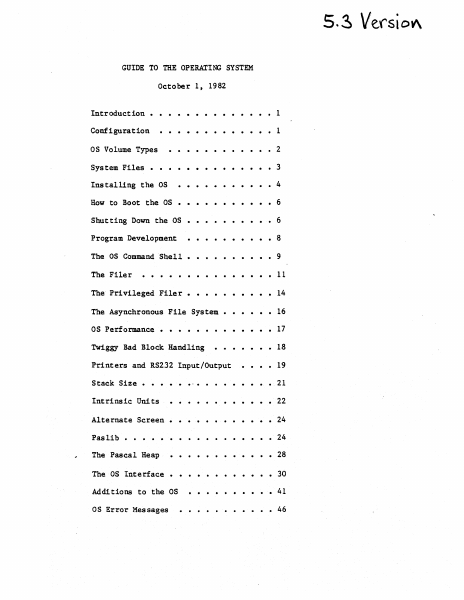
5. ~ Verst OV\ GUIDE TO THE OPERATING SYSTEM October 1 t 1982 ·....... Configuration . . . . . . . • • • • 1 OS Volume Types ·..• 2 System Files • ·.• 3 ....• • • • 4 Installing the OS How to Boot the OS ··· ··6 · Shutting Down the OS · ···· ···6 Program Development ·• . ·• •8 The as Command Shell. ·•9 The Filer • · • 11 The Privileged Filer. • · · 14 The Asynchronous File System • · • · 16 as Performance • . . . . . . . . . . . • 17 Introduction • Twiggy Bad Block Handling Printers and RS232 Input/Output Stack Size • .... • 1 • • 18 • 19 • • • 21 · . . . . . . • 22 Alternate Screen • · . . . . • • • • 24 Pas lib • • · . 24 The Pascal Heap • • • 28 ·.. Intrinsic Units The OS Interface • • • 30 Add! tions to the OS • • 41 as Error Messages • • 46 Guide to OS Confidential INTRODUCTION This document explains how to use the 5.3 release of the Operating System. It includes all relevant material from prior releases and also describes the new features of this release. The User's Guide does not explain each feature of the OS in detail; instead, it explains operations such as installing and booting the system, and presents the details of the Command Shell and Filer commands (see the Operating System 'Reference Manual for a complete description of the Operating system). Because the Operating System Reference Manual is not updated for each new release, the User's Guide also contains explanations of any new features or calls that may not fit into the above topics. The User's Guide assumes that the Operating System Reference Manual that you have is dated March 1, 1982. CONFIGURATION The OS boots from either a Profile or a Twiggy. Most people will boot the OS from a Profile, and use another hard disk for the Monitor. The OS restricts how you can use the various devices. The OS treats the Corvus as a source of Monitor files, not as an OS volume. The Lisa screen can be accessed by either the OS or the applications. The Lisa screen can display either the "main screen" that is usually reserved for applications, or the "alternate screen" that is used for Lisabug, and, read and writelns for debugging. There is a MOVESOROC program to change where application readln and writelns are to be displayed. They may be displayed on either the main screen, the alternate screen, or an external Soroc. If you use an external Soroc, you can see both the main applications screen, and the debugging screen at the same time. If you wish to use a Soroc, attach it to channel A of the Lisa. When the OS boots from a Profile, that Profile must be attached to the parallel port (the connector farthest to the right when viewed from the front). This port is 'PARAPORT' to the as and '&3' to the Monitor. Your other hard disks are attached to the N-Port card, which must (for now) be in Slot 2 (the middle slot). Starting from the bottom of the N-Port card, the ports are named '&4', '&5', and '&6' by the monitor, and 'SLOT2CHANl', 'SLOT2CHAN2', and 'SLOT2CHAN3' by the as. The monit…

Showing first 3,000 characters of 115,443 total. Open the full document →

Home Documents Lisa Lisa Boot ROM Manual V1.3 Feb84
Lisa Boot ROM Manual V1.3 Feb84

Lisa Boot ROM Manual V1.3 Feb84

Lisa · 1984 · PDF
FilenameLisa_Boot_ROM_Manual_V1.3_Feb84.pdf
Size1.58 MB
Year1984
Downloads3
Enjoying MacTrove? Anonymous downloads are free and unlimited. Create a free account to track favorites, contribute metadata corrections, and join the community chat.
Reader
Lisa Boot ROM Manual V1.3 Feb84
/
Loading…
OCR / Text contents
uSA BOOT RCJv1 ML\NJAL.. 'JERSIttt 1.3 Rich Castro 24 February 1984 341-o175-H ~LE a::tRJTER ~flDENTIAL This doctnent replaces all previously written versions of the Lisa Boot ROM ~anual. It discusses the operation of the Lisa ROM contained on the system CPU board. This ROM contains a variety of diagnostic, setup and boot rout1nes which are perrormed automatically upon power-up or a L1sa system. The ve:rious routines are outlined in the order they ere performed, the RON boot procedures ere discussed, and the operation or tho IU1 monitor is explained. Also attached are separate appendices that cover error messaoes output by the RD1, miscellaneous information saved by the RCJ1 on power-up, interfaces for Ra1 routines use.ble by external software, details on a special power-cycl1nO mode provided ror nanuracturing use, and the procedure fOr creatin; a RCI1 "aster tram 1ts source code t11es~ ". .. The infOI'1h8t1on contained in this menual corresponds to the latest release or the Lisa boot ROM, revision H. LISA EOJT RCI1 -1- iPPLE a:tRJTER cx:IiFlDENTI AL The latest changes made to the boot R01 have been done to correct errors dealino with the hard disk interrace. 1) The boot fU1 rDI always initializes the hard disk interface reset and parity reset lines as inactive outputs prior to atternptin~ any interaction with a hard disk. Previously these lines were left initialized as inputs which r8sult8d in a "floating" level on each line. 2) The herd disk interface reset routine now works properly for both Sea~ate and Widoet type disk drives. Previously, reset of a Widget drive could result in a tigeout error because of its longer delay in responding to a reset s1 gnal . Ninor changes have also been made to this document to correct erroneous statements and supply new information. These chenges are noted by a vertical bar in the left hand margin of the changed page. LISA BCXJT IU1 -2- fFPLE CCtRlTER Cll'4F I DENT I AL 1.0 I~I~ .................................................... 4 2.0 STARTUP TESTSIPROCEDURES ........................................ , 3 .0 B:XlT ~S................................................. 13 4 .0 tDiIT~ (J)ERATICI'i •.•••••••.••••••••••....•••••.•........•...•... l' , .0 ~ »P T,:eLE................................................ . . 20 ~ICES ~IX A : ERROR HESSAGESITONES .................................... 21 ~IX B ~IX C : EXTERNAL INTERFACES ..................................... 27 ~IX D ~IX : ROM DATA SAVE AREAS ••••••••••••••••••••••••...•.•••••... 23 : roa.ER CYCLII'G ••••••••••••••••••••••••..•••..••.•..••.... 43 E : BOOT ROM CHECKSUM/ASSEMBLY PROCEDURE .................... 45 LISA BOOT RD1 -3- FPPLE CCtPUTER ~FlDENTIAL The boot Rl1 on the CRJ boeI'd acts as the first test of the LISA system end enables bootino fran a variety or devices. It contains diagnostics that are executed each time the system is turned on, and elso contains routines that enable startup frcn a floppy drive, an atta…

Showing first 3,000 characters of 58,957 total. Open the full document →

Subscribe to PDF
mp.ls