Home Documents Macintosh Dbg Cmds
Dbg Cmds

Dbg Cmds

Macintosh · PDF
Filenamedbg-cmds.pdf
Size0.92 MB
Subsection prototypes / 1985_YACC / firmware / yaccsbug
Downloads5
Enjoying MacTrove? Anonymous downloads are free and unlimited. Create a free account to track favorites, contribute metadata corrections, and join the community chat.
Reader
Dbg Cmds
/
Loading…
OCR / Text contents
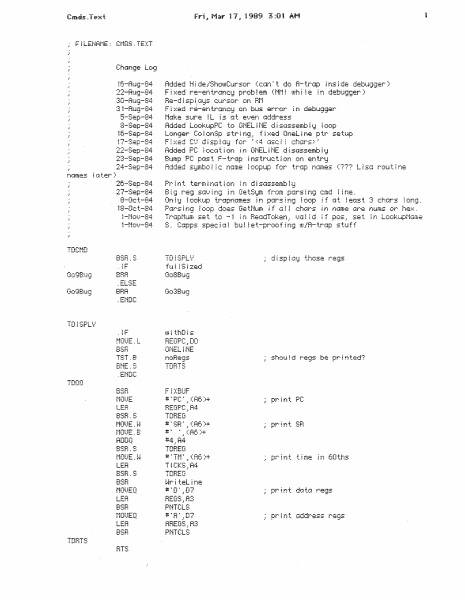
~lL£NAM£: CMOS.TEXT Change Lcn;i 16-Au9-84 22-AU!;J-84 3D-At49-84 31-Rug-B4 5-Sep-84 8-Sep-84 ifi-Sep-84 17-Sep-84 22-Sep-84 2::~-Sep-84 Added H ~ de ~/Shoi.uCursc:r ( c:::1n: t de: A- tr Gp i ns i de debtJ:;.l:;_ler ) F t ::.;:::d re-en trGr£C:IJ prc:b f em ( fit·l ~ ~.uh i i e i n debug:;ier ) He-d i sp i\ t::!a=1s cur. sor on Bf.1 F i ;{ed r8-en tr-·cJnC:i:l on bus error. - ~ r-1 dabuggar t"1(~ke :St4re i L i s Cl t e!. . 1en a:Address Added Loc:kt4pPC to ONEL ~ NE d i s=~ssemb I 1:1 i oop Lor-~9er Co i c1nSp str i r·19_! f i ::.=:ed Or-ieL i ne ptr setup Fixed CU display for '<4 asci i chars~· Added PC: i oca t i on i n ONEL i NE d i S;Jssemb i i:f Bump PC t=u:is t F-trc1p i r1s trt~c: t i on c1n en t..r~:J 24-Sep-84 2Cr-Sep-84 27-Sep-84 8-0c:t-84 iB-Oct-84 Pr~ nt term i n:.::;t i =:!n ! n di s::4ssemb I :d Bi i;j re:;1 sc~=.} i n1;1 in GetS1Jm from p=:Ars ~ n1J cmd i i ne. On i i:J ,~ oc;kup trctpnGmes i n P'Jrs i n9 ~ ciop i f 1:4 t ~ eGs t 3 C:t'IGrs ~ oni;! . P:~r~s ~ n9 f oop does Ge tNum i f r:~ ! ~ chi:Jrs i r1 nc'1me ::?re nums or he::< ~ Trc1pNum s:e t tc: -1 i n F!ecKiT oken . . 1.}a l i d i f pos ." set i n Loo~=.l4pNcHT1e f 1.~ I i 8 i zed .~F .ELSE BFai .EMDC . l' ~~ p OJI tl!U!S HEGPC~iDD ONELjNE TST.8 ni::Ret~S BNE.S TDHTS LEA HEGPC~;A4 should regs b~ printed? TDOO # :: PC : _: ( A6 )+ TDBEG <R6 >+ .•<fie,)+ #4_,R4 # ' SF: ' .. pr i r1t SB :;i: • RDDQ BSH . S t·10t}E . i·~ TDBEG LEA TICKS.~A4 r:u:·Ct ~:­ :_: .._=! ! ..._: BSH # = Tt·1 ; , (Rt: )+ TDFiEG ~lri tel ine #:Di .iD7 HEGS_:A:3 TDBTS BSR t·10tIEQ PNTCLS LEA RFiEGS .. f!3 BSR PNTCLS HTS #SA' .:D7 print time 1n 60ths TOF~EG PA! t-lTA i OUTPUT A7~=F;EGA7 LEA BEGR7.!R7 D0-07/AO-A5,-(A7) SG 1.}e GI : ~ LEA s:iSTACK} A7 HEGA7.:AO (RO )+ ·' F!EGSB+ 2 (AO )+ .. REGPC onC=8000=0 use the st;;:1c.:k t·1G1.)E. L t··1ot)E . ~-~ . ~F r·e!;1s i n to l.iJ~·l ! n the i;i ODO. i c~reGi the ;;l i:·bi:::i ~ oreG t·f Ot.)E . ~-J .EMDC AG;BEGA7 onL i sa Trt~e if TFiAPTO .ENDC f ~ ~ p screens ~ENDC iF TBAPTO c:riL ~ St:J True _Nt·1 i SiJfiC THAPTO .J(e1~Bou Ct·1P. L :f; 1:~6; AO BEQ.S €10 t10~JE ~ L AO.; S(~:.}et=::e;:Jbd $196.1AO _:;etKe:~F~out_ i ne r·10t.JE. L TRAP TO t i ne .: set up kei:Jbc1::Ard hcind i er .: te ~ i COPS Nt·1 i oc:e:ured ;get the key routine ~ s ~ t same aJS i otu- i e:.}e i 1.::1es ·' skip setup no .~ -~ i;ie SG;....=e ~n :;: I obc~ i s t i e=tu- ~ e;,,..Je I r-ou t i ne _; !c~nd set ('.iS h(:;nd ~ er·. . ENDC CLH.B HEGPC 1 ;-,-,. f1R::e::BASE .: RO TEt-iP.!RO (fi0) LE:.r1 ADD.i.J ,Jf"1P SiJJ;::;pSc:reen f i ipSide BSB . ~F onL~sGTrue TBAPTO .ENDC SF .ENDC IF clear n1gn order of f ! i p screens: THAPTO _Se tKe!:;iBou t_ i ne rest.ore TflAf'TO ..J::or==e~e;r:!.nch ff r_.:!;:h Gf ; .j. .; : .. HEGS.:A7 ( A7 )+ ~· DO-D7 /AO-Rt! BEGA7.!R7 ; r• If" ~)t·s6800D=O F:EGFMT .~ - ( A7 ) f!BO 10 ;~:: fi8020 restore the formGt word .ENDC FiEGPC Hl ) REG SB+ 2 A7…

Showing first 3,000 characters of 19,841 total. Open the full document →
Home Documents NuBus ETestTool
ETestTool

ETestTool

NuBus · PDF
FilenameETestTool_19881031.pdf
Size2.95 MB
Subsection apple / 670-0205_3Com_Ethernet
Downloads4
Enjoying MacTrove? Anonymous downloads are free and unlimited. Create a free account to track favorites, contribute metadata corrections, and join the community chat.
Reader
ETestTool
/
Loading…
OCR / Text contents
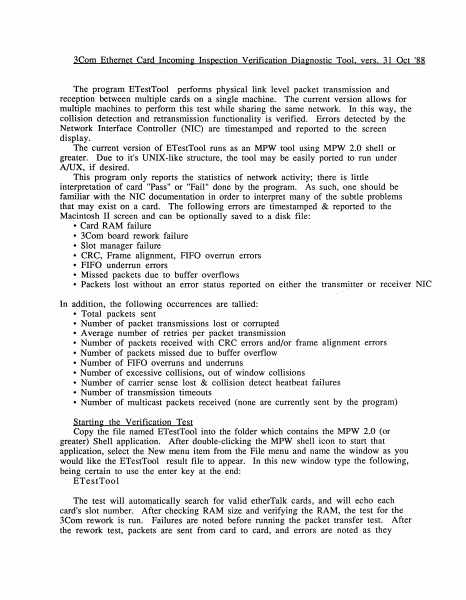
3Com Ethernet Card Incomin~ Inspection Verification Dia~nostic Tool. vers. 31 Oct '88 The program ETestTool performs physical link level packet transmission and reception between multiple cards on a single machine. The current version allows for multiple machines to perform this test while sharing the same network. In this way, the collision detection and retransmission functionality is verified. Errors detected by the Network Interface Controller (NIC) are timestamped and reported to the screen display. The current version of ETestTool runs as an MPW tool using MPW 2.0 shell or greater. Due to it's UNIX-like structure, the tool may be easily ported to run under A/UX, if desired. This program only reports the statistics of network activity; there is little interpretation of card "Pass" or "Fail" done by the program. As such, one should be familiar with the NIC documentation in order to interpret many of the subtle problems that may exist on a card. The following errors are timestamped & reported to the Macintosh II screen and can be optionally saved to a disk file: • Card RAM failure • 3Com board rework failure • Slot manager failure • CRC, Frame alignment, FIFO overrun errors • FIFO underrun errors • Missed packets due to buffer overflows • Packets lost without an error status reported on either the transmjtter or receiver NIC / In addition, the following occurrences are tallied: • Total packets sent • Number of packet transmissions lost or corrupted • Average number of retries per packet transmission • Number of packets received with CRC errors and/or frame alignment errors • Number of packets missed due to buffer overflow • Number of FIFO overruns and underruns • Number of excessive collisions, out of window collisions • Number of carrier sense lost & collision detect heatbeat failures • Number of transmission timeouts • Number of multicast packets received (none are currently sent by the program) Startin~ the Verification Test Copy the file named ETestTool into the folder which contains the MPW 2.0 (or greater) Shell application. After double-clicking the MPW shell icon to start that application, select the New menu item from the File menu and name the window as you would like the ETestTool result file to appear. In this new window type the following, being certain to use the enter key at the end: ETestTool The test will automatically search for valid etherTalk cards, and will echo each card's slot number. After checking RAM size and verifying the RAM, the test for the 3Com rework is run. Failures are noted before running the packet transfer test. After the rework test, packets are sent from card to card, and errors are noted as they occur. To get the current error accumulatrion status and to pause, hit the mouse button. Press the mouse button again to continue testing. The cursor will spin a quarter turn for every 125 packets sent. To stop testing, simultaneously press the Command (Apple icon) and the period keys. The results may then be…

Showing first 3,000 characters of 100,418 total. Open the full document →
Home Documents Lisa Craig The Legacy Of The Apple Lisa Personal Computer An Outsiders View
Craig The Legacy Of The Apple Lisa Personal Computer An Outsiders View

Craig The Legacy Of The Apple Lisa Personal Computer An Outsiders View

Lisa · 1993 · PDF
FilenameCraig_-_The_Legacy_of_the_Apple_Lisa_Personal_Computer_-_An_Outsiders_View_199302.pdf
Size0.16 MB
Year1993
Subsection development_history / articles
Downloads3
Enjoying MacTrove? Anonymous downloads are free and unlimited. Create a free account to track favorites, contribute metadata corrections, and join the community chat.
Reader
Craig The Legacy Of The Apple Lisa Personal Computer An Outsiders View
/
Loading…
OCR / Text contents
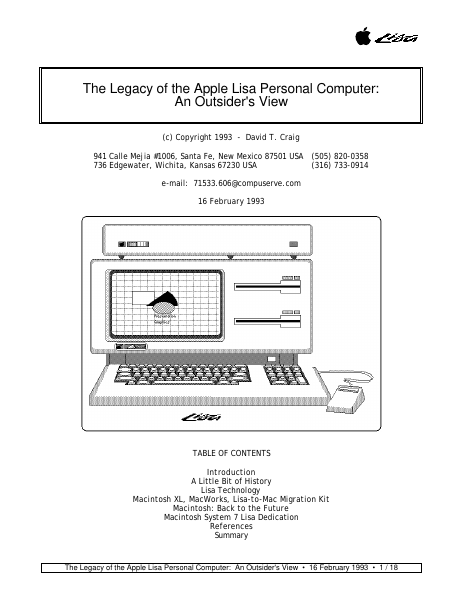
The Legacy of the Apple Lisa Personal Computer: An Outsider's View (c) Copyright 1993 - David T. Craig 941 Calle Mejia #1006, Santa Fe, New Mexico 87501 USA (505) 820-0358 736 Edgewater, Wichita, Kansas 67230 USA (316) 733-0914 e-mail: 71533.606@compuserve.com 16 February 1993 TABLE OF CONTENTS Introduction A Little Bit of History Lisa Technology Macintosh XL, MacWorks, Lisa-to-Mac Migration Kit Macintosh: Back to the Future Macintosh System 7 Lisa Dedication References Summary The Legacy of the Apple Lisa Personal Computer: An Outsider's View • 16 February 1993 • 1 / 18 • INTRODUCTION • This paper is an attempt by a long time Lisa user to clarify the significance of the Apple Lisa personal computer for the computing industry. The audience of this paper is anyone who has an interest in innovative computing technology and wants to learn a little about Apple Computer's brief foray into this area via the Lisa computer. This paper hopes to show why the Lisa was significant in its time and how some of what was called "Lisa Technology" is slowly migrating to other computer systems, mainly the Apple Macintosh computer series. The author has never worked for Apple and as such is not privy to any insider secrets about this machine. All facts contained herein were obtained from Apple's cornucopia of Lisa literature, Apple's Macintosh literature, discussions with other Lisa owners, and my personal involvement with and close observations of both machines since 1984. This paper is loosely based upon the excellent article "The Legacy of the Lisa" (MacWorld magazine, Sep. 1985) as written by Mr. Larry Tesler, one of the Lisa's main designers and currently a key technologist at Apple Computer. • A LITTLE BIT OF HISTORY • Apple began developing the Lisa computer in 1979. The Lisa charter was to build a revolutionary computer that was truly easy to use and thereby mitigate the limitations of existing computers. Developing a computer which was an order of magnitude easier to use than traditional computers required several major departures. The name "Lisa" has always been rather enigmatic for most computer users, including Lisa owners. To set the story straight (as far as I know) here are the facts behind the name "Lisa". Officially, Apple states that "Lisa" stood for Local Integrated Software Architecture. Unofficially, "Lisa" has been associated with the name of a child fathered by one of the Lisa designers (this may be the same person who is now head of Next Computer, Inc., Mr. Steve Jobs). The Lisa had several design goals: o o o o o o o Be intuitive, be consistent, conform to the ways people actually work, have enough performance to do the jobs that need doing, provide an open software and hardware architecture, be reliable, be pleasing and fit into an everyday work environment. The Lisa was built upon sophisticated hardware technology. This included a compact desktop unit containing a 12 inch black-and-white screen, and two revolutionary floppy disk driv…

Showing first 3,000 characters of 55,982 total. Open the full document →
Home Documents NuBus CERN Developing For The Macintosh Nubus
CERN Developing For The Macintosh Nubus

CERN Developing For The Macintosh Nubus

NuBus · 1983 · PDF
FilenameCERN_Developing_for_the_Macintosh_Nubus_198909.pdf
Size3.98 MB
Year1983
Subsection cern
Downloads4
Enjoying MacTrove? Anonymous downloads are free and unlimited. Create a free account to track favorites, contribute metadata corrections, and join the community chat.
Reader
CERN Developing For The Macintosh Nubus
/
Loading…
OCR / Text contents
YY a CErn -PREeE §9- O10 EUROPEAN ORGANIZATION FOR NUCLEAR RESEARCH 9 & SEP. 1989 DEVELOPING FOR THE MACINTOSH NUBUS B.G. Taylor CERN, Geneva, Switzerland CERN LIBRARIES, GENEVA OMAN CM-P00062891 invited paper presented at the EuroBus 89 Conference, London 4 - 6 September 1989 Gq DEVELOPING FOR THE MACINTOSH NUBUS B.G. Taylor EP Division, CERN, 1211 Geneva 23, Switzerland Abstract This paper presents introductory guidelines for European developers of NuBus electronics modules for the Apple Macintosh II family of personal computers. It is based on experience at CERN in developing MacVEE, which interfaces the Macintosh to multi-crate VMEbus and CAMAC systems for data acquisition in large high-energy physics experiments. 1. Introduction While a collaborative truce is being declared by the major open systems bus-war participants, the personal computer market continues to be stimulated by a spirit of lively competition. After navigating quieter waters for over seven years, NuBus emerged into the turbulent mainstream of personal computing with the launch of the Macintosh IT in March 1987. Prior to its adoption by Apple Computer, the bus was little used outside artificial intelligence workstations by Texas Instruments and Lisp Machine. But as the central architecture of Apple’s growing family of ‘Modular Macintosh’ computers, over 250,000 NuBus systems have now been installed worldwide. Apple Europe revenue for 1988 exceeded $1000M, and Europe is now a substantial market for third-party developers of NuBus products. The Apple NuBus is based on minor adaptations of ANSI/IEEE Standard 1196 [1], a concise 70-page specification published in August 1988. This standard is in turn a development of the Texas Instruments NuBus specification [2] first published in 1983, and ‘NuBus’ is a trademark of Texas Instruments Incorporated. The original NuBus was conceived by C. Terman and S. Ward at the Massachusetts Institute of Technology, and was developed by MIT and Western Digital Corporation between 1979 and 1983. NuBus entered the controversial personal computing world just after full 32-bit microprocessors moved into high-volume production, and as the established industry standard architecture based on the PC/AT bus was showing signs of serious fragmentation. Because of Micro Channel licensing restrictions, board size limitations and compatibility issues, different manufacturers chose to follow the patented MCA and open EISA routes in their PS/2 clones. To add to the diversity, IBM themselves introduced an 80286 version of the PS/2 Model 30 based on the older AT-style bus, but for PC-height cards, while confirming that additional MCA enhancements will be introduced in the new 33 MHz Model 75, presumably using undefined reserved lines in the original specification. Since the formation in April 1988 of NuGroup, the association of NuBus manufacturers and users, many organizations have gathered forces around the alternative NuBus architecture 100…

Showing first 3,000 characters of 19,825 total. Open the full document →

Home Documents Macintosh Dbg TrapNames
Dbg TrapNames

Dbg TrapNames

Macintosh · PDF
Filenamedbg-TrapNames.pdf
Size0.39 MB
Subsection prototypes / 1985_YACC / firmware / yaccsbug
Downloads4
Enjoying MacTrove? Anonymous downloads are free and unlimited. Create a free account to track favorites, contribute metadata corrections, and join the community chat.
Reader
Dbg TrapNames
/
Loading…
OCR / Text contents
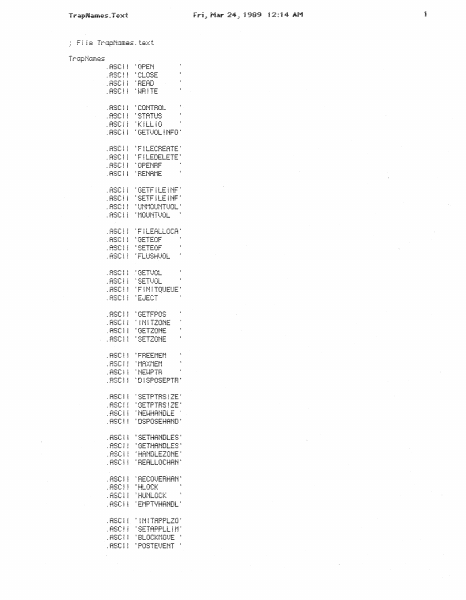
.ASC! i .RSC~ =]-·f n•=·c ,_.:_:_:._:..._ :BEAD .RSCi iCGNTF:OL .ASCi .ASCi :STATUS .ASC:i ;KfLLiO : GETt.JOL ! NFO .RSC~ 'FlLEDELETE' t :F~LECHEATE: :-i~-·r· ! • .!:?-::~_.. ; .RSCi .RSC~ .RSC! :GETFiLE~NF: ;SETFiLEjNF: .RSC~ .ASCi ~F~LEA.LLOCA~ .RSC~ :GETEOF =:3ETEOF :FLUSHt)OL .RSC~ ~FiN~TQUEUE; .RSCi .RSC! .ASCi : I Ni TZONE :GETZONE .RSC! ; FHEEt·1Ef·1 t·1fi):JiEf·1 : NEJlPTF~ ' ;;cTcnnc· :_:a_! l : =-~--: .ASCi tSETZONE 1 =oiSPOSEPTFii .ASC:I =GETPTF:SIZE .RSCI .RSC! : NEt-~HANDLE .RSC:~ 2 ;DSPOSEHA'ND= i :=;ETHANDLES = GETHANDLES; :HANDLEZONE: =HERLLOCHAN: 1 .ASCI ft RSC~ .ASCl .ASCi . R::~Ci 'HLOCK 'HUNLOCK .RSC~ : iNiTAPPLZO: .RSC! 'SETAPPLLl!"l' .RSC~ .RSC! = POSTE!)ENT 2 : OSEt.JEMTAt}A : : GETOSEt.JENT ~ :FLUSHEUENT~ .RSC~ .ASC~ .ASCl .ASCi 1 .ASCl t .ASG~ = 0FFL~NE ~~H ! TEPABRt·1 ' BEADDATET ~ = .ASCi 1 DRt.JR i NSTAL ~ .ASC~ ~NiTUTiL .R8Cl : F!ESEBt.J~·iEf·1 : .RSC! =sETF!LLOCK: ,F!STFiLLDCKS :SETFiLTVPE; :SETFPOS ~FLUSHFiL ;GETTFiAPRDD= :SETTHRPRDD= .ASCl =prHZONE 1 .RSC! HPtJHGE 1 HNOPUHGE 1 ::;ETGHOi-lZON : .ASCl .RSC~ ~ RDDDH i t.}E .RSCi s I NSTALLBDB 1 ' ~ ii l TCURSOR = :SETCUBSOH :H~DECUHSOB! .RSC! .RSC:i .ASCi 'SHiELDCURS' =oBSCUHECUR: ;SETAPPLBAS= 8~TAND .RSCi i 1 .ASCi ·Bt TXOFi '8lTNOT 'B!T!JR .RSCi .ASCl i :_=: i i : .._:: .ASCl i 'OITT•::·T :81TSET .ASCl .ASCl 'BITCLH .HSCl :THAP AXfiO .RSCi ! :FOAECOLOR . Aea::! ~ ,BACKCOLOFi .ASCl t :COLOF!BIT .RSCl l .RSCi I : GETP ~ ::(EL 'STUFFHEX 'FiXBAT!O :LO~·JOHD .RSCt .RSCf :F1XROUND .RSCl ; iNITPOFiT We:·;-.,i t .. i ;._n_. i i .RSC~ !OPENPOBT .ASC~ :LOCRLTOGLOZ :GLOBRLTGLO~ .ASC:l 'SETPOFff :GETPORT .RSC~ j :PORTS~ZE ~SETCL~P .RSC~! ~GETCL~P 1 CL~PBECT .ASC1 'BACKPfff .RSC! =cLOSEPOHT .ASCf l 'RDDPT .RSC~ :SUBPT .RSC! I .ASC~ =EQUALPT = STDTE:X~T .RSC~ .RSC!! DFa:n.jTE>::r ' TEXT~-i i DTH = :TEXTFOMT t TE::CfMODE : TC""·::·"TC· ! 7C' -: !... ....... : ._: ! ~!- : GETFOMT i NF: .A::;c CHARt-J i DTH ' : SPACEE:::::TBA .RSC :THAP AXBF 2 .RSC i :STDLiME :L!NETO .MSC! .ASCf =Mo1.)ETO .RSC! .ASC! 1 THAP HX95 :HiDEPEN .ASCi .RSC~ :GETPENSTRT~ .ASCi l :PENSiZE .RSCi 'PEMPAT .ASCf !THAP Ff(9F =GETPEM =srDBECT .ASC~ :PRiNTBECT :ERASEBECT .RSC! :FiLLRECT .ASCI :EQUALRECT i:3ETBECT . ASCI tOFFSETBECTi .RSC~ i ~NSETBECT :SECTBECT .RSC~ 2 .R::;C! .RSCI .ASC~ PT2HECT ' £:•T l i"·JC•C:-·T i ! ! t Hu,_:_.. i : Ef·1PT 1·/HECT : t:·-'. TnC:Oc:-·T ! _L:! U H-•-· i ~FHAMEBOUND: .RSC! ~ERASEBDUND= ' i Ml)ERTROUN' . ASCi tF~LLHOUNDH~ 1 = TBAP AXB5 STDOt.JRL ~ FHAt·iECK.iAL 'PA~NTOURL 'EFiASE!Ji..JAL ~ ! Mi..)EF;TOi..JRL : F iLLOl.JRL .ASCi I 2 .RSC~ : SLOPEFF;Ot·1A .RSC! =sTDAHC .RSC! 1 PAiNTRRC =EBASEABC .ASC~ a .RSC! i : C" 1 ? i WC::-· : ~ t..i-! Hp_.. .ASC! 1 ~PTTORMGLE I :STDPOL=·/ : FHAMEPOLl.l .ASC! .RSC~ .ASCi .RSC~ .ASC! 'PRCKB~TS = Ut·iPACKB ! T::~ i =sTDBGN .ASC…

Showing first 3,000 characters of 7,352 total. Open the full document →

Home Documents Macintosh Dbg Dm
Dbg Dm

Dbg Dm

Macintosh · PDF
Filenamedbg-dm.pdf
Size0.48 MB
Subsection prototypes / 1985_YACC / firmware / yaccsbug
Downloads7
Enjoying MacTrove? Anonymous downloads are free and unlimited. Create a free account to track favorites, contribute metadata corrections, and join the community chat.
Reader
Dbg Dm
/
Loading…
OCR / Text contents
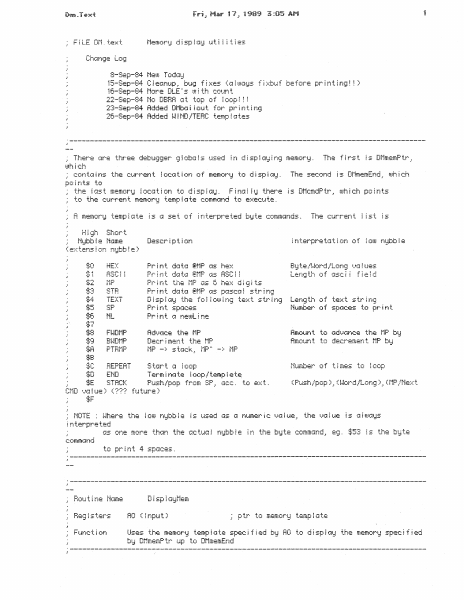
Memory display uti ities 8-Sep-84 fieoJ TcujG~:J (a] ~ uJc:f~Js f i ::-::bt~ f before pr i n t i ni;i ~ 1t:-Sep-84 t·1or·e DLE s t11 i th count 22-Sep-84 No DBBA cit top of I oop ! ~ ~ 2:3-Sep-84 Added Oi·1bc1 i l out_ for pr i n t i n1;i 26-Sep-84 Added i-l l ND ::lTERC temp ~ (Ates 15-Sep-84 C: l eGnup .· bt~1~ f i xes ) = There c4r·e three debU1;i9er 9 i ob!::: i s used ~n d i sp i (.l!~ i r~1;i memor··!:f . The first is DMmemPtr) UJh i C:h Ni:Jbb ~ e Nt::tme ( e::-:: t.ens i on ni:Jbb l e ) HEX BiJ"te/i-Jor. d/:Lon9 i •.Ja ~ ues Length of asci i field Pr~ nt $2 the f1P Gs 6 he::-:: di i;I its Pr i t-! t ckA 1:1:A ~;t-1P GS ~n:Asc::::~ ~ s tr ~ n:;? TEXT D i sp ~ (.ii:J the f c: i I CdJ.i i n:~ te::.:: t s tr i n=~ Pr i r-¥ t sp::.1c:es Print :~ r1eUJL; ne SP NL Len9 th c1 f te:=-:: t s tr i n·~ Nt4mber of spGic:es 'l'..O pr i n t FWDMP Hmount Bi-lDf·iP Rmot~r-it the to decrement_ f1P -} REPEAT END Nc.unber of Terminate t ~ mes to loop/lemplet~ C:f·1D ~.}:J i ue ) ( ??? f u tt.Ere ) :f;F NOTE ~ n ter-·pr·e ted c1s Ofle mor·e thGn the Ge t1...l:::~ i ras:Jbb i e i r~ the biJ te c:ommcu..td .: comm:::ind to print 4 spaces. AO ( ~ nput) Function ptr to memory template Uses the memor'd temp!;:~ te spec: i f ~ ed t:;;=' HO to G ! sp i ay the memory spec:~ f ~ ed bEd DHmemP tr t.ip to Ot·imemEnd Pm.Tc.xi Ct·1P ~ L BNE.S set up for n1 i ptr test any memory template ptr? iJes ~· t.ise i t A0 DO 1 ~ ~r-ld~t i emp _:AO AO.~ -(SP) Temp ; ::~ teLoop t·10t)E. L CLH.L test f !~ke r-·epe(~ t.. (:i:!un t make sure 10 buffer CmdB~J teLoc1p f·10tiEQ r·10t)EQ :i+O)DG Dt·1cmdP tr.; A 1 (A 1 )+·'DO At·iD.8 A 1~l Dt·1cmdP tr DO .:D1 #:t;OF.! uu ADD. i~ D1,D1 LEA Dr-id i spT .~ H:::: ADD.H Dt·1memP tr·' RO <A2> !bi .L BNE.S clear out extens!on nybble c: i eGr out c:c!mmGnd bid te get the command pointer qe t the c:omm(:ind b1:1 te set neu.1 c:c=mm=:Ar!d pc: ~ n ter· set up c:md rot~t ~ rie offset DO e::< tens i or-·: r-tidbb i e 01 = command nybb!e double it (word offset) ;Jet c;;:•mm.:~r!Ci d ~ sp•::d:;::h tcib i e 9et Gddress of code i t-itO A2 get memory ptr into AO = re ~ ~ c:ommt:And p tr =} Dlk:mdPtr !.:.t1:: re done no, keep looping Dt·imemP tr.: DO ~jet the mem p tr DrimemErid DO _l Temp:::;ateloop ADDQ _~40RD pop memory.template ptr Df·1He:~<-Dt·1d ~ sp T Df1Asc ~ ~ -Df·1d i sp T ~ ~-JOF!D Dt·1f·1P-Dt·1d i spT . i-~OHD Dt~1sTH-Dt·1d i spT .WOBD Df·1T e::.:: t -Dt·1d ~ sp T Ott:;P-Di·1d i sp T Dt·1NL-Dt·1d i spT Dt·lr1t~ ~ i -Dt·id i sp T Dl1F•.>.•df-1P-Dt·ki ! spT Dt·1Bwdt·1P-Dt·1d i spT . t-JOHD - . .. . HOF!D Df·int~ i ! -Dt·kl i sp T . i-~ORD Dt·lHepe:J t-Dt·1d ~ sp T Dt1Er-1d-DMd i sp T Dt·1STACK-Dt·1d i spT Dt·int-i l i -Dt·1d i sp T nMP t-·r·MP-nMd .... - .. - ..~ ·=:n - r T .. ~ CLF!.L D~-1cmdPtr· !-·£Ct ! :_.:_r: . :_ Dt·1memEnd BSH ADDQ (SP)+ :=AO - -· #f; ::;p .: AO.: <SP)+ sa!..Je re tur·n :::iddress pop off d1. .~mmiJ toord c:c•Ut""! t =l c:md ~;tr…

Showing first 3,000 characters of 9,293 total. Open the full document →

Home Documents Macintosh AppleShare PC Developers Guide
AppleShare PC Developers Guide

AppleShare PC Developers Guide

Macintosh · 1988 · PDF
FilenameAppleShare_PC_Developers_Guide_198807.pdf
Size3.22 MB
Year1988
Subsection developer / AppleShare
Downloads4
Enjoying MacTrove? Anonymous downloads are free and unlimited. Create a free account to track favorites, contribute metadata corrections, and join the community chat.
Reader
AppleShare PC Developers Guide
/
Loading…
OCR / Text contents
l( ti® Apple® AppleShare@ PC Developer's Guide Apple Confidential Final Draft 7/15/88 I t ti APPLE COMPUTER, INC. This manual is copyrighted, with all rights reserved. Under the copyright laws, this manual may not be copied, in whole or part, without written consent of Apple. Under the law, copying includes translating into another language or format. ©Apple Computer, Inc., 1988 20525 Mariani Ave. Cupertino, California 95014 USA 1-(408) 996-1010 Apple, the Apple logo, AppleTalk, ImageWriter, LaserWriter, and Macintosh are registered trademarks of Apple Computer, Inc. AppleShare, A/UX, and LocalTalk are trademarks of Apple Computer, Inc. Microsoft and MS-DOS are registered trademarks of Microsoft Corporation. IBM is a registered trademark of IBM Corporation. Postscript is a registered trademark of Adobe Systems Incorporated. Lotus and 1-2-3 are registered trademarks of Lotus Development Corporation. Epson is a registered trademark of Seiko Epson Corporation. AppleShare PC developer's guide - Apple Confidential Final draft • Contents Figures and tables xii Pref ace What you need to know ix Related documents x Organization xi Chapter 1 AppleShare PC Overview Requirements 3 Chapter 2 Access Privileges 5 How access privileges work 6 How privilege violations appear to DOS programs 7 How to work with access privileges 8 Chapter 3 Network Awareness & Multi-User Considerations 9 Atomicity 10 Opening files 11 Sharing modes 11 Compatibility mode 12 Overlays 13 Byte range locking 14 Temporary files 14 Open file categories 15 iii AppleShare PC developer's guide - Apple Ccntldentlal Final draft • lv Contents Chapter 4 Directory Enumeration 17 Alphabetically ordered directories 18 Enumeration guidelines 19 Enumeration lifetime 19 Reappearing directory entries 20 Backing up 22 Chapter 5 DOS Enhancements 23 Large volumes 24 Moving directories 24 Enhanced file and directory information 25 Lowercase names 25 Modified bit 26 Checking access privileges 26 Chapter 6 Integration with Macintosh Applications 29 Common file formats 30 ASCII text 30 File extension mapping 33 Adding mappings 34 Saving files 35 Chapter 7 Print Access 37 BIOS-level support 38 DOS-level support 40 Printer calls 41 Printer critical errors 41 Epson mode 41 PostScript mode 42 AppleShare PC developer's guide - Apple Confidential Final draft Appendix A Programming Examples 43 Standard start-up sequence 43 DOS version check 43 Checking for SHARE 44 Checking for AppleShare PC 45 Installing a critical error handler 47 Character handling 49 End-of-line delimiters 49 International uppercase routine 51 Multi-User I/0 53 Extending a file 53 File extension mapping 55 Appendix B Network and Mulfl·User Errors 57 Contents v AppleShare PC developar's guide - Apple Confldentlal Flnal draft • vi Contents AppleShare PC developer's guide - Apple Confldentlal Final draft "( Figures and tables Chapter 1 AppleShare PC Overview 2 Figure 1-1 Chapter 3 Network Aw…

Showing first 3,000 characters of 87,257 total. Open the full document →

Home Documents Macintosh Copland IO Architecture
Copland IO Architecture

Copland IO Architecture

Macintosh · 1992 · PDF
FilenameCopland_IO_Architecture_19951023.pdf
Size0.25 MB
Year1992
Subsection developer / Copland / D9_19950530
Downloads4
Enjoying MacTrove? Anonymous downloads are free and unlimited. Create a free account to track favorites, contribute metadata corrections, and join the community chat.
Reader
Copland IO Architecture
/
Loading…
OCR / Text contents
Copland I/O Architecture Preliminary Developer Press © Apple Computer, Inc. 1992–1995 ð Apple Computer, Inc.  1992–1995 Apple Computer, Inc. All rights reserved. No part of this publication may be reproduced, stored in a retrieval system, or transmitted, in any form or by any means, mechanical, electronic, photocopying, recording, or otherwise, without prior written permission of Apple Computer, Inc., except to make a backup copy of any documentation provided on CD-ROM. The Apple logo is a trademark of Apple Computer, Inc. Use of the “keyboard” Apple logo (Option-Shift-K) for commercial purposes without the prior written consent of Apple may constitute trademark infringement and unfair competition in violation of federal and state laws. No licenses, express or implied, are granted with respect to any of the technology described in this book. Apple retains all intellectual property rights associated with the technology described in this book. This book is intended to assist application developers to develop applications only for Apple-labeled or Apple-licensed computers. Every effort has been made to ensure that the information in this manual is accurate. Apple is not responsible for typographical errors. Apple Computer, Inc. 1 Infinite Loop Cupertino, CA 95014 408-996-1010 Apple, the Apple logo, AppleLink, AppleScript, AppleShare, AppleTalk, GeoPort, HyperCard, ImageWriter, LocalTalk, Macintosh, MacTCP, OpenDoc, PowerBook, Power Macintosh, PowerTalk, QuickTime, TrueType, and WorldScript are trademarks of Apple Computer, Inc., registered in the United States and other countries. Balloon Help, Chicago, Finder, Geneva, Mac, and QuickDraw are trademarks of Apple Computer, Inc. IBM is a registered trademark of International Business Machines Corporation. MacPaint and MacWrite are registered trademarks, and Clarisworks is a trademark, of Claris Corporation. NuBus is a trademark of Texas Instruments. PowerPC is a trademark of International Business Machines Corporation, used under license therefrom. UNIX is a registered trademark of Novell, Inc. in the United States and other countries, licensed exclusively through X/Open Company, Ltd. Some states do not allow the exclusion or limitation of implied warranties or liability for incidental or consequential damages, so the above limitation or exclusion may not apply to you. This warranty gives you specific legal rights, and you may also have other rights which vary from state to state.. Simultaneously published in the United States and Canada. Even though Apple has reviewed this manual, APPLE MAKES NO WARRANTY OR REPRESENTATION, EITHER EXPRESS OR IMPLIED, WITH RESPECT TO THIS MANUAL, ITS QUALITY, ACCURACY, MERCHANTABILITY, OR FITNESS FOR A PARTICULAR PURPOSE. AS A RESULT, THIS MANUAL IS SOLD “AS IS,” AND YOU, THE PURCHASER, ARE ASSUMING THE ENTIRE RISK AS TO ITS QUALITY AND ACCURACY. IN NO EVENT WILL APPLE BE LIABLE FOR DIRECT, INDIRECT, SPECIAL, INCIDENTAL, OR CONSEQUENTIAL DAMAGES RESULTING FROM A…

Showing first 3,000 characters of 79,812 total. Open the full document →

Home Documents Lisa Guide To The Operating System 5.1 Jun82
Guide To The Operating System 5.1 Jun82

Guide To The Operating System 5.1 Jun82

Lisa · 1982 · PDF
FilenameGuide_to_the_Operating_System_5.1_Jun82.pdf
Size2.43 MB
Year1982
Subsection os
Downloads3
Enjoying MacTrove? Anonymous downloads are free and unlimited. Create a free account to track favorites, contribute metadata corrections, and join the community chat.
Reader
Guide To The Operating System 5.1 Jun82
/
Loading…
OCR / Text contents
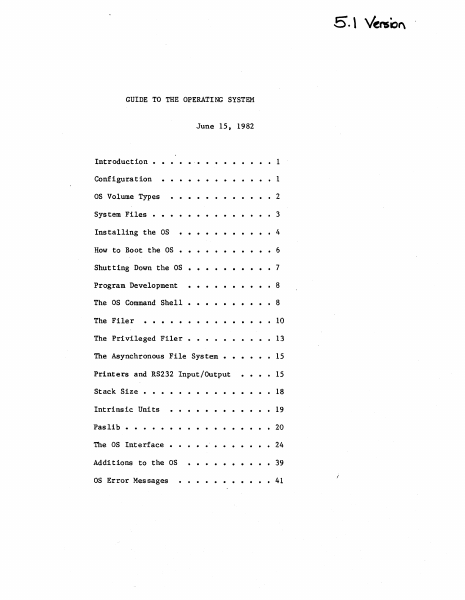
5. \ Venso" GUIDE TO THE OPERATING SYSTEM June 15, 1982 Introduction • • .'. • • • • • • • • 1 Configuration • • • • • • • • • • • • • 1 OS Volume Types •••••••••••• 2 System Files • • • • • • • • • • • • • • 3 Installing the OS •••• • • • • • • • 4 How to Boot the OS • • • • • • • • • • • 6 Shutting Down the OS • • • • • • • • • • 7 Program Development •••••••••• 8 The OS Command Shell • • • • • • • • • • 8 The Filer . . . · . . . . . . . . . 10 The Privileged Filer • • • • 13 The Asynchronous File System • • 15 Printers and RS232 Input/Output 15 · . . . . . . . . . . . 18 Intrinsic Units · . . . . . . . . . . . 19 Pas lib · . . . . . . . . . . . 20 The OS Interface · . . . . . . . . . 24 Additions to the OS · . . . . . . . . . 39 OS Error Messages . . . . . 41 Stack Size • Guide to OS Confidential INTRODUCTION This document explains how to use the 5.1 release of the Operating System. It includes all relevant material from prior releases and also describes the new features of this release. The User's Guide does not explain each feature of the OS in detail; instead, it explains operations such as installing and booting the system, and presents the details of the Command Shell and Filer commands (see the Operating System Reference Manual for a complete description of the Operating system). The User's Guide also contains explanations of any new features or calls that may not fit into the above topics because the Operating System Reference Manual is not updated for each new release. The User's Guide assumes that the Operating System Reference Manual that you have is dated March 1, 1982. The 5.1 release of the Operating System is the firs~ Operating system that boots from a Profile or Twiggy rather than the Apple II. The standalone OS is installed and operates differently than previous releases in several ways. Please read the paragraphs below that explain the environment that this version of the OS supports before attempting to install and run it. REMEMBER: Standalone mode is new to the OS group, too. We welcome your questions and appreciate suggestions. CONFIGURATION The standalone OS boots from either a Profile or a Twiggy. However, most people will boot the standalone OS from a Profile, and use another hard disk for the monitor. The Corvus can be reached from the 5.1 OS only as a source of monitor type files, not as an OS volume. The Apple is totally inac.cessible from the 5.1 OS, which rules out both Disk-II floppies and the Sanyo screen. The Lisa screen and keyboard are reserved for Applications. Readlns and writelns can only be seen on your Soroc. THEREFORE: IF YOU DON'T HAVE A SOROC, YOU WILL NOT BE ABLE TO USE THIS VERSION OF THE OS! Attach the Soroc to channel A of the Lisa; this channel is the second from the left when standing in front of the system. The Soroc driver supports When the OS boots from a Profile, that Profile must be attached to the parallel port (the connector farthest to the right.when viewed from th…

Showing first 3,000 characters of 96,360 total. Open the full document →

Home Documents Macintosh Building AUX Device Drivers Draft
Building AUX Device Drivers Draft

Building AUX Device Drivers Draft

Macintosh · 1988 · PDF
FilenameBuilding_AUX_Device_Drivers_draft_19880221.pdf
Size21.33 MB
Year1988
Subsection a_ux / aux_1.1
Downloads4
Enjoying MacTrove? Anonymous downloads are free and unlimited. Create a free account to track favorites, contribute metadata corrections, and join the community chat.
Reader
Building AUX Device Drivers Draft
/
Loading…
OCR / Text contents
MacintoshTM Building A/UX® Device Drivers C Apple Computer, Inc. 1988 c .n , I '· .:" ( ( (~ Copyright are registered trademarks of Apple Computer, Inc. This material contains trade secrets and proprietary information of Apple Computer Inc., and Unisoft Corporation. Use_ of this copyright notice is precautionary only and does not imply publication. Motorola is a trademark of Motorola, Inc. Copyright C 1985, 1986, 1987, 1988, Apple Computer Inc., and Unisoft Corporation. All rights resei:ved Portions of this document have been previously copyrighted by AT&:T Information Systems, the Regents of the University of California, Adobe Systems, Inc., and Sun Microsystems, Inc., and are reproduced with permission. Under the copyright laws, this manual or the software may not be copied, in whole or in part, without written CX>nsent of Apple or Unisoft, except in the normal use of the software or to make a backup CX>py of the software. The same proprietary and copyright notices must be aft1x:ed to any permitted copies as were afftxed to the original. This exception does not allow copies to be made for others, whether or not sold, but all of the material purchased (with all backup a>pies) may be sold, given, or loaned to another person. Under the law, copying includes translating into another language or format You may use the software on any computer owned by you, but extra copies cannon be made for this purpose. UNIX is a registered trademark of AT&:T Information Systems. C Apple Computer, Inc., 1988 20525 Mariani Avenue Cupertino, CA 95014 (408) 996-1010 (" Apple, the Apple logo, A/UX, LaserWriter, and Macintosh NuBus is a trademark of Texas Instruments. Apple Desktop Bus and Erher'I'alk are a trademarks of Apple Computer, Inc. B-NET is a trademark ofUnisoft Corporation. Ethernet is a registered trademark of Xerox Corporation. ITC Avant Garde Gothic, ITC Garamond, and ITC Zapf Dingbats are registered trademarks of International Typeface Corporation. Microsoft is a registered trademark of Miaosoft Corporation. POSTSCRIPT is a registered trademark of Adobe Systems Incorporated. Varityper is a registered trademark, and vr6oo is a trademark, of AM International, Inc. Simultaneously published in the United States and Canada. Preface About This Manual Inside this manual (_' •. This manual explains how to build Apple® A/UX® device drivers for the Apple Macintosh ® II computer. The manual is designed to be both a 9how-to• guide 'and a reference manual for someone writing device drivers. A/UX is Apple's version of the UNIX® operating system. To use this manual effectively, you should have a working knowledge of the C programming language and written device drivers in the past. You need some knowledge of the A/UX operating system, including the major parts of A/UX, although detailed knowledge of the kernel is not required. If you need to learn more about the A/UX operating system, see the bibliography in the back of this manual. You also …

Showing first 3,000 characters of 500,000 total. Open the full document →

Subscribe to PDF
mp.ls