Home Documents Macintosh MacApp 2.0b5
MacApp 2.0b5

MacApp 2.0b5

Macintosh · 1988 · PDF
FilenameMacApp_2.0b5_198808.pdf
Size2.72 MB
Year1988
Subsection developer / MacApp / MacApp_2.0b5
Downloads2
Enjoying MacTrove? Anonymous downloads are free and unlimited. Create a free account to track favorites, contribute metadata corrections, and join the community chat.
Reader
MacApp 2.0b5
/
Loading…
OCR / Text contents
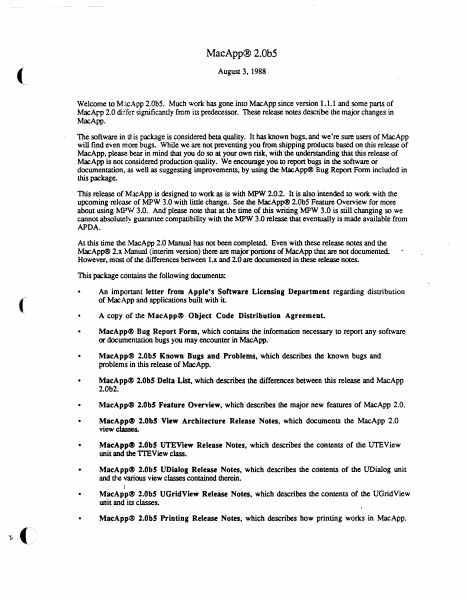
MacApp® 2.0b5 (. August 3, 1988 Welcome to MJcApp 2.0bS. Much work has gone into MacApp since version 1.1.1 and some parts of MacArI> 2.0 differ significantly from its predecessor. These release notes describe the major changes in MacApp. The software in this package is considered beta quality. It has known bugs, and we're sure users of MacApp will find even more bugs. While we are not preventing you from shipping products based on this release of MacApp, please bear in mind that you do so at your own risk, with the understanding that this release of MacApp is not considered production quality. We encourage you to report bugs in the software or documentation, as well as suggesting improvements, by using the MacApp® Bug Report Form included in this package. This release of MacApp is designed to work as is with MPW 2.0.2. It is also intended to worle with the upcoming release of MPW 3.0 with little change. See the MacApp® 2.0bS Feature Overview for more about using MPW 3.0. And please note that at the time of this writing MPW 3.0 is still changing so we cannot absolutel~ guarantee compatibility with the MPW 3.0 release that eventually is made available from APDA. At this time the MacApp 2.0 Manual has not been completed. Even with these release notes and the MacApp® 2.x Manual (interim version) there are major portions of MacApp that are not documented. However, most of the differences between l.x and 2.0 are documented in these release notes. This package contains the following documents: ( An important letter from Apple's Software Licensing Department regarding distribution of MacApp and applications built with iL • A copy of the MacApp@ Object Code Distribution Agreement • MacApp® Bug Report Form, which contains the information necessary to report any software or documentation bugs you may encounter in MacApp. • MacApp® 2.0bS Known Bugs and Problems, which describes the known bugs and problems in this release of MacApp. • MacApp® 2.0bS Delta List, which describes the differences between this release and MacApp 2.0b2. • MacApp@ 2.0bS Feature Overview, which describes the major new features of MacApp 2.0. MacApp~ 2.0bS View Architecture Release Notes, which documents the MacApp 2.0 view classes. • MacApp~ 2.0bS UTEView Release Notes, which describes the contents of the UTEView unit and the TIEView class. • MacApp@ 2.0b! UDialog Release Notes, which describes the contents of the UDialog unit and tJ-,e various view classes contained therein. • MacApp® 2.0bS UGridView Release Notes, which describes the contents of the UGridView unit and its classes. MacApp® 2.0bS Printing Release Notes, which describes how printing works in MacApp. Mac\pp~ 2.0 Memory Management, which discusses memory management in MacApp. • Mac\pp~ 2.0 GJobals, which describes global constants, variables, data types, and routines in MacApp. • MacA.pp~ 2.0 Object and Method Reference, which discusses object classes that also existed in MacApp 1.1. To use M…

Showing first 3,000 characters of 71,279 total. Open the full document →
Home Documents Macintosh MacApp 2.0b5 UGridView Release Notes
MacApp 2.0b5 UGridView Release Notes

MacApp 2.0b5 UGridView Release Notes

Macintosh · 1988 · PDF
FilenameMacApp_2.0b5_UGridView_Release_Notes_198808.pdf
Size1.05 MB
Year1988
Subsection developer / MacApp / MacApp_2.0b5
Downloads2
Enjoying MacTrove? Anonymous downloads are free and unlimited. Create a free account to track favorites, contribute metadata corrections, and join the community chat.
Reader
MacApp 2.0b5 UGridView Release Notes
/
Loading…
OCR / Text contents
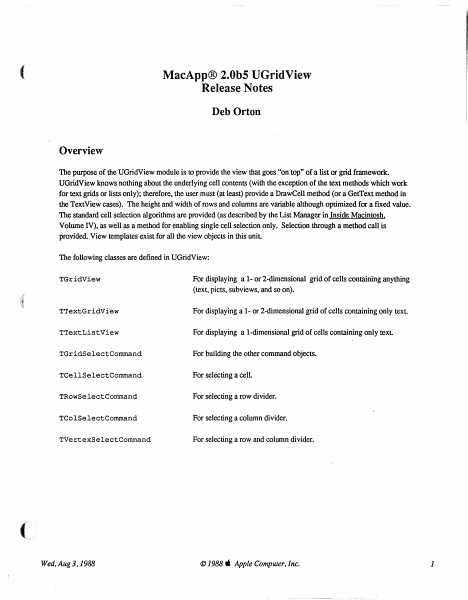
( MacApp® 2.0b5 UGridView Release Notes Deb Orton Overview The purpose of the UGridView module is to provide the view that goes "on top" of a list or grid framework. UGridView knows nothing about the underlying cell contents (with the exception of the text methods which work for text grids or lists only); therefore, the user must (at least) provide a DrawCell method (or a GetText method in the TextView cases). The height and width of rows and columns are variable although optimized for a fIxed value. The standard cell selection algorithms are provided (as described by the List Manager in Inside Macintosh, Volume IV), as well as a method for enabling single cell selection only. Selection through a method call is provided. View templates exist for all the view objects in this unit The following classes are defIned in UGridView: TGridView For displaying a 1- or 2-dimensional grid of cells containing anything (text, picts. subviews, and so on). TTextGridView For displaying a 1- or 2-dimensional grid of cells containing only text. TTextListView For displaying a I-dimensional grid of cells containing only text TGridSelectCommand For building the other command objects. TCellSelectCommand For selecting a cell. TRowSelectCommand For selecting a row divider. TColSelectCommand For selecting a column divider. TVertexSelectCommand For selecting a row and column divider. Wed, Aug 3,1988 © 1988. Apple Computer, Inc. 1 TGridView Types GridCell = Point; A cell in the grid. = (badChoice, inCell, GridViewPart Used to type mouse clicks. inRow, inColumn, inVertex); RunArrayChunk RunArray contents (private). RECORD count: size: INTEGER; INTEGER; END: RunArray = ARRAY [0 .. 100000] OF RunArrayChunk; For casting use (private). PRunArray "RunArraYi Pointer to run array (private). HRunArray "PRunArray; A handle to a run array (private). Template Types PACKED RECORD GridViewTemplate numOfRows: INTEGER; numOfCols: INTEGER; INTEGER; rowHeight: INTEGER; colWidth: INTEGER; rowInset: INTEGER; colInset: adornRows: BOOLEAN; BOOLEAN; adornCols: singleSelection: BOOLEAN; filler: O•• 8191; END; GridViewTemplateptr = "GridViewTemplate; TextGridViewTemplate itsFontFace: itsFontSize: itsFontColor: itsFontName: END; PACKED RECORD Style: INTEGER; RGBColori Str255; . TextGridViewTemplatePtr Wed. Aug 3.1988 "TextGridViewTemplate; © 1988" Apple Computer. Inc. 2 Constants ( Template identifiers for views defined in this unit 'TGridView'i kGridView = 'TTextGridView'; kTextGridView 'TTextListView'; kTextListView For setting column/row width/height in only one row/column: kOneRow 1i 1; kOneCol = Select Command Identifiers: cCellSelect = cRowSelect = cColumnSelect cVertexSelect 1; 2; 3i 4i Booleans for SetSelection: kExtend = kDontExtend = kHighlight = kDontHighlight kSelect = kDeSelect TRUEi FALSEi TRUEi FALSE; TRUE; FALSE; Booleans for CreateHighlightRgn: kWholeRect = kNotWholeRect = TRUE; FALSE; Fields fnumOfRows: fnumOfCols: fAdornRows:…

Showing first 3,000 characters of 25,035 total. Open the full document →
Home Documents Macintosh MacApp 2.0b5 View Architecture Release Notes
MacApp 2.0b5 View Architecture Release Notes

MacApp 2.0b5 View Architecture Release Notes

Macintosh · 1988 · PDF
FilenameMacApp_2.0b5_View_Architecture_Release_Notes_198808.pdf
Size4.02 MB
Year1988
Subsection developer / MacApp / MacApp_2.0b5
Downloads2
Enjoying MacTrove? Anonymous downloads are free and unlimited. Create a free account to track favorites, contribute metadata corrections, and join the community chat.
Reader
MacApp 2.0b5 View Architecture Release Notes
/
Loading…
OCR / Text contents
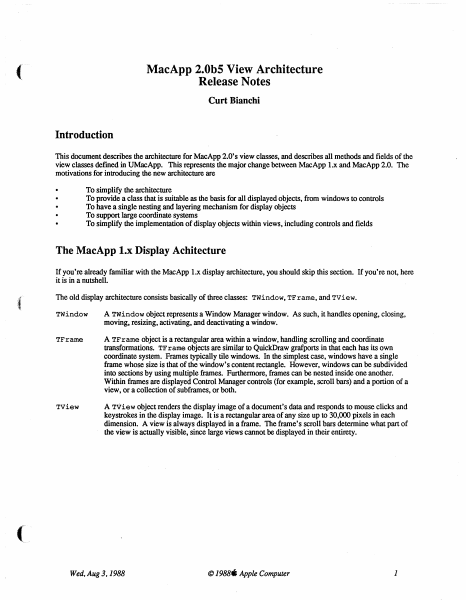
( MacApp 2.0b5 View Architecture Release Notes Curt Bianchi Introduction This document describes the architecture for MacApp 2.0' s view classes, and describes all methods and fields of the view classes defmed in UMacApp. This represents the major change between MacApp 1.x and MacApp 2.0. The motivations for introducing the new architecture are To simplify the architecture To provide a class that is suitable as the basis for all displayed objects, from windows to controls To have a single nesting and layering mechanism for display objects To support large coordinate systems To simplify the implementation of display objects within views, including controls and fields The MacApp l.x Display Achitecture If you're already familiar with the MacApp 1.x display architecture, you should skip this section. If you're not, here it is in a nutshell. :{ The old display architecture consists basically of three classes: TWindow, TFrarne, and TView. TWindow A TWindow object represents a Window Manager window. As such, it handles opening, closing, moving, resizing, activating, and deactivating a window. TFrarne A TF r arne object is a rectangular area within a window, handling scrolling and coordinate transformations. TF r arne objects are similar to QuickDraw grafports in that each has its own coordinate system. Frames typically tile windows. In the simplest case, windows have a single frame whose size is that of the window's content rectangle. However, windows can be subdivided into sections by using multiple frames. Furthermore, frames can be nested inside one another. Within fmmes are displayed Control Manager controls (for example, scroll bars) and a portion of a view, or a collection of subframes, or both. Tview A Tview object renders the display image of a document's data and responds to mouse clicks and keystrokes in the display image. It is a rectangular area of any size up to 30,000 pixels in each dimension. A view is always displayed in a frame. The frame's scroll bars determine what part of the view is actually visible, since large views cannot be displayed in their entirety. ( Wed, Aug 3.1988 © 1988. Apple Computer 1 iD MDemoTeHt.p PROGRAM DemoText; USES {$LOAD Macl ntf.LOAD} MemTypes, QuickDra'vl, OSI ntf, Tooll ntf, Packl ntf, {$LOAD UMacApp.LOAD} UObject, UList, UMacApp, {$lOAD} ~ UPrinting, mrnw, ~ MDemoTeHt. TWindow TFrame TView PROGRAM DemoText; USES {$lOAD Maclntf.lOAD} MemTypes, QuickDra'vl, OSI ntf.. Tool I nU, Packl nU, {$LOAD UMacApp.LOAD} UObject, UList, UMacApp, { $lOAD} UPri nting, UTEVie'vl, UDemoText; VAR gDemoTextApplication: TDemoTextApplication; {$S Main} BEGIN I nitTool box( 8) ; 1nitPri nti ng; Ne'vl(gDemoTextApplication) ; gDemoTextApplication.l De moTextAp plication; gDemoTextApplication.Run; END. Figure 1: Old MacApp Display Architecture Wed, Aug 3.1988 © 1988. Apple Computer 2 Figure 1 shows a typical text edit window and the MacApp objects used to build it. Here, the Twindow object displays the …

Showing first 3,000 characters of 107,247 total. Open the full document →
Home Documents Macintosh The MacApp Interim Manual
The MacApp Interim Manual

The MacApp Interim Manual

Macintosh · 1988 · PDF
FilenameThe_MacApp_Interim_Manual_198806.pdf
Size21.83 MB
Year1988
Subsection developer / MacApp / MacApp_2.0b5
Downloads5
Enjoying MacTrove? Anonymous downloads are free and unlimited. Create a free account to track favorites, contribute metadata corrections, and join the community chat.
Reader
The MacApp Interim Manual
/
Loading…
OCR / Text contents
S® Macintosh® The MacApp® Interim Manual Working Draft 4 (APDA) June 14, 1988 ©Apple Computer, Inc. 1988 S APPLE COMPUTER, INC. This manual and the software described in it are copyrighted, with all rights reserved. Under the copyright laws, this manual or the software may not be copied, in whole or in part, without written consent of Apple, except in the nonnal use of the software or to make a backup copy of the software. The same proprietary and copyright notices must be affixed to any permitted copies as were affixed to the original. This exception does not allow copies to be made for others, whether or not sold, but all of the material purchased (with all backup copies) may be sold, given, or loaned to another person. Under the law, copying includes translating into another language or fonnat. You may use the software on any computer owned by you, but extra copies cannot be made for this purpose. ©Apple Computer, Inc., 1988 20525 Mariani Avenue Cupertino, CA 95014 (408) 996-1010 Apple, the Apple logo, LaserWriter, Lisa, MacApp, and Macintosh are registered trademarks of Apple Computer, Inc. APDA, MPW, Multi.Finder, RESEDIT are trademarks of Apple Computer, Inc. ITC Avant Garde Gothic, ITC Garamond, and ITC Zapf Dingbats are registered trademarks of International Typeface Corporation. Microsoft is a registered trademark of Microsoft Corporation. POSTSCRIPT is a registered trademark of Adobe Systems Incorporated. Varityper is a registered trademark, and VT600 is a trademark, of AM International, Inc. Simultaneously published in the United States and Canada. 6/14/88 Table of Contents Preface About This Manual ix Prerequisites x Hardware x Software x What you should already know xi What this manual contains xii How to use this manual xii Notation xiii Conventions in the MacApp code xiv Other books you should have xiv ( Chapter 1 Why MacApp? l What is MacApp? 2 Programming without MacApp 3 Programming with MacApp 4 The division of labor 5 The benefits of MacApp 7 Chapter2 An Introduction to Object-Oriented Programming 9 The big picture 10 Record types and record variables 12 Object classes and object instances 13 Flow of control in object-oriented programs 18 Working Draft 4 (APDA) 6/14/88 MacApp 2.0 Tutorial Object classes 30 Inheritance 31 Method definitions 35 Override methods 36 Object instances 39 An instance method 40 Override methods 43 Override methods that don't call their inherited method 43 Override methods that do call their inherited method 44 Privacy between instances 47 Ramifications of object-oriented programming 47 Chapter3: Object Pascal 49 Object Pascal file organization 50 Object class definitions 55 Field declarations 56 Method declarations 56 Override method declarations 58 Object Instances 59 Record handles and record instantiations 59 Instantiation through record variables 59 Instantiation through record pointers 60 Instantiation through record handles 60 Object references and object instances 61 …

Showing first 3,000 characters of 495,684 total. Open the full document →

Home Documents Macintosh MacApp 2.0b5 Printing Release Notes
MacApp 2.0b5 Printing Release Notes

MacApp 2.0b5 Printing Release Notes

Macintosh · 1988 · PDF
FilenameMacApp_2.0b5_Printing_Release_Notes_198808.pdf
Size1.50 MB
Year1988
Subsection developer / MacApp / MacApp_2.0b5
Downloads3
Enjoying MacTrove? Anonymous downloads are free and unlimited. Create a free account to track favorites, contribute metadata corrections, and join the community chat.
Reader
MacApp 2.0b5 Printing Release Notes
/
Loading…
OCR / Text contents
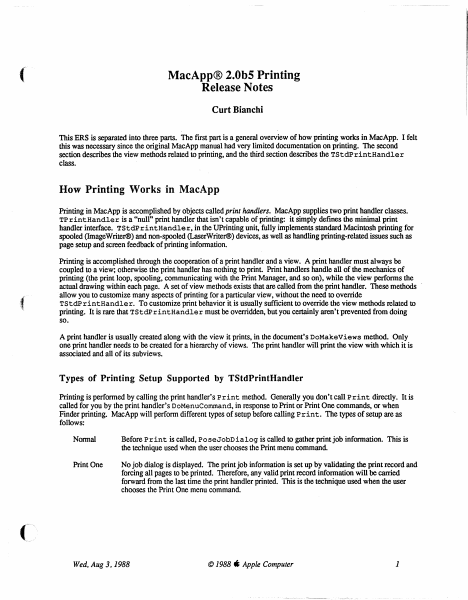
( MacApp® 2.0bS Printing Release Notes Curt Bianchi This ERS is separated into three parts. The first part is a general overview of how printing works in MacApp. I felt this was necessary since the original MacApp manual had very limited documentation on printing. The second section describes the view methods related to printing, and the third section describes the TStdPrintHandler class. How Printing Works in MacApp Printing in MacApp is accomplished by objects called print handlers. MacApp supplies two print handler classes. TPrintHandler is a "null" print handler that isn't capable of printing: it simply defines the minimal print handler interface. TStdPrintHandler, in the UPrinting unit, fully implements standard Macintosh printing for spooled (ImageWriter®) and non-spooled (LaserWriter®) devices, as well as handling printing-related issues such as page setup and screen feedback of printing information. Printing is accomplished through the cooperation of a print handler and a view. A print handler must always be coupled to a view; otherwise the print handler has nothing to print. Print handlers handle all of the mechanics of printing (the print loop, spooling, communicating with the Print Manager, and so on), while the view performs the actual drawing within each page. A set of view methods exists that are called from the print handler. These methods allow you to customize many aspects of printing for a particular view, without the need to override TStdP rintHandler. To customize print behavior it is usually sufficient to override the view methods related to printing. It is rare that TStdPrintHandler must be overridden, but you certainly aren't prevented from doing so. A print handler is usually created along with the view it prints, in the document's DoMakeViews method. Only one print handler needs to be created for a hierarchy of views. The print handler will print the view with which it is associated and all of its subviews. Types of Printing Setup Supported by TStdPrintHandler Printing is performed by calling the print handler's Print method. Generally you don't call Print directly. It is called for you by the print handler's DoMenuCommand, in response to Print or Print One commands, or when Finder printing. MacApp will perform different types of setup before calling Print. The types of setup are as follows: Normal Before Print is called, PoseJobDialog is called to gather print job information. This is the technique used when the user chooses the Print menu command Print One No job dialog is displayed. The print job information is set up by validating the print record and forcing all pages to be printed. Therefore, any valid print record information will be carried forward from the last time the print handler printed. This is the technique used when the user chooses the Print One menu command. ( Wed. Aug 3,1988 © 1988 ti Apple Computer 1 Fmder The page setup and job dialogs may be posed before printing. The use of the dialogs …

Showing first 3,000 characters of 39,153 total. Open the full document →

Home Documents Macintosh Pascal To Smalltalk
Pascal To Smalltalk

Pascal To Smalltalk

Macintosh · 1985 · PDF
FilenamePascal_to_Smalltalk_19850411.pdf
Size0.28 MB
Year1985
Subsection developer / MacApp
Downloads2
Enjoying MacTrove? Anonymous downloads are free and unlimited. Create a free account to track favorites, contribute metadata corrections, and join the community chat.
Reader
Pascal To Smalltalk
/
Loading…
OCR / Text contents
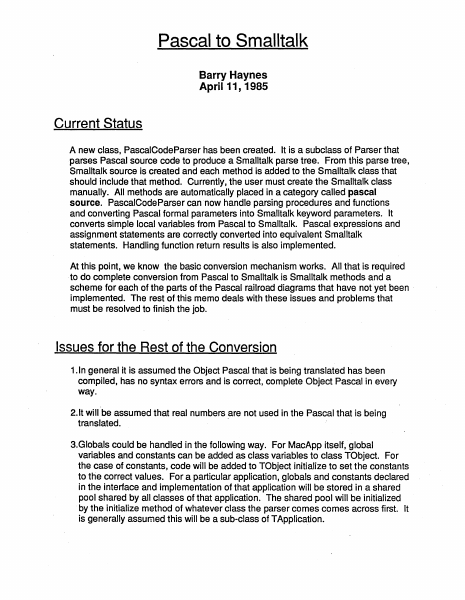
Pascal to Smalltalk Barry Haynes April 11, 1985 Current Status A new class, PascalCodeParser has been created. lt is a subclass of Parser that parses Pascal source code to produce a Smalltalk parse tree. From this parse tree, Smalltalk source is created and each method is added to the Smalltalk class that should include that method. Currently, the user must create the Smalltalk class manually. All methods are automatically placed in a category called pascal source. PascalCodeParser can now handle parsing procedures and functions and converting Pascal formal parameters into Smalltalk keyword parameters. lt converts simple local variables from Pascal to Smalltalk. Pascal expressions and assignment statements are correctly converted into equivalent Smalltalk statements. Handling function return results is also implemented. At this point, we know the basic conversion mechanism works. All that is required ·to do complete conversion from Pascal to Smalltalk is Smalltalk methods and a scheme for each of the parts of the Pascal railroad diagrams that have not yet been · implemented. The rest of this memo deals with these issues and problems that must be resolved to finish the job. lssues for the Rest of the Conversion 1. In general it is assumed the Object Pascal that is being translated has been compiled, has no syntax errors and is correct, complete Object Pascal in every way. 2.lt will be assumed that real numbers are not used in the Pascal that is being translated. · 3.Globals could be handled in the following way. For MacApp itself, global variables and constants can be added as class variables to class TObject. For the case of constants, code will be added to TObject initialize toset the constants to the correct values. Fora particular application, globals and constants declared in the interface and implementation of that application will be stored in a shared pool shared by all classes of that application. The shared pool will be initialized by the initialize method of whatever class the parser comes comes across first. lt is generally assumed this will be a sub-class of TApplication. 4. There will be a symbol table that will remember needed information about particular types and variables, like if it is an array or a PascalRecord. Variables that require a PascalRecord will have code generated in either the appropriate class initialize method or the local method, depending on where the Variable is located, to create the PascalRecord. 5.Both the interface and implementation of MacApp or a specific application will have to be parsed. This will allow the parser to know about the types of all variables. The parser will need to know about global procedures as well as methods that haven't yet been parsed. Only by parsing the interfaces first can this information be obtained. Procedures that are global to MacApp will be defined as class methods of TObject. Procedures that are global to a particular application will be defined as class methods of the …

Showing first 3,000 characters of 12,551 total. Open the full document →

Home Documents Macintosh Object Pascal For The Macintosh
Object Pascal For The Macintosh

Object Pascal For The Macintosh

Macintosh · 1985 · PDF
FilenameObject_Pascal_For_The_Macintosh_19850214.pdf
Size0.81 MB
Year1985
Subsection developer / MacApp
Downloads2
Enjoying MacTrove? Anonymous downloads are free and unlimited. Create a free account to track favorites, contribute metadata corrections, and join the community chat.
Reader
Object Pascal For The Macintosh
/
Loading…
OCR / Text contents
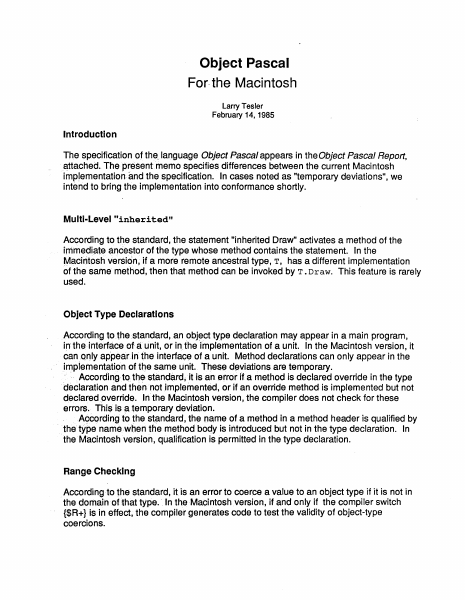
Object Pascal For. the Macintosh Larry Tesler February 14, 1985 lntroduction The specification of the. language Object Pascal appears in theObject Pascal Report, ~ttached. The present memo specifies differences between the current Macintosh imp_lementation änd the specification. In cases noted as "temporary deviations", we intend to bring the implementation into conformance shortly. Multi-Level "inherited" According to the standard, the statement "inherited Draw" activates a method of the immediate ancestor of the type whose method contains the statement. In the Macintosh versicin~ if a more remote ancestral type, T, has a different implementation of the same method, then that method can be invoked by T. Draw. This feature is rarely used. Object Type Declaratlons According to the standard. an obj~ct type declaration may appear in a main program, in the interfäce of ä unit, or in_ the implementation of a unit. In the Macintosh version, it can_.on,fy appear.in fhe interface of a unit. Method declarations can only appear in the i~plementation of ttie same untt. These d~viations are temporary. · ··. According·to the standard; it i·s an error if a method is declared override in the type ·dectaration and then not implemented, or if an override method is implemented but not decfared override. In the Macintosh Version, the compiler does not check for these errors. This is a temporary deviation. Aqcording to the standard, the oame of a method in a method header is qualified by · the type name when the method body is introduced but not in the type declaration. In the Macintosh version, qualification is permitted in the type declaration. Range Checklng Accordi.ng·to the standard, it is an error to coerce a value to an object type if it is not in the domain ofthat type.· In the Macintosh version, if and only if the compiler switch {$R+} is in effect, the compiler generates code to test the validity of object-type coercions. Object Pascal for the Macintosh Page 2 Unsafe Use of Handles According to the standard, the implementation of a reference is not specified, and may be machine dependent. In the Macintosh version, an object reference is implemented as a handle, i.e., as a pointer to a pointer to an object. The object itself can change its memory address during execution as part of a compaction process that is invoked to prevent heap fragmentation. Because an object can change its location, it is unsafe to save a pointer to it in a variable or register and then later to access the object through the saved pointer. lf a procedure call should intervene, then the heap might compact to make room for a newly allocated object or to swap the procedure itself into memory, invalidating the pointer. Where possible, the compiler takes care to access objects only through handles and not through pointers. Examples: type T = object F: Integer; S: String[lO]; end; var Y: T; Y.F := Func; Proc(Y.F); with Y do begin F := Func; Proc(F); F := F + 1; DrawString(S); end…

Showing first 3,000 characters of 29,607 total. Open the full document →

Home Documents Macintosh Programming Macintosh Applications In Assembly Language Feb84
Programming Macintosh Applications In Assembly Language Feb84

Programming Macintosh Applications In Assembly Language Feb84

Macintosh · 1984 · PDF
FilenameProgramming_Macintosh_Applications_in_Assembly_Language_Feb84.pdf
Size28.04 MB
Year1984
Subsection developer / Prerelease
Downloads3
Enjoying MacTrove? Anonymous downloads are free and unlimited. Create a free account to track favorites, contribute metadata corrections, and join the community chat.
Reader
Programming Macintosh Applications In Assembly Language Feb84
/
Loading…
OCR / Text contents
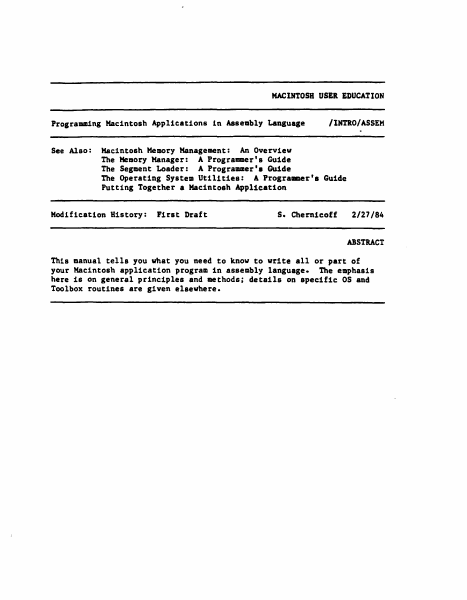
MACINTOSH USEREDUCATION Programming Macintosh Applications See Also: Modification in Assembly Language /lNTl.0/ASSEM Macintosh Memory Management: An Overview The MemoryManager: A Programmer's Guide The Segment Loader: A Programmer'• Guide The Operating System Utilities: A Prograamer'a Guide Putting Together a Macintosh Application History: First Draft s. Chernicoff 2/27/84 ABSTRACT This manual tells you what you need to know to write all or part of your Macintosh application program in assembly language. The emphasis here is on general principles and methods; details on specific OS and Toolbox routines are given elsewhere. 2 Progra1111ingMacintosh Applications in Assembly Language TABLEOF CONTENTS 3 3 4 8 10 10 12 12 12 14 17 18 19 23 About This Manual Definition Files Memory Organization The Dispatch Table The Trap Mechanism Format of Trap Words Trap Macros Calling Conventions Register-Based Calls Stack-Based Calla Register-Saving Conventions Pascal Interface to the OS and Toolbox Mixing Pascal and Assembly Language Glossary Copyright (c) 1984 Apple Computer, Inc. All rights reserved. Distribution of this draft in limited quantities does not constitute publication. ABOUT THIS MANUAL 3 ABOUT THIS MANUAL This manual tells you what you need to know to write all or part of your Macintosh application program in assembly language. The emphasis here is on general principles and methods; details on specific OS and Toolbox routines are given elsewhere. The manual assumes you already know how to write assembly language for the Motorola MC6B001.l (or just "68001.l" for short). the microprocessor used in the Macintosh. It also assumes you're familiar With Lisa Pascal and its associated software development tools. particularly the Assembler, the Pascal Compiler. and the Linker. ***(Currently.all software for the Macintosh must be developed on a Lisa computer and written on a Macintosh-formatted disk for execution on the Macintosh. Eventually development tools Will be available on the Macintosh itself.) *** The manual begins by discussing the various files of definitions pertaining to the OS and Toolbox, and what they contain. Then it describes the Macintosh's memory layout and organization. This is followed by a description·of the dispatch table and the trap mechanism, which allow your program to use the OS and Toolbox while remaining independent of specific addresses in the Macintosh ROM. Next is a discussion of the calling conventions for using the OS and Toolbox from assembly language and for mixing Pascal and assembly language in your own programs. Finally, there's a glossary of terms used in this manual. DEFINITIONFILES The primary aids to assembly-language programmers are a set of definition files that define various symbolic names for use in assemblylanguage programs. By naming the definition files in an .INCLUDE directive, you make the definitions available to your program. The most important of the definition files are the equat…

Showing first 3,000 characters of 500,000 total. Open the full document →

Home Documents Macintosh ODI Developers Guide
ODI Developers Guide

ODI Developers Guide

Macintosh · 1988 · PDF
FilenameODI_Developers_Guide_198802.pdf
Size9.80 MB
Year1988
Subsection developer
Downloads2
Enjoying MacTrove? Anonymous downloads are free and unlimited. Create a free account to track favorites, contribute metadata corrections, and join the community chat.
Reader
ODI Developers Guide
/
Loading…
OCR / Text contents
( •• ODlmDeveloper's Guide ( S APPLE COMPUI'l!R, INC. This manual is copyrighted by Apple or by Apple's suppliers, with ail rights reserved. Under the copyright laws, this manual may not be copied, in whole or in part, without the written consent of Apple Computer, Inc. except in the normal use of software or to make a backup copy of the software. This exception does not allow copies to be made for O<hers, whether or not sold, but ail of the material purchased may be sold, given, or lent to another person. Under the law, copying includes translating into anaher language. © Apple Computer, Inc., 1988 20525 Mariani Avenue Cupertino, CA 95014 (4~) 996-1010 Apple, the Apple logo, laserWrirer, and Macintosh are registered trademarks of Apple Computer, Inc. Ethernet is a registered trademark of Xerox Corporation. ITC Avant Garde Gothic, ITC Garamond, and ITC Zapf Dingbats are registered trade- marks of International Typeface Corporation. MicroChannel is a trademark of Internation Business Corporation. MU/MPI, MU, MPI, and Link Support I.ayer are jointly owned trademarks of Apple Computer and Novell, Inc. POSTSCRIPT is a regi1tered trademark: of Adobe Systems Incorporared. Varityper is a~ trade-mark, and VT600 is a trademark, of AM International, Inc. Simultaneously published in the United States and Canada. 2/21/88 ( Contents Introduction 1 Introducing the MWMPI Benefits for the user Benefits for the developer MLI/MPI module specifics Protocol stack independence from MUDs Developing MLIDs 2 The Unk Support Layer Protocol Stack Support Entry Point MUD Support Entry Point General Services Entry Point What You Need to Know 3 Link Support Layer General Services AllocMemory FreeMemory ReAllocMemory MemoryStatistics AddMemoryToPool AddGeneralService RermveGeneralSe.rvice pART I. Writing Drivers for the Mll 4 MllD Operations The SEND Entry Point Handler iii The Interrupt Service Routine 5 MLID Initialization 6 MLID Control Procedures GetMLIDConfiguration GetMLIDStatistics AddMulticastAddress DeleteMulticastAddress ReceptionControl MLIDShutdown MLIDReset CreateConnection RernoveConnection AddPromiscuousSourceFilter AddPromiscuousDestinationFilter dearProrni.scuousFilters DriverPoll 7 IJnk Support Commands for MI.IDs GetECB RetumECB DeFragmentECB ScheduleAESEvent CancelAESEvent GetintervalMarker DeregisterMUD HoldRcvEvent StartCriticalSection EndCriticalSection GetCriticalSectionStatus ScrviceEvents F.oqueueSend GetNextSend SendComplete AddProtocolID iv Contents PART II Writing Protocol Stacks for the MPI ( 8 Protocol Stack Operations 1be Receive Entry Point The Default Receiver Entry Point The PreScanEntry Point The Transmit Packet Handler 9 Protocol Stack Initialization Stack Installation Stages Registering a Protocol Stack Register by binding with an MUD Register as the default stack Register as the PreScan stack Finding an MUD by Name 10 Protocol Stack Control Commands GetProtocolStackConfiguration GetProtocolStackStatistics Bin…

Showing first 3,000 characters of 159,155 total. Open the full document →

Home Documents Macintosh MPW 3.0A2 Documents
MPW 3.0A2 Documents

MPW 3.0A2 Documents

Macintosh · 1988 · PDF
FilenameMPW_3.0A2_Documents_19880714.pdf
Size32.47 MB
Year1988
Subsection developer / MPW / MPW_3.0
Downloads2
Enjoying MacTrove? Anonymous downloads are free and unlimited. Create a free account to track favorites, contribute metadata corrections, and join the community chat.
Reader
MPW 3.0A2 Documents
/
Loading…
OCR / Text contents
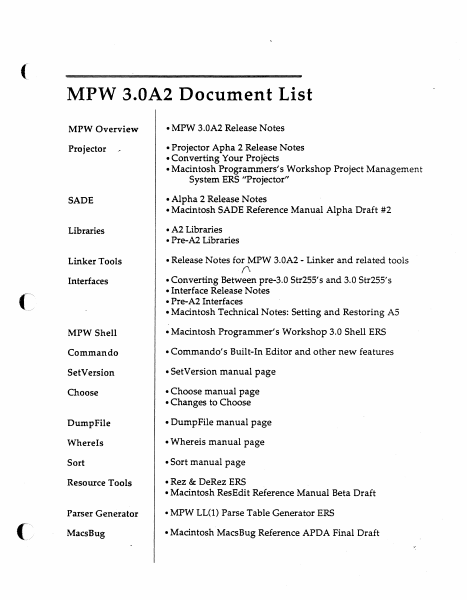
( MPW 3.0A2 Document List MPW Overview • MPW 3.0A2 Release Notes Projector •Projector Apha 2 Release Notes • Converting Your Projects •Macintosh Programmers's Workshop Project Management System ERS ''Projector" SADE •Alpha 2 Release Notes •Macintosh SADE Reference Manual Alpha Draft #2 Libraries • A2 Libraries • Pre-A2 Libraries Linker Tools •Release Notes for MPW 3.0A2 - Linker and related tools Interfaces •Converting Between pre-3.0 Str255's and 3.0 Str25S's •Interface Release Notes • Pre-A2 Interfaces •Macintosh Technical Notes: Setting and Restoring AS MPW Shell •Macintosh Programmer's Workshop 3.0 Shell ERS Commando •Commando's Built-In Editor and other new features SetVersion • SetVersion manual page Choose • Choose manual page • Changes to Choose Dump File • DumpFile manual page Where ls • Whereis manual page Sort •Sort manual page Resource Tools • Rez & DeRez ERS •Macintosh ResEdit Reference Manual Beta Draft Parser Generator • MPW LL(l) Parse Table Generator ERS MacsBug •Macintosh MacsBug Reference APDA Final Draft ('" _/' ('\ / (\ ,. ) / MPW 3.0A2 Release Notes July 14, 1988 Overview This release note pertains to the following MPW products: • MPW Development Environment • MPWPascal •MPWC • MPW Assembler MPW C++ has its own separate release note. This release note, the MPW 3.0 ERS' s, and other tool-specific release notes are the documentation for this release. Differences between the ERS, previous 3.0 development releases, and this release are documented below. If no release note exists for something that has an ERS, assume that the piece has been implemented as documented in the ERS. MPW 3.0A2 highlights include a symbolic debugger, project management system, and new C compiler. All of the C pieces of MPW, were compiled with this new C. Since MPW 2.0, the C header files have three important changes: every function has a function prototype, the capitalization for routines that pass strings and points has changed, and the definition of Str255 has changed. The capitalization and Str255 changes will require changes to your C source. See the section below titled ''Interfaces." ( Another change in MPW 3.0A2 may require a change to your Makefiles. The Pascal compiler no longer uses the Load/Dump mechanism. Instead, the compiled object code for each unit is saved in the unit's resource fork. Therefore, dependency rules (in Makefiles) upon Pascal dump files are obsolete. See the section below titled "Pascal." The A2 C compiler now has function prototype checking turned on. Furthermore, the C compiler is very strict about type compatibility. Be forewarned ... Installation • Installation from floppies - MPW 3.0 now includes an installer disk for installing MPW from a set of floppy disks .. Here are the steps for automatically installing MPW on your disk: 1) drag the ''Installation Folder" onto the hard disk where you want MPWinstalled · 2) launch the MPW Shell found in the ''Installation Folder" App…

Showing first 3,000 characters of 500,000 total. Open the full document →

Subscribe to developer
mp.ls