Home Documents Macintosh Inside Mac For Mac OS 8 Read Me
Inside Mac For Mac OS 8 Read Me

Inside Mac For Mac OS 8 Read Me
Macintosh · 1996 · PDF
FilenameInside_Mac_for_Mac_OS_8_Read_Me.pdf
Size0.06 MB
Year1996
Subsection developer / Copland / D11E4_19960613
Downloads4
Enjoying MacTrove? Anonymous downloads are free and unlimited. Create a free account to track favorites, contribute metadata corrections, and join the community chat.
Reader
Inside Mac For Mac OS 8 Read Me
/
Loading…
OCR / Text contents
Welcome to the WWDC '96 release of Inside Macintosh for Mac OS 8. This Read Me provides a road map to the chapters within this folder, provides information on viewing the Acrobat files contained within this folder, and lists the methods you can use to give us your feedback on the Inside Macintosh documentation. Road Map To Inside Macintosh For Mac OS 8 Documentation The chapters in the folder Inside Macintosh for Mac OS 8 provide preliminary information on many of the constants, data types, and functions for developer use in Mac OS 8. The chapters present overviews or introductions that cover the human interface, Apple events, file navigation and access, text handling, the microkernel, and I/O. In addition, reference chapters for many managers and services are also provided. Each file in the folder represents a book. Figure 1 shows the book titles and the chapters contained within each book. Figure 1. Books and chapters in the folder Inside Macintosh for Mac OS 8 Road Map For Applications For information on the features of Mac OS 8 for applications, read the following chapters and books: • For an overview of new features supported by the Toolbox, such as human interface objects, panels, window groups, imaging objects, and themes, see the chapter "Introduction to the Mac OS 8 Toolbox" in Human Interface Toolbox. For reference information on human interface objects, see the chapter "HIObject Class Reference" in Human Interface Toolbox. • For an overview of how Apple events are used pervasively throughout Mac OS 8 by system services as well as other programs, see the chapters "Introduction to the Mac OS 8 Event Model" and "Event Model Reference" in Apple Events in Mac OS 8. For information on how Apple events are processed by the Toolbox, see "Toolbox Event Routing" and "Toolbox Events Reference" in Human Interface Toolbox. • For an overview of the Mac OS 8 microkernel, including information on tasks, processes, scheduling, preemption, multithreading, allocation of memory, and other services, see the chapter "About Mac OS 8" in Microkernel and Core System Services. See subsequent chapters in Microkernel and Core System Services for reference information on many of these topics. • For information on the Mac OS 8 File Manager, Navigation Services, and other file services, as well as reference information on the Mac OS 8 File Manager, see File Navigation and Access. • For information on the extensive support for text handling that enables you to develop your application for a worldwide market, such as support for Unicode, locales, and the use of text objects, see "Introduction to Text Handling and Internationalization" in Text Handling and Internationalization. • For information on creating resources that are new in Mac OS 8, see ResEdit 3.0 User's Guide. • For information related to human interface elements in an application, see Human Interface Guidelines for Mac OS 8 and Apple Grayscale Specification for System 7.5. • For information on the use…

Showing first 3,000 characters of 7,356 total. Open the full document →
Home Documents Macintosh Modular IO
Modular IO

Modular IO

Macintosh · 1996 · PDF
FilenameModular_IO_19960422.pdf
Size1.98 MB
Year1996
Subsection developer / Copland / D11E4_19960613
Downloads2
Enjoying MacTrove? Anonymous downloads are free and unlimited. Create a free account to track favorites, contribute metadata corrections, and join the community chat.
Reader
Modular IO
/
Loading…
OCR / Text contents
K INSIDE MACINTOSH Modular I/O K WWDC Release May 1996 © Apple Computer, Inc. 1994 - 1996 K Apple Computer, Inc. © 1996 Apple Computer, Inc. All rights reserved. No part of this publication may be reproduced, stored in a retrieval system, or transmitted, in any form or by any means, mechanical, electronic, photocopying, recording, or otherwise, without prior written permission of Apple Computer, Inc., except to make a backup copy of any documentation provided on CD-ROM. The Apple logo is a trademark of Apple Computer, Inc. Use of the “keyboard” Apple logo (Option-Shift-K) for commercial purposes without the prior written consent of Apple may constitute trademark infringement and unfair competition in violation of federal and state laws. No licenses, express or implied, are granted with respect to any of the technology described in this book. Apple retains all intellectual property rights associated with the technology described in this book. This book is intended to assist application developers to develop applications only for Apple-labeled or Apple-licensed computers. Every effort has been made to ensure that the information in this manual is accurate. Apple is not responsible for typographical errors. Apple Computer, Inc. 1 Infinite Loop Cupertino, CA 95014 408-996-1010 Apple, the Apple logo, Geoport, QuickTime, and Macintosh are trademarks of Apple Computer, Inc., registered in the United States and other countries. AppleTalk and Mac are trademarks of Apple Computer, Inc. Adobe, Acrobat, and PostScript are trademarks of Adobe Systems Incorporated or its subsidiaries and may be registered in certain jurisdictions. Helvetica and Palatino are registered trademarks of Linotype-Hell AG and/or its subsidiaries. ITC Zapf Dingbats is a registered trademark of International Typeface Corporation. NuBus is a trademark of Texas Instruments. PowerPC is a trademark of International Business Machines Corporation, used under license therefrom. QuickView™ is licensed from Altura Software, Inc. Simultaneously published in the United States and Canada. Even though Apple has reviewed this manual, APPLE MAKES NO WARRANTY OR REPRESENTATION, EITHER EXPRESS OR IMPLIED, WITH RESPECT TO THIS MANUAL, ITS QUALITY, ACCURACY, MERCHANTABILITY, OR FITNESS FOR A PARTICULAR PURPOSE. AS A RESULT, THIS MANUAL IS SOLD “AS IS,” AND YOU, THE PURCHASER, ARE ASSUMING THE ENTIRE RISK AS TO ITS QUALITY AND ACCURACY. IN NO EVENT WILL APPLE BE LIABLE FOR DIRECT, INDIRECT, SPECIAL, INCIDENTAL, OR CONSEQUENTIAL DAMAGES RESULTING FROM ANY DEFECT OR INACCURACY IN THIS MANUAL, even if advised of the possibility of such damages. THE WARRANTY AND REMEDIES SET FORTH ABOVE ARE EXCLUSIVE AND IN LIEU OF ALL OTHERS, ORAL OR WRITTEN, EXPRESS OR IMPLIED. No Apple dealer, agent, or employee is authorized to make any modification, extension, or addition to this warranty. Some states do not allow the exclusion or limitation of implied warranties or Draft.  Apple Computer, Inc. 4/22/96 liability…

Showing first 3,000 characters of 500,000 total. Open the full document →

Home Documents Macintosh How To Install D11E4
How To Install D11E4

How To Install D11E4

Macintosh · 1996 · PDF
FilenameHow_to_Install_D11E4.pdf
Size0.06 MB
Year1996
Subsection developer / Copland / D11E4_19960613
Downloads4
Enjoying MacTrove? Anonymous downloads are free and unlimited. Create a free account to track favorites, contribute metadata corrections, and join the community chat.
Reader
How To Install D11E4
/
Loading…
OCR / Text contents
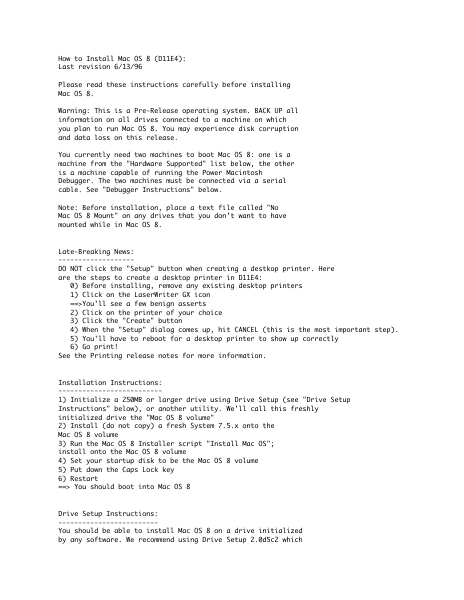
How to Install Mac OS 8 (D11E4): Last revision 6/13/96 Please read these instructions carefully before installing Mac OS 8. Warning: This is a Pre-Release operating system. BACK UP all information on all drives connected to a machine on which you plan to run Mac OS 8. You may experience disk corruption and data loss on this release. You currently need two machines to boot Mac OS 8: one is a machine from the "Hardware Supported" list below, the other is a machine capable of running the Power Macintosh Debugger. The two machines must be connected via a serial cable. See "Debugger Instructions" below. Note: Before installation, place a text file called "No Mac OS 8 Mount" on any drives that you don't want to have mounted while in Mac OS 8. Late-Breaking News: ------------------DO NOT click the "Setup" button when creating a destkop printer. Here are the steps to create a desktop printer in D11E4: 0) Before installing, remove any existing desktop printers 1) Click on the LaserWriter GX icon ==>You'll see a few benign asserts 2) Click on the printer of your choice 3) Click the "Create" button 4) When the "Setup" dialog comes up, hit CANCEL (this is the most important step). 5) You'll have to reboot for a desktop printer to show up correctly 6) Go print! See the Printing release notes for more information. Installation Instructions: -------------------------1) Initialize a 250MB or larger drive using Drive Setup (see "Drive Setup Instructions" below), or another utility. We'll call this freshly initialized drive the "Mac OS 8 volume" 2) Install (do not copy) a fresh System 7.5.x onto the Mac OS 8 volume 3) Run the Mac OS 8 Installer script "Install Mac OS"; install onto the Mac OS 8 volume 4) Set your startup disk to be the Mac OS 8 volume 5) Put down the Caps Lock key 6) Restart ==> You should boot into Mac OS 8 Drive Setup Instructions: ------------------------You should be able to install Mac OS 8 on a drive initialized by any software. We recommend using Drive Setup 2.0d5c2 which is incluced with the D11E4 build. 1) In the Drive Setup window, select your Mac OS 8 volume. 2) Click Initialize. You get the Initialize dialog: "Initializing will destoy all data...". 3) Click Custom Setup...in the Initialize dialog. 4) Select a Partitioning Scheme of 1 Macintosh HFS. 5) Click OK to go back to the Initialize dialog. In the lower status field, it should say: "New Partitioning: 1 Macintosh HFS Initialization Options: none" 6) Click Initialize. Debugger Instructions: ---------------------To run Mac OS 8, you will need a debugging machine. This can be any Macintosh capable of running the Power Mac debugger connected to the Mac OS 8 machine via a serial cable. It does not have to be a PowerPC machine, any Macintosh with 7MB free RAM (Virtual Memory is OK) is sufficient. There is currently no reliable way to run Mac OS 8 without the debugger at this time; however, you should be able to boot to Finder in most cases without a debugging machine connected. Th…

Showing first 3,000 characters of 7,115 total. Open the full document →

Home Documents Macintosh The Copland Toolbox
The Copland Toolbox

The Copland Toolbox

Macintosh · 1992 · PDF
FilenameThe_Copland_Toolbox_19951019.pdf
Size0.83 MB
Year1992
Subsection developer / Copland / D9_19950530
Downloads5
Enjoying MacTrove? Anonymous downloads are free and unlimited. Create a free account to track favorites, contribute metadata corrections, and join the community chat.
Reader
The Copland Toolbox
/
Loading…
OCR / Text contents
ð The Copland Toolbox ð Preliminary Developer Press  Apple Computer, Inc. 1992–1995 This document was created with FrameMaker 4.0.4 ð Apple Computer, Inc.  1992–1995 Apple Computer, Inc. All rights reserved. No part of this publication may be reproduced, stored in a retrieval system, or transmitted, in any form or by any means, mechanical, electronic, photocopying, recording, or otherwise, without prior written permission of Apple Computer, Inc., except to make a backup copy of any documentation provided on CD-ROM. The Apple logo is a trademark of Apple Computer, Inc. Use of the “keyboard” Apple logo (Option-Shift-K) for commercial purposes without the prior written consent of Apple may constitute trademark infringement and unfair competition in violation of federal and state laws. No licenses, express or implied, are granted with respect to any of the technology described in this book. Apple retains all intellectual property rights associated with the technology described in this book. This book is intended to assist application developers to develop applications only for Apple-labeled or Apple-licensed computers. Every effort has been made to ensure that the information in this manual is accurate. Apple is not responsible for typographical errors. Apple Computer, Inc. 1 Infinite Loop Cupertino, CA 95014 408-996-1010 Apple, the Apple logo, AppleLink, AppleScript, AppleShare, AppleTalk, GeoPort, HyperCard, ImageWriter, LocalTalk, Macintosh, MacTCP, OpenDoc, PowerBook, Power Macintosh, PowerTalk, QuickTime, TrueType, and WorldScript are trademarks of Apple Computer, Inc., registered in the United States and other countries. Balloon Help, Chicago, Finder, Geneva, Mac, and QuickDraw are trademarks of Apple Computer, Inc. IBM is a registered trademark of International Business Machines Corporation. MacPaint and MacWrite are registered trademarks, and Clarisworks is a trademark, of Claris Corporation. NuBus is a trademark of Texas Instruments. PowerPC is a trademark of International Business Machines Corporation, used under license therefrom. UNIX is a registered trademark of Novell, Inc. in the United States and other countries, licensed exclusively through X/Open Company, Ltd. Some states do not allow the exclusion or limitation of implied warranties or liability for incidental or consequential damages, so the above limitation or exclusion may not apply to you. This warranty gives you specific legal rights, and you may also have other rights which vary from state to state.. Simultaneously published in the United States and Canada. Even though Apple has reviewed this manual, APPLE MAKES NO WARRANTY OR REPRESENTATION, EITHER EXPRESS OR IMPLIED, WITH RESPECT TO THIS MANUAL, ITS QUALITY, ACCURACY, MERCHANTABILITY, OR FITNESS FOR A PARTICULAR PURPOSE. AS A RESULT, THIS MANUAL IS SOLD “AS IS,” AND YOU, THE PURCHASER, ARE ASSUMING THE ENTIRE RISK AS TO ITS QUALITY AND ACCURACY. IN NO EVENT WILL APPLE BE LIABLE FOR DIRECT, INDIRECT, SPECIAL, INCI…

Showing first 3,000 characters of 140,771 total. Open the full document →

Home Documents Macintosh Software Extensibility And The System Object Model
Software Extensibility And The System Object Model

Software Extensibility And The System Object Model

Macintosh · 1992 · PDF
FilenameSoftware_Extensibility_and_the_System_Object_Model_19951017.pdf
Size0.15 MB
Year1992
Subsection developer / Copland / D9_19950530
Downloads5
Enjoying MacTrove? Anonymous downloads are free and unlimited. Create a free account to track favorites, contribute metadata corrections, and join the community chat.
Reader
Software Extensibility And The System Object Model
/
Loading…
OCR / Text contents
ð Software Extensibility and the System Object Model (SOM) ð Preliminary Developer Press  Apple Computer, Inc. 1992–1995 This document was created with FrameMaker 4.0.4 ð Apple Computer, Inc.  1992–1995 Apple Computer, Inc. All rights reserved. No part of this publication may be reproduced, stored in a retrieval system, or transmitted, in any form or by any means, mechanical, electronic, photocopying, recording, or otherwise, without prior written permission of Apple Computer, Inc., except to make a backup copy of any documentation provided on CD-ROM. The Apple logo is a trademark of Apple Computer, Inc. Use of the “keyboard” Apple logo (Option-Shift-K) for commercial purposes without the prior written consent of Apple may constitute trademark infringement and unfair competition in violation of federal and state laws. No licenses, express or implied, are granted with respect to any of the technology described in this book. Apple retains all intellectual property rights associated with the technology described in this book. This book is intended to assist application developers to develop applications only for Apple-labeled or Apple-licensed computers. Every effort has been made to ensure that the information in this manual is accurate. Apple is not responsible for typographical errors. Apple Computer, Inc. 1 Infinite Loop Cupertino, CA 95014 408-996-1010 Apple, the Apple logo, AppleLink, AppleScript, AppleShare, AppleTalk, GeoPort, HyperCard, ImageWriter, LocalTalk, Macintosh, MacTCP, OpenDoc, PowerBook, Power Macintosh, PowerTalk, QuickTime, TrueType, and WorldScript are trademarks of Apple Computer, Inc., registered in the United States and other countries. Balloon Help, Chicago, Finder, Geneva, Mac, and QuickDraw are trademarks of Apple Computer, Inc. IBM is a registered trademark of International Business Machines Corporation. MacPaint and MacWrite are registered trademarks, and Clarisworks is a trademark, of Claris Corporation. NuBus is a trademark of Texas Instruments. PowerPC is a trademark of International Business Machines Corporation, used under license therefrom. UNIX is a registered trademark of Novell, Inc. in the United States and other countries, licensed exclusively through X/Open Company, Ltd. Some states do not allow the exclusion or limitation of implied warranties or liability for incidental or consequential damages, so the above limitation or exclusion may not apply to you. This warranty gives you specific legal rights, and you may also have other rights which vary from state to state.. Simultaneously published in the United States and Canada. Even though Apple has reviewed this manual, APPLE MAKES NO WARRANTY OR REPRESENTATION, EITHER EXPRESS OR IMPLIED, WITH RESPECT TO THIS MANUAL, ITS QUALITY, ACCURACY, MERCHANTABILITY, OR FITNESS FOR A PARTICULAR PURPOSE. AS A RESULT, THIS MANUAL IS SOLD “AS IS,” AND YOU, THE PURCHASER, ARE ASSUMING THE ENTIRE RISK AS TO ITS QUALITY AND ACCURACY. IN NO EVENT WILL APPLE BE LIABL…

Showing first 3,000 characters of 28,126 total. Open the full document →
Home Documents Macintosh Patch Manager 9951019
Patch Manager 9951019

Patch Manager 9951019

Macintosh · 1992 · PDF
FilenamePatch_Manager_9951019.pdf
Size0.28 MB
Year1992
Subsection developer / Copland / D9_19950530
Downloads2
Enjoying MacTrove? Anonymous downloads are free and unlimited. Create a free account to track favorites, contribute metadata corrections, and join the community chat.
Reader
Patch Manager 9951019
/
Loading…
OCR / Text contents
Patch Manager Preliminary Developer Press © Apple Computer, Inc. 1992–1995 ð Apple Computer, Inc.  1992–1995 Apple Computer, Inc. All rights reserved. No part of this publication may be reproduced, stored in a retrieval system, or transmitted, in any form or by any means, mechanical, electronic, photocopying, recording, or otherwise, without prior written permission of Apple Computer, Inc., except to make a backup copy of any documentation provided on CD-ROM. The Apple logo is a trademark of Apple Computer, Inc. Use of the “keyboard” Apple logo (Option-Shift-K) for commercial purposes without the prior written consent of Apple may constitute trademark infringement and unfair competition in violation of federal and state laws. No licenses, express or implied, are granted with respect to any of the technology described in this book. Apple retains all intellectual property rights associated with the technology described in this book. This book is intended to assist application developers to develop applications only for Apple-labeled or Apple-licensed computers. Every effort has been made to ensure that the information in this manual is accurate. Apple is not responsible for typographical errors. Apple Computer, Inc. 1 Infinite Loop Cupertino, CA 95014 408-996-1010 Apple, the Apple logo, AppleLink, AppleScript, AppleShare, AppleTalk, GeoPort, HyperCard, ImageWriter, LocalTalk, Macintosh, MacTCP, OpenDoc, PowerBook, Power Macintosh, PowerTalk, QuickTime, TrueType, and WorldScript are trademarks of Apple Computer, Inc., registered in the United States and other countries. Balloon Help, Chicago, Finder, Geneva, Mac, and QuickDraw are trademarks of Apple Computer, Inc. IBM is a registered trademark of International Business Machines Corporation. MacPaint and MacWrite are registered trademarks, and Clarisworks is a trademark, of Claris Corporation. NuBus is a trademark of Texas Instruments. PowerPC is a trademark of International Business Machines Corporation, used under license therefrom. UNIX is a registered trademark of Novell, Inc. in the United States and other countries, licensed exclusively through X/Open Company, Ltd. Some states do not allow the exclusion or limitation of implied warranties or liability for incidental or consequential damages, so the above limitation or exclusion may not apply to you. This warranty gives you specific legal rights, and you may also have other rights which vary from state to state.. Simultaneously published in the United States and Canada. Even though Apple has reviewed this manual, APPLE MAKES NO WARRANTY OR REPRESENTATION, EITHER EXPRESS OR IMPLIED, WITH RESPECT TO THIS MANUAL, ITS QUALITY, ACCURACY, MERCHANTABILITY, OR FITNESS FOR A PARTICULAR PURPOSE. AS A RESULT, THIS MANUAL IS SOLD “AS IS,” AND YOU, THE PURCHASER, ARE ASSUMING THE ENTIRE RISK AS TO ITS QUALITY AND ACCURACY. IN NO EVENT WILL APPLE BE LIABLE FOR DIRECT, INDIRECT, SPECIAL, INCIDENTAL, OR CONSEQUENTIAL DAMAGES RESULTING FROM ANY DEFECT O…

Showing first 3,000 characters of 72,276 total. Open the full document →
Home Documents Macintosh Microkernel White Paper
Microkernel White Paper

Microkernel White Paper

Macintosh · 1992 · PDF
FilenameMicrokernel_White_Paper_19951024.pdf
Size0.50 MB
Year1992
Subsection developer / Copland / D9_19950530
Downloads2
Enjoying MacTrove? Anonymous downloads are free and unlimited. Create a free account to track favorites, contribute metadata corrections, and join the community chat.
Reader
Microkernel White Paper
/
Loading…
OCR / Text contents
Microkernel White Paper Preliminary and Confidential Macintosh System Software Apple Computer, Inc. Copyright (©) 1992-1995 Apple Computer, Inc. ABOUT THE MICROKERNEL ...................................8 KERNEL OBJECTS AND IDS....................................................9 NAMING ......................................................................................11 EXECUTION - TASKING AND INTERRUPTS.....................12 ABOUT EXECUTION ..........................................................................................................12 ABOUT TASKS ...................................................................................................................13 ABOUT TASK SCHEDULING ..............................................................................................14 ABOUT SOFTWARE INTERRUPTS ......................................................................................15 ABOUT PRIVILEGED EXECUTION ......................................................................................16 ABOUT SYNCHRONIZATION ..............................................................................................16 ABOUT INTERRUPTS .........................................................................................................17 KERNELPROCESSES ...............................................................19 ADDRESS SPACE MANAGEMENT .......................................20 ABOUT ADDRESSING ........................................................................................................20 THE SYSTEM 7 ADDRESSING MODEL ...............................................................................21 THE MICROKERNEL ADDRESSING MODEL .......................................................................22 Multiple Address Spaces ...............................................................................................22 Areas .............................................................................................................................22 Paging ...........................................................................................................................23 Global Areas .................................................................................................................23 I/O Coordination...........................................................................................................24 Addressing And Execution ............................................................................................24 Inter-Address Space Access ..........................................................................................24 Code Fragment Manager Contexts...............................................................................25 SYNCHRONIZATION MECHANISMS ..................................26 MESSAGING...............................................................................28 MESSAGES ...........................................................…

Showing first 3,000 characters of 298,108 total. Open the full document →
Home Documents Macintosh 030 1991 A ETO #22 Essentials Tools Objects Dec1996
030 1991 A ETO #22 Essentials Tools Objects Dec1996

030 1991 A ETO #22 Essentials Tools Objects Dec1996

Macintosh · 1991 · PDF
Filename030-1991-A_ETO_#22_Essentials_Tools_Objects_Dec1996.pdf
Size3.46 MB
Year1991
Subsection developer
Downloads7
Enjoying MacTrove? Anonymous downloads are free and unlimited. Create a free account to track favorites, contribute metadata corrections, and join the community chat.
Reader
030 1991 A ETO #22 Essentials Tools Objects Dec1996
/
Loading…
OCR / Text contents
E.T.O.: Essentials-Tools-Objects 030-1991-A E.T.O. About E.T.O.: Essentials • Tools • Objects (#22-DECEMBER, 1996) CONTENTS Contents ............................................................................................................................................................................. i About E.T.O ..................................................................................................................................................................... 1 New Software Releases ................................................................................................................................................... 2 MPW ....................................................................................................................................................................... 2 MPW Pre-release .................................................................................................................................................. 2 Interfaces and Libraries ........................................................................................................................................ 2 Interfaces and Libraries Pre-release ................................................................................................................... 2 MrC/MrCpp 3.0 Pre-release ............................................................................................................................... 3 MrC /MrCpp - Plugin Version for Code Warrior ........................................................................................... 3 Direct-to-SOMobjects Software ........................................................................................................................... 3 Power Mac Debugger 2. lal ................................................................................................................................. 3 OpenDoc Development Framework Release 2 ................................................................................................ 3 MacApp 3.3.3 ......................................................................................................................................................... 4 MacApp Release 12 ............................................................................................................................................... 4 ResEdit 3.0d3 ......................................................................................................................................................... 4 MrPlus l.Od4 ......................................................................................................................................................... .4 Instrumentation SDK 1.0 Pre-release ............................................................................................................... .4 Mac OS Runtime For Java ..................................................................................…

Showing first 3,000 characters of 75,531 total. Open the full document →

Home Documents Macintosh 5590334 NuKernel ERS
5590334 NuKernel ERS

5590334 NuKernel ERS

Macintosh · 1996 · PDF
Filename5590334_NuKernel_ERS_199403.pdf
Size6.05 MB
Year1996
Subsection developer / Copland
Downloads4
Enjoying MacTrove? Anonymous downloads are free and unlimited. Create a free account to track favorites, contribute metadata corrections, and join the community chat.
Reader
5590334 NuKernel ERS
/
Loading…
OCR / Text contents
111111111111111111111111111111111111111111111111111111111111111111111111111 US005590334A United States Patent [19J [lll Patent Number: 5,590,334 Saulpaugh et al. [45] Date of Patent: Dec. 31, 1996 [54] OBJECT ORIENTED MESSAGE PASSING SYSTEM AND METHOD [75] Inventors: Thomas E. Saulpaugh, San Jose; Bill M. Bruffey, Cupertino; Russen T. Williams, San Jose, all of Calif. [73] Assignee: Apple Computer, Inc, Cupertino, Calif. [21] Appl. No.: 618,404 [22] Filed: Mar. 19, 1996 Related U.S. Application Data [63] Continuation of Ser. No. 220,043, Mar. 30, 1994, abandoned. [51] [52] Int. Cl. 6 ...................................................... G06F 13/14 U.S. Cl. ....................... 395/683; 395/600; 395/200.1; 3951733 Field of Search ..................................... 395/200, 700, 3951775, 600, 200.1; 364/DIG. 1, 228.5, 228.8 [58] References Cited [56] U.S. PATENT DOCUMENTS 5,142,683 8/1992 Burkhardt et al ....................... 395n25 5,230,051 711993 Quan ....................................... 395noo 5,265,206 11/1993 Shackelford et al. .................. 395/200 5,305,461 4/1994 Feigenbaum et al. .................. 395n75 5,315,709 5/1994 Alston, Jr. et al ...................... 395/600 5,317,746 5/1994 Watanabe ................................ 395noo 5,329,619 7/1994 Page et al ............................... 395/200 5,333,269 7/1994 Calvignac et al. ...................... 395/200 5,371,850 12/1994 Beisan et al. ........................... 395/200 FOREIGN PATENT DOCUMENTS 0425420 0483036 5/1991 4/1992 European Pat. Off.. European Pat. Off. ..................... 9/44 OTHER PUBLICATIONS Tripathi, A. et al. "Type Management System In Tue Nexus Distributed Programming Environment," 5 Oct. 1988, pp. 170-177. Hong-Tai Chou et al. "Versions and Change Notification in an Object-Oriented Database System," 12 Jun. 1988, pp. 275-281. D. V. Pitts et al. "Object Memory and Storage Management in the Clouds Kernel," 13 Jun. 1988, pp. 10-17. D. C. Robinson et al. "Domain-Based Access Contra! for Distributed Computing Systems" in Software Engineering Journal, Sep. 1988, pp. 161-170, vol. 3, No. 5. U. Ramachandran et al. "A Measurement-Based Study of Hardware Support for Object lnvocation" in Software Practice & Experience, Sep. 1989, pp. 809-828, vol. 19, No. 9. M. Ancona. "Persistent Heaps," 21 Mar. 1990, pp. 324-331. G Pathak et al. "Object eXchange Service for an Object-0riented Database System," 6 Feb. 1989, pp. 27-34. Primary Examiner-Kevin A. Kriess Assistant Examiner-Majid A. Banankhah Attomey, Agent, or Finn-Carr, DeFilippo & Ferrell [57] ABSTRACT An object oriented message passing system for transferring messages between a client task and a server task comprises an object database, an object management unit, a message transaction unit, and a locking unit. Tue object management unit creates a port object and one or more associated message objects. Tue message transaction unit matches a send message request issue…

Showing first 3,000 characters of 435,254 total. Open the full document →

Home Documents Macintosh Appletalk Router Administrators Guide
Appletalk Router Administrators Guide

Appletalk Router Administrators Guide

Macintosh · 1989 · PDF
FilenameAppletalk_Router_Administrators_Guide_1989.pdf
Size6.46 MB
Year1989
Subsection developer / Networking
Downloads4
Enjoying MacTrove? Anonymous downloads are free and unlimited. Create a free account to track favorites, contribute metadata corrections, and join the community chat.
Reader
Appletalk Router Administrators Guide
/
Loading…
OCR / Text contents
Apple Confidential (/ •~ Apple~ AppleTalk* Internet Router Administrator's Guide (_ . Apple Confidential • ti APPLE COMPUTER, INC. This manual and the software described in it are copyrighted, with all rights reserved. Under the cop'YJ'ight laws, neither this manU1l nor the software may be copied, in whole or in part, wlhout written consent of Apple, except in the normal use of the software or to make a backup copy of the software. The same proprietary and copyright notices must be aff'ixed to any permined copies as were aff'ixed to the original. This exception does not allow copies to be made for othels, whether or not sold, but all of the mate.rial purchased (with all backup copies) may be sold, given, or loaned to another person. Under the law, copying includes translating into another language or fomiat. You may use the software on any computer owned by you, but exua copies cannot be made for this purpose. © Apple Computer, Inc., 1989 20525 Mariani Avenue Cupenino, CA 95014 (408) 996-1010 Apple, the Apple logo, AppleShare, AppleTalk, ImageWriter, LaserWriter, and Macintosh are registered trademarks of Apple Computer, Inc. EtherTalk, Finder, Inter• Poll, LocalTalk, and TokenTalk are trademarks of Apple Computer, Inc. MacDraw is a registered trademark of Claris Corporation. . Apple Confldentlal Contents Figures and tables Preface About This Guide Who should read this guide How to use this guide If you're new to routers If you're experienced with routers Selecting a network administrator Additional references Part I 1 Introduction and System Requirements The AppleTalk Internet Router How the AppleTalk Internet Router works Network connections on your router What the AppleTalk Internet Router can do Internet routing functions Router control and monitoring functions Bridges and routers v .. Apple Confldentlal 2 AppleTaJk Terms and Concepts AppleTalk networks and intemets Network Internet 1be AppleTalk Network System Netwm servkes AppleTalk addressing Packers Nodes Network addresses Node addreues AppleTalk zones 1.one names and zone lists An inremet zone example Internet routers Hardware-based and software-based routers Seed routers Hops Routing tables 3 System Requirements .and Router Environments System requirements Hardware Software Macintosh router environments Running the AppleTalk Internet Router on a nondedicated Macintosh computer Running the AppleTalk Internet Router on a dedicated Macintosh computer RuMing the AppleTalk Internet Router on a Macintosh workstation Connecting networks to the router ports Potts 4 A quick tour The Router desk accessory The Router Setup window The Network Information window The Port Statistics window Router operatioo vi Contents Apple Conllderit!al . Part U JostaWng and Using the AppleTalk Internet Router 5 Installing the AppleTalk Internet Router The AppleTalk Inremct Rooter diR Installing on a bard <&k Installing the AppleTalk Internet Router with an AppleShare file server Sh…

Showing first 3,000 characters of 176,958 total. Open the full document →

Subscribe to developer
mp.ls